How to see a piece of furniture in your room before you buy it
To see a piece of furniture in your room before buying it, take a photo of the room and a photo of the piece, for example a sofa in a store. In DecorAI's interior designer, add the room photo, add the piece under Add Furniture, and generate. DecorAI places the piece into your room with matching perspective and light, so you can judge its look before you pay.
- Time: about 10 minutes for two photos and two or three placements.
- You need: a photo of your room, a photo of the piece and the DecorAI app or web app.
- Result: your own room with the new piece in place, ready to compare.
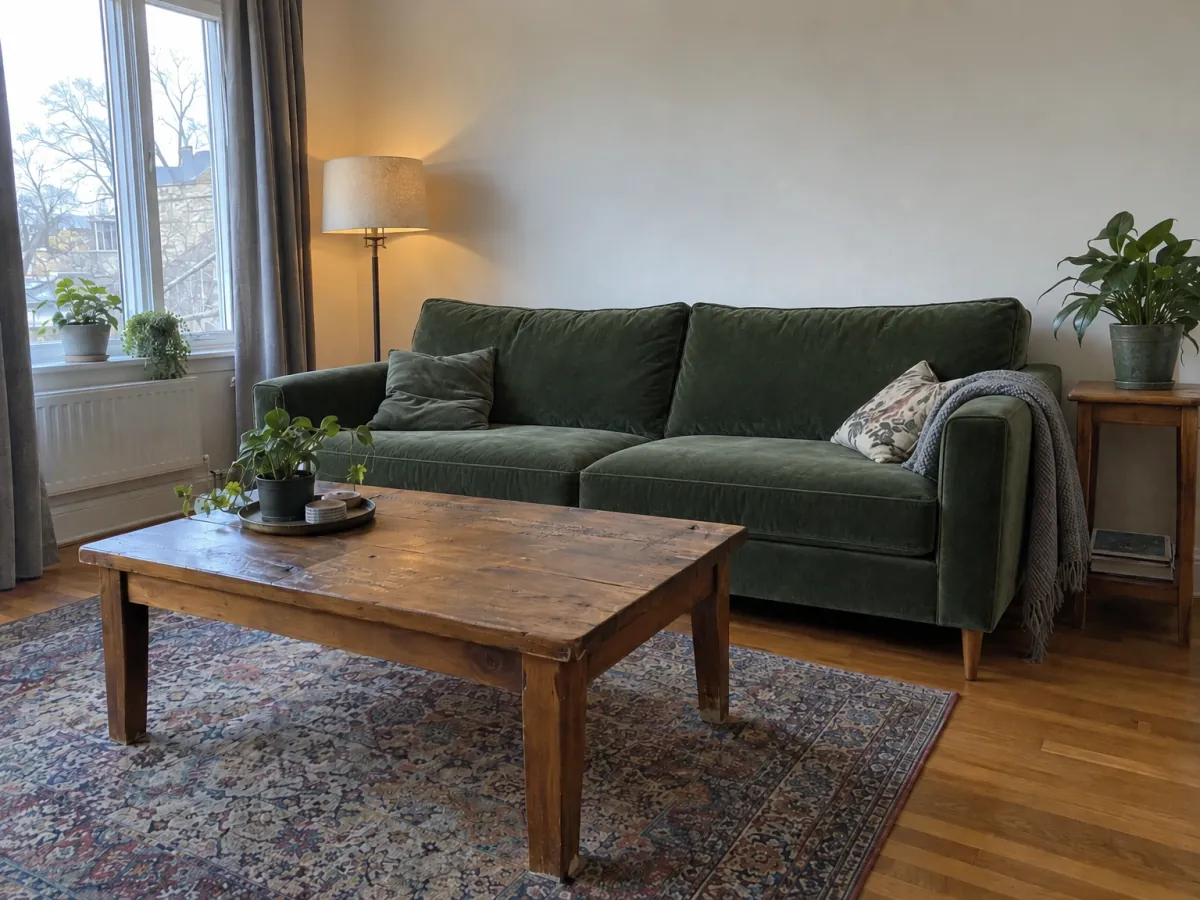
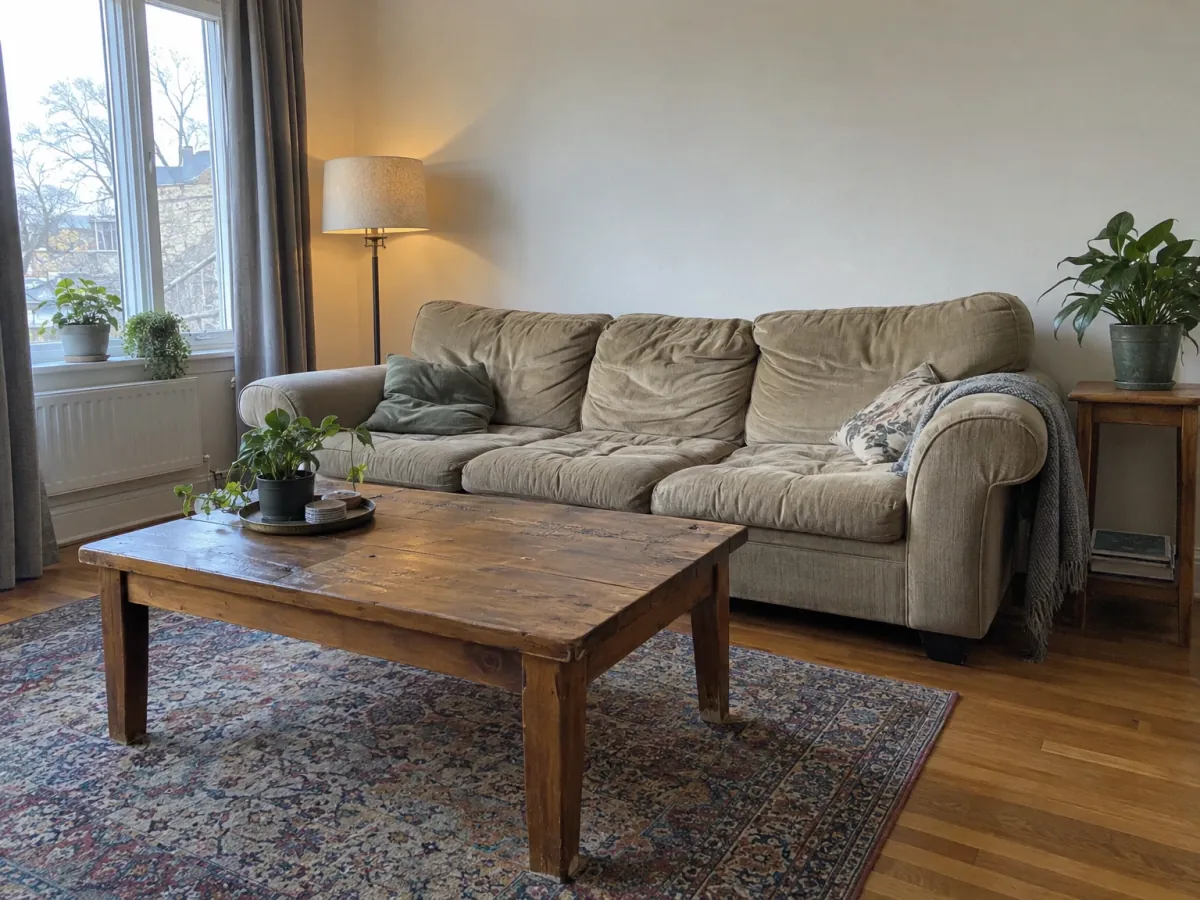
Illustrative AI example. Results vary.



What you need
- A photo of your room that shows the wall or corner where the piece will go.
- A clear photo of the piece: in a store, at a friend's home or from a listing you are allowed to use.
- The DecorAI app on iPhone, iPad or Android, or the web app.
How to place furniture in a photo of your room, step by step
Step 1: Photograph the spot at home
Take a photo of the room from where you usually see it, with the wall or corner for the new piece fully in view. Hold the phone level at chest height and include a door or a window for scale. If an old piece stands there today, leave it in the photo.
Step 2: Photograph the piece
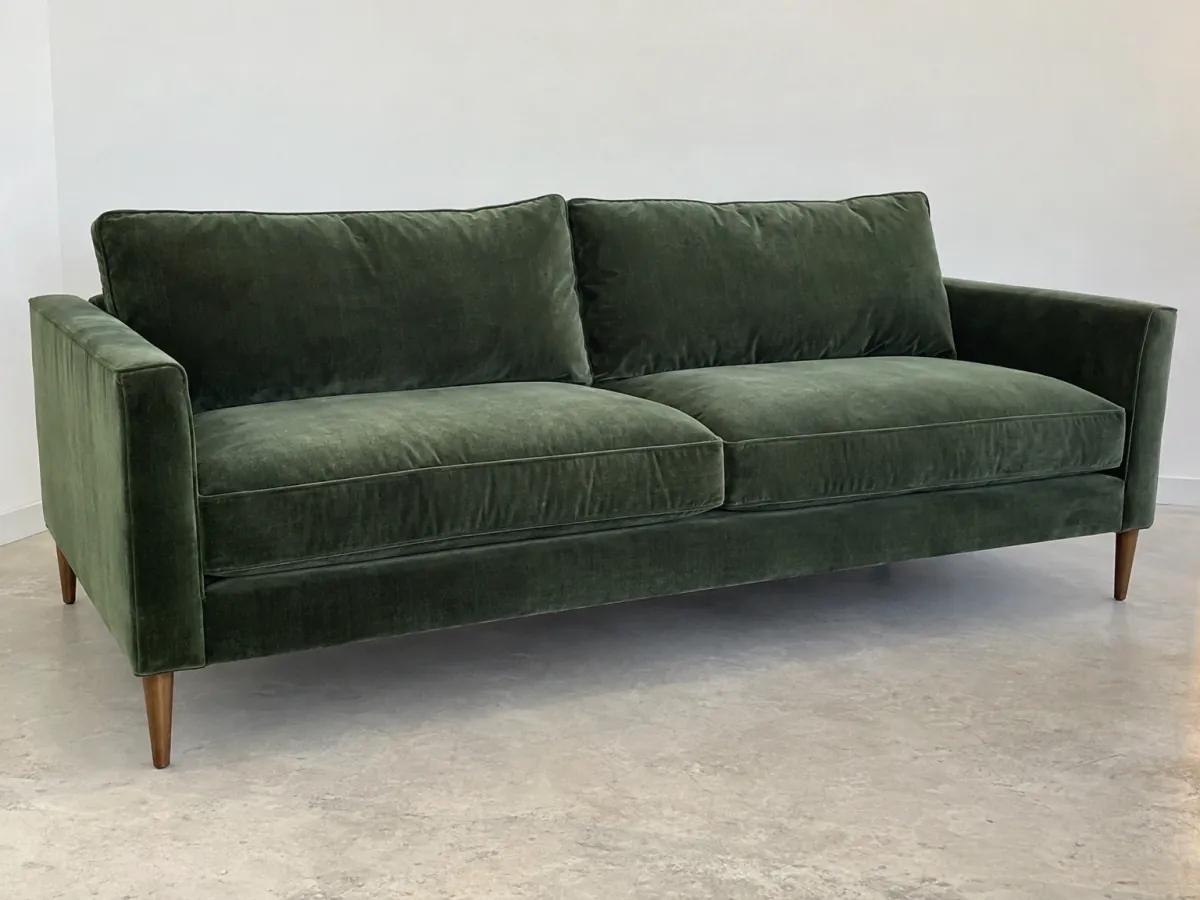
In the store, photograph the whole piece from the front at a slight angle, at about the height you used at home. A plain wall and floor behind it and even light give the cleanest outline. Shoot each color or fabric you are considering separately, so you can compare them later.
Step 3: Add both photos in the interior designer
Open DecorAI's interior designer and upload the room photo. Then add the photo of the piece under Add Furniture; you can add up to five pieces to one design. Choose the room type that matches the photo, so DecorAI understands the space the piece is going into.
Step 4: Keep the rest of the room
Open the features and select Keep Room Details and Keep Exact Photo Angle, so the result stays close to your real room. In the custom instructions, say where the piece belongs and what it replaces, for example replace the beige sofa against the back wall with the green sofa.
Step 5: Generate and check the scale
Generate and compare the result with your photo using the slider. Check the size of the piece against the door, the window and the coffee table. If it looks too big or too small, generate again and mention the size in the instructions, such as a compact three-seat sofa.
Step 6: Compare alternatives
Repeat the placement with your second option, such as the same sofa in another fabric or a different model. Keep the same room photo every time. Two or three results side by side show quickly which piece suits the floor, the rug and the light of your room.
Step 7: Measure and decide
Before you buy, measure the space and compare it with the piece's listed width, depth and height, and check the doorways and stairs it has to pass through. The picture shows how the piece looks in the room; the tape measure confirms that it fits.
Tips for placing furniture in a photo
Match the camera height
Photograph the piece and the room from roughly the same height. When both views agree, the placed piece sits more naturally on the floor of your room.
Keep the piece fully in frame
Cut-off legs or armrests leave the AI guessing. Step back until the whole piece, feet included, is in the photo with some space around it.
Test fabric and finish too
Color in a store looks different from color at home. Placing two fabric options into your own room photo shows which one works with your walls and floor.
Try a whole look at once
Add a sofa, a rug and a lamp together, up to five pieces, to see how a new set works in the room before you buy any of it.
Habits that lead to better buying decisions
Show the existing spot clearly
A photo where the target wall is hidden behind a plant or a door gives the piece no clear place. Clear the view to the spot before you take the room photo.
Confirm sizes with a tape measure
Use the picture for the look and the measurements for the fit. Mark the footprint on the floor with painter's tape to feel the size in the real room.
Use photos you are allowed to use
Your own photos of a piece are the safest choice. A listing image is fine for planning when you have the right to use it.
The DecorAI page for this guide
The AI furniture placement page explains how furniture and decor stores use DecorAI at the counter: a quick photo of a showroom piece, shown in the room a customer brought on their phone.
Questions about seeing furniture in your room
How can I see what furniture would look like in my room?
Take a photo of your room and a photo of the piece, then add both in DecorAI's interior designer, the piece under Add Furniture. DecorAI places the piece into your room with matching perspective and light, usually in less than a minute, so you can judge the look before you buy.
Can I add a sofa I saw in a store to a photo of my room?
Yes. Photograph the sofa in the store from the front, with the whole piece in the frame, and add that photo to your room photo in DecorAI. The app places that sofa in your room. Mention in the custom instructions which wall it stands against or which old sofa it replaces.
How many pieces of furniture can I add at once?
DecorAI's interior designer takes up to five furniture photos for one design. That is enough to test a sofa together with an armchair, a rug, a coffee table and a lamp, so you see how a whole set of new pieces works together in your own room.
Will the furniture be the right size in the picture?
DecorAI matches the piece to the perspective of your room, which gives a believable size. The picture is a visual guide, so confirm the real fit with a tape measure: compare the piece's listed dimensions with the space, and check doorways and stairs on the way in.
Can furniture stores use this with their customers?
Yes. Store staff photograph a piece in the showroom and add it to the customer's own room photo while they talk. Commercial use of the designs is allowed on every DecorAI plan, and DecorAI Business gives a team of three a shared web app plan at $59 a month.
See the piece at home before you pay
Photograph your room and the piece you are considering, and place it in the picture in minutes, on iPhone, Android or the web.
Place furniture in your room: