How to copy the style of a room you like
To copy the style of a room you like, save a clear photo of it and use that photo as the style reference in DecorAI's style transfer, together with a photo of your own room. DecorAI applies the colors, materials and mood of the reference to your room and keeps your walls, windows and camera angle. Then turn the result into a list of paint, textiles and furniture to buy.
- Time: about 10 minutes for two photos and two or three results.
- You need: a photo of the room you admire, a photo of your room and DecorAI.
- Result: your own room in the look of the reference, ready to shop from.
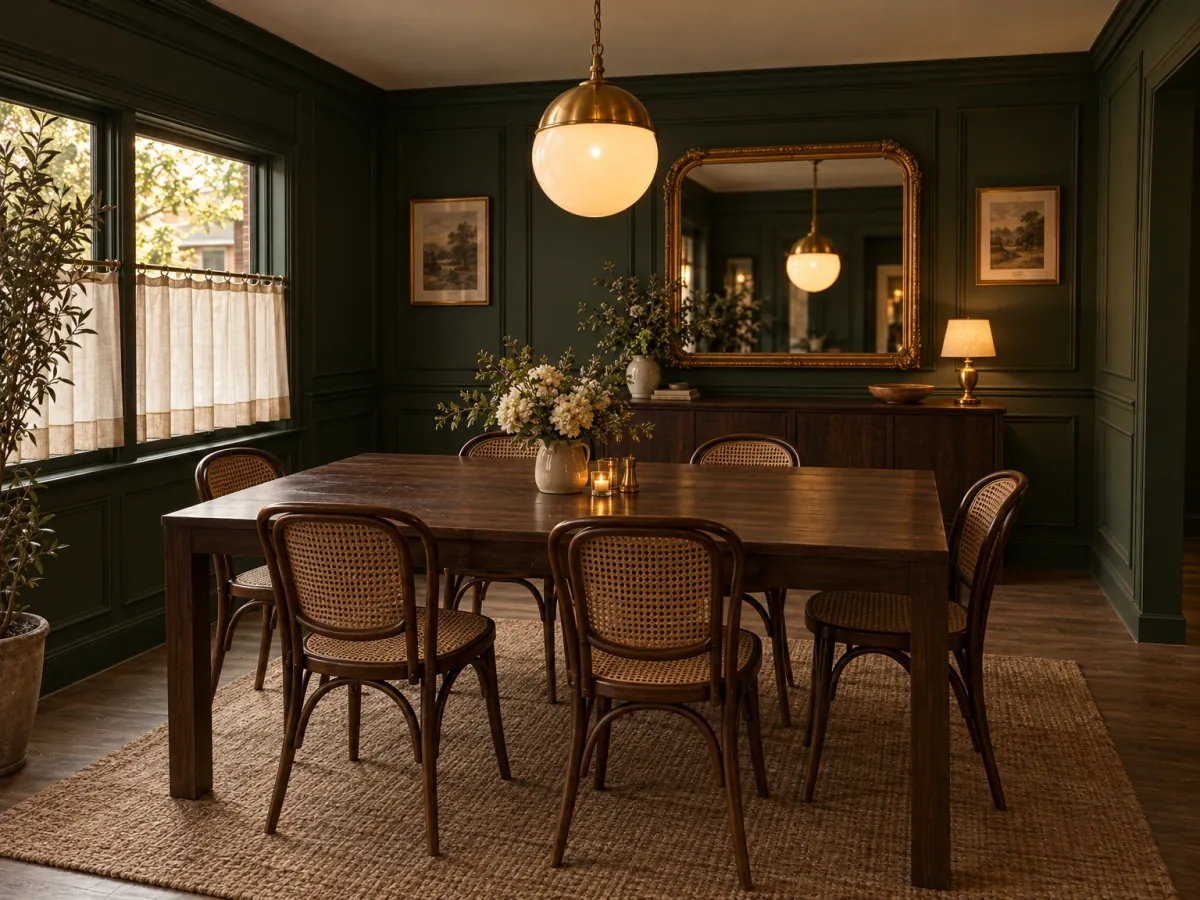
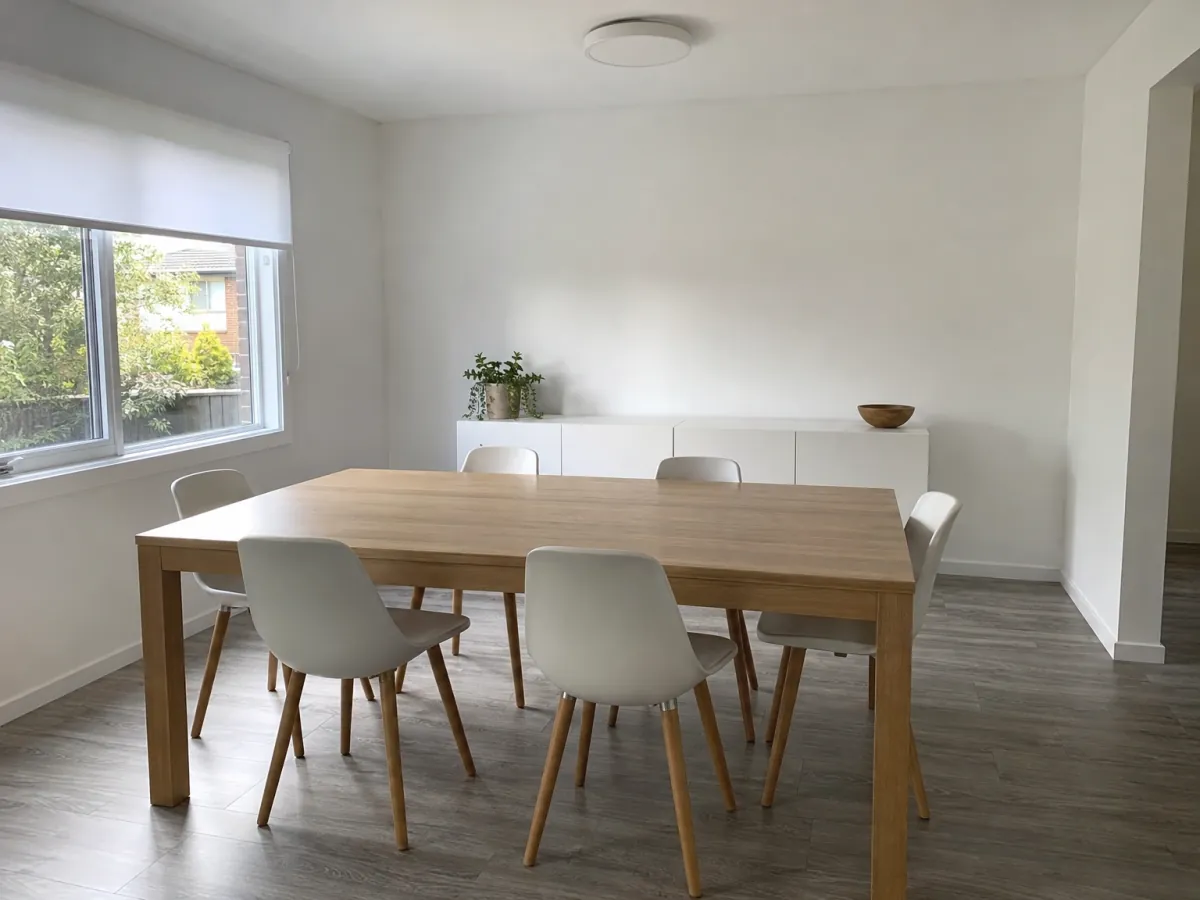
Illustrative AI example. Results vary.



What you need
- A photo of the room whose style you want, from a trip, a magazine or your saved pictures.
- A daylight photo of your own room, taken from a corner.
- The DecorAI app on iPhone, iPad or Android, or the web app.
How to copy a room style, step by step
Step 1: Collect rooms you keep coming back to
Save pictures of rooms that stop you: a hotel lobby, a restaurant, a friend's kitchen, a page in a magazine. After a week, look at them together and notice what they share, such as dark walls, warm wood or brass. That shared thread is the style you are after.
Step 2: Pick one clear reference
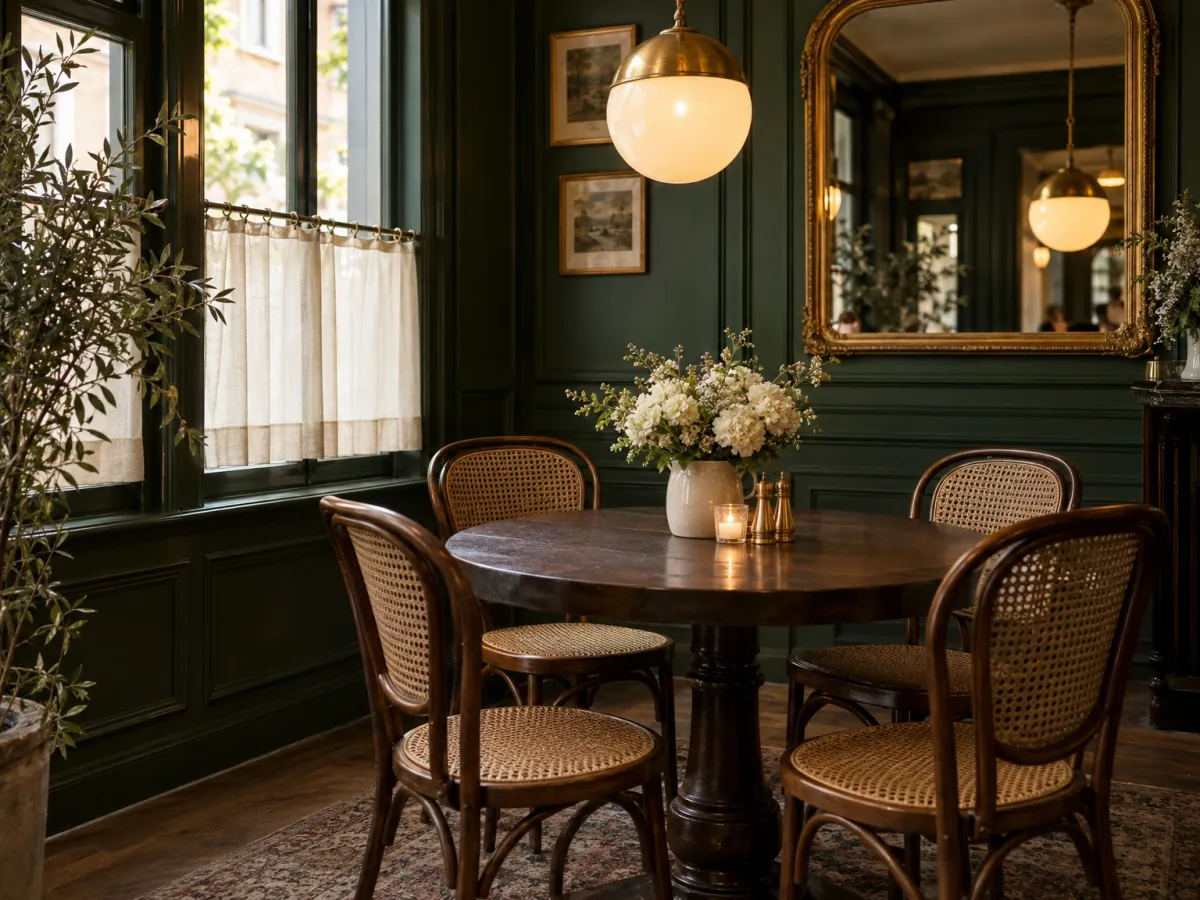
Choose the single image that shows the look most clearly: a consistent color palette, visible materials and good light. A wide view of a whole room works better than a close-up of one chair. Save the original image rather than a screenshot, so the colors and details stay sharp.
Step 3: Photograph your own room
Take a daylight photo of the room you want to change from a corner, with the phone level at chest height. Show the walls, the window and the main furniture. The more similar the room types are, such as two dining rooms, the more directly the style carries over.
Step 4: Open style transfer and add both images
In DecorAI, open style transfer and upload the photo of your room first. Then add the reference with the option to upload your own style. If you have no reference yet, choose one of the built-in style images instead and see what each does to your room.
Step 5: Generate and compare
Generate the result and compare it with your original photo using the slider. Check what carried over: the wall color, the wood tones, the metal finishes, the lighting mood. If one element is missing, try a second reference that shows it more clearly, and keep the better of the two results.
Step 6: Refine one detail at a time
When the overall look is right but one part is off, such as a rug or a lamp, brush over it in the inpainting editor and describe the change. For a different layout in the same style, use the interior designer with custom instructions that name the colors and materials you saw.
Step 7: Turn the look into a shopping list
Write down what the result changes, from big to small: wall color, flooring or rug, main furniture, lighting, textiles, accessories. Start with paint and lighting, which carry most of a style for the least money, and add furniture over time as the budget allows.
Tips for copying a style
Match the light of the reference
A moody evening photo carries its mood into your room. If you want a bright result, choose a reference taken in daylight, or photograph your room in the evening for a cozy one.
Look for three signature elements
Most styles rest on a few elements, such as green panelling, cane chairs and brass. Name them in your shopping list; they matter more than matching every object.
Use a style you can live with
Restaurant and hotel interiors are made for short visits. Ask yourself whether you would enjoy the look on a Monday morning, and soften it with lighter textiles if needed.
Collect references on a board
Keeping your favorite images together in a DecorAI moodboard makes the shared thread easier to see and lets you apply the look of the whole board to your room.
Habits for a more faithful copy
Choose one reference per result
Combining a Scandinavian kitchen and a Moroccan riad in one go blurs both. Use one image per run and compare the results, then decide which direction to follow.
Use references you have the right to use
Your own photos and images you saved for private inspiration are fine for planning. Your generated result is a new image of your room, based on the look you liked.
Adapt the style to your room
A large panelled dining hall and a small apartment corner need different scales. Keep the colors and materials, and choose furniture sized for your own space.
The DecorAI tool for this guide
The AI style transfer page covers how DecorAI turns a single reference picture into a redesign of your own room, which references work well and which rooms benefit most.
Questions about copying a room style
Can AI copy the style of a room from a picture?
Yes. DecorAI's style transfer takes a reference picture of a room you like and applies its colors, materials and mood to a photo of your own room. Your walls, windows and camera angle stay, so the result shows your room in the style you admired, usually in less than a minute.
What makes a good reference image?
A good reference shows a whole room with a clear, consistent palette, visible materials and good light. One strong image works better than a busy collage. In DecorAI, upload the original file rather than a screenshot, so the colors and textures reach the style transfer intact.
Can I use a photo from a hotel or restaurant as a reference?
Yes. Many people find their favorite style while traveling or eating out. Take a photo of the space, use it as the style reference in DecorAI together with a photo of your room, and see the look in your home. Then adapt the furniture to the size of your room.
What is the difference between style transfer and choosing a style?
Choosing a style in DecorAI's interior designer applies a named style, such as Scandinavian or Parisian. Style transfer applies the look of a specific image you provide. Use the named styles to explore directions, and style transfer when you already have a picture of exactly the look you want.
How do I make my room look like a picture on a budget?
Start with what carries the look for little money: paint color, lighting, curtains, cushions and a rug. Use the DecorAI result as a guide and list those items first. Larger pieces such as a table or sofa can follow later, once the base of the style is in place.
Bring the room you love into your home
Pick the photo of a room you admire, photograph your own room and combine them in DecorAI on iPhone, Android or the web.
Copy a style to your room: