AI for Interior Designers: Show Clients Their Own Room in a New Style
DecorAI is AI for interior designers and decorators: upload one photo of a client's room and get a photorealistic concept of the same room in a new style, usually in under 10 seconds.
- Show clients their own room in a new style at the first meeting
- Test 60+ styles, moodboard looks and single-area edits on one client photo
- 3 free designs a day, no account; commercial use allowed on every plan
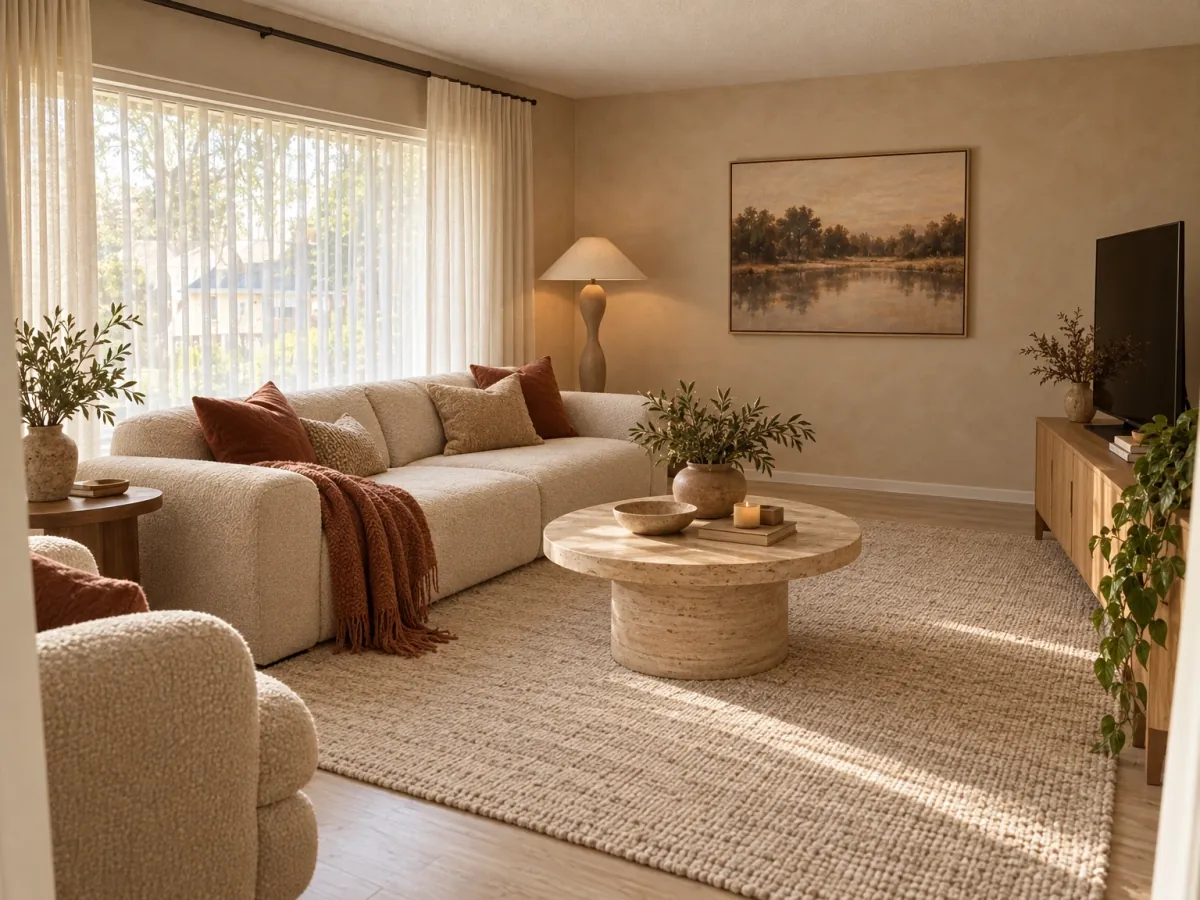
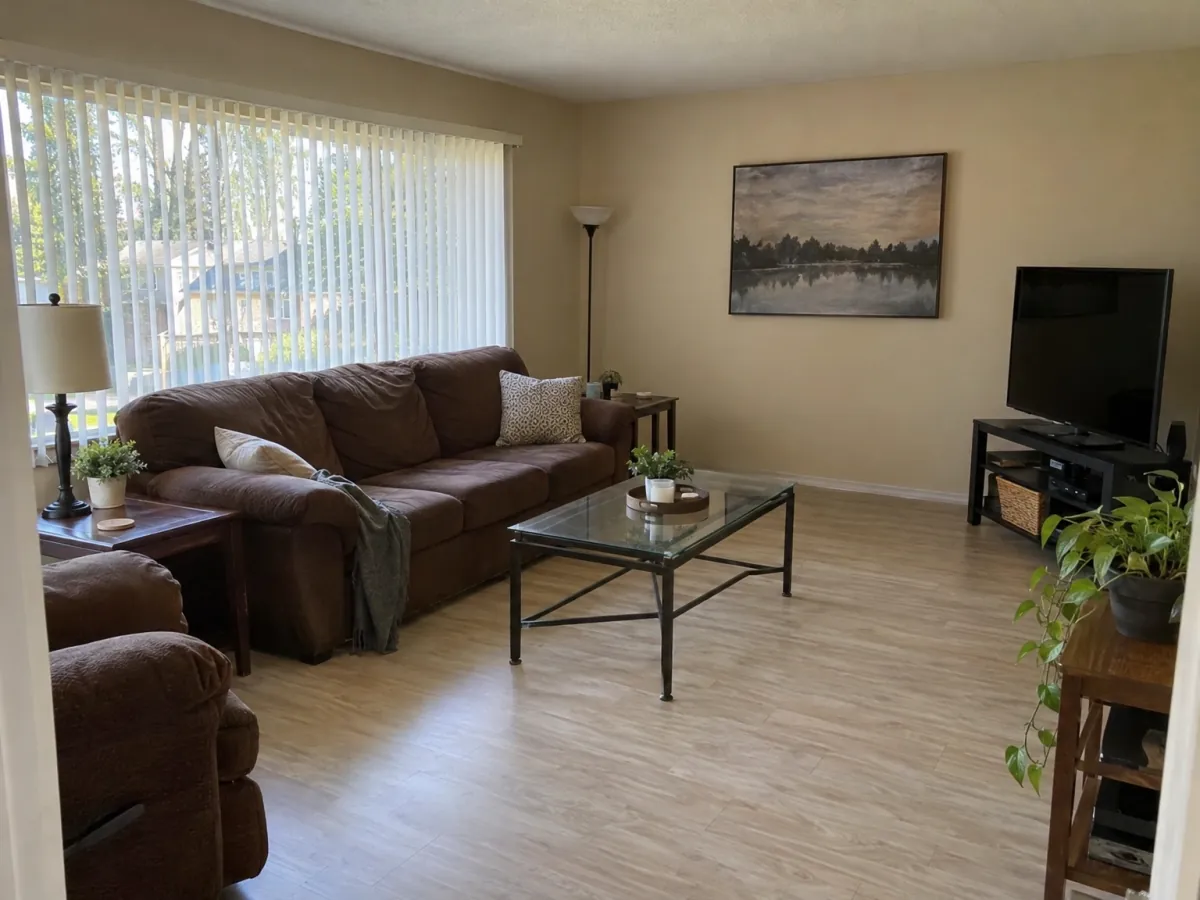
Illustrative AI example. Results vary.



What can AI for interior designers do with one room photo?
DecorAI turns the photo you take on a site visit into a visual you can discuss with the client the same day. It is AI for interior designers who need to show a direction before spending hours on boards and sourcing. The app keeps walls, windows and camera angle and changes furniture, finishes, colors, lighting and decor. It has more than 3 million users and a rating of 4.8 out of 5.
| Platforms | iPhone and iPad (iOS 16 or later), Android and the web app, one account |
|---|---|
| What you upload | One photo of a client's room, a house facade or a garden |
| What you get back | A photorealistic redesign of the same space, usually in under 10 seconds |
| Design range | 60+ styles, 40+ room types and 40+ color schemes to choose from |
| Editing tools | Style transfer, moodboards, brush edits, floor-only swaps, furniture import and emptying a room |
| Plans and usage rights | Free plan with 3 designs a day; designs may be used commercially on every plan |
How does an AI interior designer work on a client's room?
DecorAI works from one photo and a few settings you choose. These three steps follow a typical first consultation, from the photo on site to the concept you send the client afterward.
Photograph the room on your first visit
Take one photo for each view you plan to change, from the spot where the client usually enters or sits. Note which pieces stay and which may go, and ask for pictures the client has saved, because they make good reference images in the next step.
Set the room type, style and colors
Pick the room type, then one of more than 60 styles and, if the brief names colors, a color scheme. When the client has sent pictures they like, upload one as a reference image instead, and DecorAI applies its palette, materials and mood to the client's room.
Refine the concept and share it
A redesign usually arrives in under 10 seconds, so you can generate several versions while the brief is fresh. Brush over a single area to adjust it, such as a busy rug. Save the two or three strongest images and send them to the client for feedback.
Try it on a photo from your next client visit.
Where does DecorAI fit in an interior design project?
DecorAI helps wherever a client has to picture something that does not exist yet. These six examples cover homes, remote clients, hotels and cafes, from a first meeting to a finished fit-out.
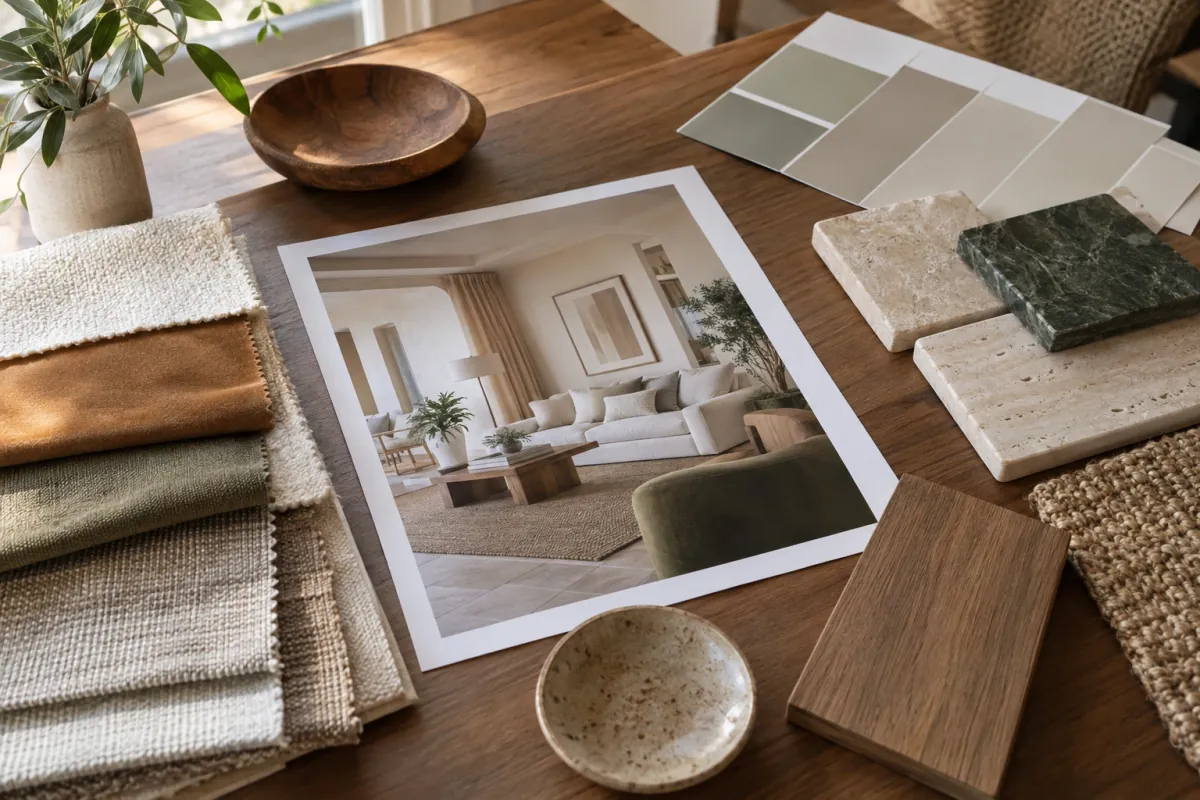
The first client meeting
A printed redesign of the client's own living room gives the first meeting something concrete to react to. Lay it beside fabric swatches, paint chips and wood and stone samples, and the client can point at what they like. Their reactions become the brief for round two.
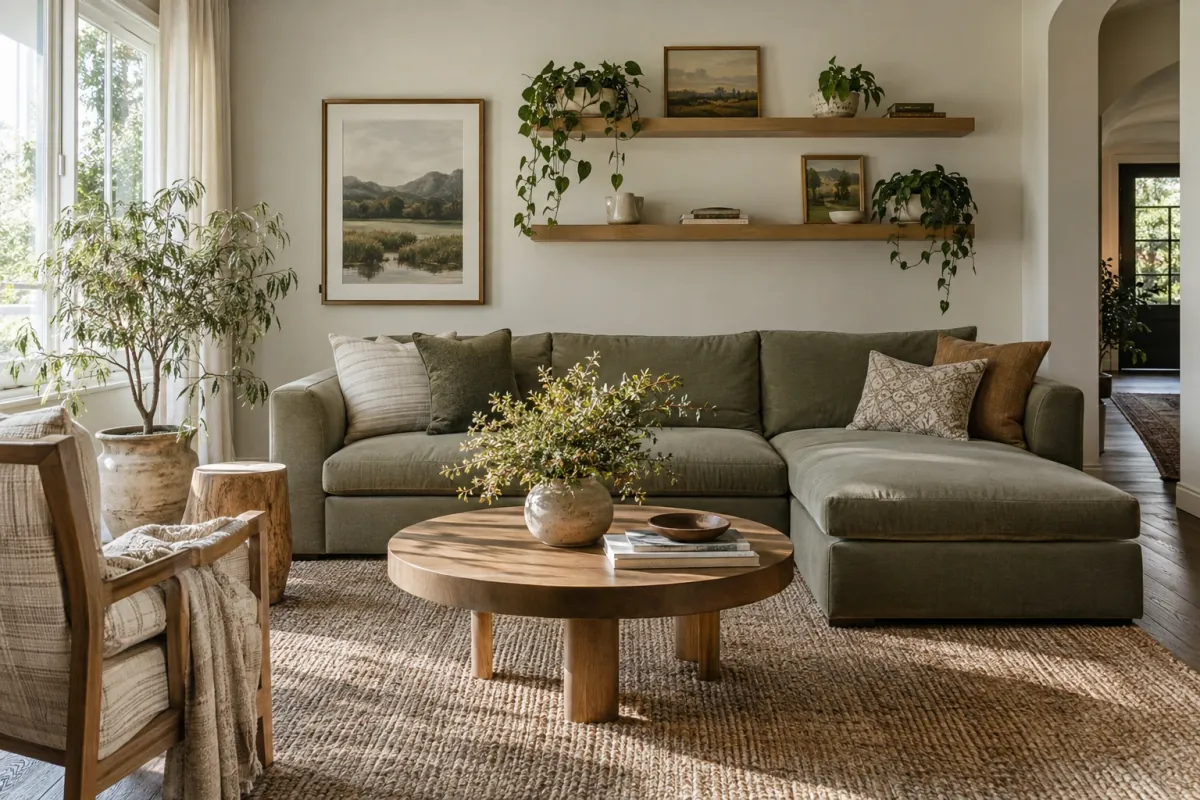
E-design for remote clients
In e-design, the client sends photos and the designer often never visits. DecorAI turns those photos into concepts of the actual room, so a remote client sees their own walls and windows, not a stock image. Pair them with your layout notes and product picks for a complete e-design package.

Narrowing down a style direction
Clients often like three styles that do not sit well together. Generate the same bedroom in each one and let the client choose from their own room, not a scrapbook. Once a direction is set, keep it for every room so the home reads as one project.
Testing finishes and materials
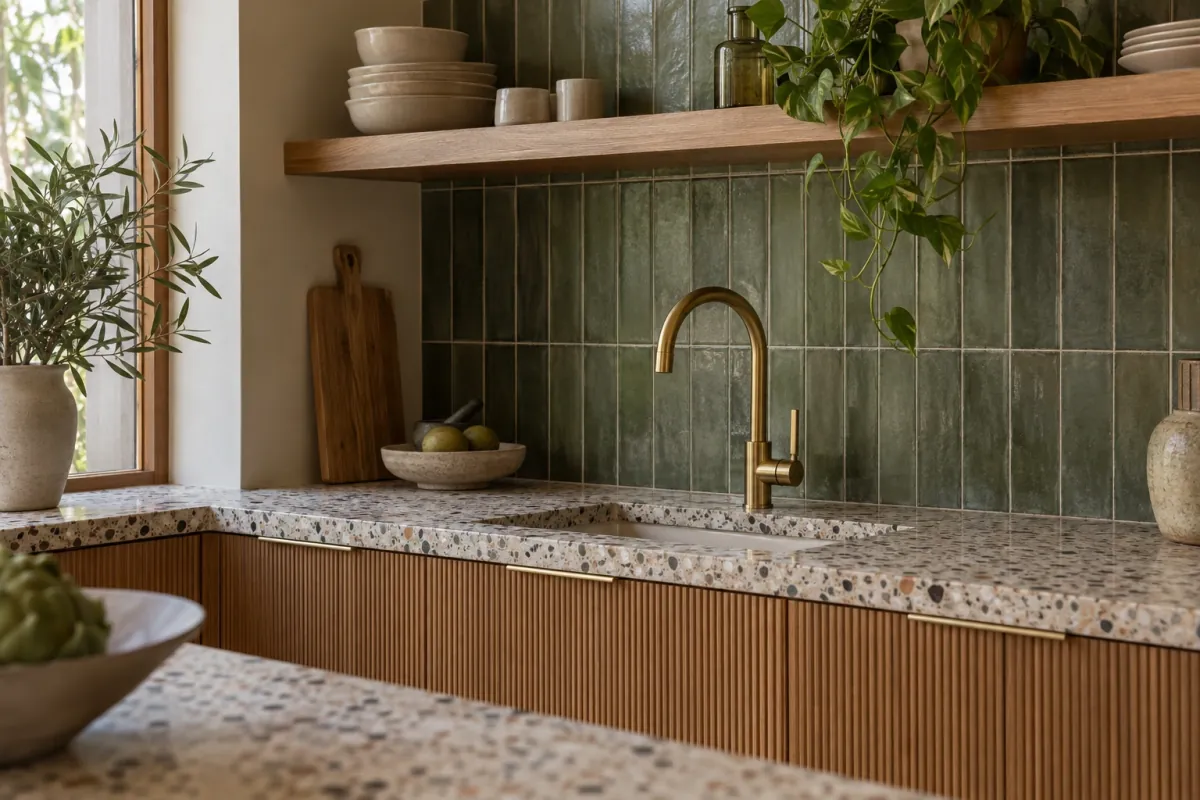
Check how a terrazzo counter, ribbed oak fronts and handmade green tiles look together in the client's kitchen before you order samples. Brush over the cabinets or the backsplash and describe the new finish, or swap only the floor. Nothing else changes, so each finish is judged alone.
Hotel and guest room concepts
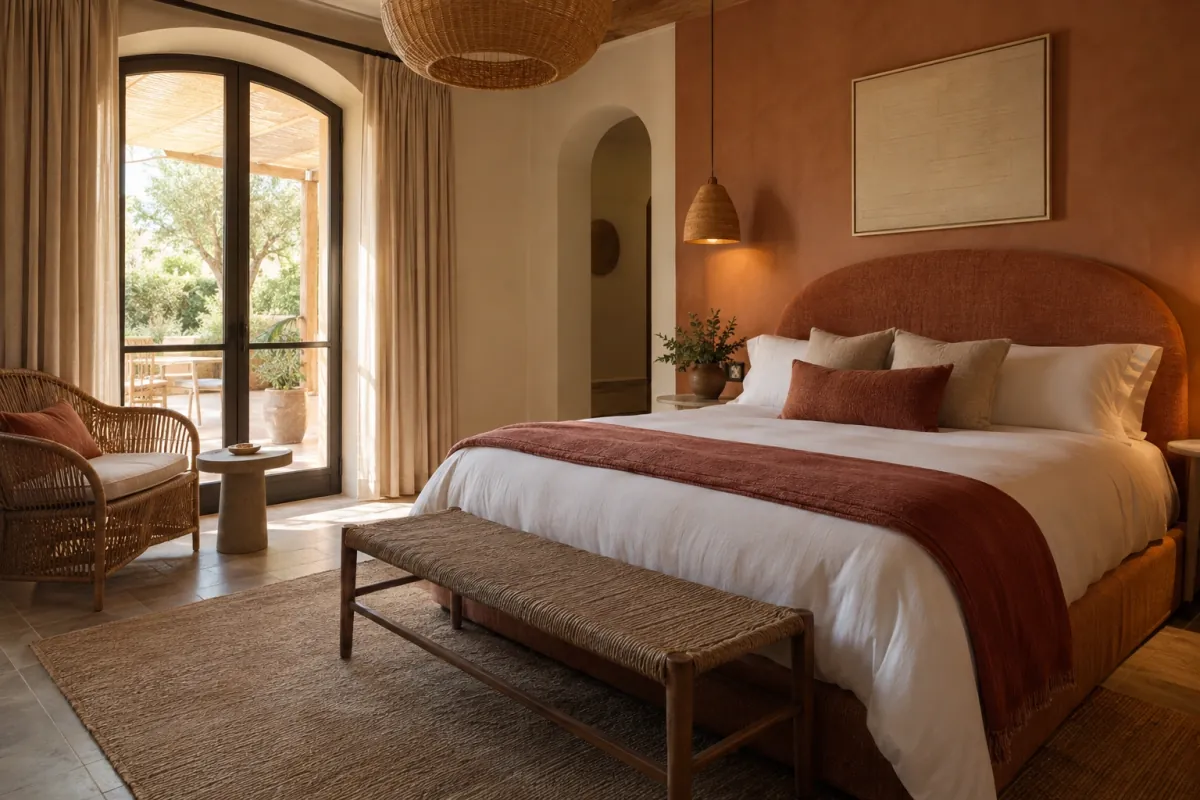
Boutique hotels and guesthouses often redo rooms in phases. Photograph one typical room, test a palette such as terracotta and cream with a curved headboard and a statement pendant, and show the owner before a prototype room is built. Once approved, the concept guides the other rooms.

Cafes and small commercial spaces
A cafe owner signing a lease needs to see the unit as a finished room. Photograph it, run Empty the room if the last tenant left furniture behind, then try a curved oak counter, green tiles, globe pendants and banquette seating. The approved look then guides your team's fit-out drawings and approvals.
Which AI interior design software tools matter most to designers?
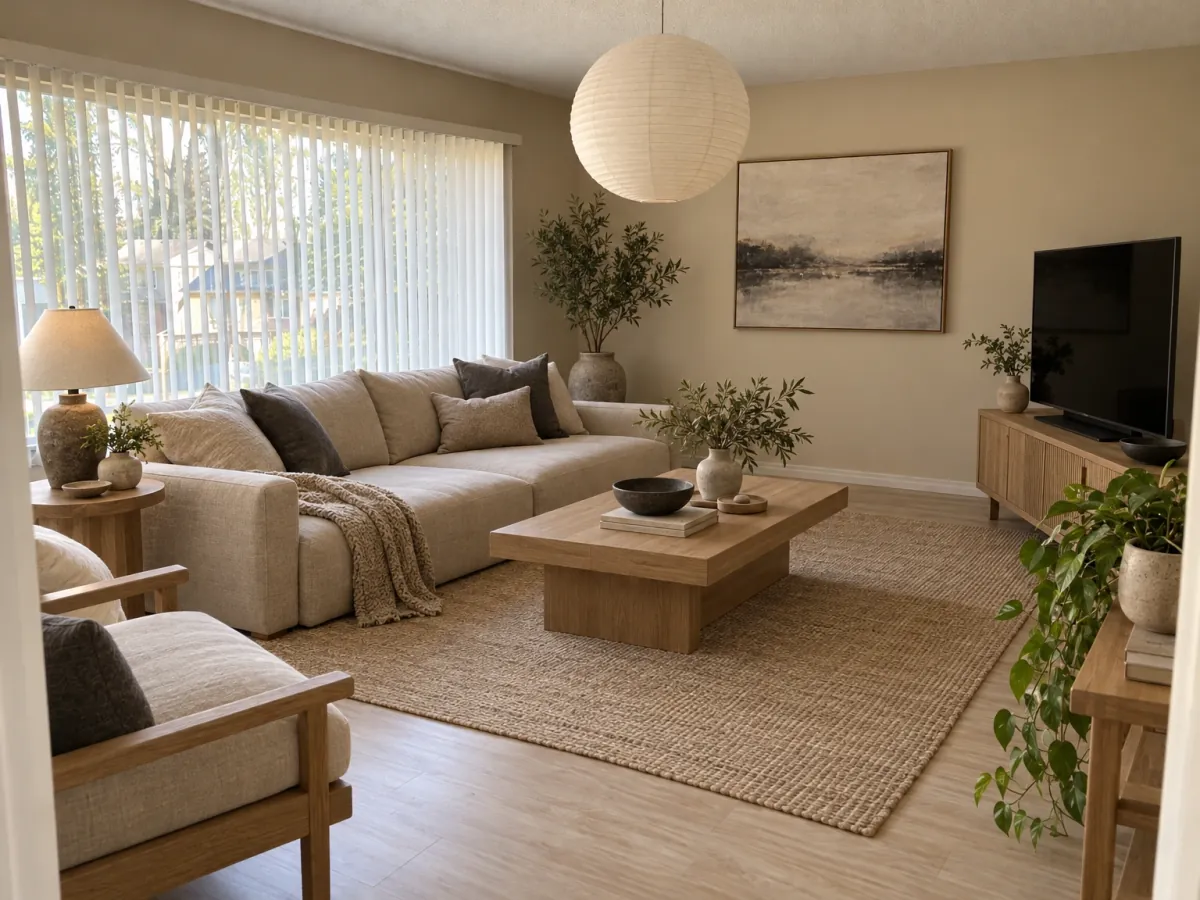
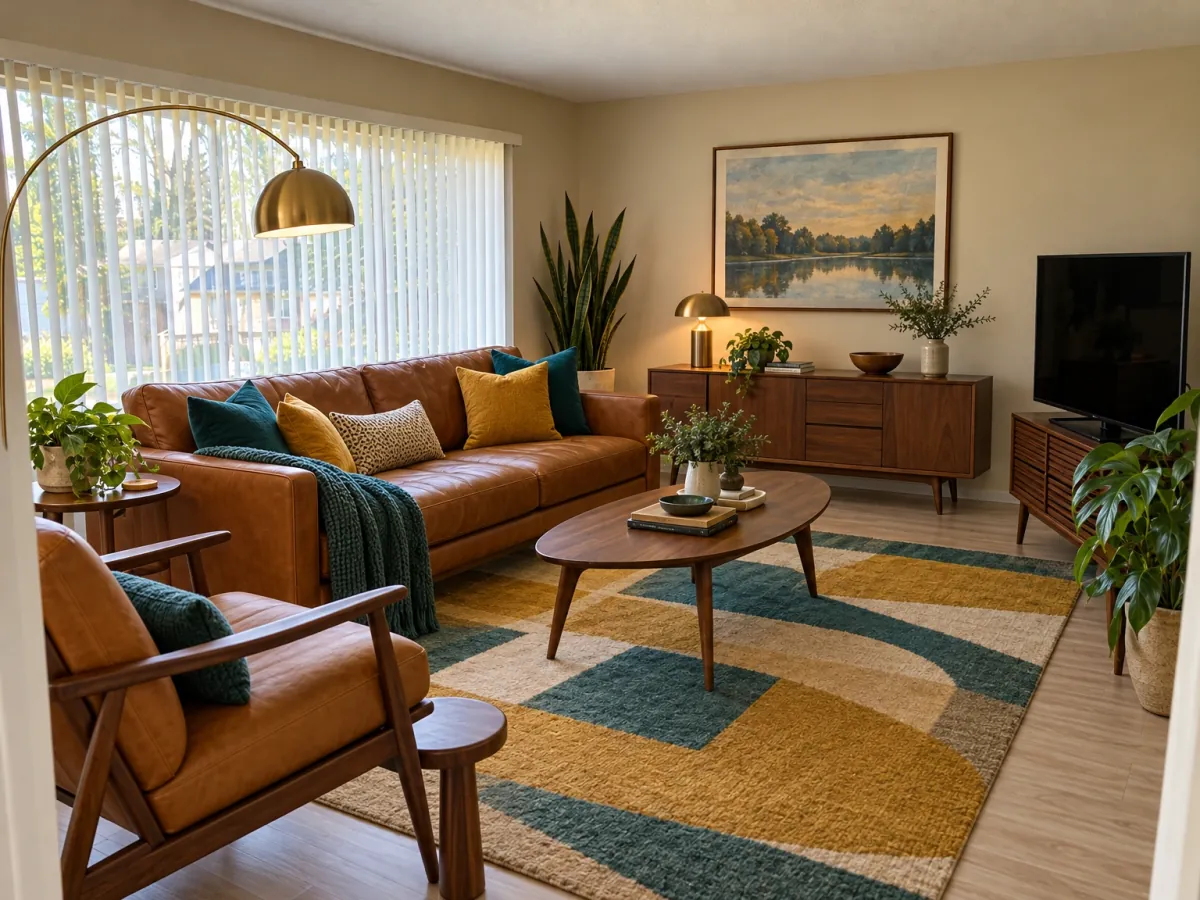
DecorAI has more tools, but these six cover most client work in a design studio. The animation restyles one client photo as Japandi, mid-century modern and classic Parisian, without moving a wall.
Interior redesign
Upload a room photo, pick a room type and a style, and get a photorealistic version of that room. Furniture, finishes, lighting and decor change; walls, windows and camera angle stay, so the client recognizes their home.
Style transfer
Upload a reference image, such as a hotel lobby the client saved, and DecorAI carries its colors, materials and mood into the client's room. It turns "I want it to feel like this" into a picture of their space.
Interior design mood boards
Collect inspiration for a project in a private moodboard, import pins you or the client saved, then redesign the real room in the look of that board. Board and redesign can sit side by side in one client presentation.
Inpainting editor
Brush over one area and describe the change, for example a green velvet sofa in place of the old one or limewash on one wall. Everything outside the brushed area stays untouched, which keeps approved parts of a concept fixed.
Furniture import
Photograph a piece in a showroom, or a chair the client owns, and place it into the room photo with matching scale and lighting. It shows whether the piece suits the room. Check real dimensions on site before the client orders.
Design report (Pro)
Pro users get a written report for a room with a named color palette, a rough cost estimate, priorities and an action plan, as a PDF. Use the estimate as a starting point for the first budget conversation with the client.
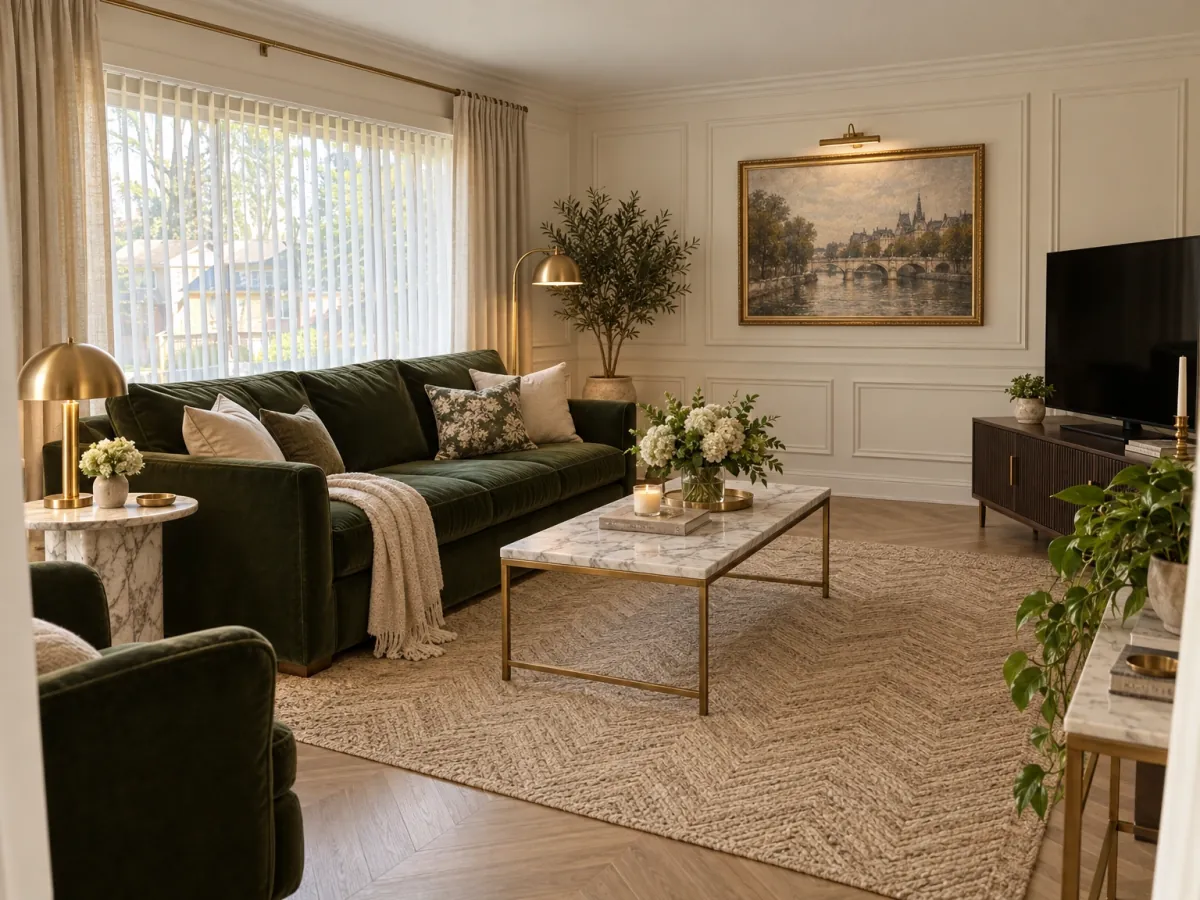
What DecorAI does, and what stays with the designer
DecorAI makes photo-based redesigns of real rooms in seconds. Your training and experience turn the chosen concept into a finished interior, and the two lists show how the work fits together.
What stays with you
- Your eye for proportion and flow, and your reading of the client's brief and daily routines
- Your relationships with suppliers, showrooms, upholsterers and the craftspeople who build what you design
- The final selection of every finish and piece, and the sign-off with the client
- Site visits, project management and the installation, carried out with your trusted trades
- Your own fees and pricing, the client contract and the care that brings clients back
What DecorAI does
- Redesigns a client's room photo in 60+ styles while keeping walls, windows and the camera angle
- Carries the palette and mood of a reference image or moodboard into the client's room
- Changes a single area, such as one sofa or the floor, and leaves the rest alone
- Inserts a piece of furniture you photographed, lit and scaled to fit the room photo
- Writes a Pro design report with a named palette, a rough cost estimate, priorities and a PDF
Tips for stronger AI concepts in an interior design presentation
The quality of a concept depends mostly on the photo you start from and on six simple habits, none of which needs more than the phone in your pocket.
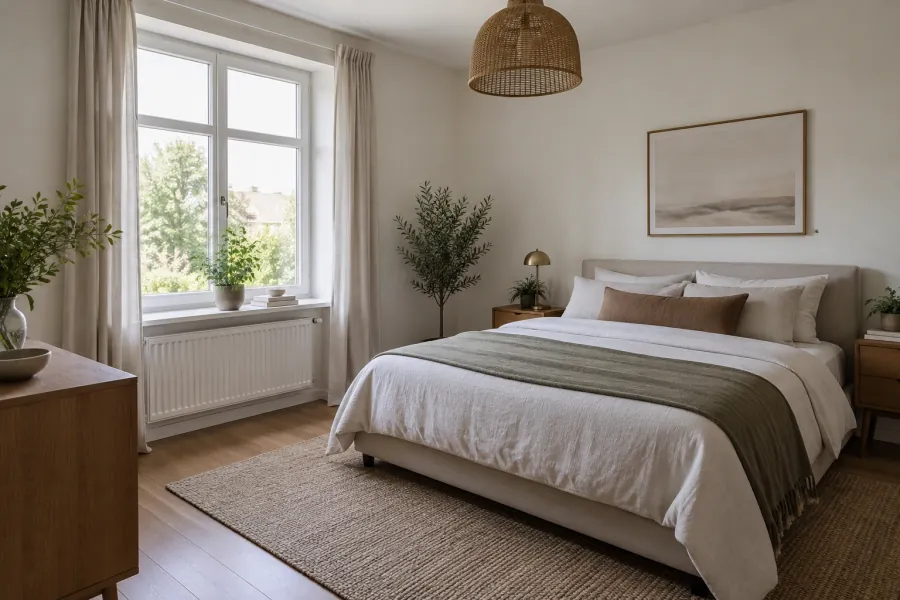
Shoot from the corner, not the middle
Stand in a corner or doorway so the photo shows two walls, the floor and the main window. A shot from the middle of the room hides the depth the AI needs. Hold the phone without tilting it, so door frames and other vertical lines stay straight.
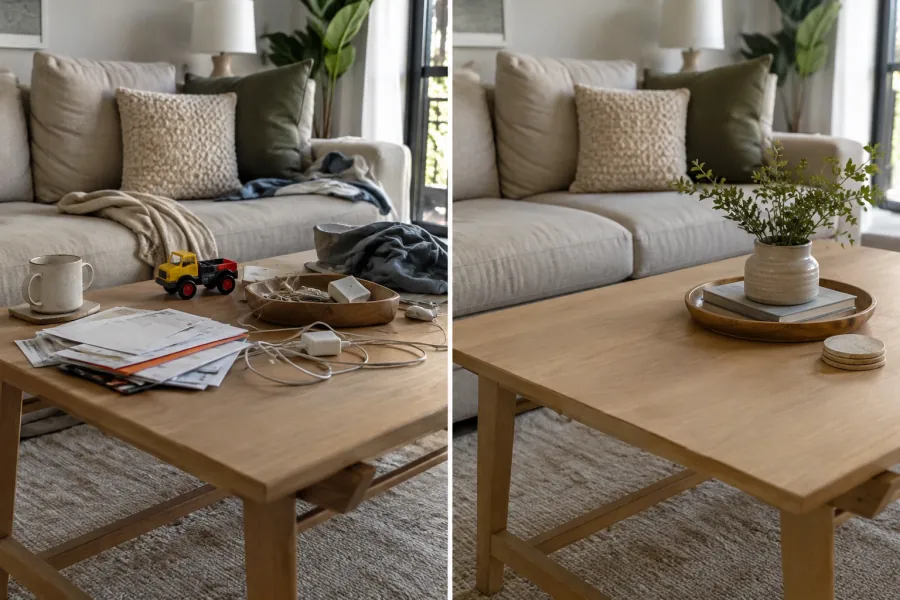
Clear the surfaces first
Ask the client to clear mail, chargers, toys and laundry from tables and floors before you take the photo. Clutter is read as part of the room and can reappear in the concept as odd objects. A tidy photo also makes the before and after easier to compare.
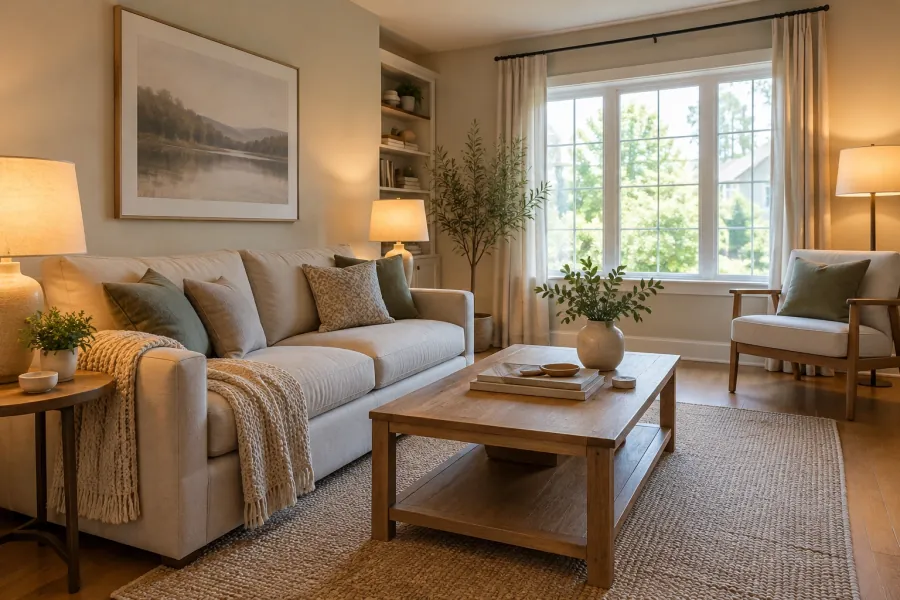
Photograph in daylight with the lamps on
Take the photo during the day with curtains open and every lamp switched on. Even light shows the true color of walls and floors, so the client can judge the palette in the redesign. Avoid shooting straight into a bright window, which turns the rest of the room dark.
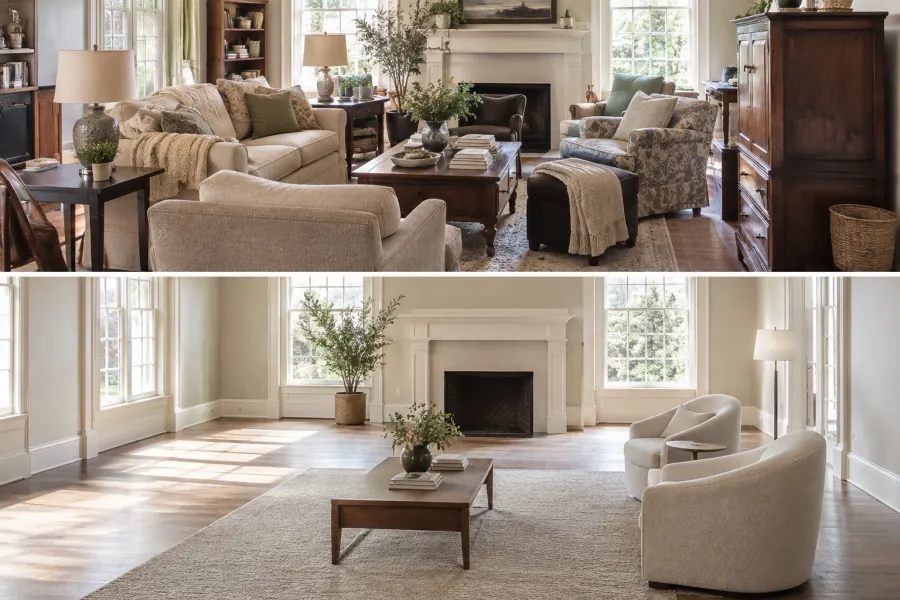
Empty a crowded room before you restyle it
When a room is packed with furniture the client wants to replace, run Empty the room first. It removes furniture and clutter but keeps the floor, walls and windows. Furnish that clean photo next with virtual staging or a redesign, so the new layout no longer competes with the old pieces.
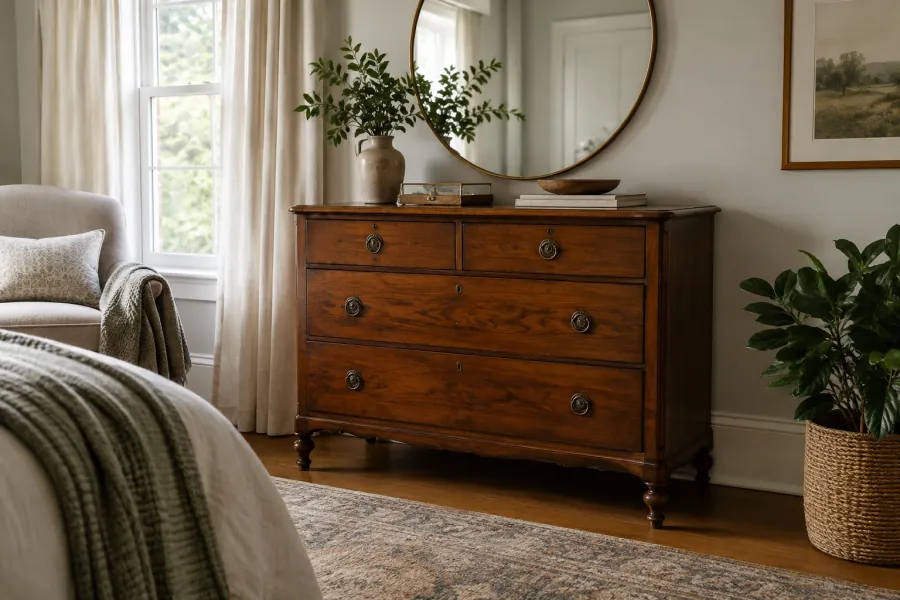
Keep the piece the client loves
Many clients have one piece that stays, such as a grandmother's dresser or a good leather chair. Brush only over the items that may change and keep that piece out of the brushed area. The client then sees a new room built around something they already own.
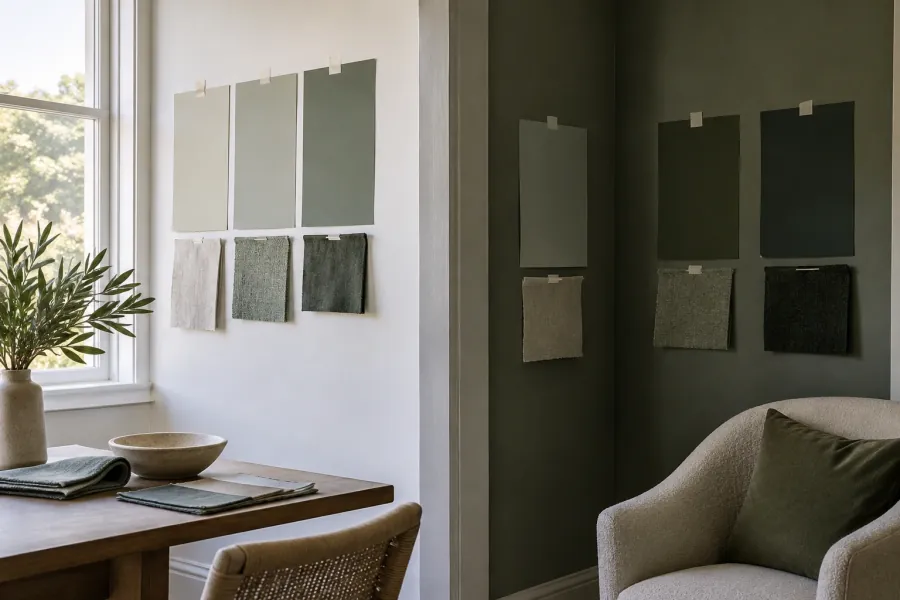
Check colors against real samples in the room
A screen and a printed concept rarely show paint exactly as it will look on the wall. Once the client picks a direction, tape large paint samples and fabric swatches near the window and in the darkest corner. Compare them in morning and evening light before ordering.
Which interior design professionals is DecorAI for?
Start with a photo of your next client's room.
Residential interior designers
Designers who renovate and furnish homes can agree on a style with concepts of the client's actual rooms before drawing plans. One photo per room is enough, and one account works on a phone on site and in the browser at the studio.
Interior decorators and stylists
Decorators who work with paint, textiles, lighting and furniture rather than construction get the most from style transfer and the brush tool. A new sofa, curtains or wall color appears in the client's room in seconds, while the walls stay where they are.
E-design studios
Online studios serve clients in other cities from photos alone. Pro removes the watermark and ads, which matters when concepts go straight into a paid e-design package, and the design report adds a named palette the client can shop with.
Hospitality and small commercial designers
Designers of guest rooms, cafes, salons and small shops can test a concept on a photo of the existing space before the owner commits to a fit-out. Exterior redesign can also preview new doors, windows and lighting on an entrance.
Which DecorAI plan suits an interior design practice?
The free plan is enough to try DecorAI on a few client photos. For regular client work Pro fits better: concept images carry no watermark, no ad plays before each design and the design report is included. A studio where three people work in the web app can choose Business at $59 a month.
Free
- 3 AI designs every day
- No account and no payment card
- All tools for rooms, facades and gardens
- A short video ad before each design and a small watermark on saved images
DecorAI Pro
- Unlimited AI designs, no ads and no watermark
- The design report with color palette and cost estimate, as a PDF
- Works on iPhone, Android and the web app with one account
- $9.99 a week, $17.99 a month, $39.99 a year or $219 once
DecorAI Business
- Three logins for one team, in the web app
- Unlimited virtual staging with project folders
- Batch uploads for a whole photo shoot
- $59 a month, billed monthly
Prices are US prices and differ by country and platform; DecorAI shows your price before you pay. Designs may be used commercially on every plan, including the free one.
Frequently asked questions from interior designers
Is there AI for interior designers that works from a client's photo?
Yes. DecorAI is AI for interior designers and decorators that turns one photo of a client's room into a photorealistic concept of the same room in a new style, usually in under 10 seconds. It works on iPhone, iPad, Android and the web with one account.
Is DecorAI free for interior designers?
Yes, you can start for free. The free plan gives 3 designs a day with no account and no payment card; a short ad plays before each design and saved images carry a small watermark. Pro removes the ads and the watermark and allows unlimited designs.
Can I use DecorAI designs commercially in paid client projects?
Yes. Designs made in DecorAI may be used commercially on every plan, including the free one, so they can go into proposals, e-design packages and paid presentations. Free images carry a small watermark, which Pro removes. Tell clients that each concept is an AI visualization of a possible direction.
How does DecorAI create an AI interior design rendering?
DecorAI creates the rendering from a real photo of the client's room. It changes furniture, finishes, colors, lighting and decor and keeps the walls, windows and camera angle, so the client sees their existing room in a new style within seconds. Generate a few versions and keep the strongest for your presentation.
Can I make an interior design mood board in DecorAI?
Yes. Moodboards in DecorAI are private boards where you collect inspiration for a project and import pins you saved elsewhere. You can then restyle the client's real room to match the board, so a mood board for interior design comes with a picture of the actual space.
Can I change only one part of a client's room?
Yes. With the inpainting editor you brush over one area, such as the sofa, the curtains or a single wall, and describe the change in a few words. DecorAI edits only that area. Use it to adjust an approved concept instead of generating a new one.
Can I show a client a specific sofa in their own room?
Yes, with furniture import. Photograph the sofa in the showroom and place it into the client's room photo; DecorAI matches its scale and lighting to the room. The result shows how its style and color work in the space. Measure the wall and the sofa before the client orders.
How many concepts should I show a client at once?
Two or three usually work best. A redesign takes seconds, so generate several versions, then keep the strongest two or three in clearly different directions. Show each one next to the original photo, note what the client reacts to and refine the chosen direction with the brush tool or a reference image.
How do I use DecorAI images in an interior design presentation?
Save the concepts you want to show and place each next to the original photo, so the client sees the change in their own room. Add the moodboard and your physical samples. With Pro, the design report adds a named color palette and priorities as a PDF to attach.
Will an AI interior designer replace human interior designers?
No. An interior designer AI such as DecorAI produces pictures of a room in seconds. The designer listens to a family's routines, plans storage, manages trades and takes responsibility for the result. DecorAI shortens the step from brief to a concept the client can react to, which leaves more time for that work.
Bring the client's own room to your next meeting
Take one photo on your next site visit, open DecorAI on your phone or in the browser, and show the client their room in two or three directions before you order a single sample.
Try DecorAI on a client photo