AI Living Room Design: Restyle Your Living Room From One Photo
DecorAI is an AI interior design app for your living room: you upload one photo of the room and get a realistic redesign of the same living room, with new furniture, colors and lighting, in seconds.
- See your real living room in a new style, with walls, windows and the camera angle unchanged.
- Swap the sofa, rug, lighting and colors in one go, or select a single piece and change only that.
- Use it on iPhone, iPad, Android or in a browser, with no design training needed.
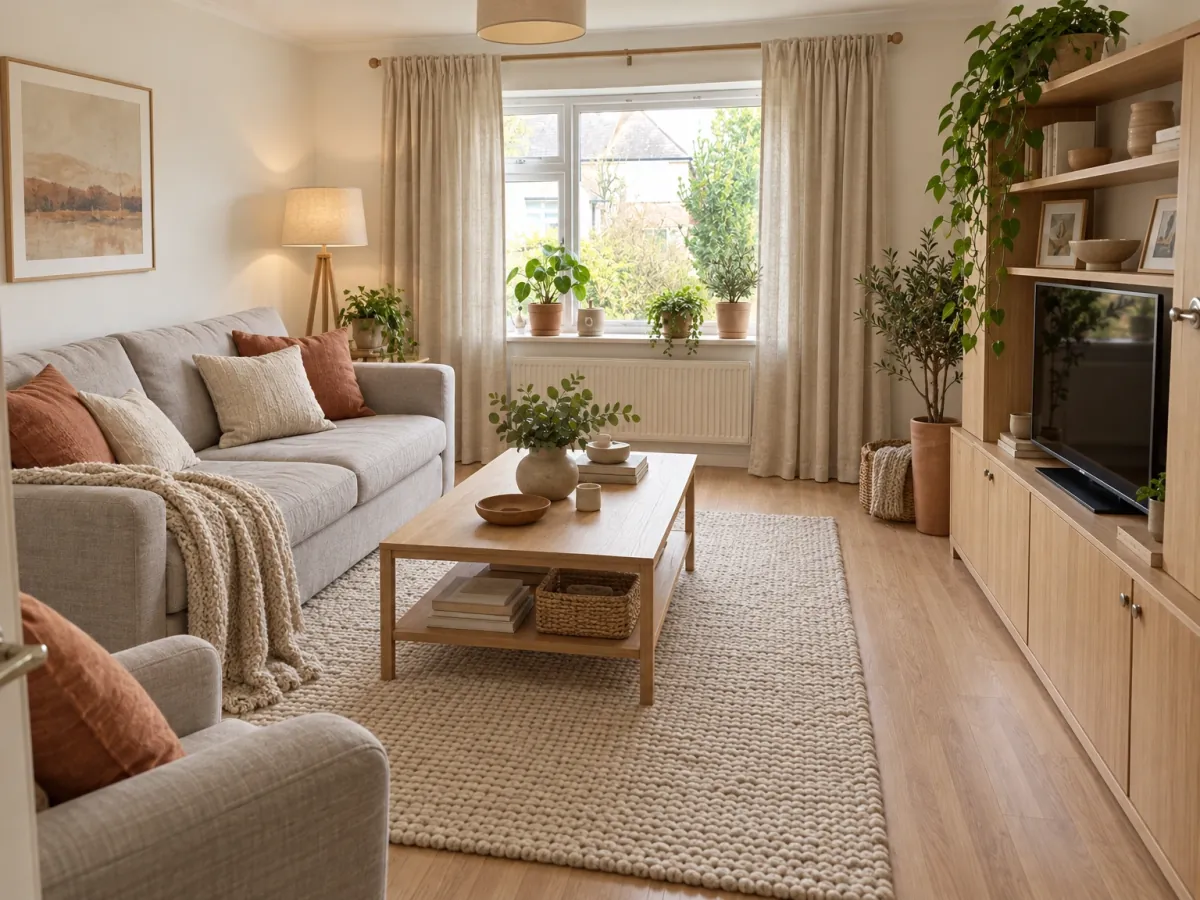
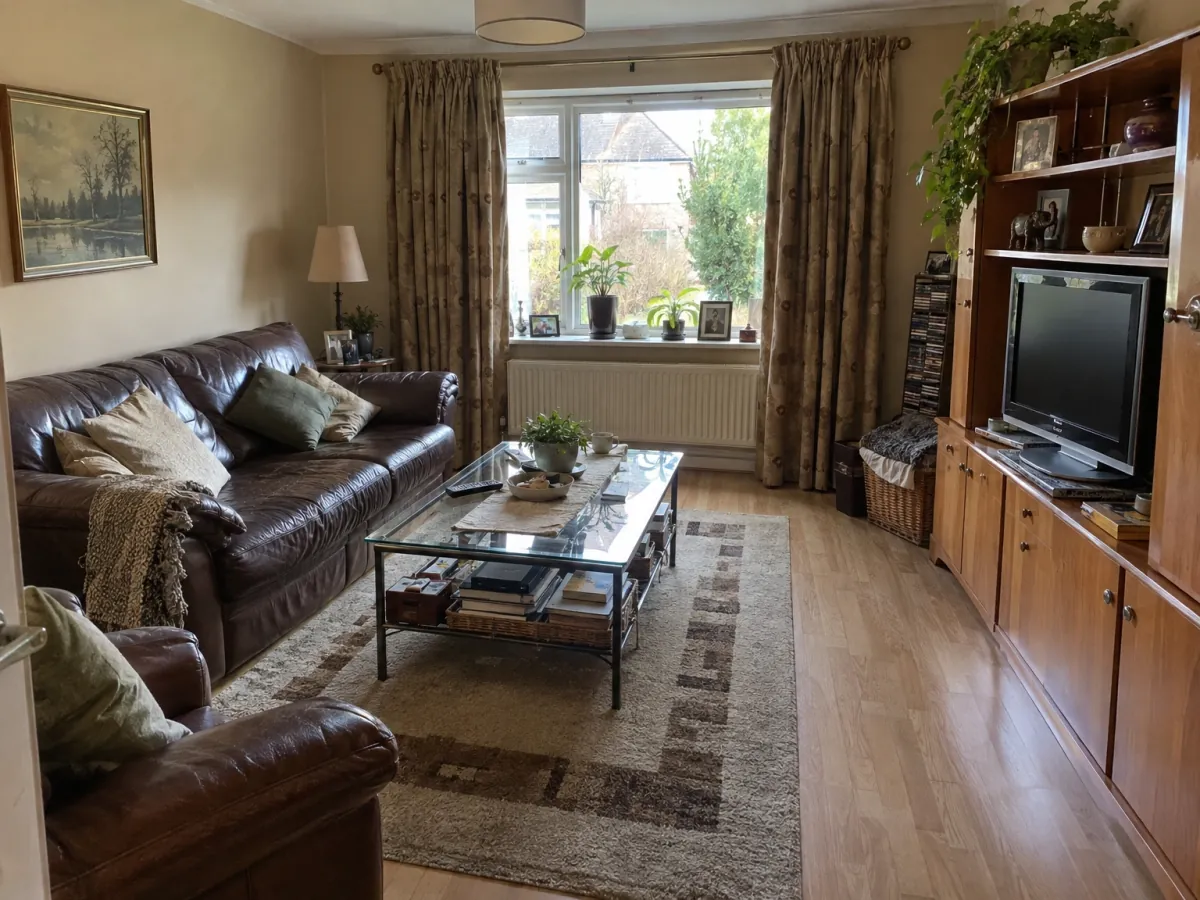
Illustrative AI example. Results vary.



AI living room design in four facts
The living room is where you watch TV, host friends, read and often work, so a redesign has to look good and still function. DecorAI handles AI living room design from a photo of your actual space. It keeps the walls, windows and doors and replaces the sofa, coffee table, rug, shelving, curtains, lamps, wall color and floor.
| What you upload | One wide photo of your living room that shows the main seating wall and at least one window |
|---|---|
| What you get | A photorealistic redesign of the same living room: sofa, tables, rug, shelving, lighting, curtains, walls and floor |
| Living room types it handles | Small apartment, open-plan, family, fireplace and loft living rooms, as well as TV rooms and lounges |
| Styles that suit living rooms | Scandinavian modern, mid-century modern, coastal, industrial loft, Japandi and boho, among more than 60 styles |
| Time per design | Usually under 10 seconds |
| Free plan | 3 AI designs a day, no account and no payment card needed |
| DecorAI Pro | Unlimited designs, no ads, no watermark: $9.99 a week, $17.99 a month, $39.99 a year or $219 once (US prices) |
| Platforms | iPhone and iPad (iOS 16 or later), Android and the web app |
| Use of designs | Personal and commercial use allowed on every plan |
How do I redesign my living room with AI?
You redesign a living room in DecorAI by uploading a photo, choosing a style and comparing the results.
Take a wide photo
Stand in the corner opposite the sofa wall and use the regular 1x lens rather than the ultra-wide one, which bends straight lines. Turn on the lamps, open the curtains and clear the coffee table so the AI sees the furniture shapes.
Pick the room type, a style and colors
Choose Living room as the room type and a style such as Scandinavian modern or mid-century. Add a color scheme, for example warm neutrals with terracotta, and a budget level; low keeps the suggestions to simple, affordable pieces.
Compare, edit and save
Your new living room appears in about 10 seconds. Slide between before and after, generate more versions, and use the brush to change only the sofa or one wall.
Take a photo of your living room and try your first design now.
What stays and what changes in an AI living room makeover?
DecorAI treats the structure of your living room as fixed and redesigns the furnishings and surfaces.
Kept from your photo
- Walls, ceiling and the proportions of the room
- Windows and where they sit on the wall
- Doors and openings to the hall or kitchen
- The viewpoint and perspective of your photo
Redesigned by the AI
- Sofa, armchairs and coffee table
- TV unit, shelving and side tables
- Rug, curtains, cushions and throws
- Floor lamps, pendants and wall lights
- Wall color, flooring, plants and art
Which kinds of living rooms can DecorAI redesign?
DecorAI works on any living room photo. These five examples show typical layouts and the decision that makes each one work.
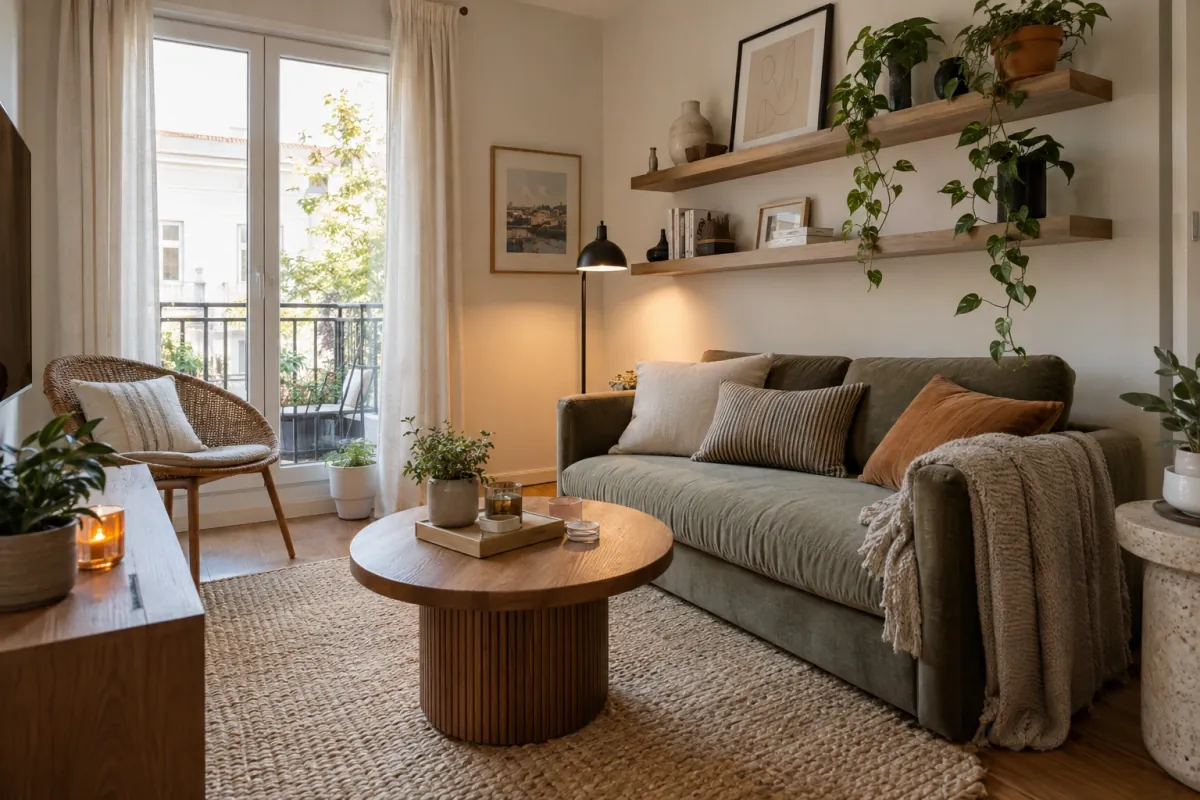
Small apartment living room
A compact sofa of about 180 to 200 cm / 71 to 79 in, a round coffee table and wall shelves keep the floor open in a small apartment living room.
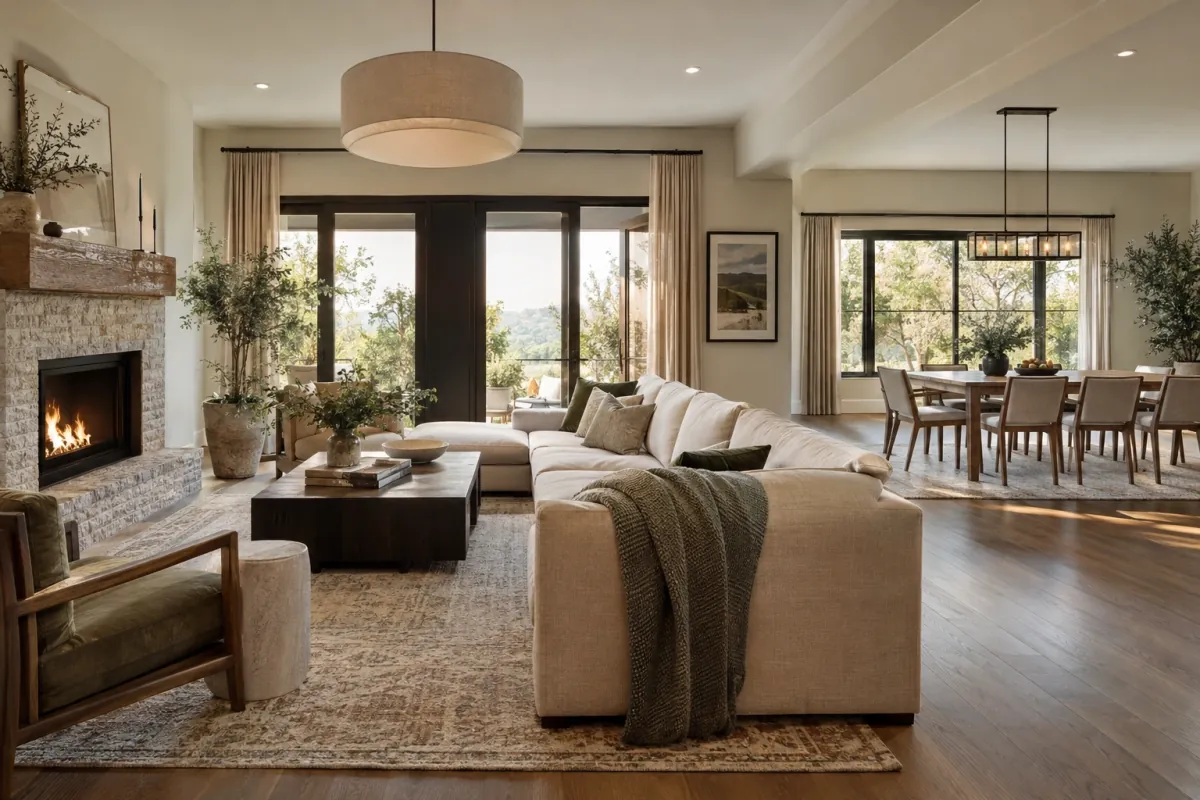
Open-plan living room
In an open-plan living room, a sofa with its back to the dining table draws a clear line between the two zones. A rug under the seating group strengthens that division.
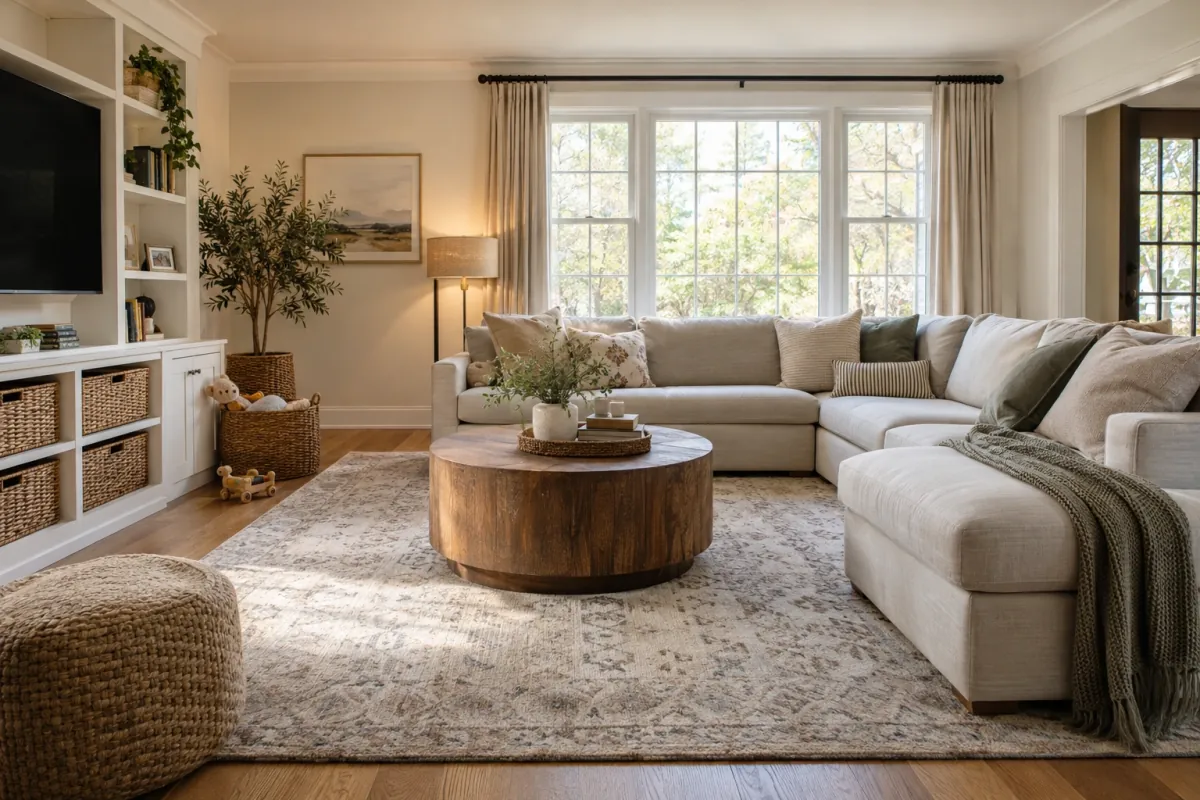
Family living room
A large sectional with washable covers, baskets for toys and a soft rug make a family living room quick to reset at the end of the day.

Fireplace living room
Arrange the seating around the fireplace: a sofa facing the hearth and an armchair on each side form a U that invites conversation. Keep the TV off the mantel if you can, because a high screen strains the neck.
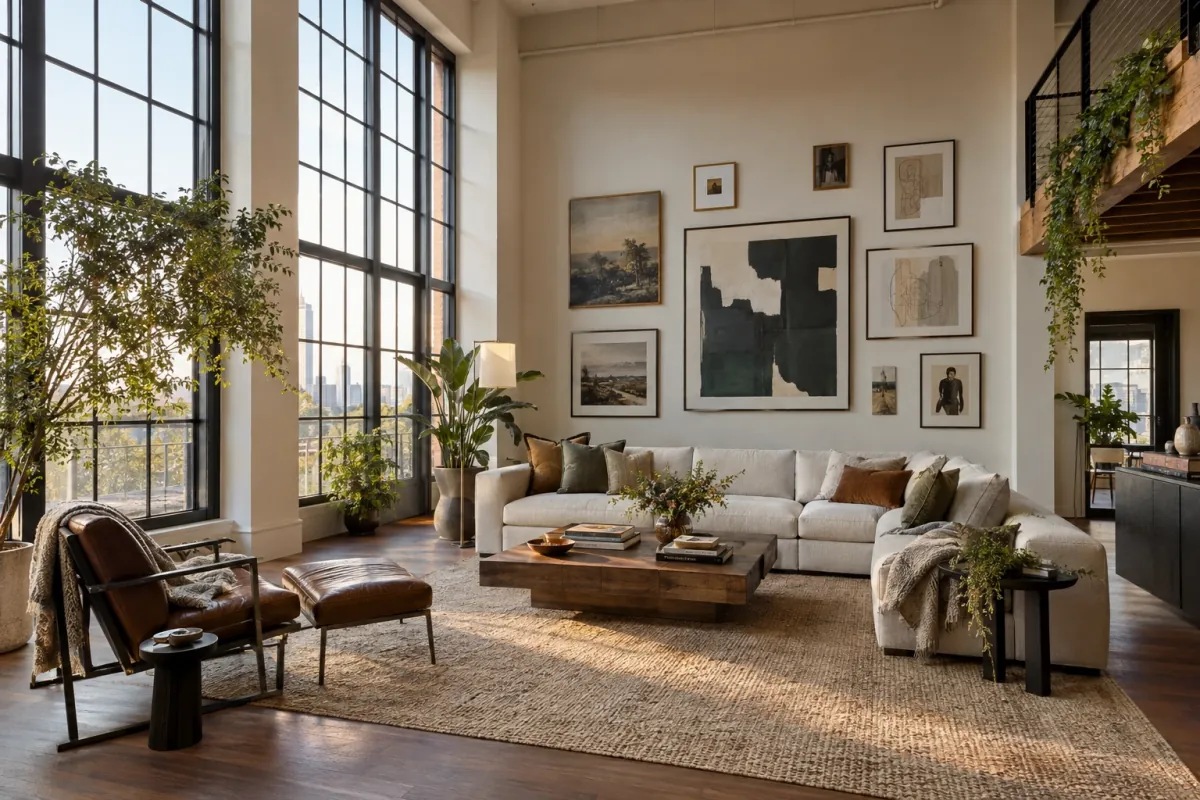
Loft living room
A tall loft living room needs furniture and art at a larger scale. A big sofa and a gallery wall that climbs higher than usual bring the eye down to a comfortable level under the high ceiling.
Living room design ideas: three styles on one photo
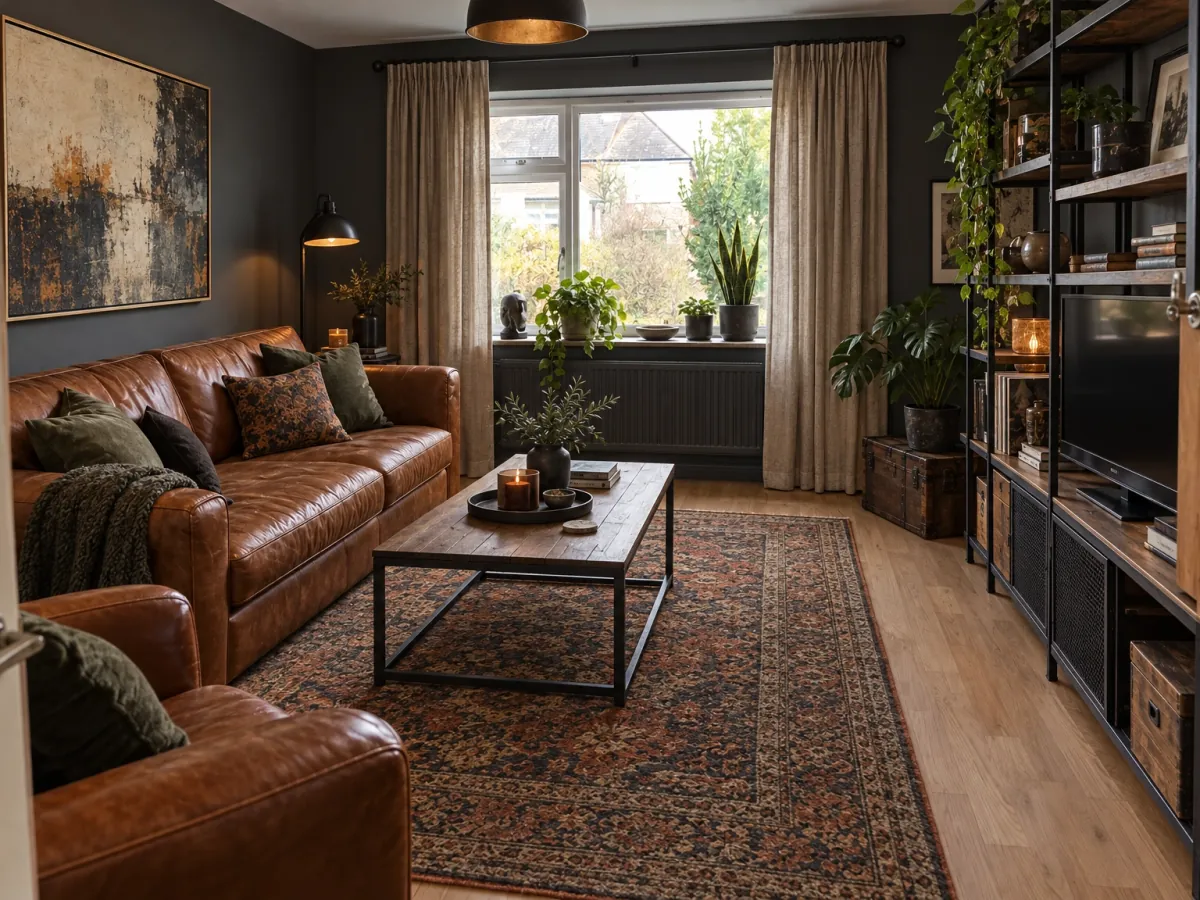
All three images below start from the tired living room in the slider. The walls and windows are identical; only the style was changed.
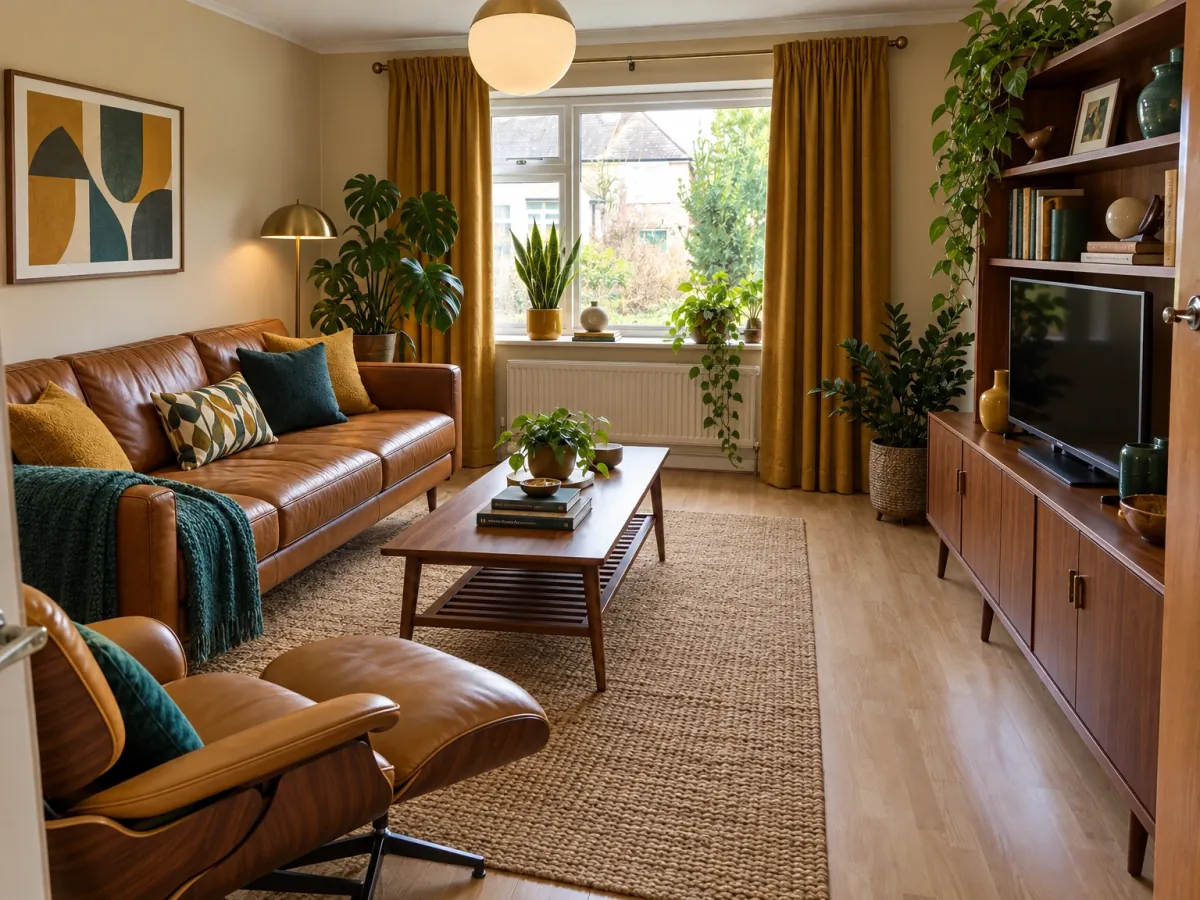
Mid-century modern
Walnut furniture, a tan leather lounge chair and mustard and teal accents bring back the 1950s and 1960s. A globe pendant replaces the plain ceiling light, and tapered legs keep the furniture visually light.
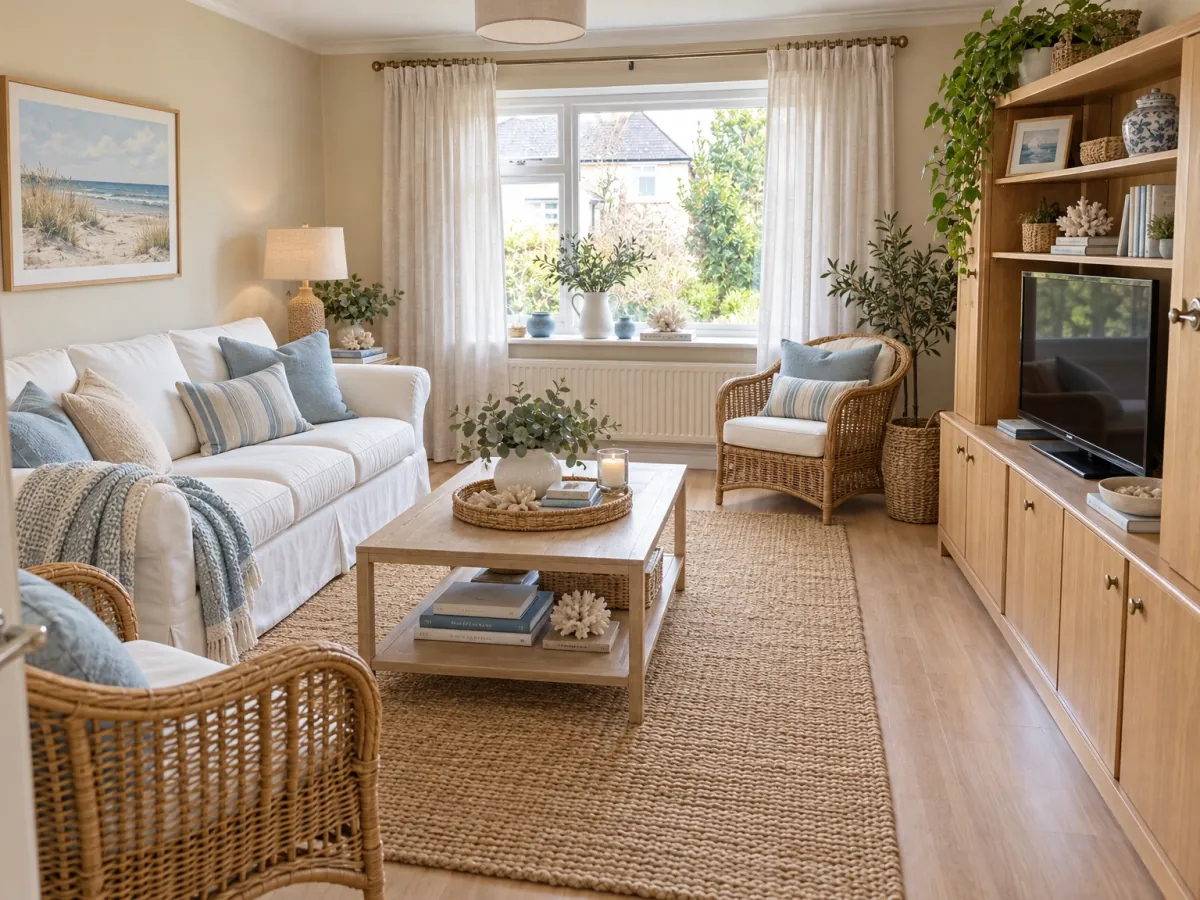
Coastal
A white slipcovered sofa, a jute rug and light blue and sand tones make the living room feel airy and relaxed. Rattan chairs and sheer curtains add texture.
Industrial loft
Dark grey walls, a cognac leather sofa and black metal shelves give the same room a moody, urban character. A vintage rug and one large artwork soften the hard materials.
Which living room design ideas make the biggest difference?
Start a living room with the layout, not the decor. Decide whether the room is mainly for conversation, TV or both, and point the main seating at that focal point. Pull the sofa a little away from the wall if space allows; even 10 cm / 4 in of air behind it makes the room look planned.
Layer the light. Add at least three sources at different heights: a floor lamp by the reading chair, a table lamp on a side table and an LED strip on the shelving. Warm bulbs of around 2700 to 3000 K keep evenings relaxed.
Edit the shelves and the walls. Overfilled shelves are the fastest way to make a living room look dated. Keep about a third of each shelf empty and mix books with a few larger pieces. Hang art so its center sits about 145 to 152 cm / 57 to 60 in from the floor.
Living room makeover tips: sizes and rules designers use
Use these measurements when you turn a DecorAI redesign into real purchases.
Keep walkways open
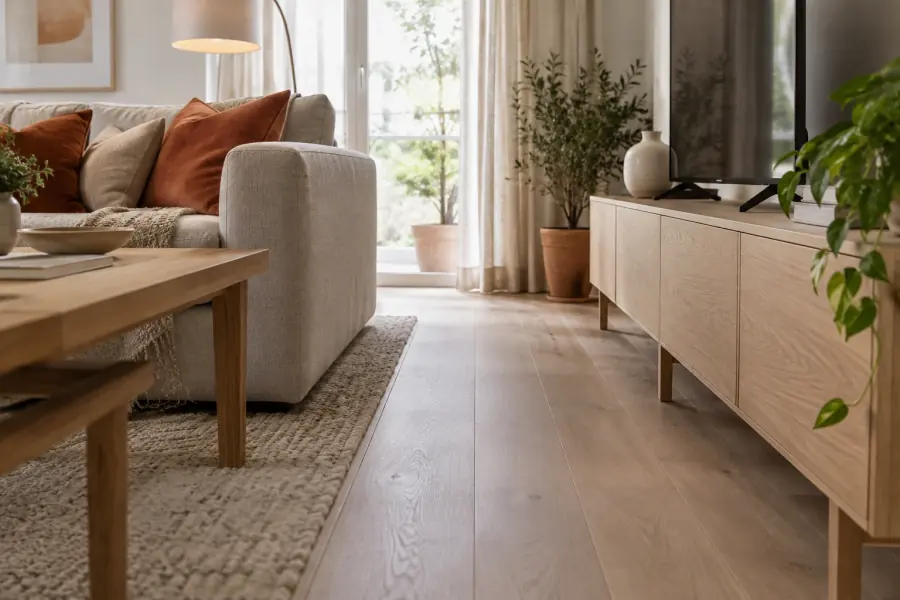
Leave about 90 cm / 36 in for the main paths through the living room. A path that cuts between the sofa and the TV makes the room feel restless.
Place the coffee table within reach
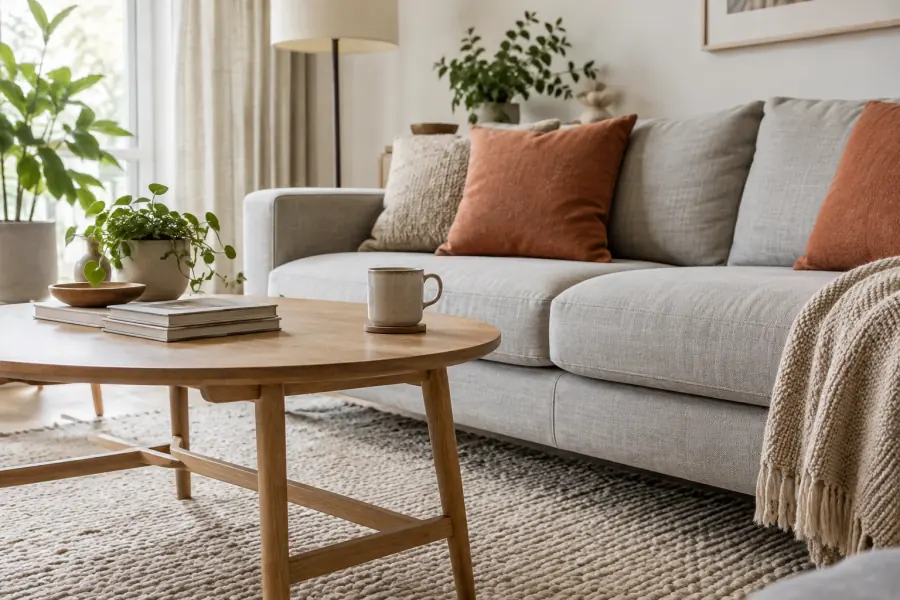
Set the coffee table about 40 to 45 cm / 16 to 18 in from the sofa, close enough to put down a cup without standing up. It looks right at roughly two-thirds the length of the sofa.
Choose a rug that is big enough
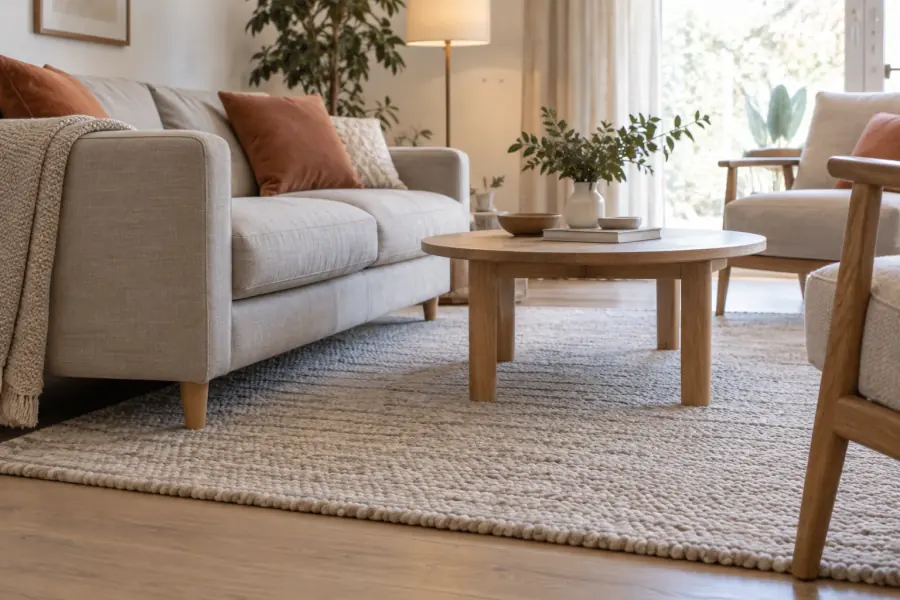
At least the front legs of the sofa and armchairs should stand on the rug. In most living rooms that means 200 x 300 cm / 6.5 x 10 ft or larger.
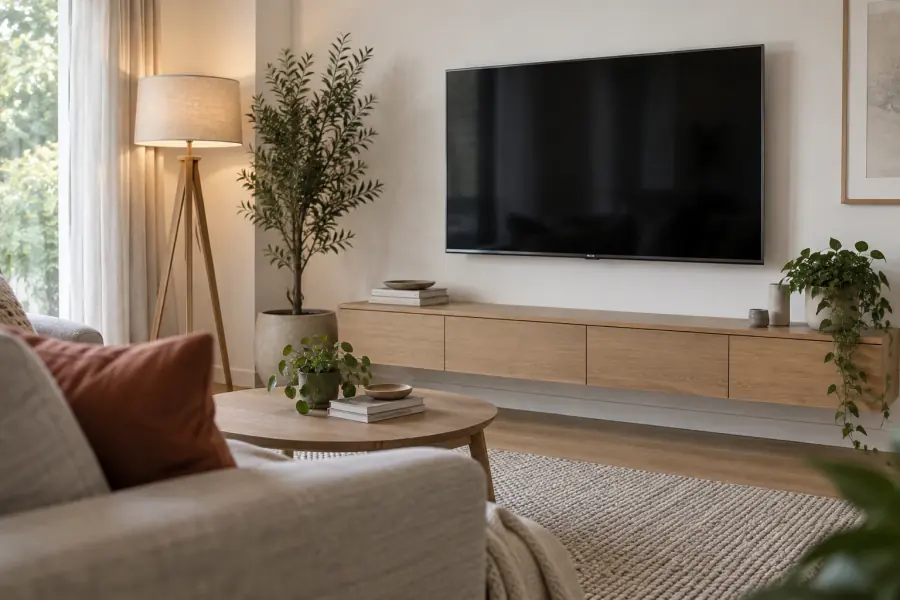
Get TV height and distance right
Mount the TV so the middle of the screen is near seated eye level, around 105 to 110 cm / 41 to 43 in from the floor. A viewing distance of 1.5 to 2.5 times the screen diagonal is comfortable.
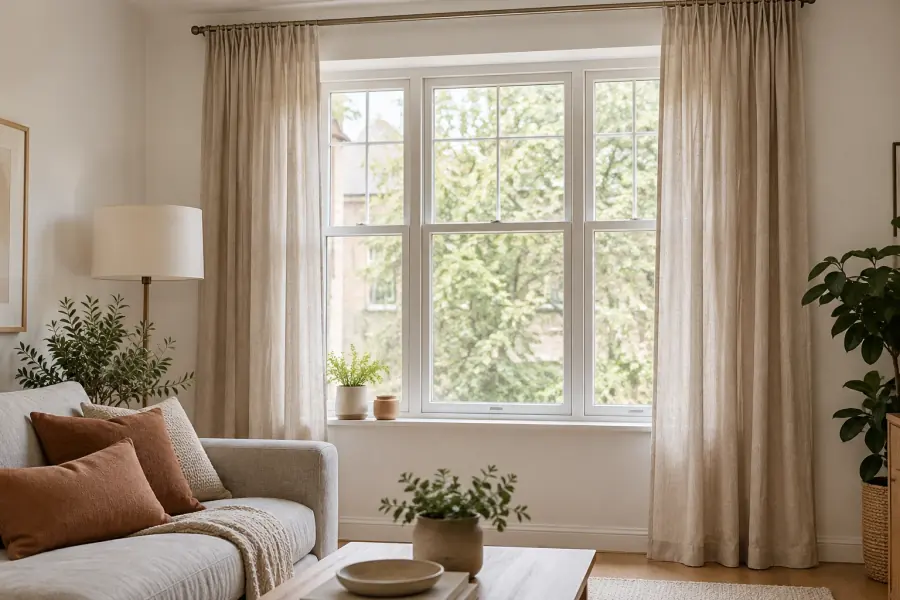
Hang curtains high and wide
Fix the rod close to the ceiling and let it extend 15 to 25 cm / 6 to 10 in past the window frame on each side.
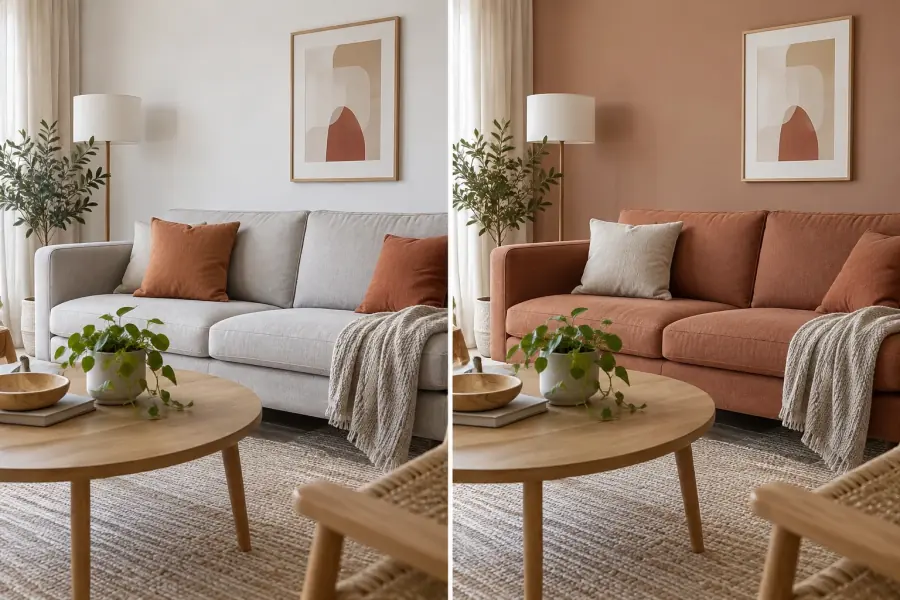
Test one change at a time
If you are unsure whether a new sofa or a new wall color matters more, brush over only that area in DecorAI and compare.
Who uses AI living room design?
Want to see your own living room in one of these styles? Get DecorAI below.
First-time homeowners
New owners often inherit a living room they did not choose. DecorAI helps them decide what to keep, paint or replace before the first big furniture purchase.
Renters on a budget
Renters can test a living room makeover built on movable pieces: a rug, curtains, lamps, cushions and a new sofa cover, with the low budget level keeping it realistic.
Couples who disagree on style
When one partner likes mid-century and the other prefers coastal, generating both versions on the same photo makes the discussion concrete.
Home sellers and stagers
Sellers can clear an overfilled living room in the photo with the remove-furniture tool and restage it in a neutral style, so buyers see the space rather than the clutter.
Is DecorAI free, and what does Pro add?
DecorAI is free to download and free to use every day. The optional Pro plan removes the daily limit, the ads and the watermark.
Free
- 3 AI designs every day
- No account and no payment card
- All room types and design styles
- A short video ad before each design and a small watermark on saved images
DecorAI Pro
- Unlimited AI designs
- No ads and no watermark
- The design report with color palette and cost estimate, as a PDF
- $9.99 a week, $17.99 a month, $39.99 a year or $219 once
Prices are US prices. Prices differ by country and platform, and DecorAI shows your price before you pay. Pro has no free trial; the free daily designs stay available.
Where can I use DecorAI?
DecorAI runs on iPhone and iPad with iOS 16 or later, on Android phones and tablets, and in any web browser. Take the photo with your phone, or upload one from your computer in the web app. A Pro purchase works on all three when you sign in with the same account.
Questions about AI living room design
Is there an AI that can design my living room?
Yes. DecorAI is an AI interior design app that redesigns a living room from a single photo. Pick the living room type and one of more than 60 styles, and you get a photorealistic version of your own space with new seating, tables, rug, lighting and colors, on iPhone, iPad, Android or the web.
Can I try AI living room design free?
Yes. You can try AI living room design free with DecorAI: the free plan gives you 3 designs a day, without creating an account or adding a card. Before each free living room design, a short video ad plays, and saved living room images carry a small watermark.
How accurate is an AI living room redesign?
DecorAI keeps the real proportions of your living room because it works on your photo: walls, windows, doors and perspective stay. Furniture in the image looks realistically sized but is not measured, so treat the result as a visual plan and measure before you order a sofa or a large rug.
Can DecorAI help me arrange furniture in my living room?
Yes, in two ways. The redesign shows one possible arrangement in your photo, and Milo, the planner in the app's chat, answers questions about furniture sizes and layouts. DecorAI does not draw floor plans, so test tricky layouts with painter's tape on the floor.
Can I keep my sofa and change the rest of the living room?
Yes. Use the brush edit tool to select the walls, rug, curtains or coffee table and leave the sofa as it is. You can also photograph a new piece, such as an armchair you saw in a store, and place it into your living room photo to check its scale and color.
What is a cheap living room makeover that still looks finished?
The changes with the most effect for the money are usually fresh paint, one large rug, curtains hung high, two or three lamps and edited shelves. Choose the low budget level in DecorAI to see a living room makeover built mainly from such pieces, then copy the palette and layout.
How do I design a small living room?
Choose a compact sofa without bulky arms, a round or oval coffee table, wall shelves instead of a deep cabinet and one large rug instead of several small ones. Light walls and curtains hung near the ceiling help. In DecorAI, try a light color scheme on your own photo.
Can I design an open-plan living and dining room with DecorAI?
Yes. Photograph the space so both zones are visible and choose the living room type. DecorAI keeps the open layout and furnishes it, for example with a sofa that turns its back to the dining table. For a closer look at the table area, take a second photo and use the dining room type.
See your new living room before you move a single chair
AI living room design with DecorAI turns a quick photo into a clear picture of your next living room. Try three or four styles tonight, keep the one everybody at home likes and use it as your plan for shopping and painting.
Download DecorAI and start your living room makeover.