AI Furniture Placement: Show Customers New Pieces in Their Own Room
DecorAI is an AI furniture placement app for furniture stores, showrooms and home decor shops: staff photograph a piece on the sales floor and place it into the customer's own room photo in seconds.
- Place a sofa, table, bed or lamp from your store into the customer's room photo
- The customer's own walls, windows and camera angle stay as they were in the photo
- Try it free with 3 designs a day, no account and no payment card
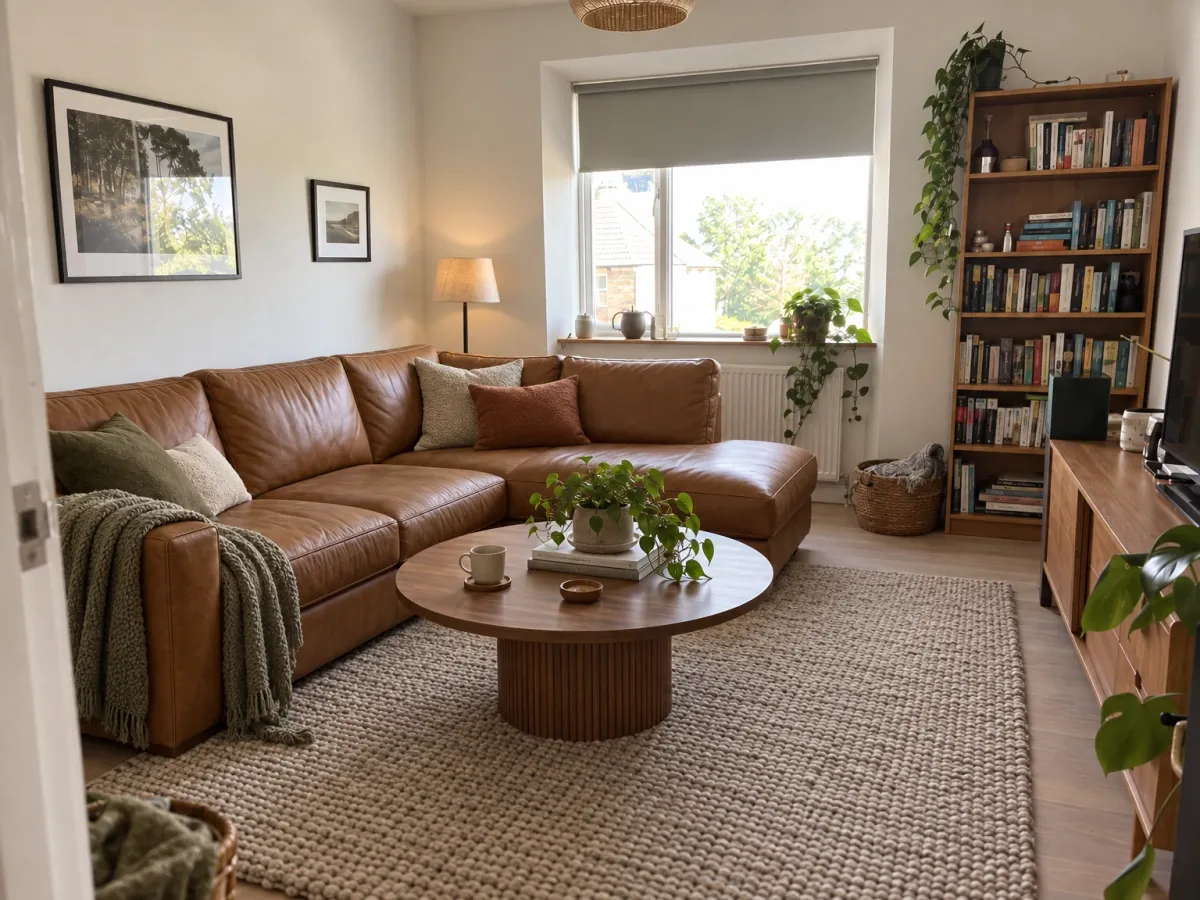
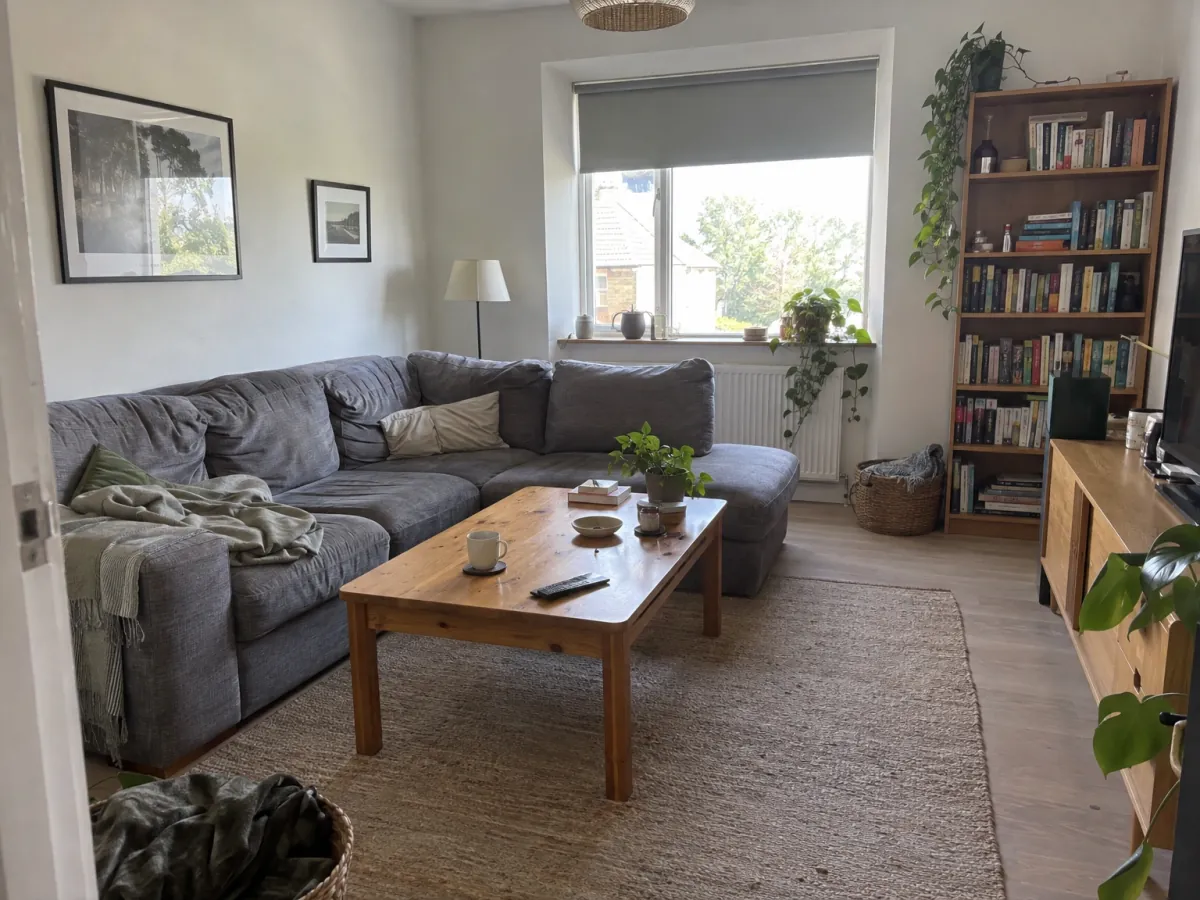
Illustrative AI example. Results vary.



What does AI furniture placement do for a furniture store?
AI furniture placement lets a customer see a piece from your floor in the room they live in, before they order it. A salesperson photographs the sofa, table or lamp, opens the customer's room photo in DecorAI and places the piece into it. The app matches scale and lighting to the room in the picture, so the piece looks at home in the customer's space. Check fit and final dimensions with a tape measure before the order.
| Who it is for | Furniture stores, showrooms, home decor and lighting shops, online furniture sellers |
|---|---|
| What staff upload | A photo of the piece on your floor and the customer's room photo |
| What the customer sees | Their own room with the new piece in place, lit to match |
| Where it runs | iPhone and iPad (iOS 16+), Android and the web app, one account |
| Commercial use | Allowed on every plan, including free, for product pages, emails and social posts |
| Tools for the sales floor | Furniture import, empty the room, brush edits, style transfer, virtual staging and moodboards |
How to visualize furniture in a customer's room
AI furniture placement in DecorAI needs two photos and a few taps, at the counter on a phone or tablet or later in the web app when a customer emails a picture of their room.
Get the customer's room photo
Ask the customer to photograph the room from the doorway or a corner, phone held in landscape format, lights on. The wall where the new piece will stand should be fully in view. If the photo is already on their phone, they can send it to you at the counter.
Photograph the piece on your floor
Shoot the sofa, table or lamp from about the same height as the customer's room photo, with the whole piece in the frame. Even light and a plain wall behind it give the AI a clean outline. Keep that photo: it works for every customer who asks about the model.
Place it and compare versions
In DecorAI, open furniture import, choose the room photo and the photo of the piece, and the app places it with matching scale and lighting. Generate again for another version, save the ones that work and show them on screen or send them with your offer.
Try it with the next customer who shows you a photo of their living room.
What can a store show with a furniture visualizer?
Each card below is a situation from the sales floor or the online shop: large pieces that are hard to judge in a big showroom, lighting and decor, and the room scenes an online store needs.

Showroom vignettes
A vignette groups a sofa, armchair, coffee table and rug under gallery lighting, and the open question is how the look works at home. Place the vignette's sofa into the customer's room photo with furniture import, or use a photo of the whole vignette as a style transfer reference.

Sofas in the customer's living room
A sofa is a large purchase, and color is often the last open question. Place the deep blue model from your floor next to the customer's own shelves and window. They see the fabric in their afternoon light, and you check its length against the wall they measured.

Dining tables and chairs
A solid oak extending table with six woven chairs can look smaller on a sales floor than it will at home. Placed into the customer's photo, the set shows how much of the dining room it fills and how its wood tone sits next to their floor.

Beds and bedroom sets
An upholstered bed sets the tone of a bedroom through its fabric as much as its shape. Place the sage green bed into the customer's bedroom photo, then brush over the headboard with inpainting and describe a second fabric from your swatch book to compare both.

Lighting and decor
Lamps, cushions, vases and prints are easier to choose as a group than one by one. Place a tall paper floor lamp or a ceramic table lamp into a corner of the customer's room, then swap only the cushions or the print with inpainting and leave the rest untouched.

Lifestyle images for an online store
Online furniture stores need room scenes as well as product shots on white. Place a cognac leather armchair with a throw and side table into a sunny room photo for a product page, newsletter or social post, and show the real product photo beside it so buyers see the actual piece.
Which DecorAI tools matter most for furniture retail?
Furniture import does most of the work in a store; five other tools help with cluttered photos, several fabric options or a customer with no clear style. Together they make DecorAI a room visualizer app for the counter.
Furniture import
Photograph a piece, such as a sofa on your sales floor, and place it into a room photo. DecorAI matches scale and lighting to the room, so the piece stands on the floor and shares the room's light.
Empty the room
Remove the customer's old furniture and clutter from their photo first. The floor, walls and windows stay, so a new sofa or dining set is judged on its own, not next to the one it replaces.
Inpainting
Brush over one area and describe the change, for example only the seat cushions, a headboard or a lampshade. The rest of the photo stays as it was, which makes it quick to test a second color from your range.
Style transfer
Use a photo of one of your showroom vignettes as the reference image. DecorAI applies its colors, materials and mood to the customer's room and shows how a complete look from your floor could work at home.
Virtual staging
Furnish an empty room in a chosen style. It suits customers moving into a new home who bring a photo of a bare living room or bedroom, and it gives the sales conversation a whole-room starting point.
Moodboards
Collect inspiration, import pins a customer has saved and redesign their room in that look. A customer who arrives with screenshots but no clear style gets one picture of their own room to talk through with you.

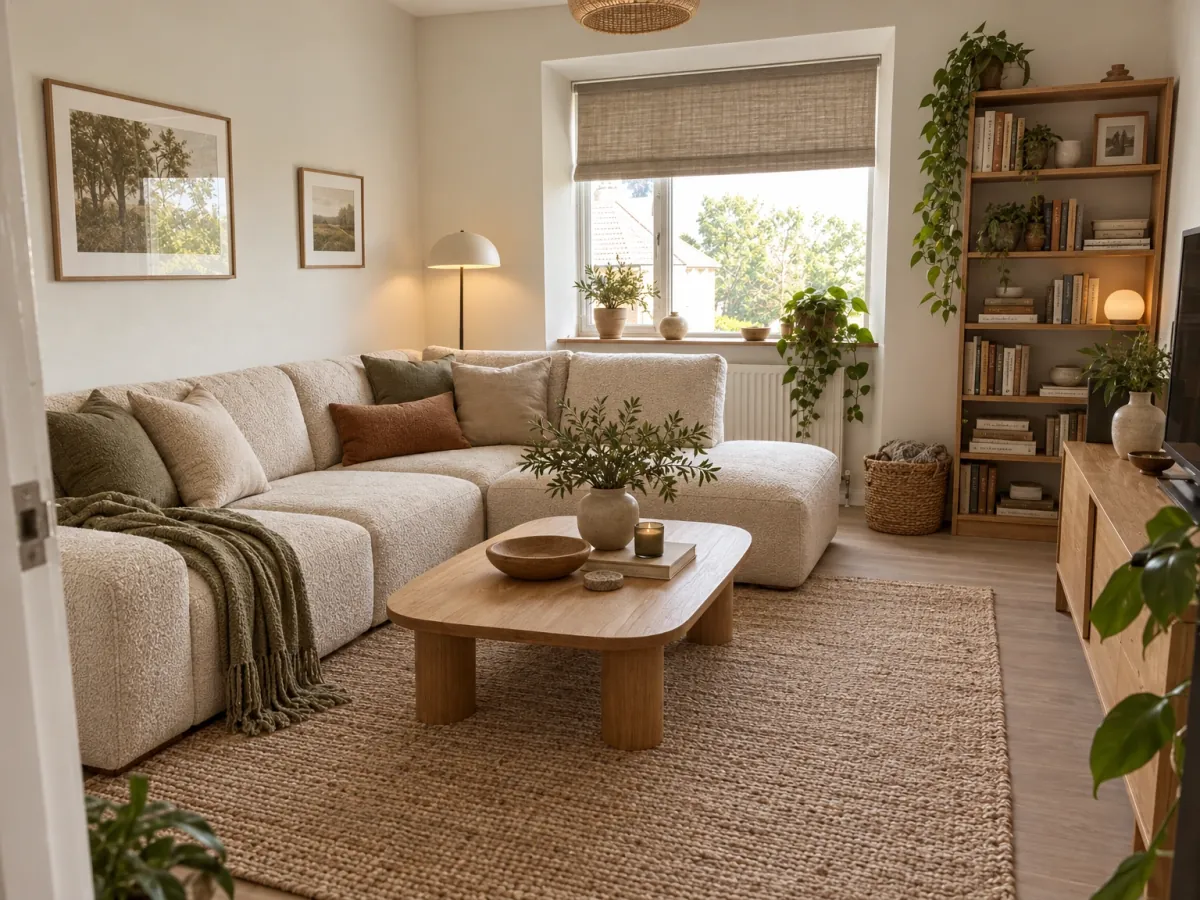
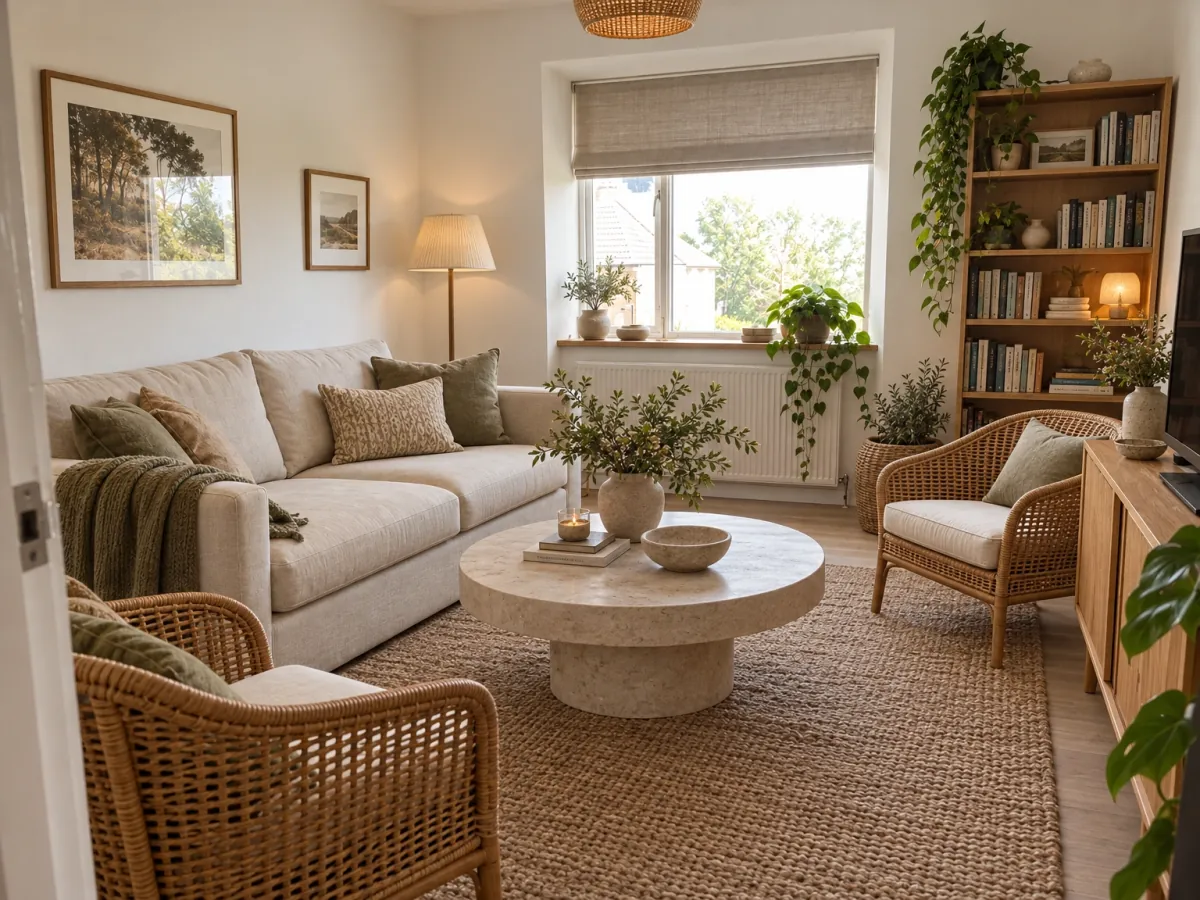
What DecorAI does and what stays with your store
DecorAI is a room visualizer for the sales conversation. One list shows what the app does; the other shows the expertise and service your team brings to every sale.
What stays with your team
- Your product knowledge: how each piece sits, wears and suits a household
- Your relationships with suppliers and the makers behind your range
- Your own pricing, the order and a delivery date the customer can trust
- Fabric and finish samples the customer can touch and hold against their room photo
- Delivery, assembly and the after-sales service that brings customers back
What DecorAI does
- Places a piece you photographed into the customer's room photo, with matching scale and lighting
- Keeps the customer's walls, windows and camera angle, so the room stays recognizably theirs
- Removes old furniture and clutter from a room photo, leaving floor, walls and windows
- Recolors or replaces only the part of the image you brush over
- Redesigns a whole room in more than 60 styles, usually in under 10 seconds
How to photograph furniture for realistic placement
Clean placement images start with two good photos. These six habits take a minute on the sales floor and make the result look like the customer's room, not a collage.
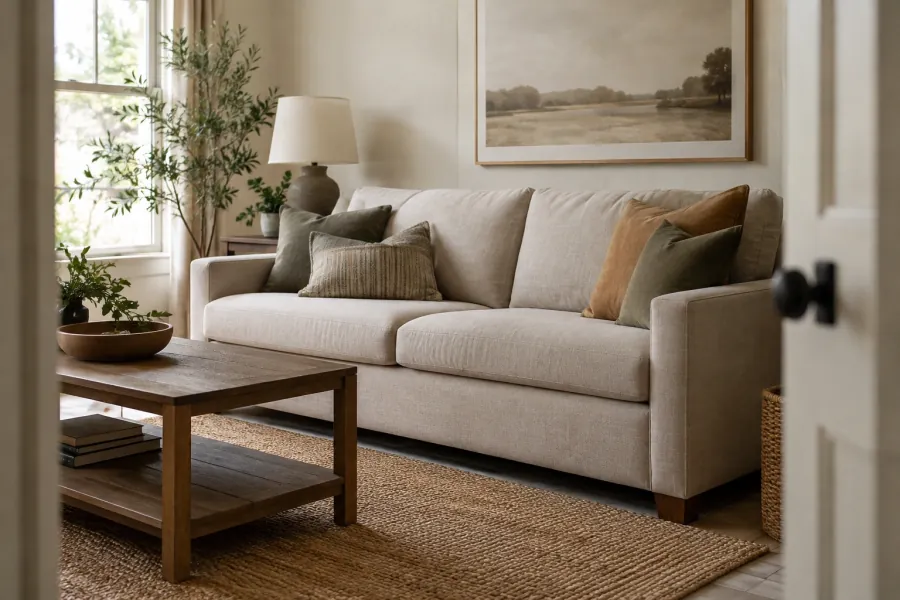
Shoot at the customer's eye level
Photograph the piece from about chest height, from the front or a slight three-quarter angle, the way someone sees it on entering a living room. A sofa shot from above or from the floor can look tilted in a room photo taken from the doorway at normal height.
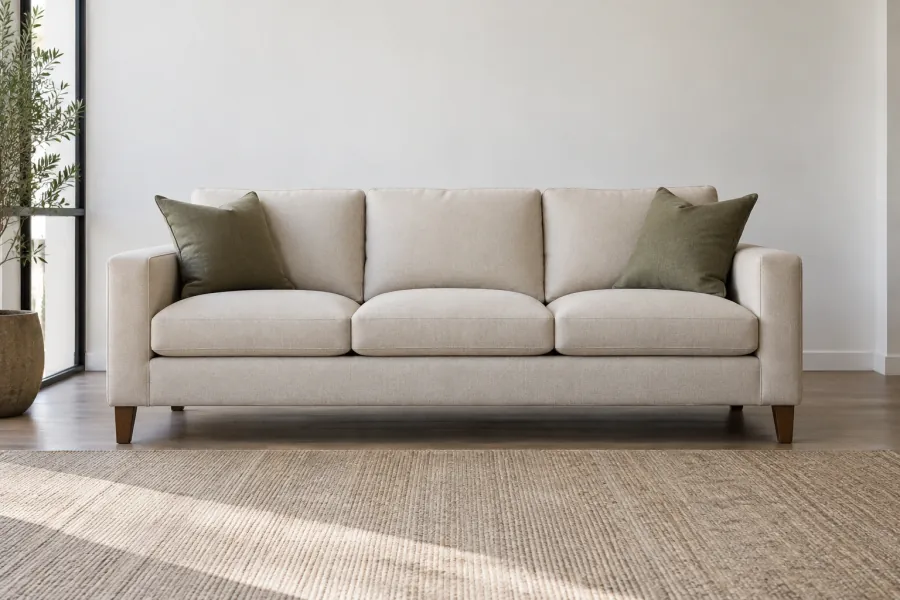
Pull the piece away from the vignette
Move the sofa a step away from other showroom pieces and stand it in front of a plain wall. With no lamp, plant or side table overlapping its arms, the AI separates the piece cleanly, and stray showroom decor does not end up in the customer's room.

Keep the legs and feet in the frame
Frame the whole piece with a little space around it: legs, feet, the full back and both arms. With the legs cut off, the AI has to guess where the piece meets the floor, and a sofa that floats above the rug or sinks into it looks wrong at once.
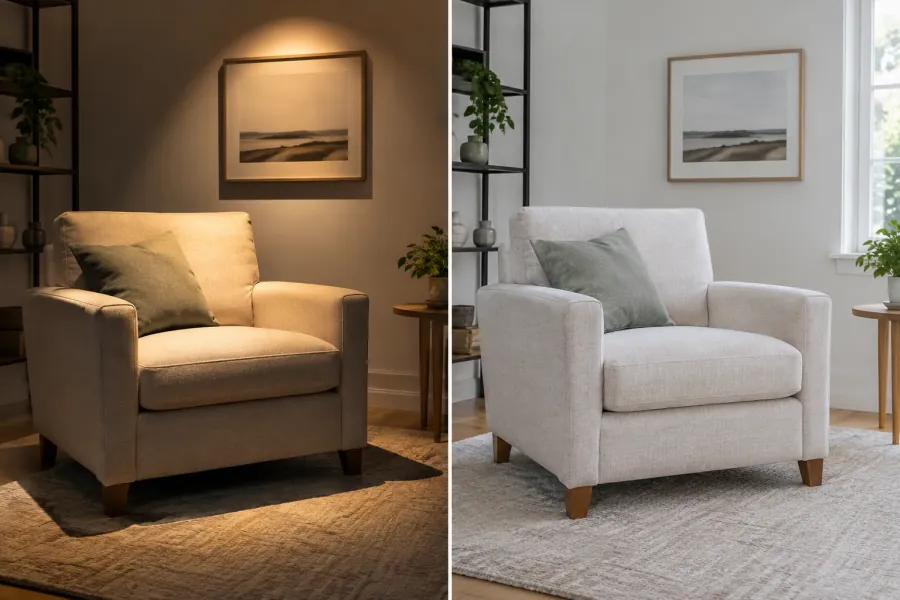
Use even light, not spotlights
Gallery spotlights throw hard highlights and shadows that a daylight living room does not have. Switch on even overhead light or move the piece near a window before the photo, so the fabric color reads truly and the placed piece blends with the room's own light.
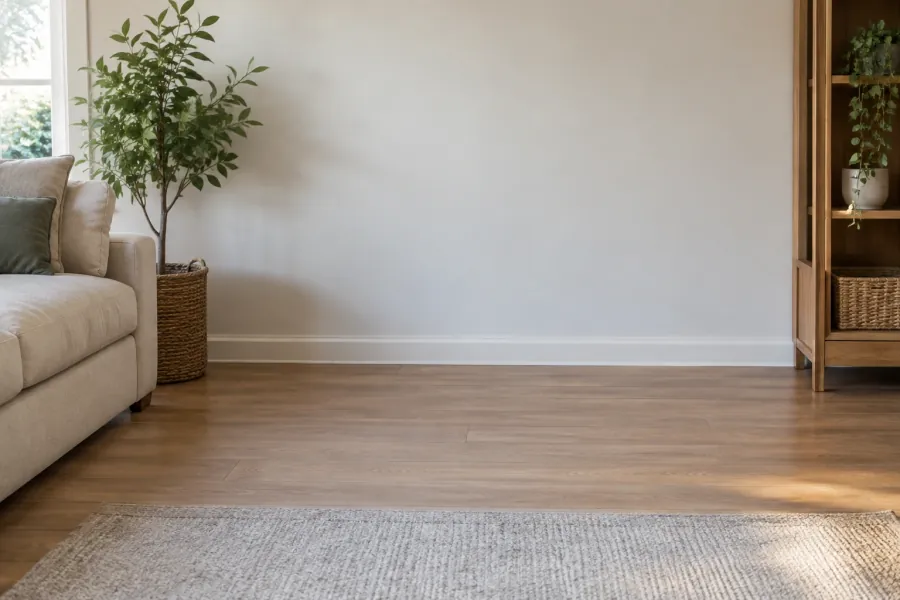
Clear the spot in the customer's photo
Ask the customer to move the old coffee table, a laundry basket or floor clutter out of the spot where the new piece will go, or clear it later with empty the room. A free patch of floor and wall gives the new piece a natural place to stand.
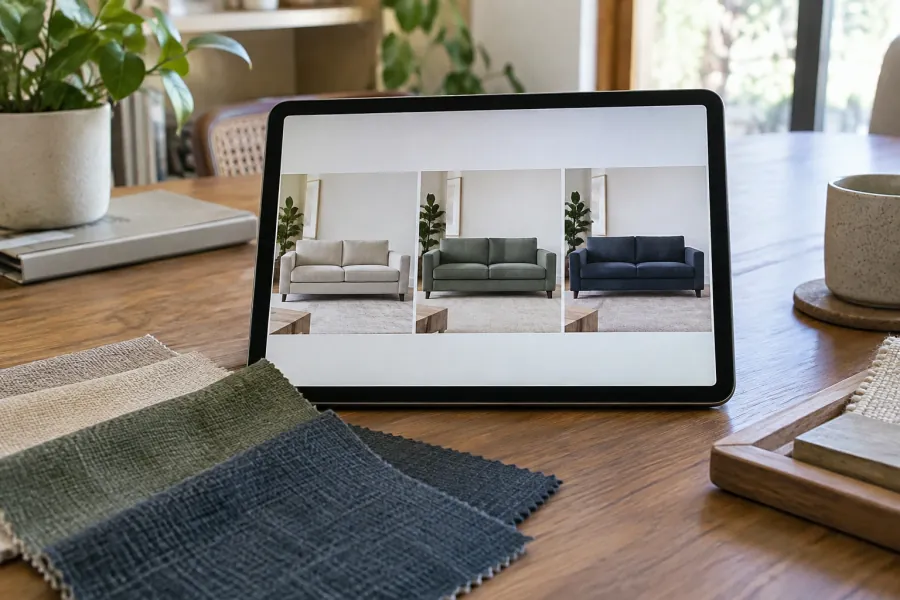
Show color options side by side
Place the same sofa in two or three fabrics from your range, or brush over the cushions and describe each new color. Show the images side by side on a tablet with the real swatches next to it, so the choice is made in the customer's own room.
Who is DecorAI for in furniture retail?
Start with one customer and one piece from your floor.
Furniture stores
In independent, family-run and larger furniture stores, placement helps at the counter when a customer hesitates over color, fabric or style. A sofa, dining set or bed shown in their own room photo gives the conversation something concrete.
Showrooms and gallery stores
Showrooms with styled vignettes can turn a room set into a preview of the customer's home: style transfer for the overall look, furniture import for the key piece. Staff can do this on a tablet without leaving the floor.
Home decor and lighting shops
Shops selling lamps, rugs, cushions, ceramics and wall art can show several items together in a corner of the customer's room. One image of the finished corner helps the customer choose a set rather than single pieces.
Online furniture sellers
Online stores and marketplace sellers can reply to a customer's message with that customer's room photo and the product placed in it. The same tools make lifestyle scenes for product pages and social posts, which you may publish on any plan.
Which DecorAI plan fits a furniture store?
The free plan is enough to test placement with a few customers, but the ad before each design and the watermark get in the way at the counter. Pro fits a salesperson who shows images every day, for $17.99 a month or $39.99 a year. Business, at $59 a month in the web app, gives a store three logins, unlimited virtual staging and project folders.
Free
- 3 AI designs every day
- No account and no payment card
- All tools for rooms, facades and gardens
- A short video ad before each design and a small watermark on saved images
DecorAI Pro
- Unlimited AI designs, no ads and no watermark
- The design report with color palette and cost estimate, as a PDF
- Works on iPhone, Android and the web app with one account
- $9.99 a week, $17.99 a month, $39.99 a year or $219 once
DecorAI Business
- Three logins for one team, in the web app
- Unlimited virtual staging with project folders
- Batch uploads for a whole photo shoot
- $59 a month, billed monthly
Prices are US prices and differ by country and platform; DecorAI shows your price before you pay. Designs may be used commercially on every plan, including the free one.
Questions about AI furniture placement
What is AI furniture placement?
AI furniture placement puts a real piece of furniture into a photo of a real room. DecorAI is an AI furniture placement app built for furniture stores, showrooms and home decor shops. Staff photograph a sofa, table, bed or lamp and place it into the customer's room photo, which keeps its walls, windows and camera angle.
How do you visualize furniture in a room?
Photograph the room from the doorway in landscape format, then photograph the piece from a similar height with all of it in view. In DecorAI, furniture import puts the piece into the room photo and matches the light. In a store, the room photo comes from the customer.
What is the best app to visualize furniture in a room?
It depends on where the furniture is. If the piece stands on your sales floor and the customer has a photo of their room, DecorAI fits that job: it places the photographed piece into the room photo and keeps the real walls and windows. Two photos are all it takes.
Is DecorAI a furniture placement app for iPhone and Android?
Yes. The app works on iPads and iPhones from iOS 16, on Android tablets and phones, and in any browser through the web app. One account works on all three, so a salesperson can use a tablet on the sales floor and the web app on the computer in the back office.
Can a customer send us a room photo from home?
Yes. A customer can photograph the room at home and email or message the picture to your store. Staff open it in the DecorAI web app or on a tablet, place the piece from your floor and reply with the image, often while the customer is still choosing between two models.
Can we show a whole showroom look in a customer's room?
Yes, with style transfer. Photograph one of your styled vignettes and upload it as the reference image; DecorAI applies its colors, materials and mood to the customer's room photo. Then add the key piece, such as the vignette's sofa, with furniture import, so the customer sees the exact model in that look.
Is DecorAI free for furniture stores?
Yes, to try. The free plan gives 3 designs a day without an account or payment card; a short ad plays before each design and saved images carry a small watermark. DecorAI Pro removes both and allows unlimited designs, and Business adds team logins in the web app.
Can we use the images commercially, for example on our website?
Yes. Designs made with DecorAI may be used commercially on every plan, including the free one, so placement images can appear on your website and in newsletters. Free-plan images carry a small watermark. Present room scenes as illustrations and show the real product photo too, so buyers know what they order.
Is AI furniture staging the same as furniture placement?
Not quite. AI furniture staging, called virtual staging in DecorAI, furnishes an empty room with furniture the AI chooses for a style. Furniture placement puts one specific piece you photographed into a room, so a store uses it to show a real product from its floor.
How close is the placement image to the delivered piece?
The placement image is a photorealistic preview built from your photo of the real piece and the customer's room photo. Color on screen depends on the light in both photos, so hand the customer a fabric or finish sample to compare at home, and confirm the dimensions together before the order is placed.
Show the next customer the piece in their own room
Ask for a room photo, photograph the piece on your floor and place it in DecorAI. The first three designs each day are free, with no account and no card, so you can try it on today's customers.
Try furniture placement free