AI Bedroom Design: See Your Bedroom Redesigned From One Photo
DecorAI is an AI interior design app that redesigns your bedroom from a single photo: you upload a picture of the room and get a realistic new design of the same bedroom in seconds.
- Your own bedroom, redesigned: the window, the door and the camera angle stay in place.
- More than 60 styles and 40 color schemes, from Japandi and Scandinavian to modern luxury and boho.
- Change the whole bedroom at once, or brush over the headboard or curtains and change only that.
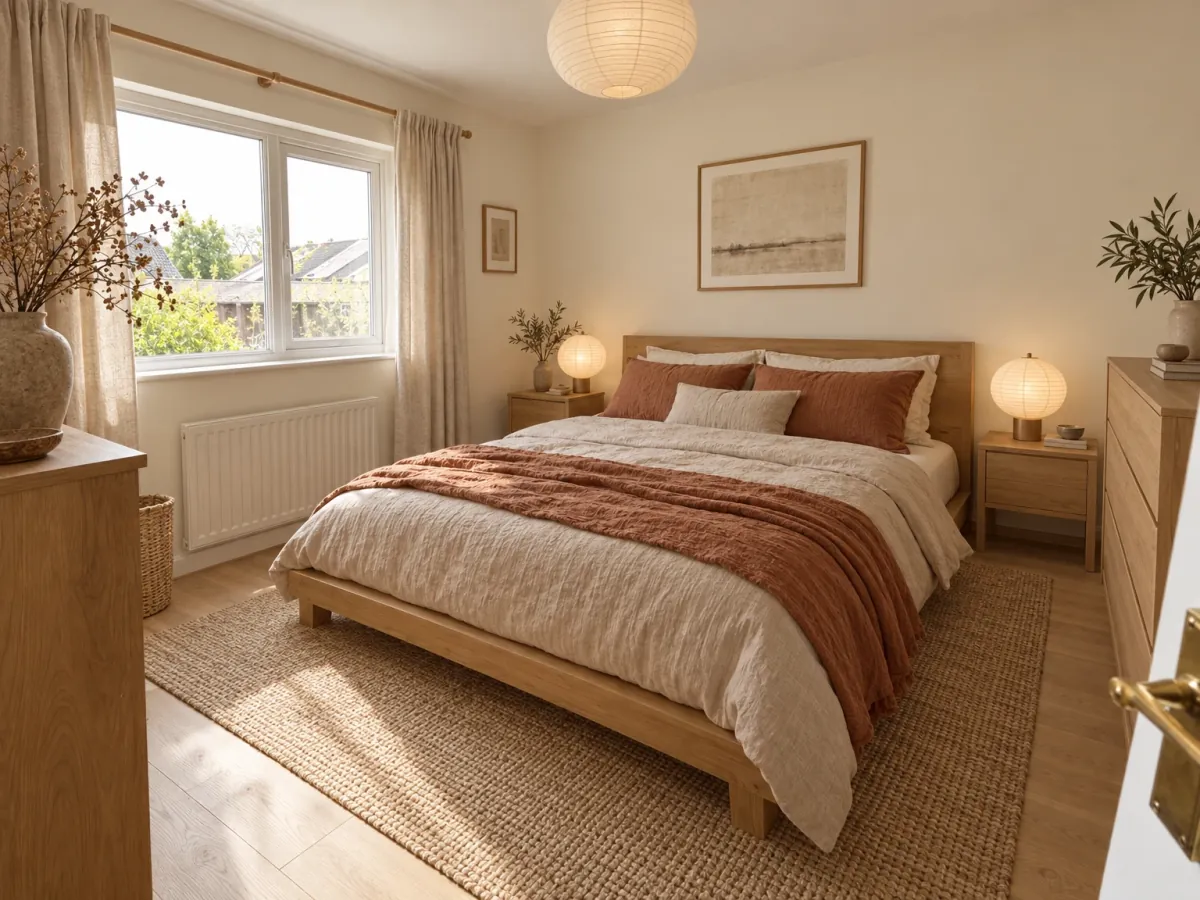
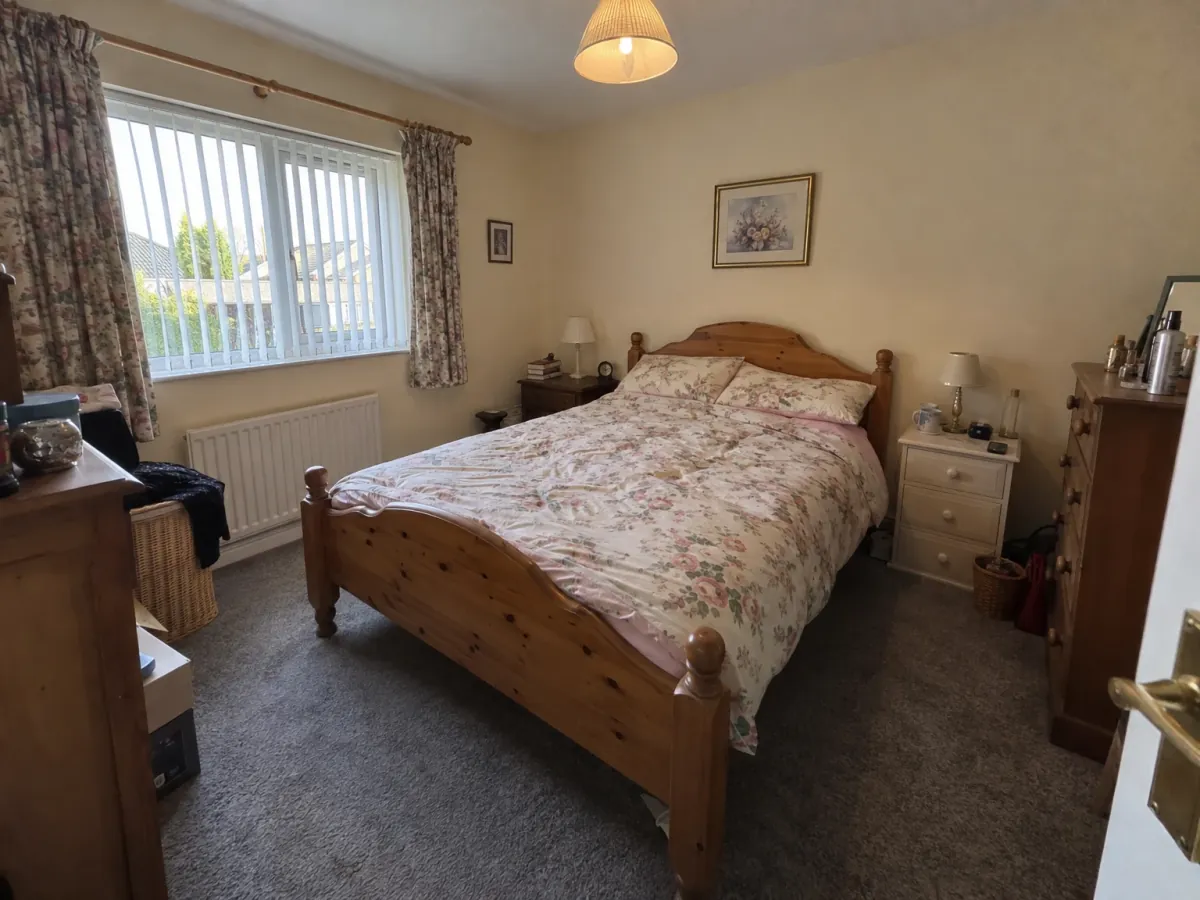
Illustrative AI example. Results vary.



AI bedroom design at a glance
AI bedroom design with DecorAI starts with the room you already sleep in. Take one photo of your bedroom, pick a bedroom type and a style, and the app keeps your walls, window and door where they are while it changes the bed, bedding, nightstands, lighting, curtains, flooring and colors. Use the result as the plan for your bedroom makeover.
| What you upload | One photo of your bedroom, taken from a corner or the doorway so the bed wall and the window are in view |
|---|---|
| What you get | A photorealistic redesign of the same bedroom with a new bed, bedding, nightstands, lighting, curtains, floor and wall colors |
| Bedroom types it handles | Master bedrooms, small bedrooms, guest rooms, teen rooms and the sleeping area of a studio apartment |
| Styles that suit bedrooms | Japandi, Scandinavian, modern luxury, boho, minimalist and coastal, among more than 60 styles |
| Time per design | Usually under 10 seconds |
| Free plan | 3 AI designs a day, no account and no payment card needed |
| DecorAI Pro | Unlimited designs, no ads, no watermark: $9.99 a week, $17.99 a month, $39.99 a year or $219 once (US prices) |
| Platforms | iPhone and iPad (iOS 16 or later), Android and the web app |
| Use of designs | Personal and commercial use allowed on every plan |
How does AI bedroom design work in DecorAI?
DecorAI turns one bedroom photo into a new design in three steps, usually in less than a minute.
Photograph your bedroom
Stand in a corner or in the doorway, hold the phone at chest height and capture the bed wall plus the window. Open the curtains and switch on the lights.
Choose bedroom type and style
Select Bedroom as the room type, then pick a style such as Japandi or modern luxury. Add a color scheme, for example sand and terracotta, and a budget level of low, mid or high to steer the furniture.
Compare and refine the bedroom
DecorAI shows the redesigned bedroom next to your original, usually within 10 seconds. Drag the slider to compare, generate again for another version, and save or share the ones you like.
Upload a bedroom photo and see your first redesign in seconds.
What does DecorAI keep and change in a bedroom?
DecorAI keeps the architecture of your bedroom fixed and redesigns everything you could move, paint or replace.
What stays the same
- Walls, ceiling height and the shape of the room
- The position and size of each window
- The entry door and closet doors
- The camera angle of your bedroom photo
What the AI can change
- Bed frame, headboard and bedding
- Nightstands, dresser, bench and reading chair
- Wall color, wallpaper and flooring
- Bedside lamps, sconces and ceiling lights
- Curtains, rugs, plants, art and small decor
Which bedroom types can AI redesign?
DecorAI handles every common kind of bedroom. Each example below shows a different everyday situation.
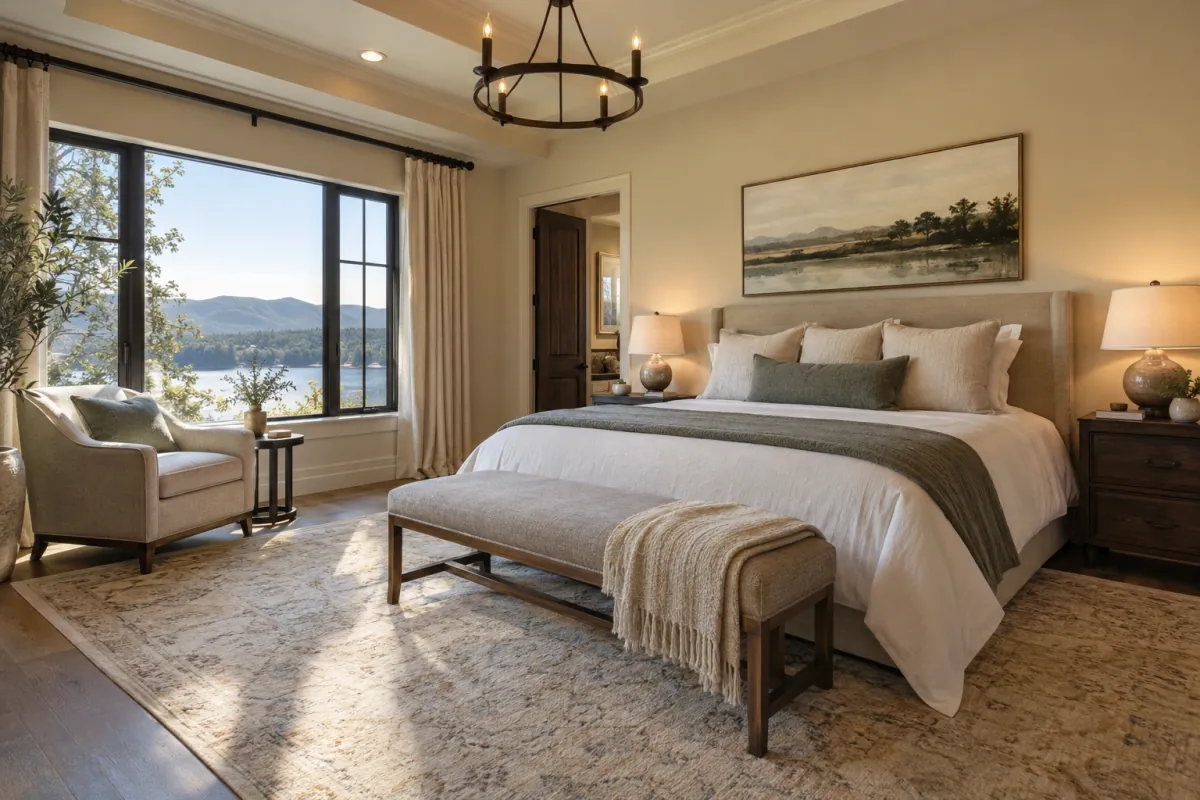
Master bedroom
A large primary bedroom has room for a king bed, about 193 x 203 cm / 76 x 80 in. A bench at the foot and a reading chair by the window make the extra floor space useful.
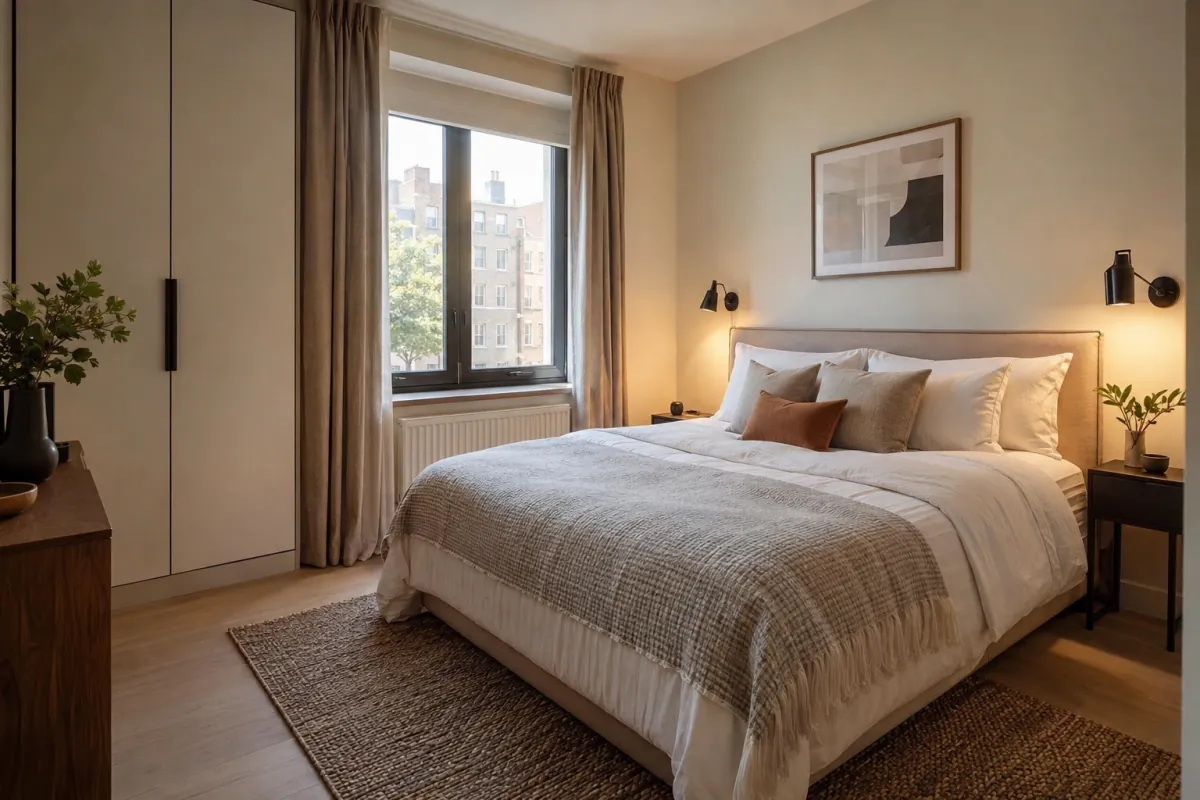
Small bedroom
In a small bedroom, a double bed pushed against one wall frees a walkway on the other side. Wall-mounted lights replace bedside lamps, and a slim wardrobe leaves the door swing clear.
Guest bedroom
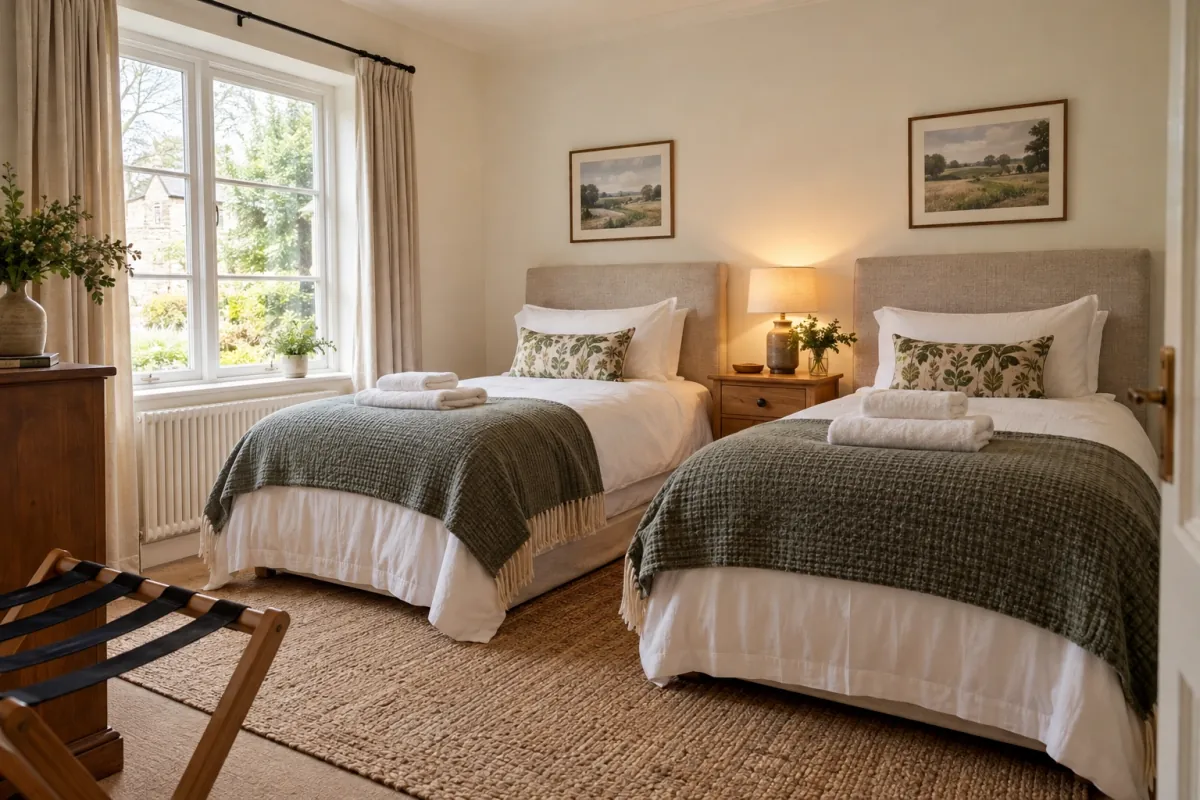
Twin beds make a guest bedroom flexible for friends, siblings or a couple who prefers separate beds. A shared nightstand, a luggage rack and fresh towels show visitors where things go.
Teen bedroom
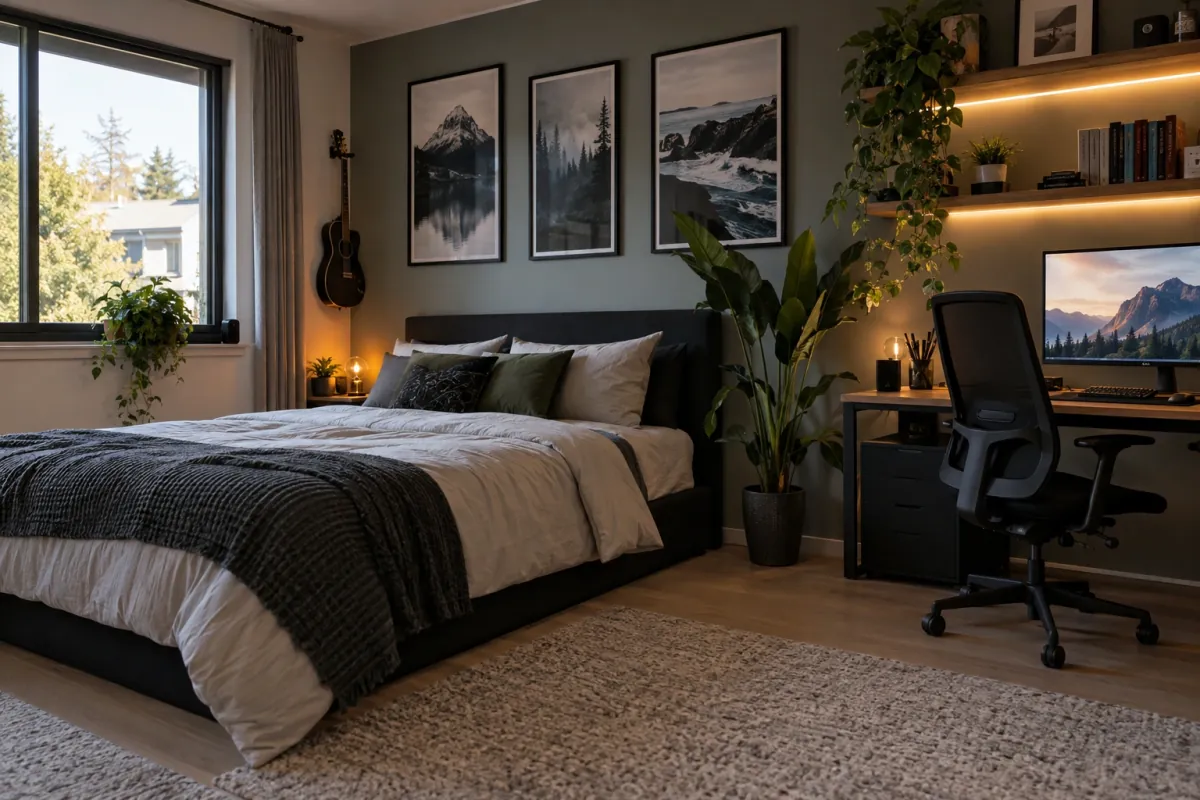
A teen bedroom has to work for sleep, homework and friends. A double bed, a proper desk with a monitor and soft LED strip lighting give it a grown-up look.
Studio sleeping area
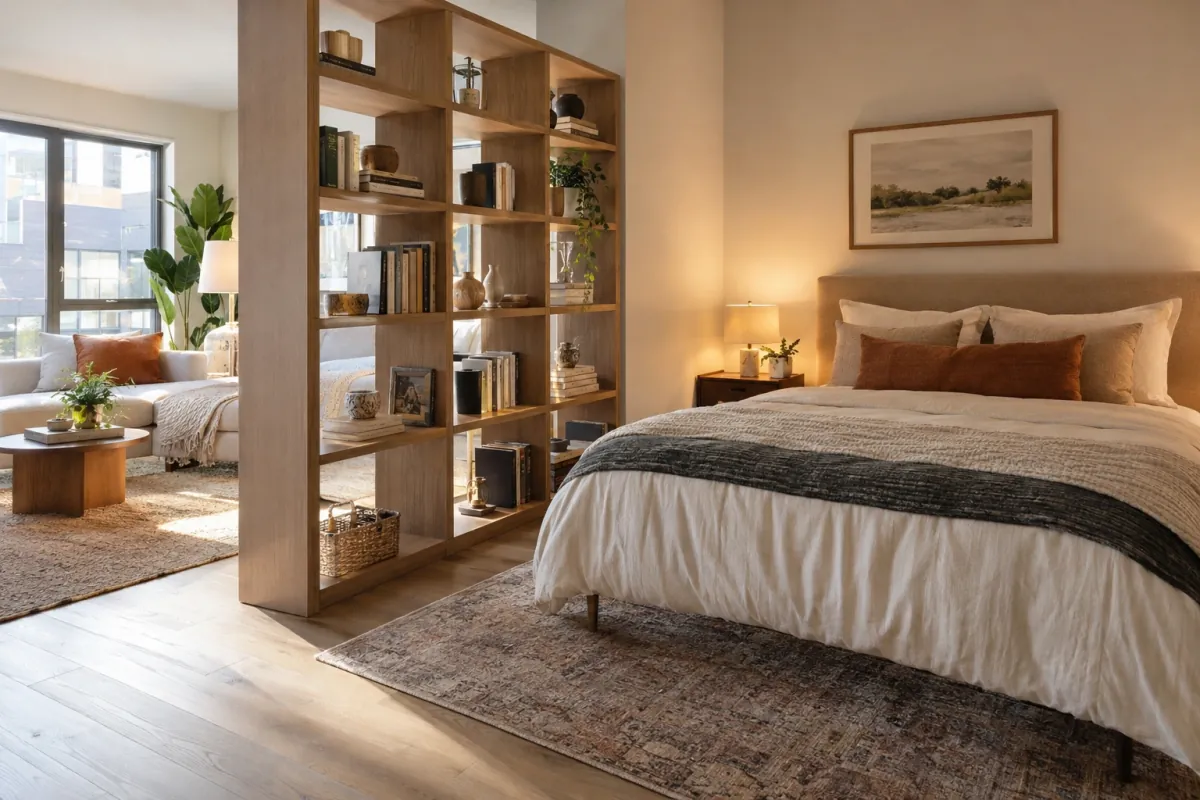
In a studio apartment, an open bookcase screens the bed from the living space without blocking daylight, adds storage and makes the sleeping corner feel like its own room.
What bedroom styles can I try on my own photo?
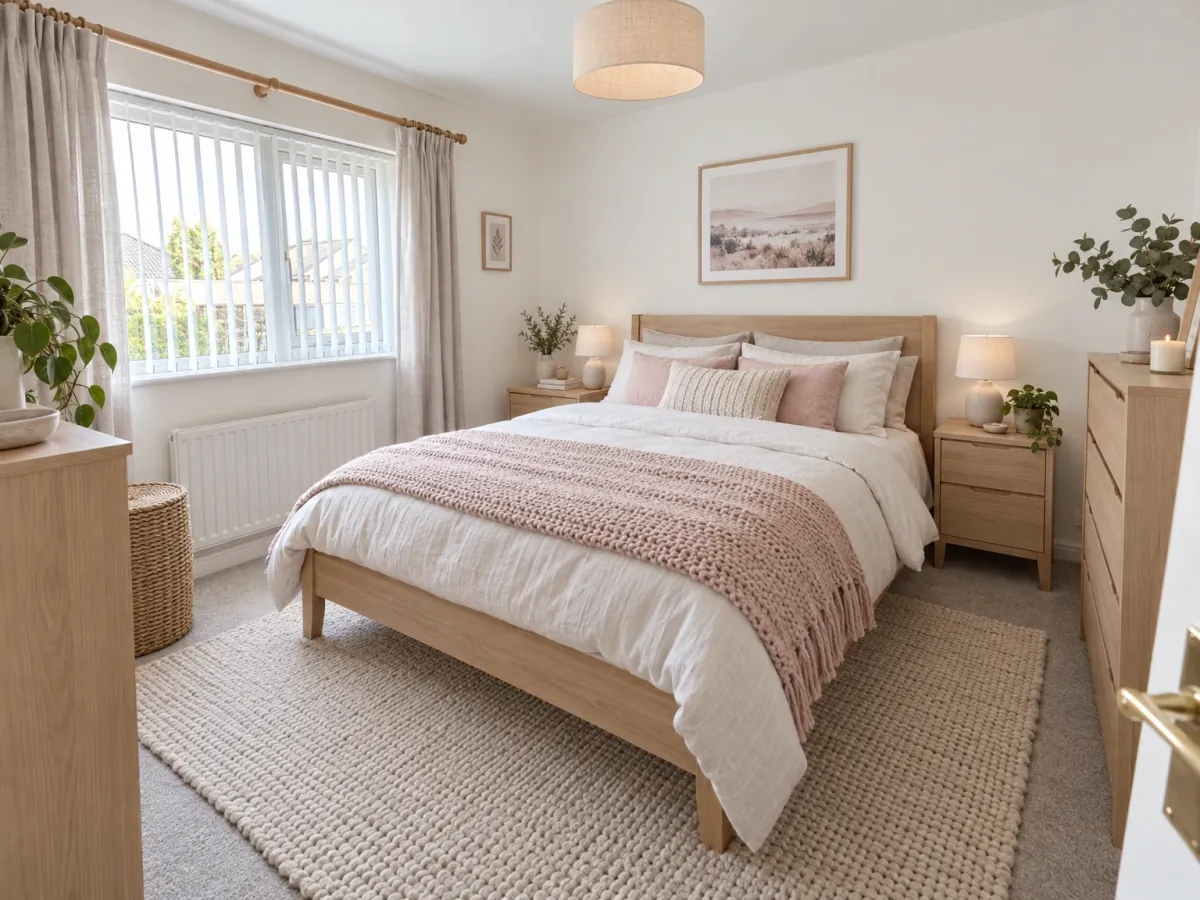
These three versions start from the same dated bedroom photo as the slider above. Only the style changed.
Scandinavian bedroom
White walls, pale wood and textiles in light grey and blush keep a Scandinavian bedroom bright on dark winter mornings. A wool rug warms the floor, and a simple pendant replaces the old ceiling light.
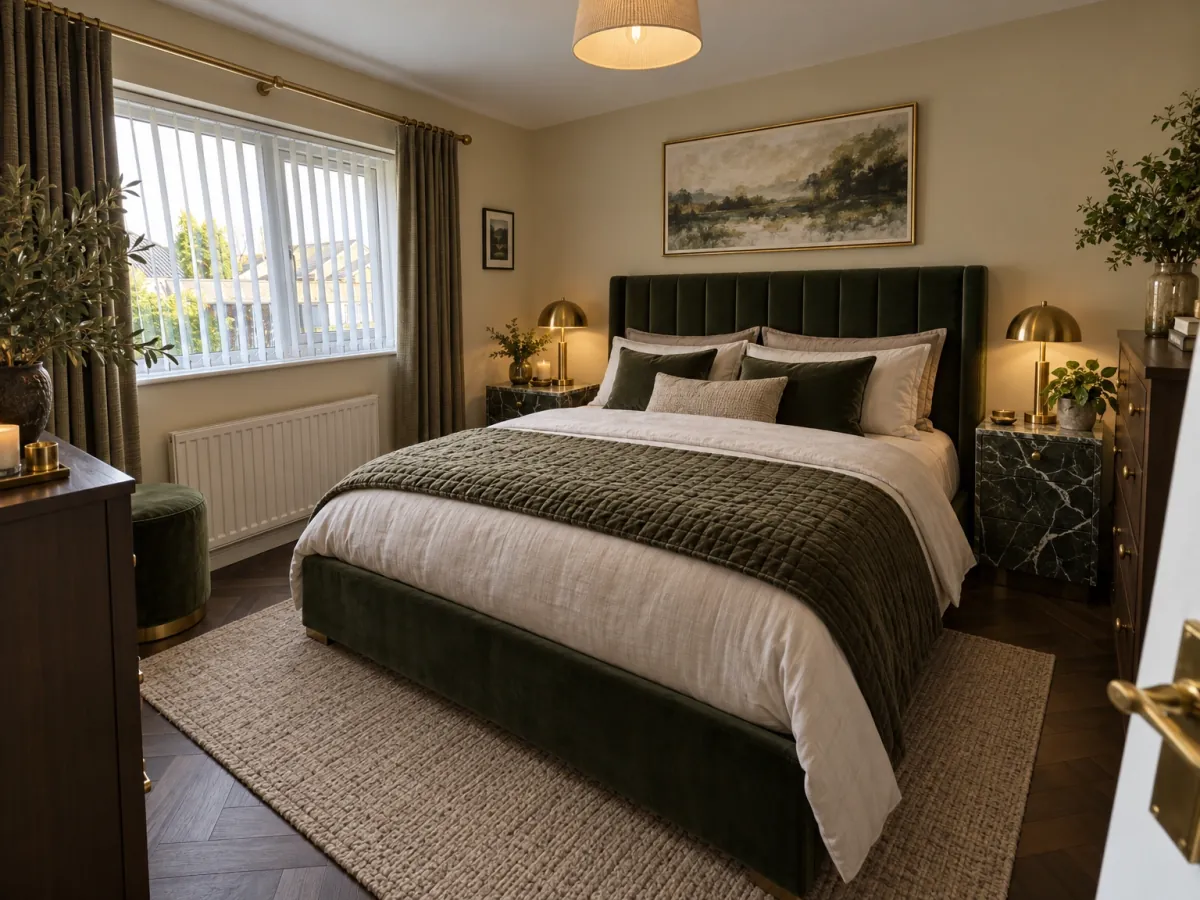
Modern luxury bedroom
A deep green velvet headboard wall, brass lamps and marble nightstands give the same room the feel of a hotel suite. The dark herringbone floor deepens the mood, so this style suits bedrooms with good daylight.
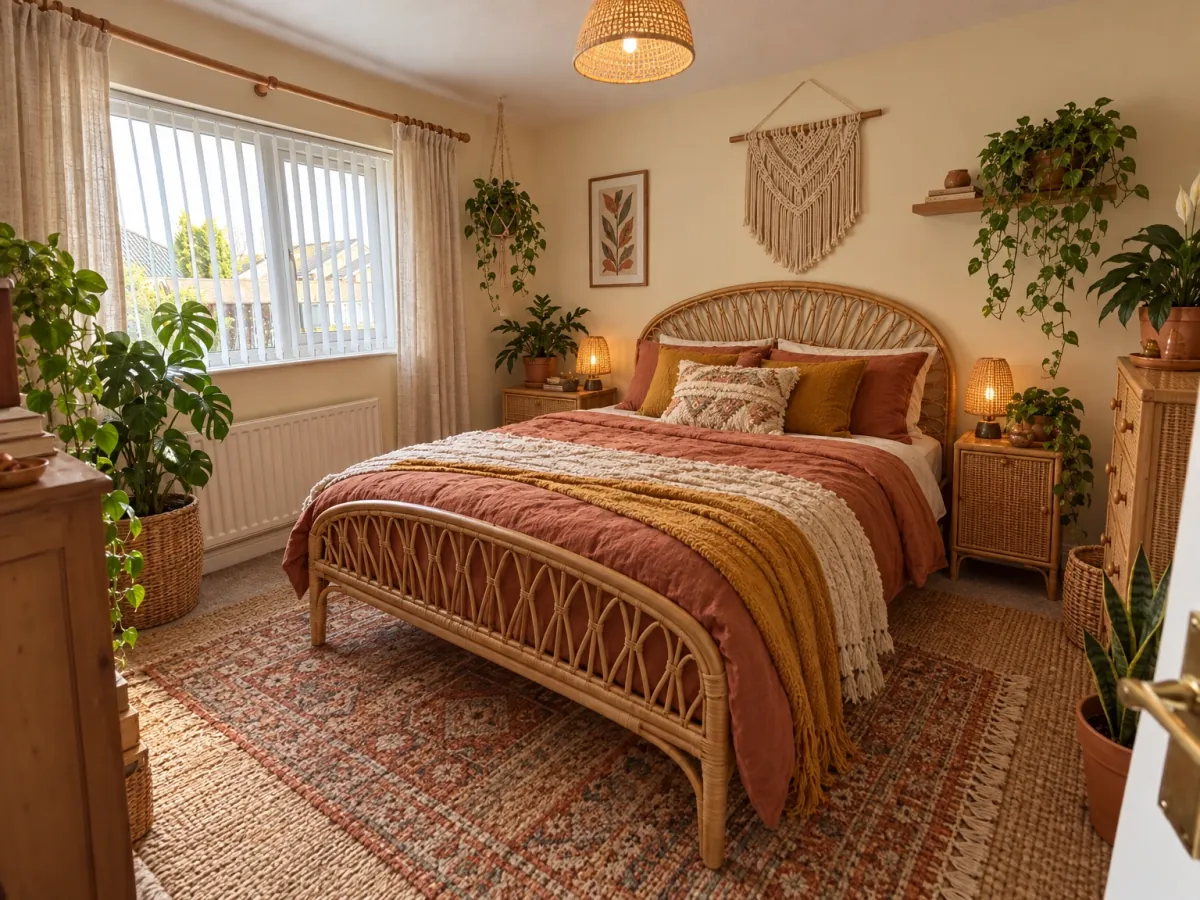
Boho bedroom
A rattan bed, layered rugs, macramé and plenty of plants create a relaxed boho bedroom. Terracotta and mustard textiles add warmth, and the mix of patterns hides everyday wear.
Bedroom design ideas that work in real rooms
The most useful bedroom design ideas start with the bed wall. Place the headboard on a solid wall you can see from the door, and avoid the space under the window, because drafts and early light disturb sleep. A headboard wider than the bed or a painted block of color behind it makes the bed the focal point without adding furniture.
Lighting matters more in a bedroom than almost anywhere else in the home. Use warm white bulbs of about 2700 K, a reading light on each side of the bed, and lamps or a dimmer instead of one bright ceiling fixture.
Keep the bedroom palette calm: one main color, one accent and natural textures such as linen, wool and wood. Sage, sand, warm white, clay and soft blue stay restful in low light. In DecorAI you can test palettes like these with the 40 color schemes before buying paint.
Bedroom makeover tips from an interior designer
These six rules of thumb help a redesigned bedroom work every night and every morning.
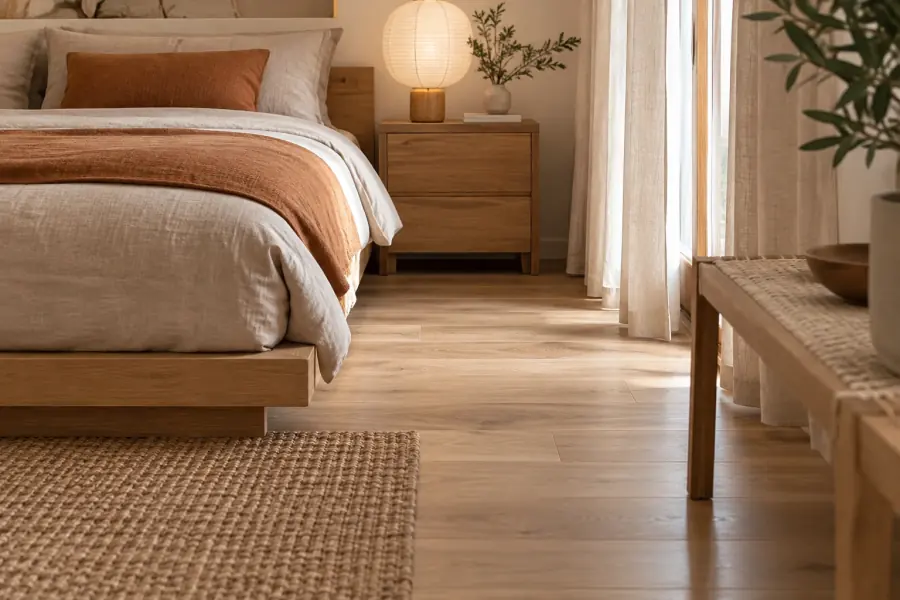
Leave space around the bed
Plan about 60 to 75 cm / 24 to 30 in of free floor on each side of the bed and roughly 90 cm / 36 in at the foot if that is your walkway. In a tight bedroom, push one side of the bed to the wall.
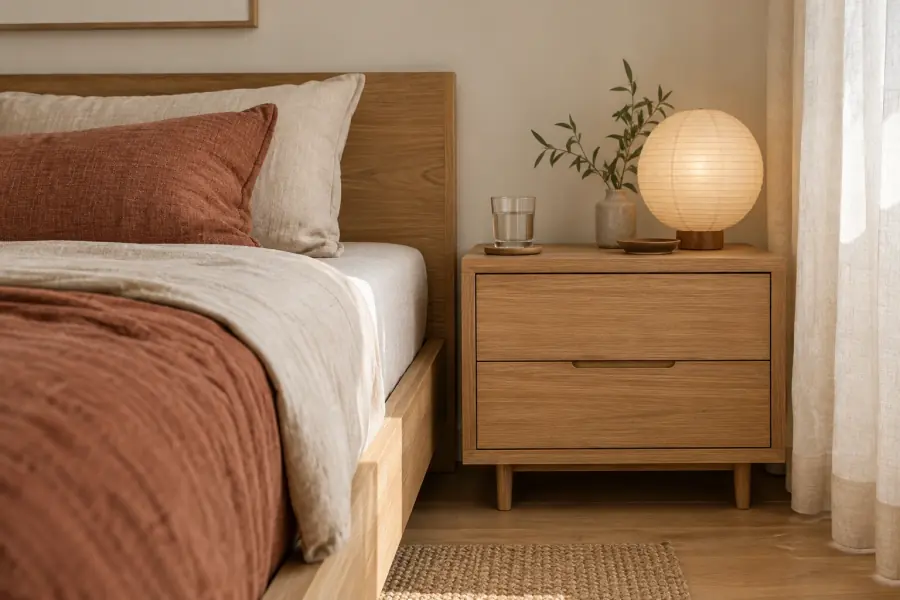
Match nightstands to the mattress
A nightstand top should sit roughly level with the top of the mattress, within about 5 cm / 2 in, so a glass of water stays in easy reach.
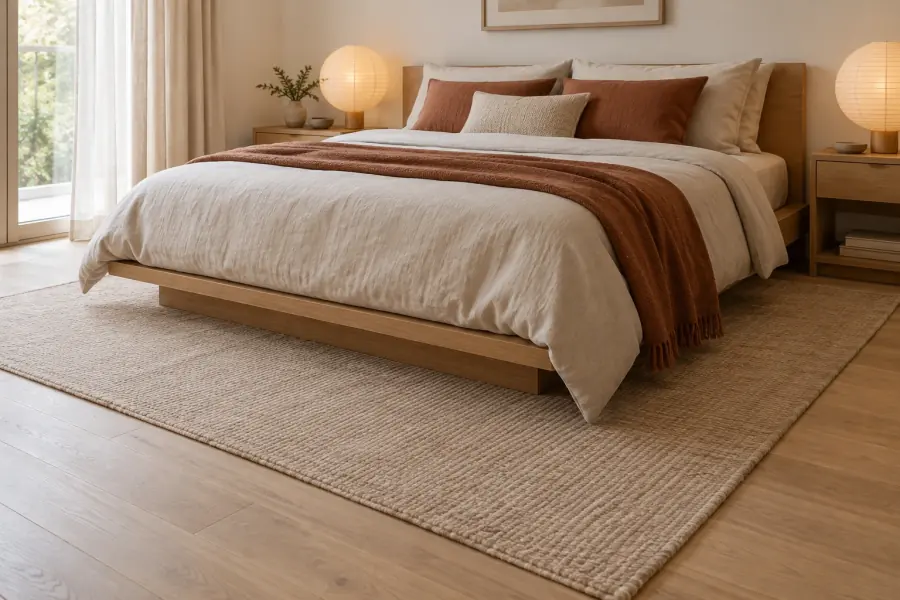
Size the rug to the bed
A rug under the bed should extend about 45 to 60 cm / 18 to 24 in beyond each side. Under a queen bed that usually means a rug of about 240 x 300 cm / 8 x 10 ft.
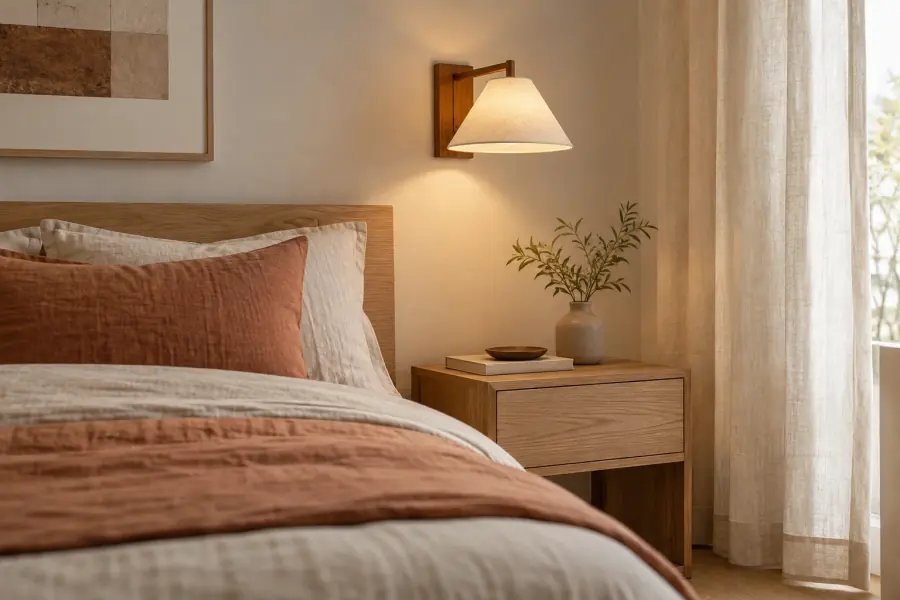
Put the lights on the wall
Wall sconces free the nightstand and suit small bedrooms well. Mount them around 120 to 150 cm / 48 to 60 in from the floor, depending on bed height, so the light falls on your book.
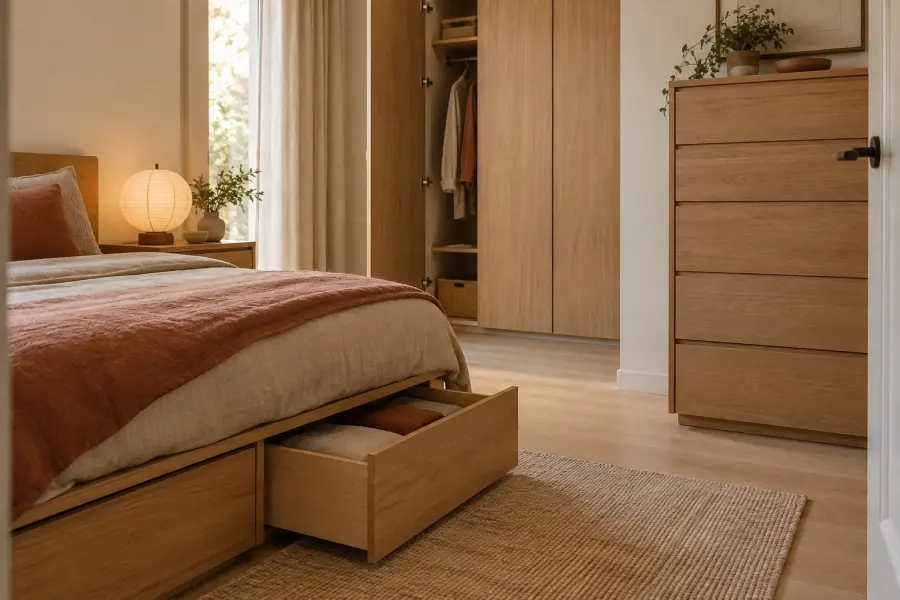
Store upward, not outward
Under-bed drawers, a tall dresser instead of a wide one and a wardrobe up to the ceiling store more on a smaller footprint. Check that drawers and doors can open fully next to the bed.
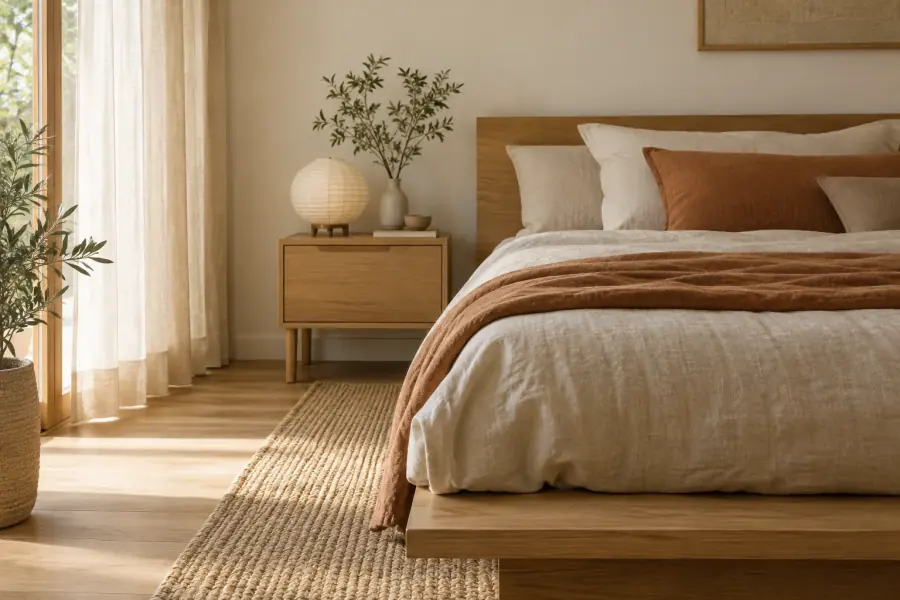
Remove before you add
Most dated bedrooms improve as soon as things leave the room. In DecorAI you can first remove furniture and clutter from your photo, then furnish the empty bedroom again in the style you want.
Who is AI bedroom design for?
Ready to see your own bedroom in a new style? Download DecorAI below.
Homeowners planning a refresh
If you plan to repaint, buy a new bed or replace the carpet, DecorAI shows the combined effect in your own bedroom first.
Renters who cannot renovate
Renters can focus on what moves with them: bedding, lamps, rugs, curtains and freestanding furniture, set against the neutral walls they already have.
Parents of teenagers
Teens often want a bedroom that looks older than the one they have. Generating a few teen bedroom versions together makes it easier to agree on colors and a desk setup.
Hosts and rental owners
Hosts with a guest room or a short-term rental can test a hotel-style bedroom before buying linens and lamps, and use the images to brief a painter.
Is DecorAI free, and what does Pro add?
DecorAI is free to download and free to use every day. The optional Pro plan removes the daily limit, the ads and the watermark.
Free
- 3 AI designs every day
- No account and no payment card
- All room types and design styles
- A short video ad before each design and a small watermark on saved images
DecorAI Pro
- Unlimited AI designs
- No ads and no watermark
- The design report with color palette and cost estimate, as a PDF
- $9.99 a week, $17.99 a month, $39.99 a year or $219 once
Prices are US prices. Prices differ by country and platform, and DecorAI shows your price before you pay. Pro has no free trial; the free daily designs stay available.
Where can I use DecorAI?
DecorAI runs on iPhone and iPad with iOS 16 or later, on Android phones and tablets, and in any web browser. Take the photo with your phone, or upload one from your computer in the web app. A Pro purchase works on all three when you sign in with the same account.
AI bedroom design: frequently asked questions
Is there an AI that can design my bedroom?
Yes. DecorAI is an AI interior design app that redesigns your bedroom from one photo. You choose the bedroom room type and a style, and the app returns a realistic version of the same room with new furniture, bedding, lighting and colors, usually in under 10 seconds, on iPhone, iPad, Android or the web.
Can I redesign my bedroom from a photo for free?
Yes. With DecorAI you get 3 AI designs every day on the free plan, and you do not need to sign up or enter a card. Every free bedroom design begins after a short video ad, and images you save show a small watermark. That is enough to try AI bedroom design free and compare a few styles.
Does DecorAI work for small bedrooms?
Yes. DecorAI suits small bedrooms because it keeps your real walls and window and only changes what fits inside them. Choose a light color scheme and the low budget level to see options such as a bed against the wall, wall lights instead of lamps and a slim wardrobe.
What does a bedroom design app like DecorAI actually do?
A bedroom design app like DecorAI turns a photo of your bedroom into a redesigned image of the same room: furniture, bedding, colors, flooring and lighting. It does not draw floor plans, measure the room or build a 3D model, so check sizes with a tape measure before you order a bed or a wardrobe.
Will the AI move my windows or change the room layout?
No. DecorAI keeps the walls, windows, doors and camera angle of your bedroom photo. It changes the movable and visible layers: bed, nightstands, dresser, rug, curtains, lamps, paint and flooring. To change only the headboard, brush over that area and the rest of the image stays as it was.
Can I keep my bed and change everything else?
Yes. Use the brush edit tool in DecorAI to mark the walls, curtains or floor and leave your bed untouched, or mark only the bedding to test new covers. You can also photograph a bed or chair you are thinking of buying and place it into your bedroom photo.
What is the best color for a bedroom?
There is no single best bedroom color, but muted, warm tones work for most sleepers: sage green, soft blue, sand, warm white and clay. Test two or three of the 40 color schemes in DecorAI on your bedroom photo, then buy sample pots of the closest paint shades.
Can I use an AI bedroom design for a listing or a client?
Yes. DecorAI designs may be used commercially on every plan, the free plan included, and Pro removes the watermark and the ads. For an empty bedroom in a listing, the virtual staging tool furnishes it. Label such photos as virtually staged, because the furniture shown is not part of the sale.
Start your bedroom makeover with one photo
AI bedroom design with DecorAI lets you see your next bedroom before you paint, shop or move the bed. Take a photo tonight, try Japandi, Scandinavian or boho, and keep the version you would most like to wake up in.
Download DecorAI and redesign your bedroom today.