Virtual Staging Software: Furnish Empty Rooms and Rentals from One Photo
DecorAI is virtual staging software for home stagers and short-term rental hosts: upload one photo of an empty room or a tired rental and get a staged, photorealistic version of the same room, usually in under 10 seconds.
- Furnishes empty rooms while walls, windows and camera angle stay as photographed
- More than 60 styles and over 40 room types for vacant homes, rentals and holiday homes
- 3 free designs a day, and commercial use is allowed on every plan
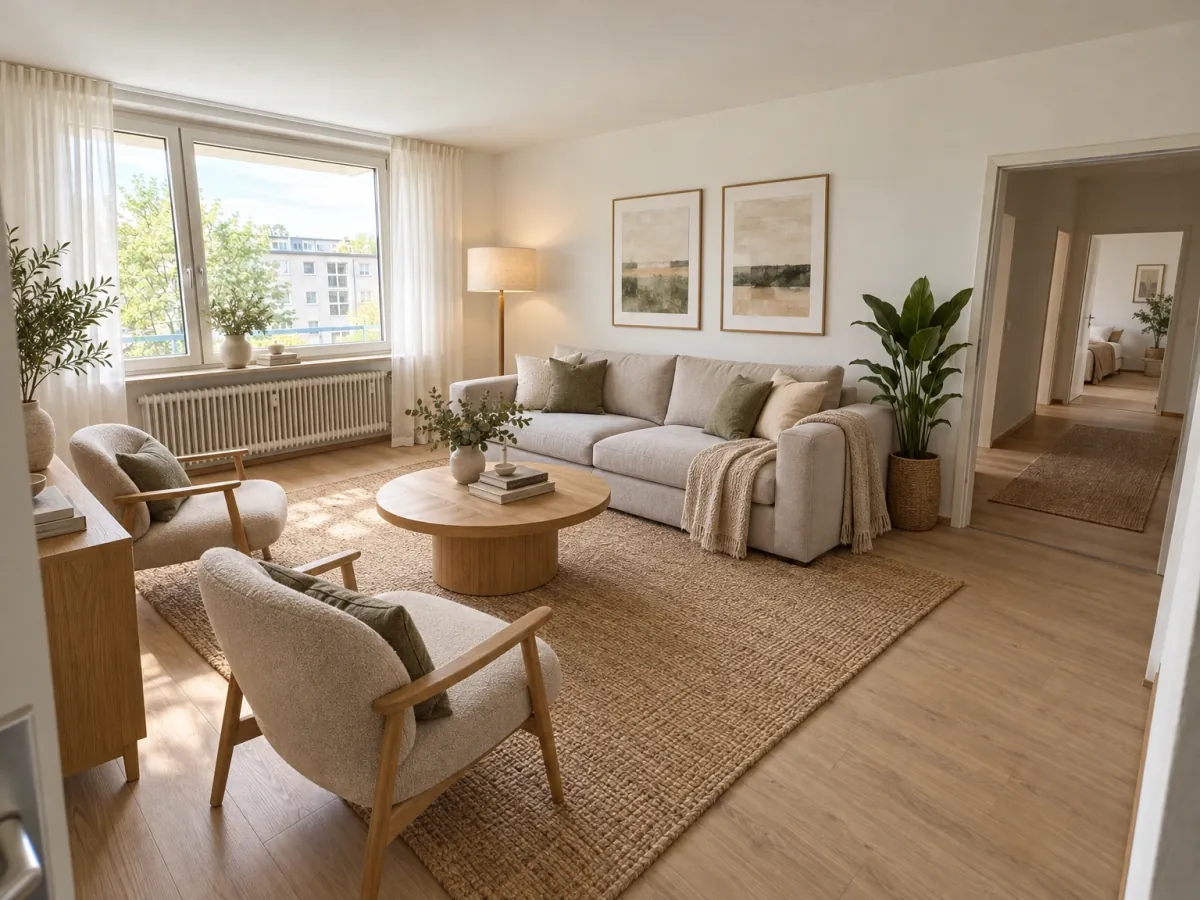
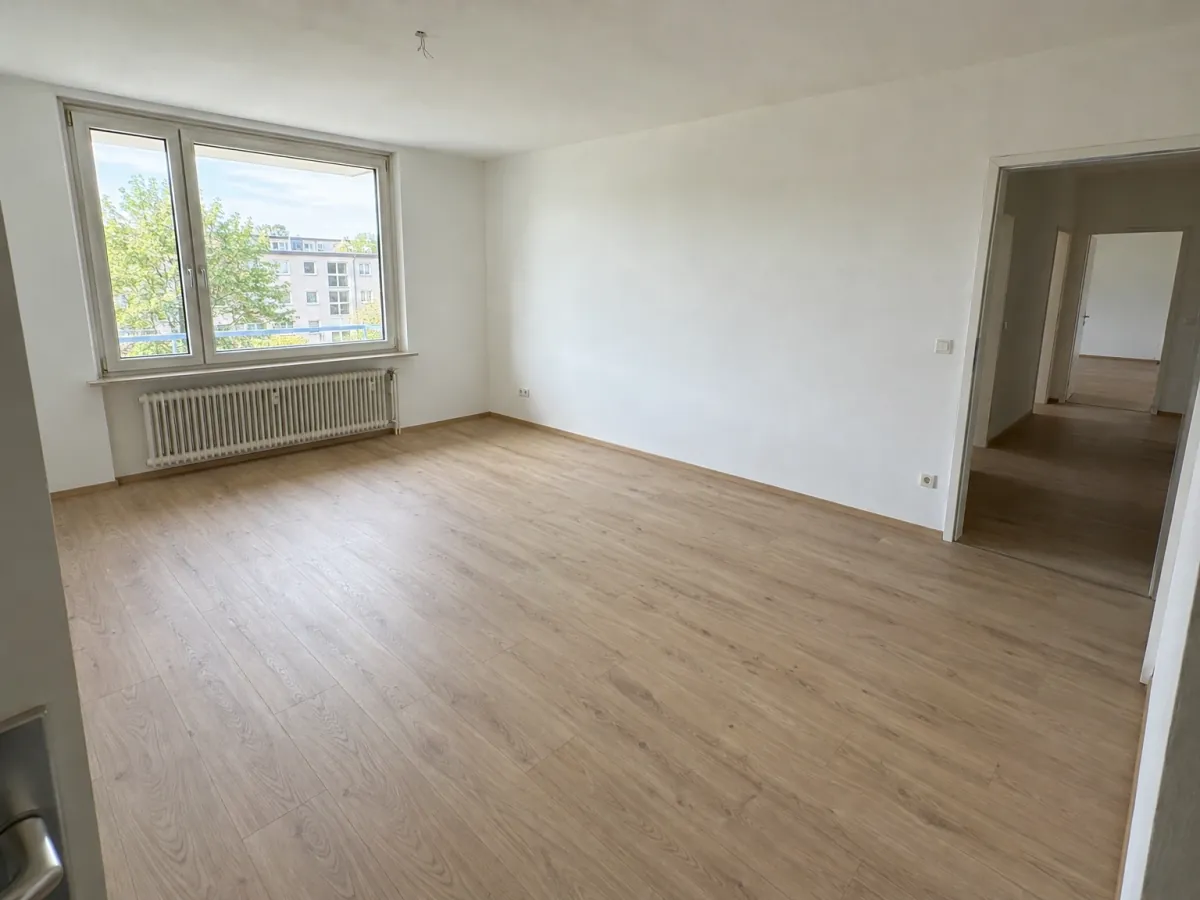
Illustrative AI example. Results vary.



What does DecorAI virtual staging software do?
Virtual staging software adds furniture and decor to a photo of a room that is empty or needs a new look. DecorAI does this from a single phone or camera picture. Professional stagers use it to show a seller or an owner how a vacant room could be furnished before any inventory is booked. Short-term rental and holiday home hosts use it to plan a refresh and compare looks before they buy anything.
| What you upload | One photo of a room, balcony, facade or garden, empty or furnished |
|---|---|
| What you get | A photorealistic staged or restyled version of the same space, usually in under 10 seconds |
| What stays the same | Walls, windows and camera angle; staging adds furniture, rugs, lighting and decor |
| Styles, room types and colors | More than 60 styles, more than 40 room types and more than 40 color schemes |
| Where it runs | iPhone and iPad (iOS 16 or later), Android and the web app, with one account |
| Plans and commercial use | Free with 3 designs a day; staged images may be used commercially on every plan |
How do you virtually stage a room with DecorAI?
Staging a room takes one photo and three steps. The same steps work for a vacant home you are preparing for sale and for a rental unit you want to refresh before the next guest season.
Photograph the space as it is
Stand in a corner of the room and hold the phone level at chest height in landscape format. Open the curtains, switch on the lights and include the floor, the main window and the doorway. A wide, sharp photo lets the AI place furniture at a believable size.
Choose the room type and a style
Open virtual staging for an empty room, choose the room type, such as living room or bedroom, and pick a style for the buyers or guests you expect. If the owner's furniture is still in the picture, run the empty-the-room tool first. A color scheme narrows the palette.
Compare, refine and send
DecorAI returns the staged room, usually in under 10 seconds. Generate again for a second version, or brush over a single area, such as the rug or the artwork, and describe the change. Save the versions you like and send them to the seller, the owner or your co-host for a decision.
Try it on a photo of your client's empty room.
Where do stagers and rental hosts use DecorAI?
Each photo below shows a different kind of staging or rental project. Together they cover typical jobs for stagers and hosts, from a vacant house on the market to a small balcony.
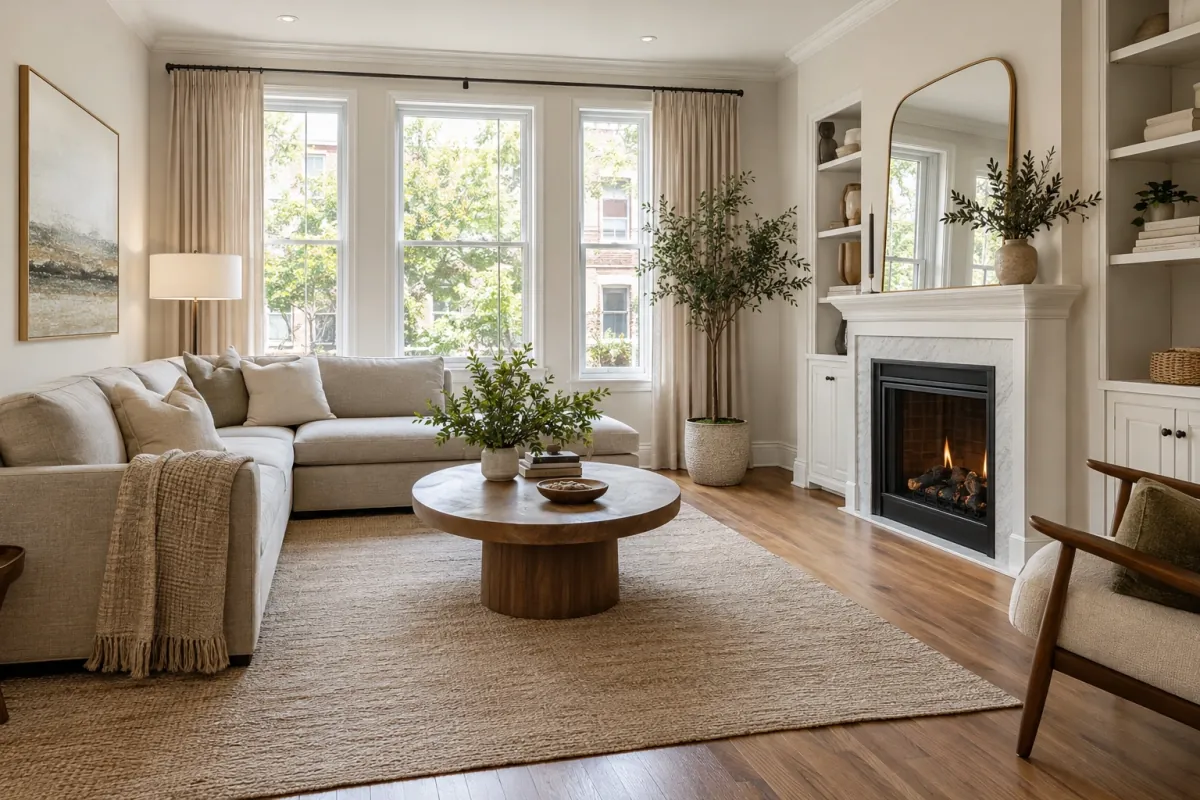
Vacant homes for sale
A stager preparing a vacant townhouse can stage a photo of the empty living room with a neutral sofa, a coffee table, a rug, art and plants. The seller approves the plan before install day. Any staged image later used to market the home must be labeled as virtually staged.
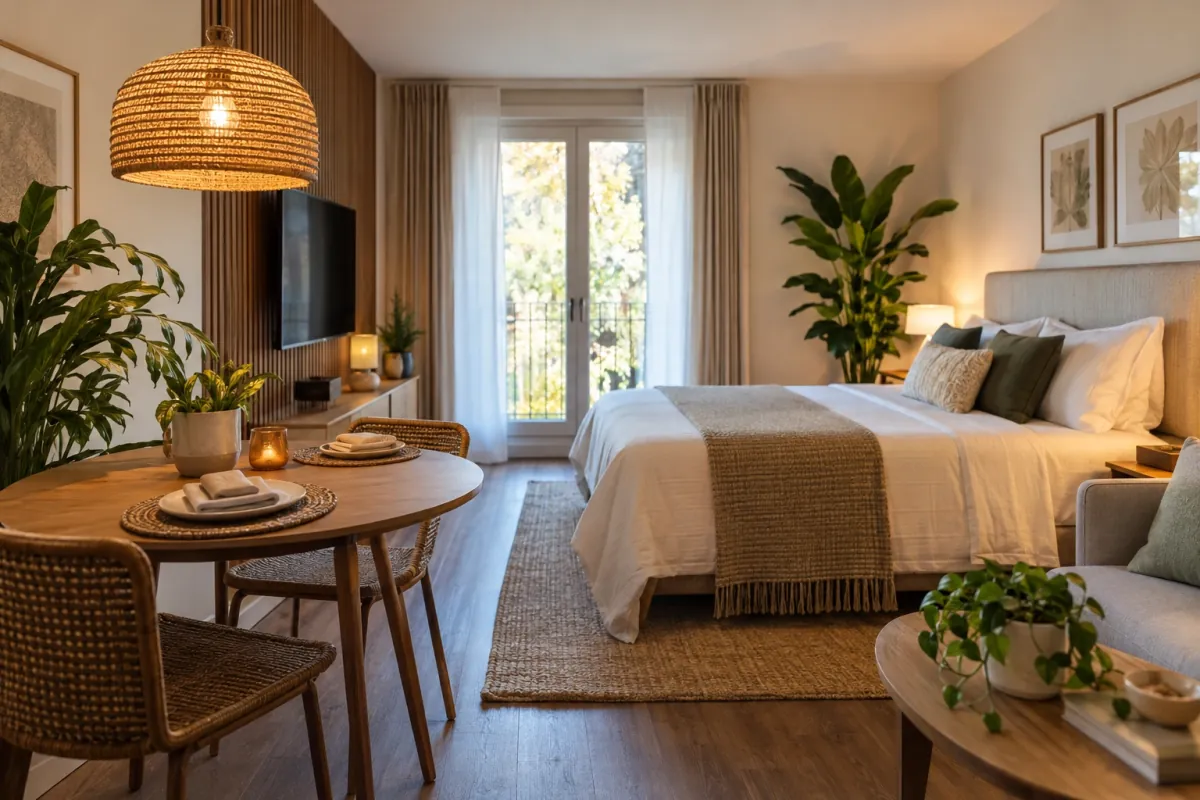
Short-term rental studios
A host furnishing a studio for guests can test the essentials first: a double bed with crisp white linen, a dining table for two, plants and warm lighting. DecorAI shows how those pieces sit together in the real room. The host then buys, sets up and photographs the finished studio.

Holiday home makeovers
A holiday cottage that has looked the same for many seasons can be refreshed on screen first. The owner photographs the living room and tries a coastal look: whitewashed beams, a linen sofa, rattan chairs and blue and white textiles by the sea-view window. Several versions help everyone agree on one.
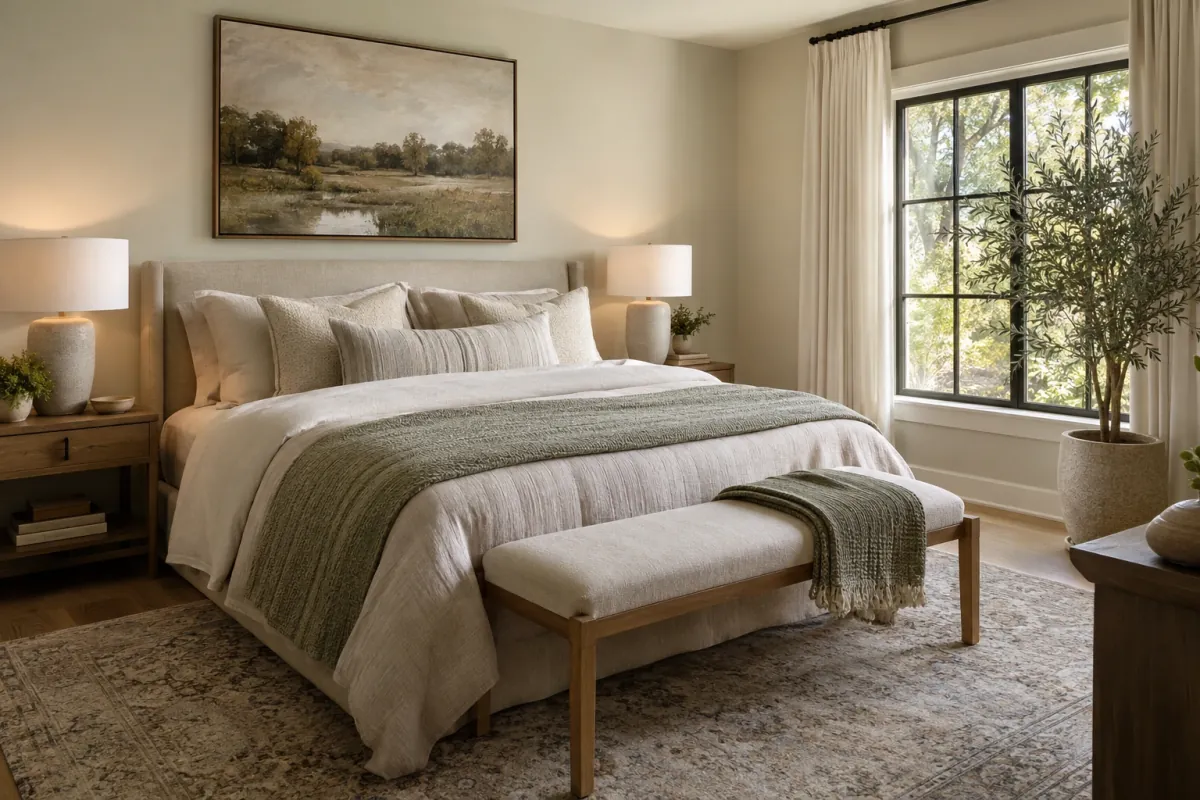
Guest bedrooms
A guest bedroom is easy to overfill with small items. A made bed with layered neutral linen, two matching lamps, a bench at the foot and one large artwork looks calm and cared for. Stage the bedroom photo in DecorAI to check that balance before you buy or move anything.
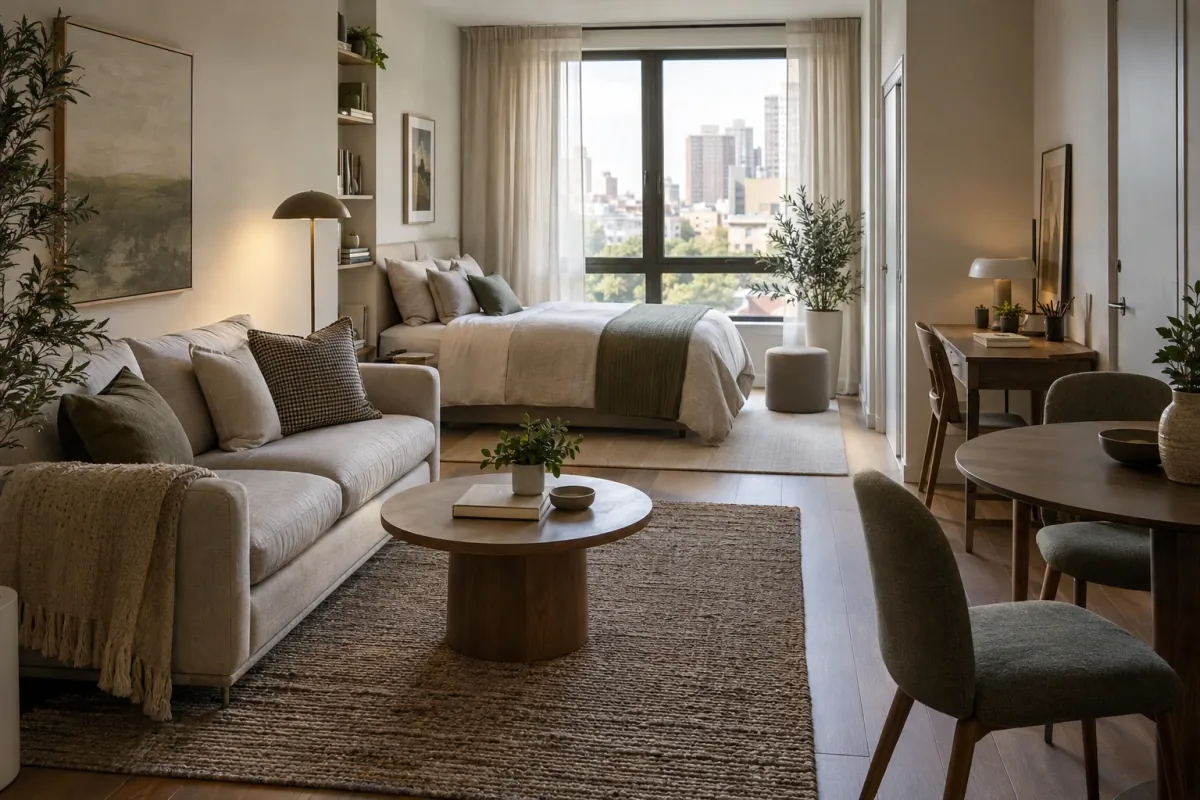
Small studios with clear zones
In a studio apartment, one photo has to show where people sleep, eat and work. A sofa bed, a round dining table, a slim desk and a rug that marks out the living area make each zone easy to read. DecorAI tries that arrangement on the real room.
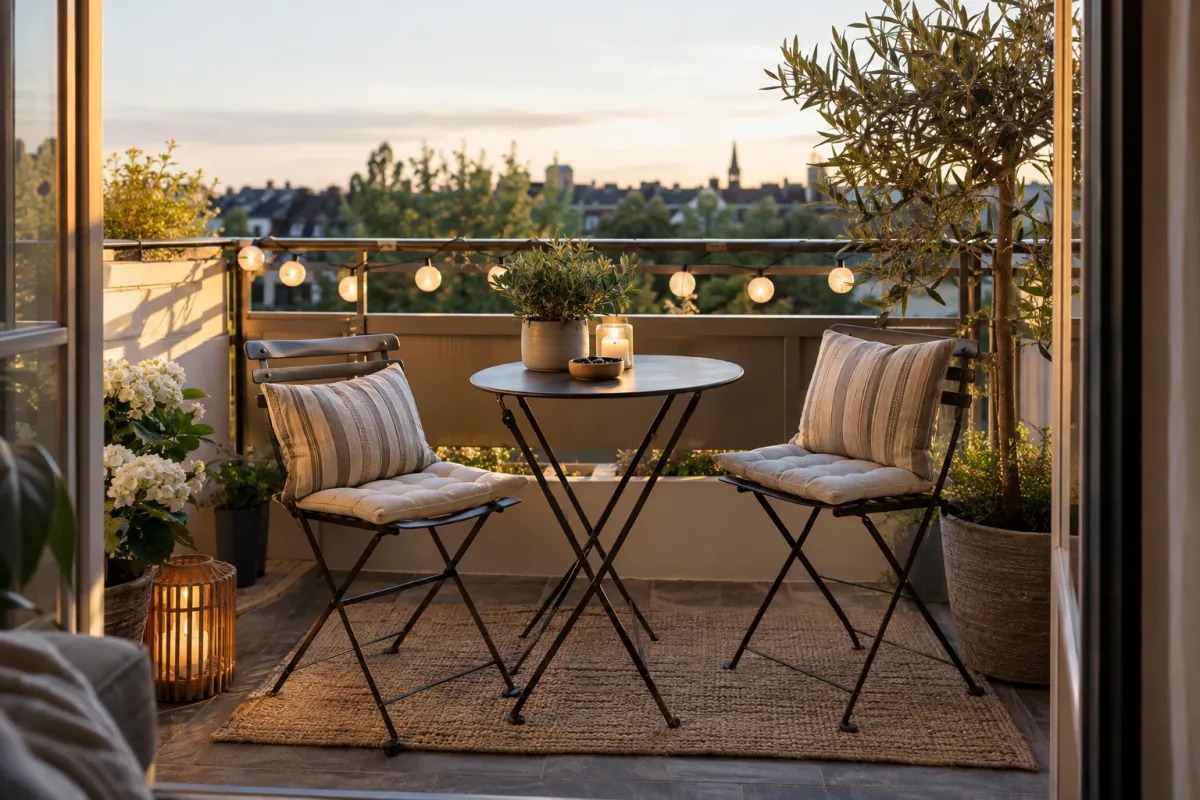
Balconies and terraces
Outdoor space is easy to leave out of a staging plan. A small balcony reads as usable space with a bistro table and two chairs, an outdoor rug, a potted olive tree and string lights. Upload a photo of the bare terrace and show the owner what a few pieces can do.
Which DecorAI tools matter most for home staging?
The animation shows one empty living room staged three ways: as a holiday rental, a family home and a modern luxury apartment. These six tools cover most staging and rental work.
Virtual staging
Upload a photo of an empty room and DecorAI furnishes it in the style you choose. The walls, windows and camera angle stay as they are, so a seller or host sees their own room with furniture, rugs, lighting and decor added.
Empty the room
This tool removes furniture and clutter from a photo of a lived-in room. Stagers use it when a seller has already moved some pieces out, and hosts use it to start a refresh from a clean picture of the unit.
Brush edits
Brush over one area, such as the bedding, the rug or the art above the sofa, and describe the change in a few words. Everything outside the brushed area stays put, which keeps an approved layout intact while you adjust one detail.
Style from a reference photo
Upload a picture of a room whose look you like, such as a past staging job, and DecorAI carries its colors and mood into your photo. Hosts with several units use it to keep one look across all of them.
Furniture import
Photograph a piece you might buy, such as a sofa in a store, and DecorAI places it into the room photo with matching scale and lighting. It shows how the piece looks in the space. Measure the piece and the room before you buy.
Moodboards
Collect inspiration in a moodboard, import pins you have saved and redesign the room in that look. It gives an owner and a stager a shared reference before anyone shops, for example for a coastal holiday home.
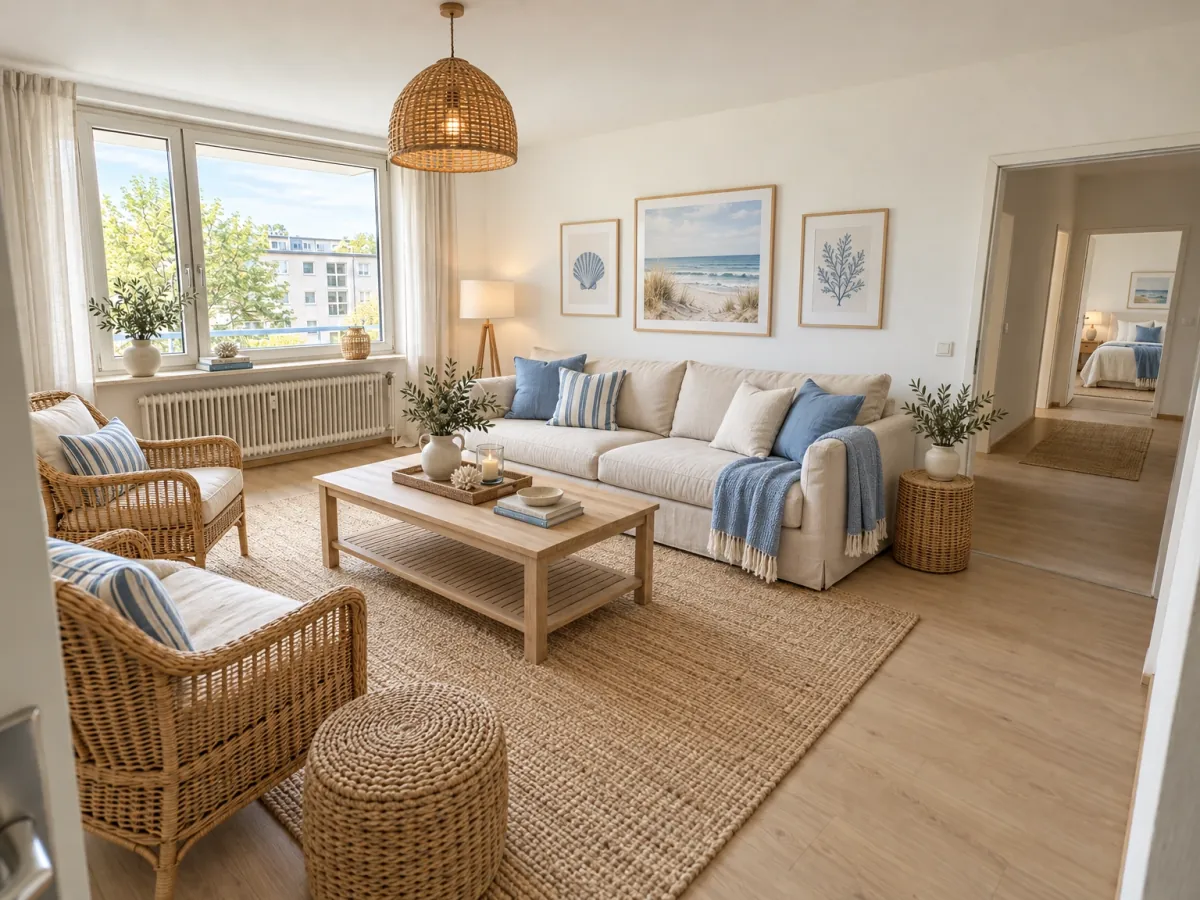
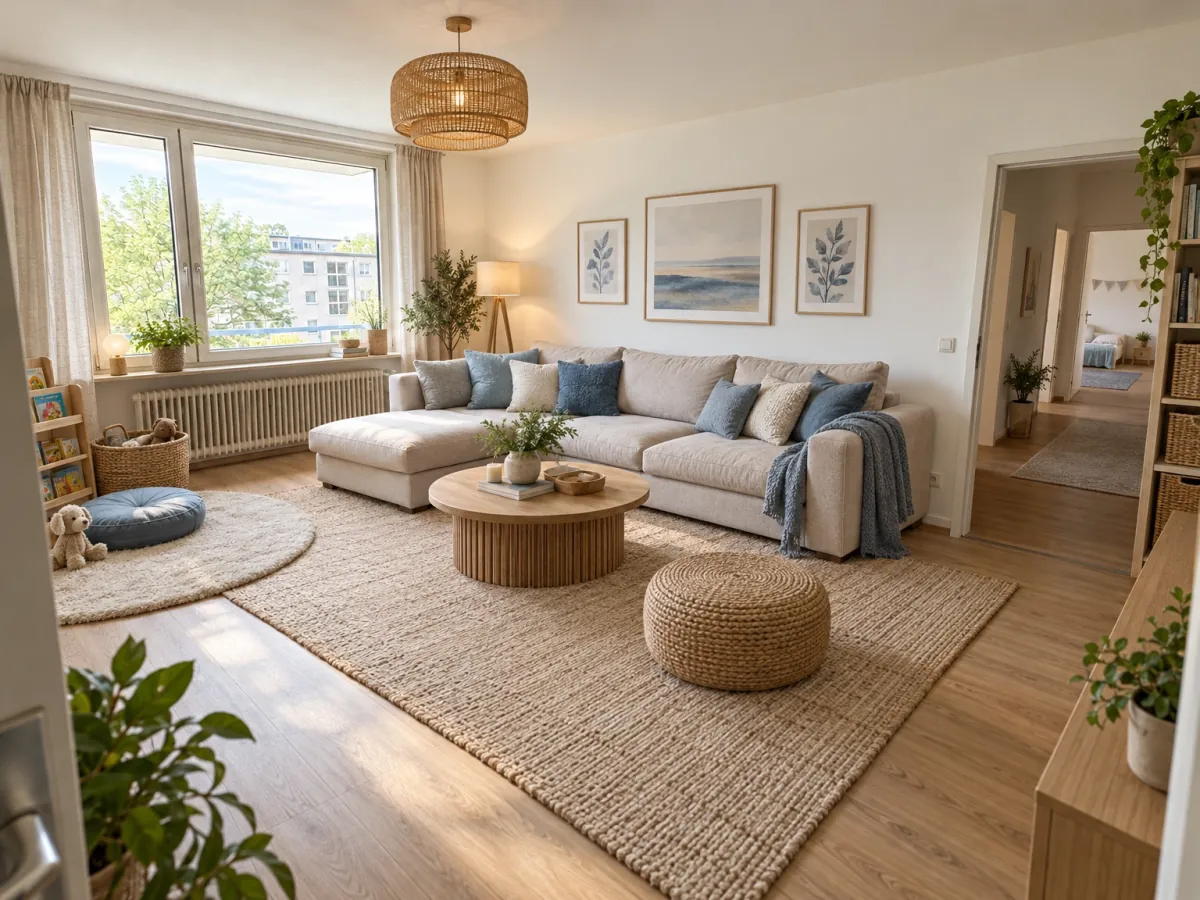
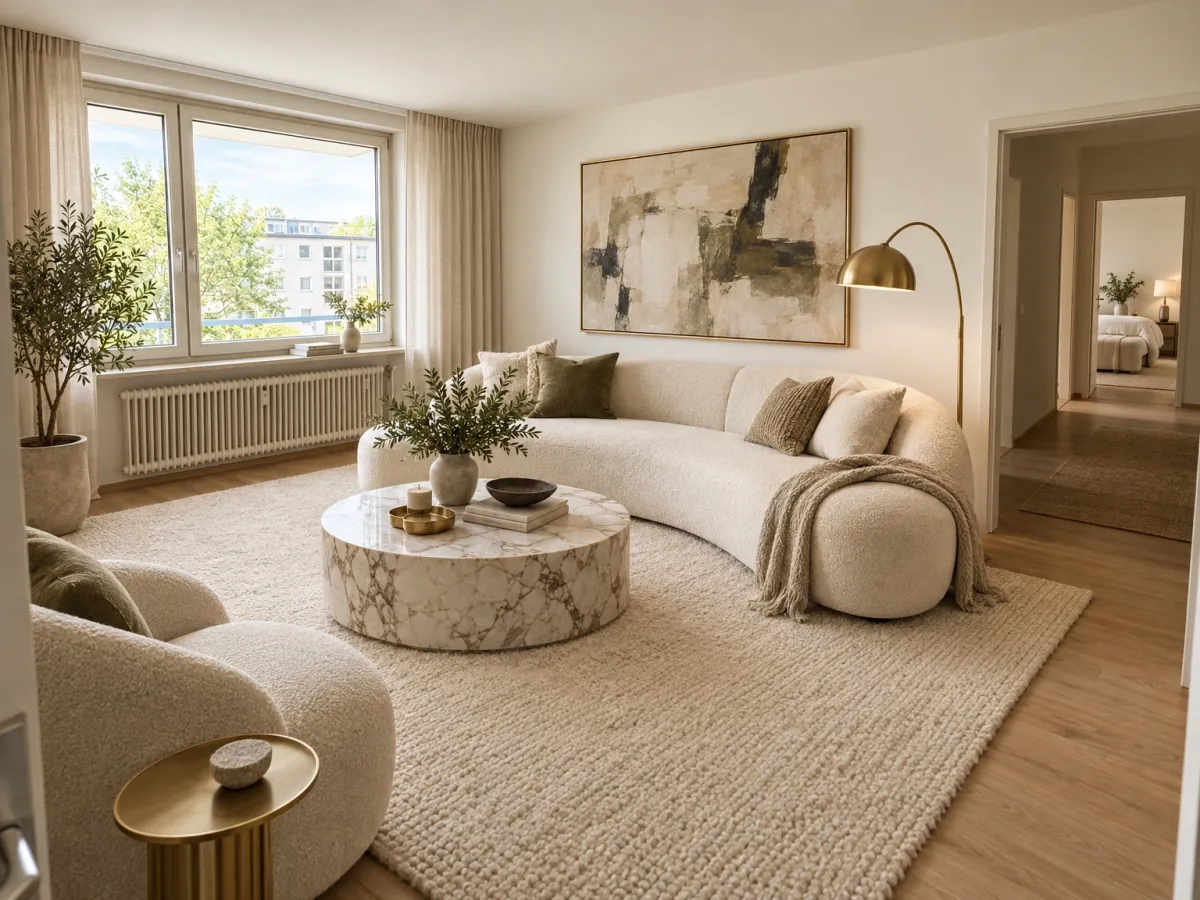
What does the virtual staging app do, and what stays with you?
Virtual staging AI produces images of a furnished room in seconds. Your work turns those images into a staged home or a guest-ready rental, and this list shows how the two fit together for stagers and hosts.
What stays with you
- Disclosing every staged image as virtually staged wherever it is used to market a property
- Rental listing photos of the real space, taken after you have furnished and styled it
- Your eye for flow, scale and the buyers or guests each home should attract
- Your furniture inventory, rental partners and the install day itself
- Your own pricing, the client contract and the final walkthrough with the seller or owner
What DecorAI does
- Furnishes a photo of an empty room in your chosen style, usually in under 10 seconds
- Clears furniture and clutter from a photo of a lived-in room before you stage it
- Keeps the walls, windows and camera angle of your photo as they are
- Gives you several versions of the same room to show a seller, an owner or a co-host
- Lets you change one area, such as the bedding or the rug, with the brush tool
How do you get better virtual staging results for clients?
These habits come from everyday staging practice. Each one shows clearly in a photo, so it improves both the AI result and the real room you set up afterward.
Clear the room before you shoot
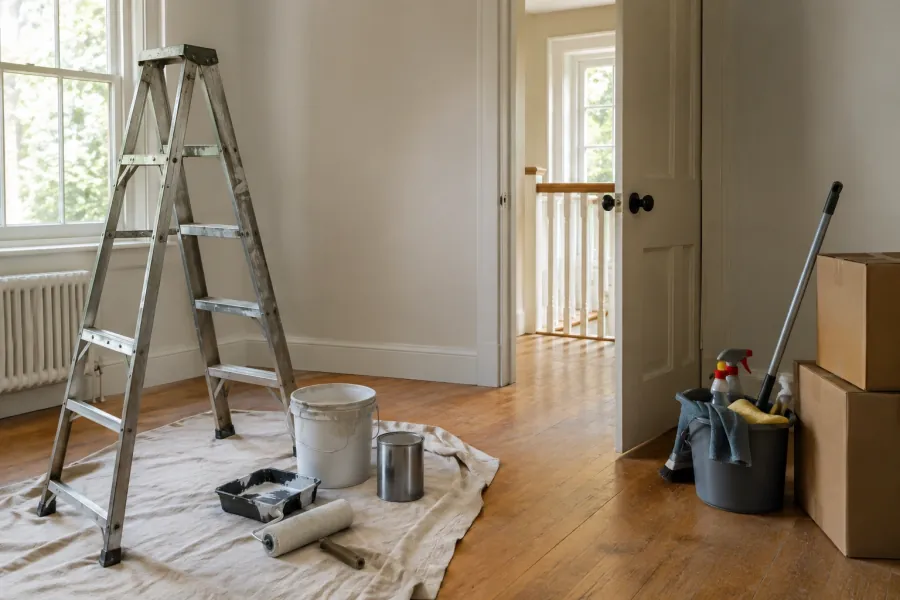
Take out the ladder, the paint tins, the cleaning kit and any moving boxes before you take the photo. Leftover objects confuse the AI and may stay in the staged image. If the owner's furniture cannot move yet, photograph the room anyway and use the empty-the-room tool before staging.
Keep doorways and windows free
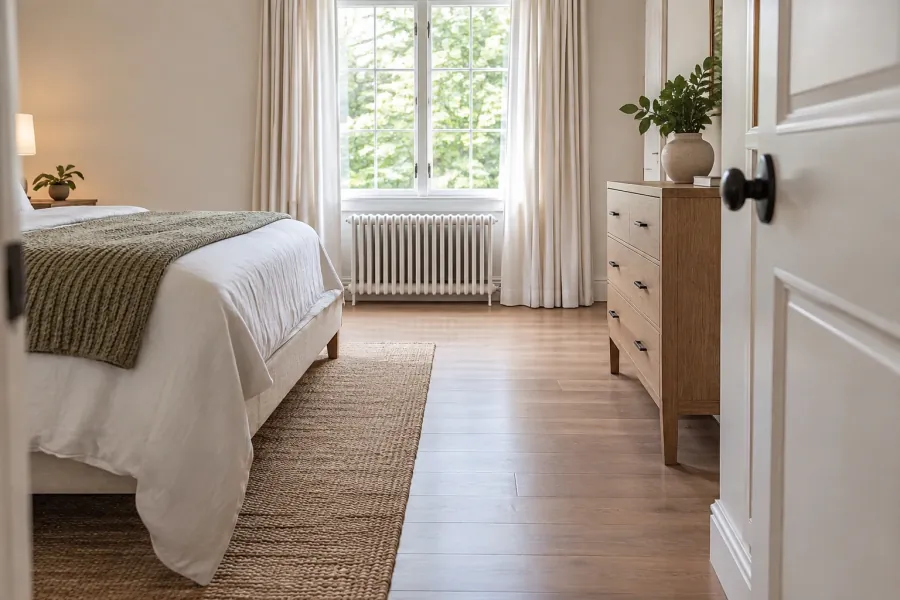
Leave a clear path from the door to the window, and keep furniture off radiators and out of door swings. An open walkway makes a staged photo look spacious and the real room easier to use. Generate again if the AI puts a chair in front of a doorway.
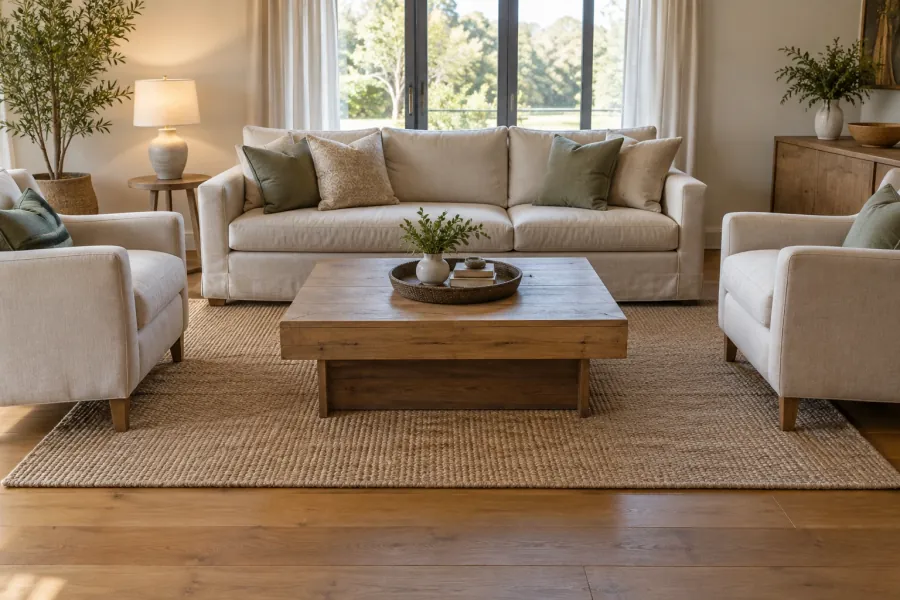
Size the rug to the seating
Choose a rug large enough for the front legs of the sofa and armchairs to stand on it. A small rug floating mid-floor makes the whole room look smaller. If the first result shows one that is too small, brush over it and ask for a larger rug.
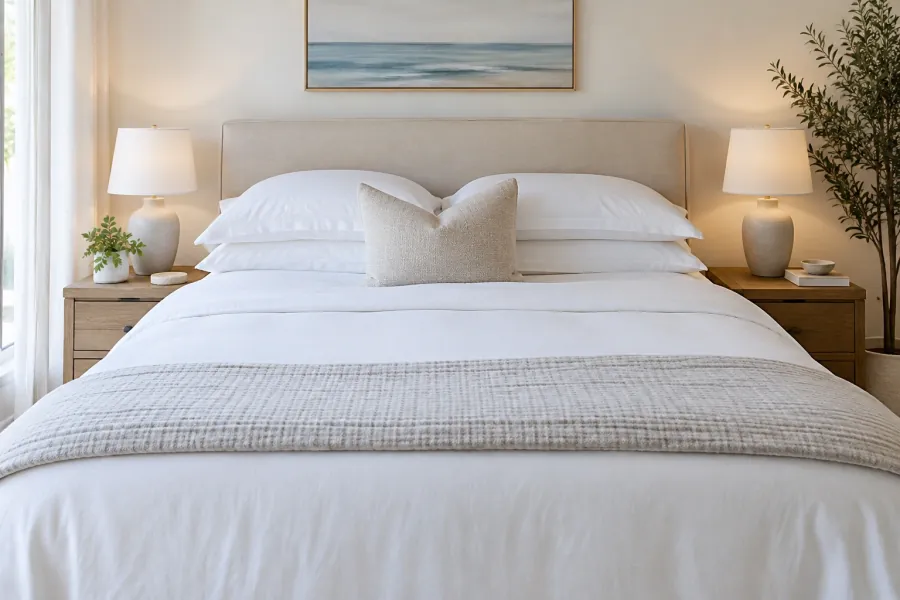
Make beds with layered white linen
For rentals and staged bedrooms, crisp white sheets, two pillows per side, a folded throw at the foot and one accent cushion photograph bright and tidy. White bedding also shows that the bed is freshly made. Stage the bed this way in DecorAI, then copy it in the real room.
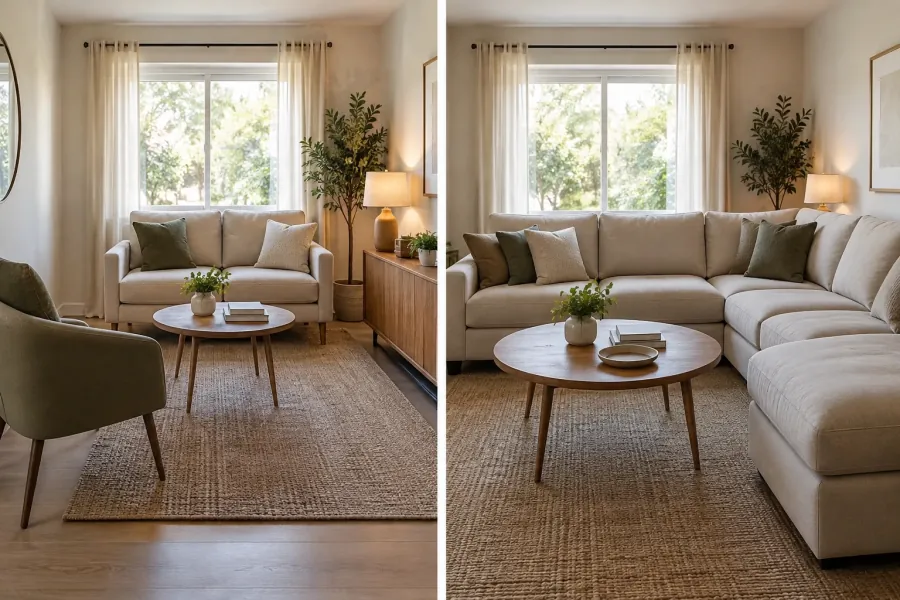
Scale furniture to the room
Small rooms need compact pieces: a loveseat instead of a corner sofa, a round table instead of a long rectangle, slim legs that let the floor show. Oversized furniture makes a room look cramped in photos. Compare a compact and a full-size version of the same room before you decide.
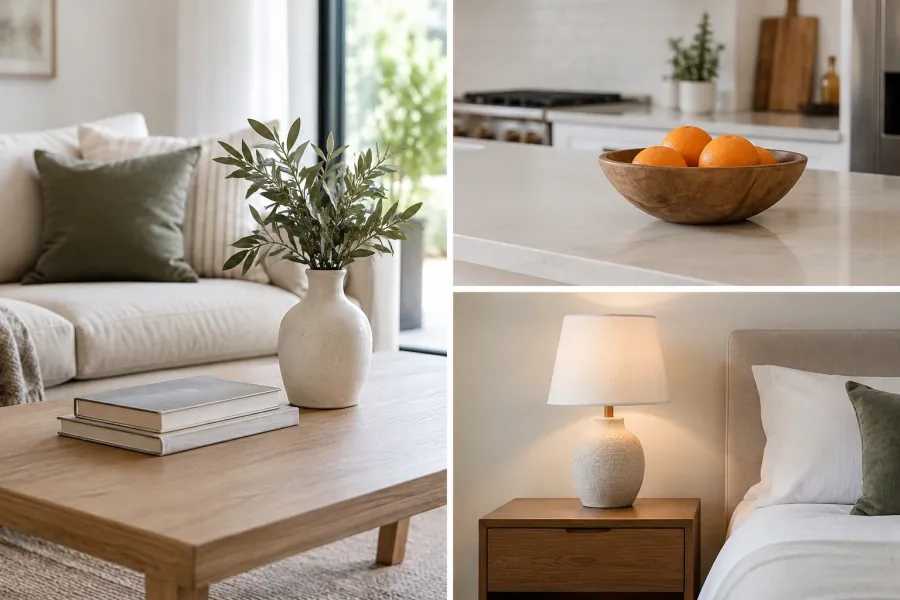
Style surfaces lightly
Leave most of each surface empty. A coffee table with a small stack of books and one vase, a counter with a single bowl of fruit and a nightstand with only a lamp look styled rather than crowded. Fewer objects also keep the AI result clean and the real setup quick.
Who uses DecorAI for staging and short-term rental interior design?
Start with a free design on your next empty room.
Independent home stagers
A stager working alone can show a seller a staged concept of each vacant room at the first consultation. The images help agree on a style, decide which inventory pieces to bring and set expectations before any truck is loaded.
Home staging businesses with a team
A home staging business with several stagers can work in the web app on the Business plan. Three logins share project folders, and the photos from a whole shoot can be uploaded in one batch for virtual staging.
Short-term rental hosts
Hosts use DecorAI to plan a new unit or refresh a tired one by testing a palette, a bed setup or a dining corner on the real room photo. The listing then shows the finished space as guests will find it.
Holiday home owners and managers
Owners and managers apply DecorAI to vacation rental design across several properties. A reference photo or a moodboard keeps one look from unit to unit, and the Pro design report adds a named color palette and a rough cost estimate.
Which DecorAI plan fits a home staging business?
The free plan is enough to test DecorAI on a few rooms from your portfolio. Once you stage whole homes for clients, Pro fits better: it lifts the limit of three designs a day and removes the watermark from the images you send. A staging company with colleagues fits the Business plan in the web app, with shared project folders and batch uploads.
Free
- 3 AI designs every day
- No account and no payment card
- All tools for rooms, facades and gardens
- A short video ad before each design and a small watermark on saved images
DecorAI Pro
- Unlimited AI designs, no ads and no watermark
- The design report with color palette and cost estimate, as a PDF
- Works on iPhone, Android and the web app with one account
- $9.99 a week, $17.99 a month, $39.99 a year or $219 once
DecorAI Business
- Three logins for one team, in the web app
- Unlimited virtual staging with project folders
- Batch uploads for a whole photo shoot
- $59 a month, billed monthly
Prices are US prices and differ by country and platform; DecorAI shows your price before you pay. Designs may be used commercially on every plan, including the free one.
Questions home stagers and rental hosts ask
Is there an AI app that virtually stages rooms?
Yes. DecorAI is virtual staging software built around one photo: a home stager or rental host uploads a picture of an empty or dated room and gets back a furnished, photorealistic version of that same room, usually within 10 seconds. It runs on iPhone, iPad, Android and the web.
What is the best virtual staging software for a home staging business?
Look for a tool that keeps the real room intact, works fast and allows commercial use. DecorAI keeps walls, windows and camera angle, usually returns a result in under 10 seconds, offers more than 60 styles and allows commercial use on every plan. Try it free on your own rooms.
Is DecorAI free for professional stagers?
Yes, the free plan is open to professionals too. It gives you 3 designs a day with no account and no payment card; a short ad plays before each design, and saved images carry a small watermark. Pro removes the limit, the ads and the watermark and adds the PDF design report.
Can I use DecorAI staging images commercially?
Yes. Designs made with DecorAI may be used commercially on every plan, including the free one. A stager can show them to sellers or put them in a proposal, and a host can use them to plan a unit. Images that market a property must still be disclosed as virtually staged.
Do I have to say that photos are virtually staged?
Yes. Wherever a staged image markets a property, disclose it as virtually staged, for example with a label on the photo and a note in the listing text. Keep the empty original so it can sit next to the staged version, and check the rules of the listing platform and your country.
Can I put virtually staged photos on my rental listing?
Rental listing photos should show the space guests will actually find. Use DecorAI to plan the look and choose furniture, then furnish the unit and photograph the real result. A staged image of a room that does not look like that yet sets the wrong expectations for guests.
How do I design a short-term rental with AI?
Photograph each room as it is and try two or three styles that suit your guests, such as a coastal look for a beach house. Adjust bedding or a rug with the brush tool. For the chosen look, the Pro design report lists a color palette, priorities, an action plan and a rough cost estimate.
Is there a free virtual staging app for iPhone and Android?
DecorAI works as a virtual staging app on iPhone and iPad with iOS 16 or later, on Android and in the web app. The free plan needs no account on any of them, and with an account one login works on all three. The Business plan for teams is web only.
Can DecorAI stage a room that still has furniture in it?
Yes. Run the empty-the-room tool on the photo first; it removes the existing furniture and clutter. Then stage the cleared picture in the style you want. This helps when a seller has moved out only part of the furniture, or when a host wants to replace everything in a dated unit.
How do I share staged images with a seller or co-host?
Save the staged versions you like and send them by email or message, ideally next to the empty original so the change is clear. Pro removes the watermark from saved images. On the Business plan, a staging team keeps each property's photos together in its own project folder in the web app.
Furnish your next empty room in seconds
Take one photo of a vacant room or a rental that needs a refresh, open DecorAI and stage it in the style your client or your guests will like. Your first three designs each day are free.
Stage a room for free