AI Remodel for Contractors: Show Clients the Finished Job First
DecorAI is an AI remodel app for contractors and remodelers: you photograph a client's kitchen, bathroom, facade or yard and show them a photorealistic picture of the finished job, usually in under 10 seconds, before work starts.
- Keeps the client's walls, windows and camera angle, so they recognize their home
- Kitchens, bathrooms, paint, floors, facades and yards from one photo taken on site
- 3 free designs a day without an account; commercial use on every plan
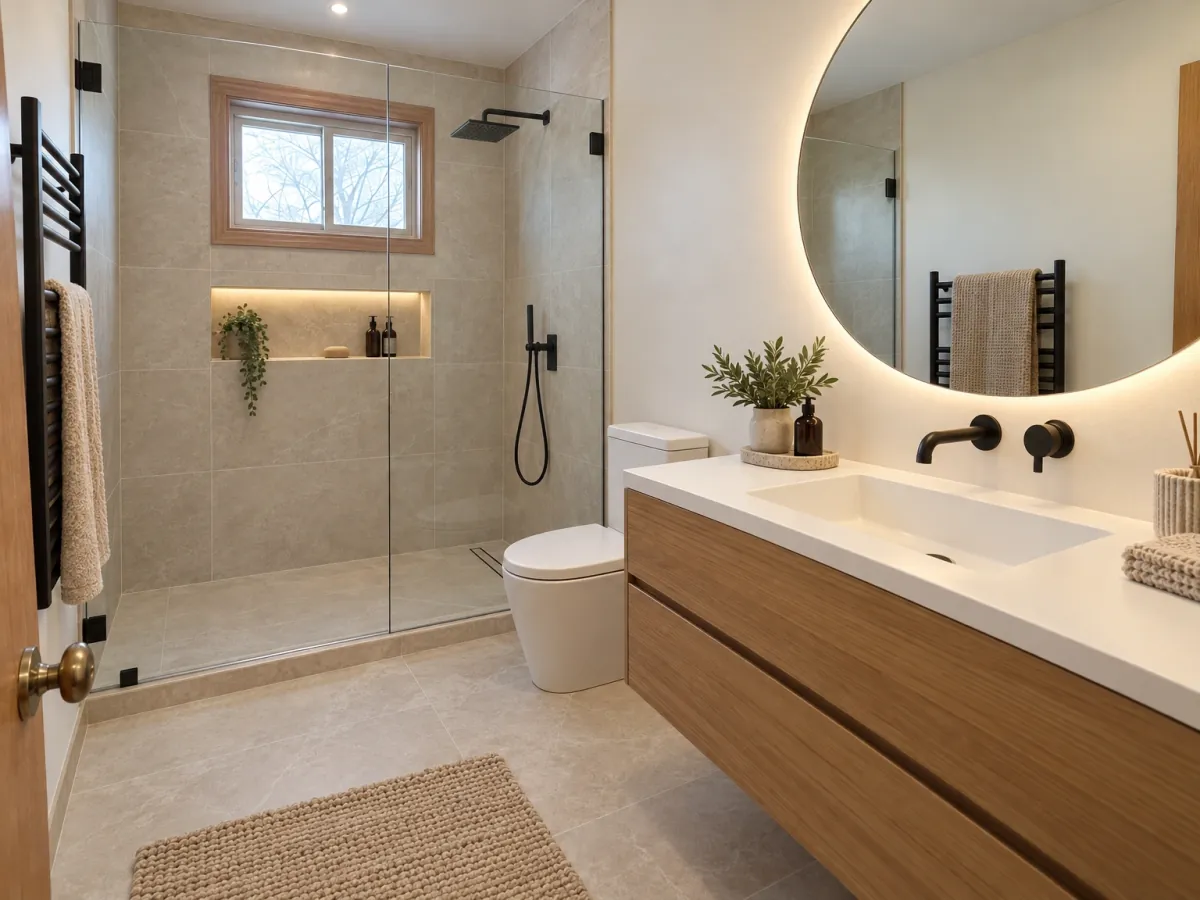
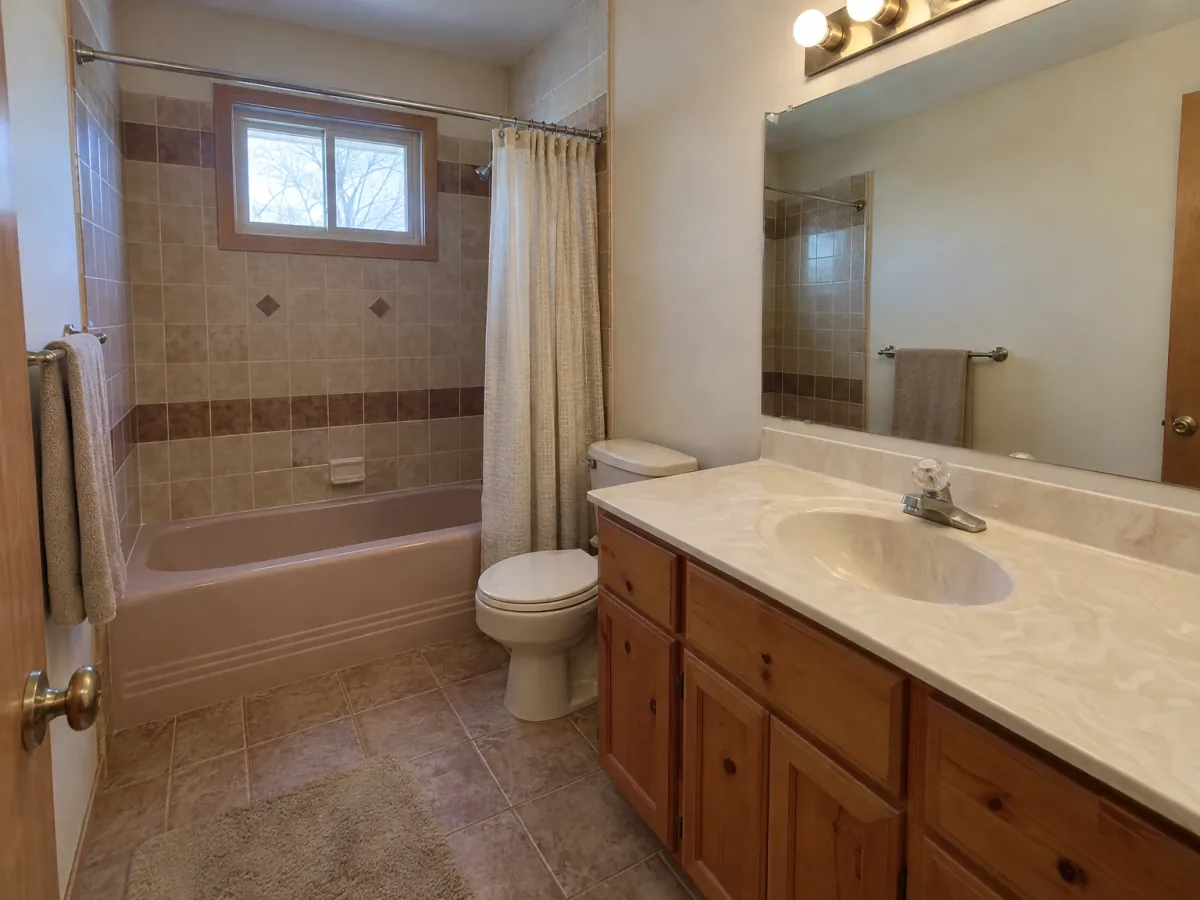
Illustrative AI example. Results vary.



What does DecorAI do for a remodeling business?
DecorAI turns the photo you take on a first site visit into a picture of the finished job. Many clients find it hard to picture a new tile, cabinet color or siding on their own house, and a small sample rarely settles it. When they see their own room after the remodel, the talk moves from guessing to choosing. More than 3 million people use DecorAI, and it is rated 4.8 out of 5.
| What you upload | One photo of the client's room, facade or yard, taken on site |
|---|---|
| What you get back | A photorealistic redesign of the same space, usually in under 10 seconds |
| What stays the same | Walls, windows, doors and the camera angle of the photo |
| Trades it covers | Kitchens, bathrooms, painting, flooring, siding, roofing, windows, doors, exterior lighting and landscaping |
| Styles and options | 60+ styles, 40+ room types and 40+ color schemes |
| Devices | iPhone and iPad (iOS 16 or later), Android and the web app, one account |
How do you show a client an AI remodel on site?
Showing a client their finished room takes three steps and a few minutes. You can do it with your phone on the first visit, before you measure or write the estimate.
Photograph the space as it is
Stand in the doorway or the far corner, hold the phone at chest height and take one landscape photo with the lights on. Include the floor, the main wall and any window. For a facade or a yard, shoot from where people usually see it: the sidewalk or the back door.
Choose the room type, style and colors
Pick the room type, such as bathroom or kitchen, then a style the client mentioned, like modern farmhouse or Japandi, and a color scheme if they have favorites. For a single change, such as new cabinet fronts, brush over that area and describe it in a few words.
Compare the options with the client
DecorAI returns the redesigned photo, usually in under 10 seconds. Make two or three versions, show them next to the original and let the client point at what they like. Save the chosen picture with your job notes, so your estimate covers the look the client agreed to.
Photograph your next client's room and show them the finished job today.
Which remodeling and home renovation jobs can you visualize?
Each trade changes a different part of a home, and DecorAI shows the finished look of each one. These six examples show the kind of finished result a client can see before you start work.

Kitchen remodel visualizer
Kitchen remodelers can photograph the old kitchen and show new cabinet fronts, counters, backsplash, hardware and pendant lights on the same layout. A client torn between navy shaker doors and plain white ones sees both in their own room, and you order cabinets for a look they have already seen.
Bathroom visualizer for bath fitters
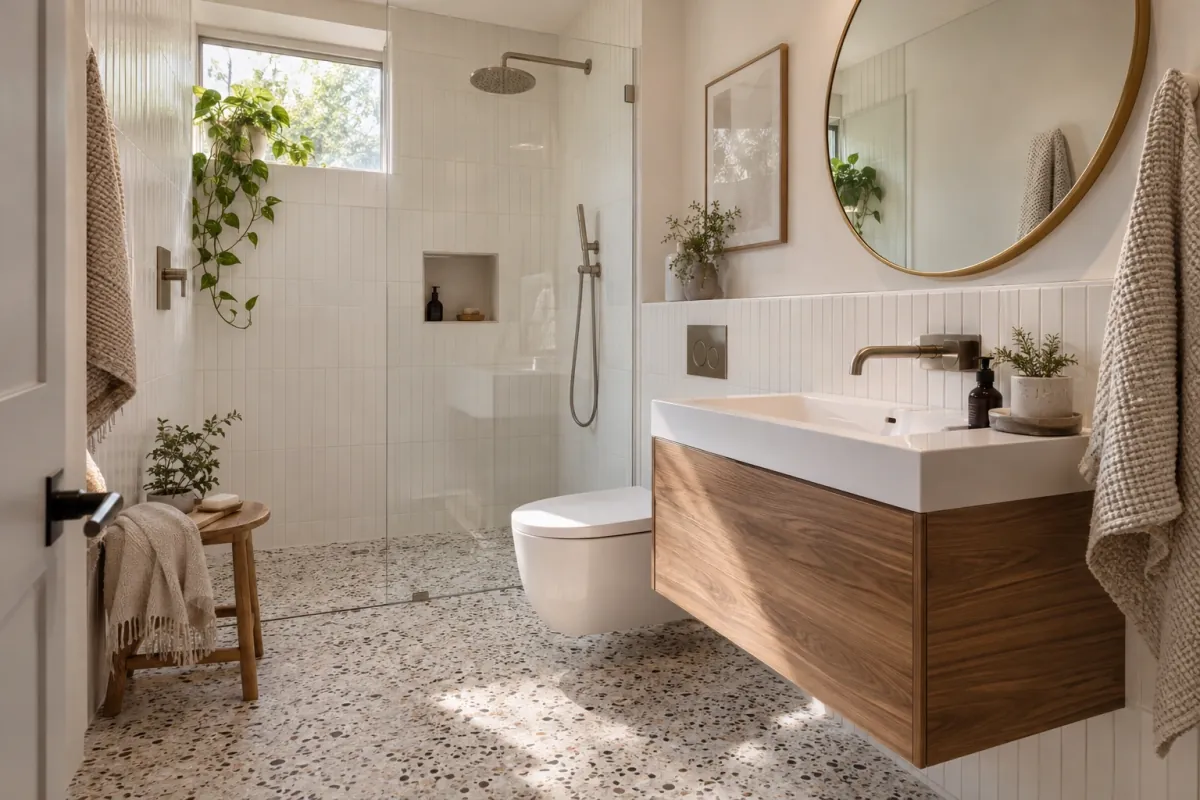
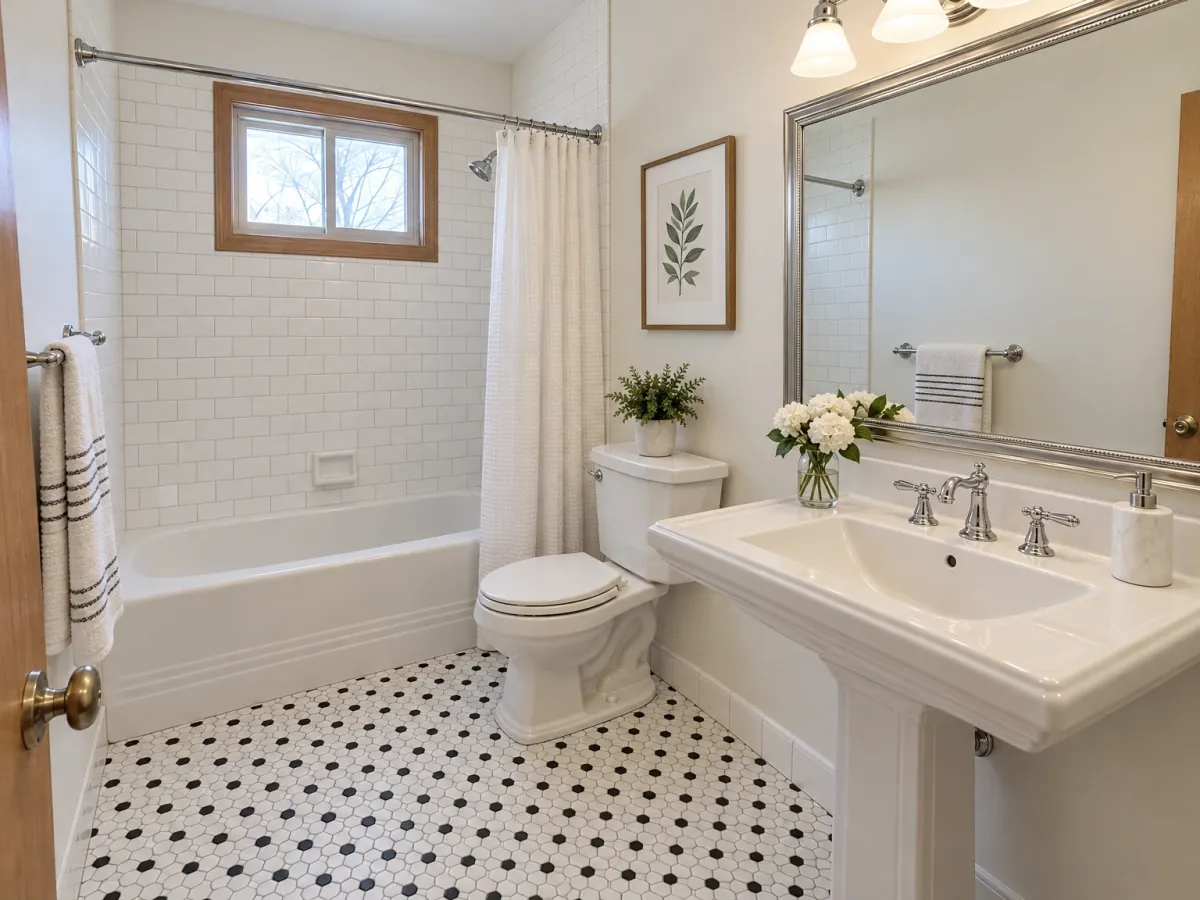
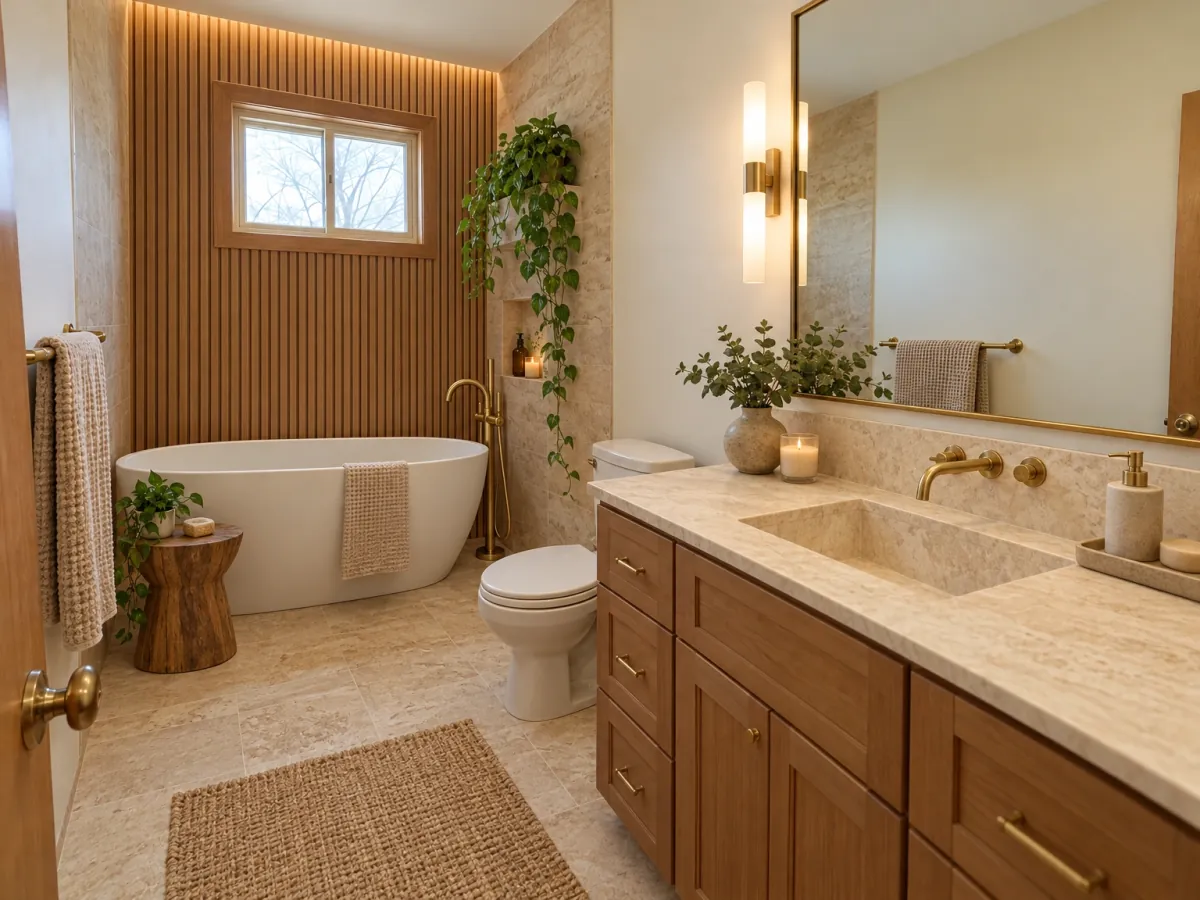
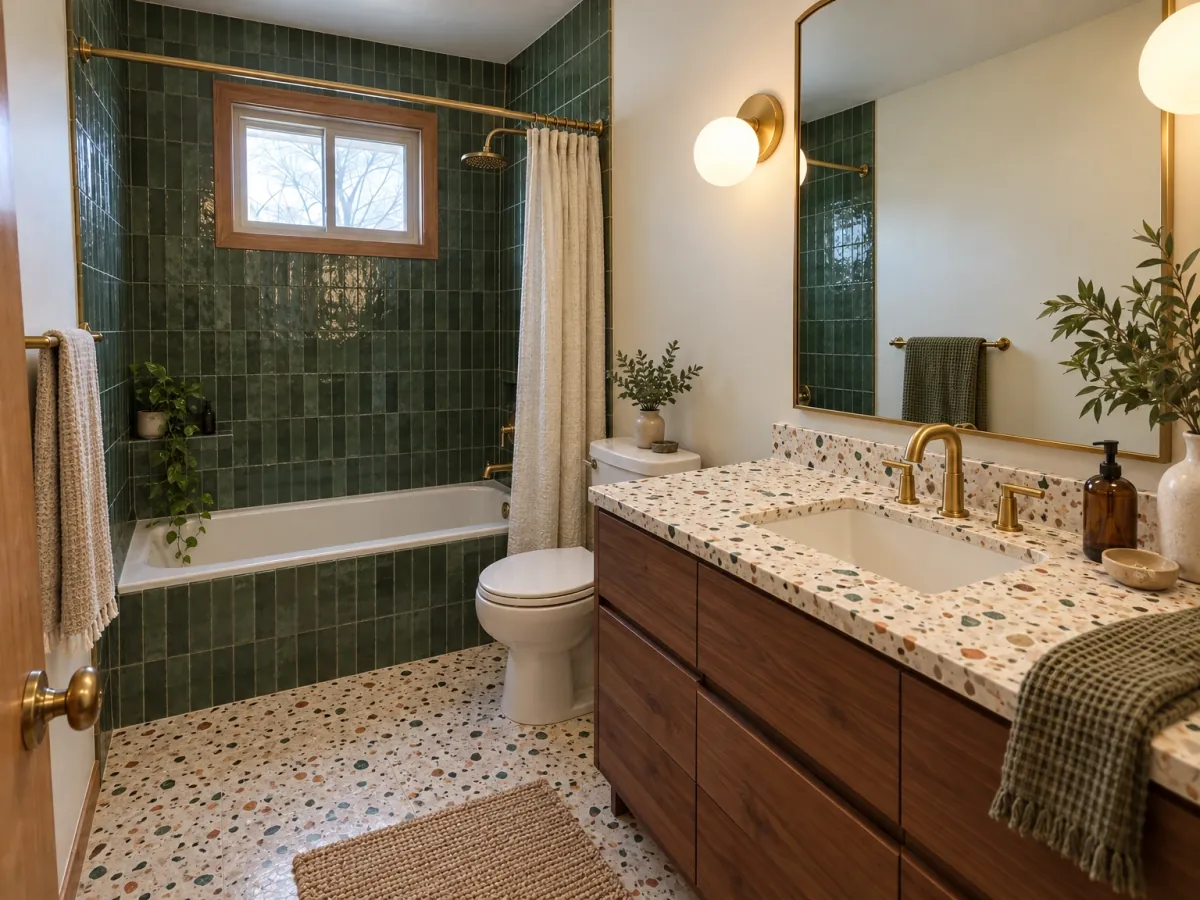
Bath fitters can show a tub-to-shower conversion, a wall-hung vanity or a new tile pattern on a photo of the existing bathroom. Clients with small bathrooms often fear that a glass screen or a dark floor will feel cramped; the picture answers that before any tile is ordered.

Paint colors for painting contractors
Painters can brush over the walls in a room photo and recolor them, leaving trim, ceiling and furniture as they are. A homeowner who wants deep olive green but fears it is too dark sees it in their own living room first. Confirm the shade with a sample patch.
Flooring before it is installed
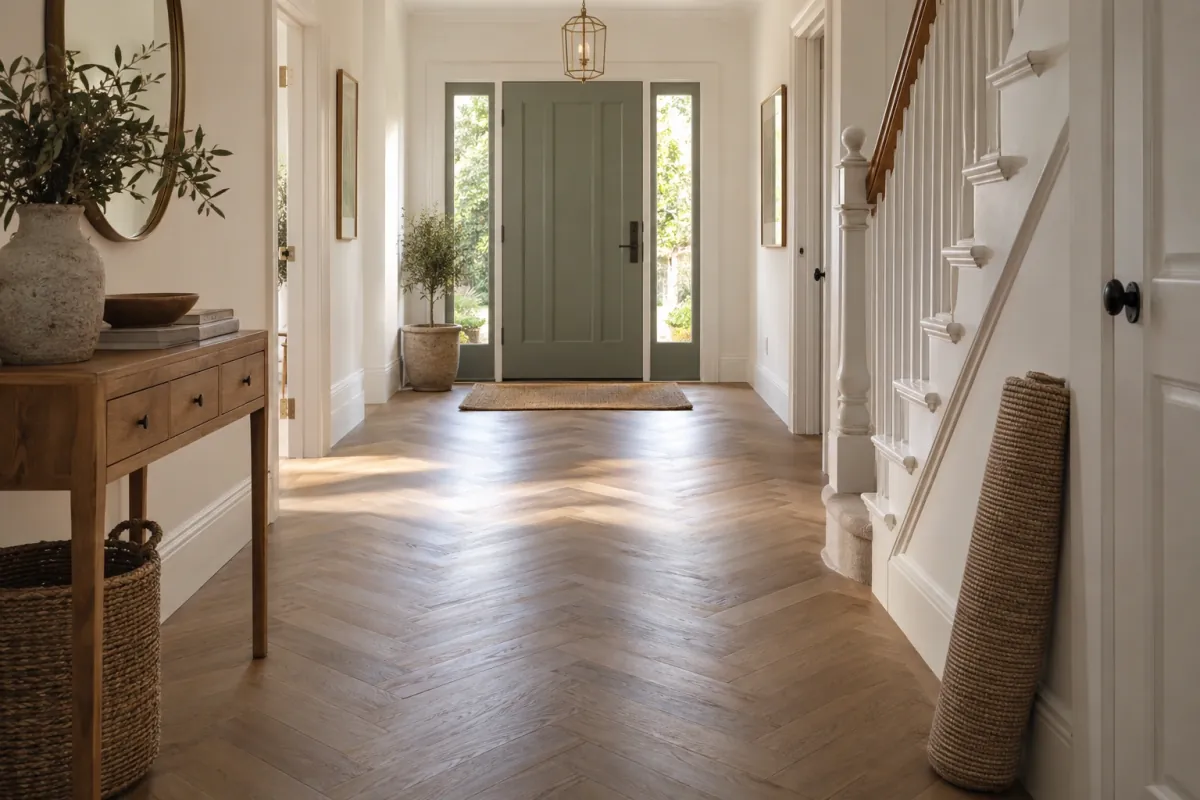
Flooring installers can replace only the floor in a photo, from hardwood and tile to vinyl plank or polished concrete, while walls and furniture stay put. Seeing herringbone oak next to a straight plank in their own hallway helps clients pick a pattern and tone before you bring samples.
Exterior home remodel visualizer
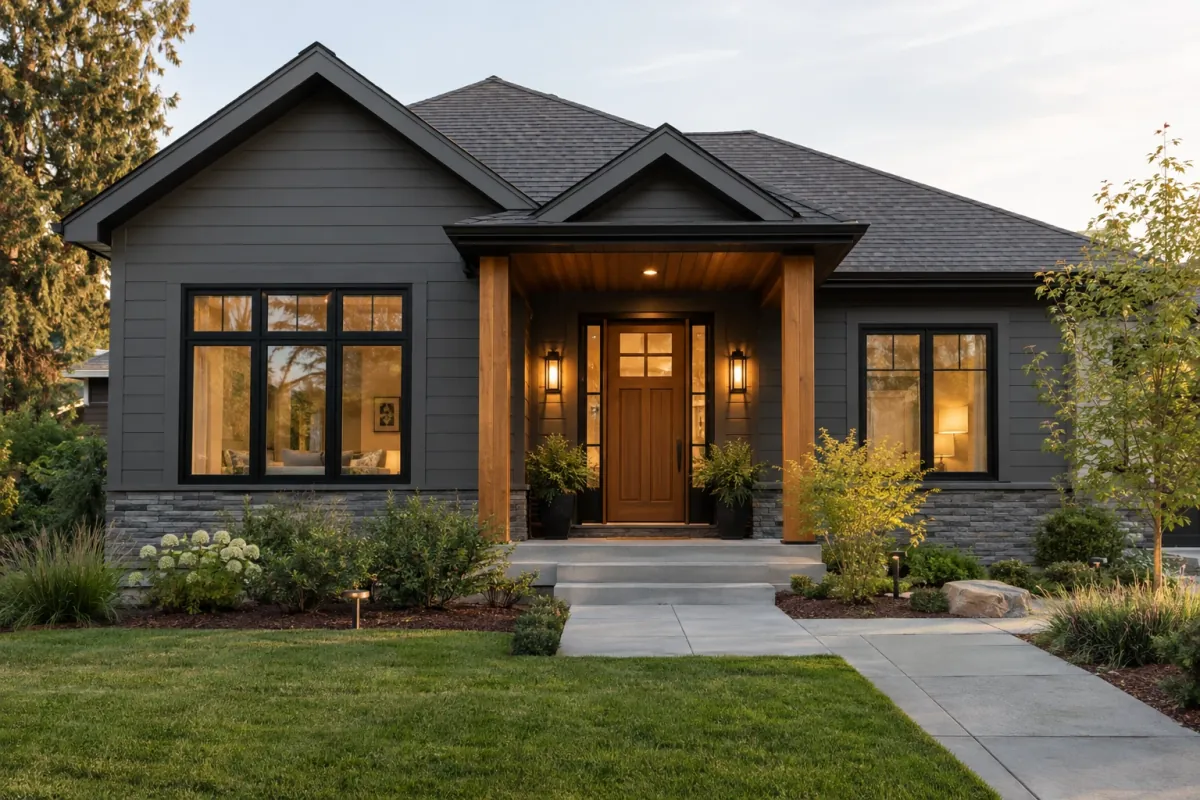
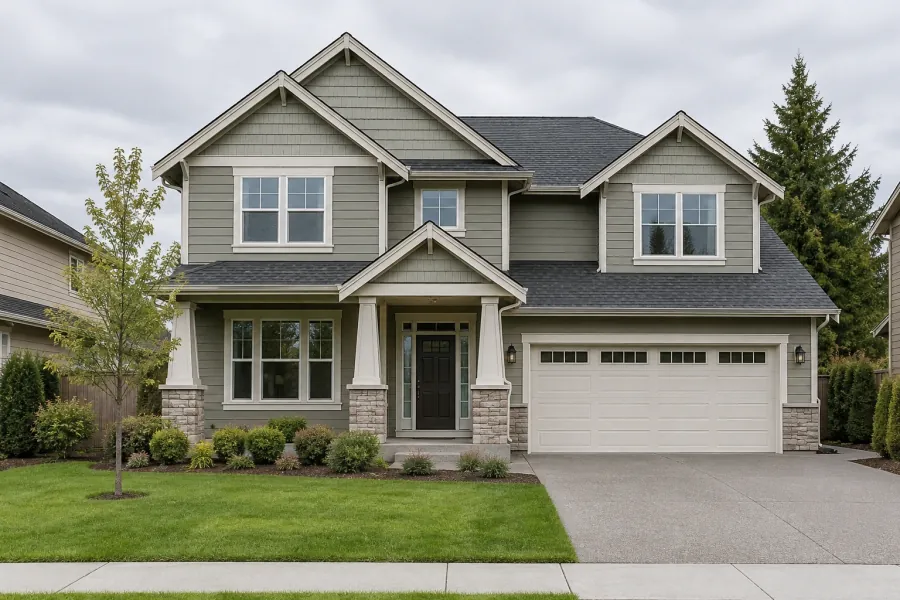
Siding, roofing, window and door contractors can photograph a house from the street and show new cladding, a different roof color, black window frames, a timber door and porch lights. Homeowners judge a facade from the sidewalk, so that view helps them approve the change.

Landscaping and backyard projects
Landscaping firms can photograph a bare or overgrown backyard and show a stone patio, raised planters, gravel paths, ornamental grasses and outdoor lighting. The fence, the house wall and the camera angle stay where they are, so the client sees their own yard after the work.
Which DecorAI tools matter most for contractors?
These six DecorAI tools do most of the work on remodeling jobs, from a full kitchen redesign to a single new vanity, a new floor or a fresh facade. Each one starts from a photo you take on site.
Interior redesign
Upload a room photo, pick a room type and a style, and DecorAI replaces finishes, fixtures and furniture but keeps walls, windows and the camera angle. It is the quickest way to show a complete remodel.
Brush edits (inpainting)
Brush over one area, such as the cabinets, the backsplash or the vanity, and describe the change in a short sentence. The rest of the photo stays as it was, which suits partial jobs where only one part changes.
Floor replacement
Swap only the floor for one of eight materials: hardwood, tile, carpet, laminate, vinyl, concrete, stone or bamboo. Walls, furniture and lighting stay as they are, so the client compares the floor itself rather than a whole new room.
Exterior and garden redesign
Change the siding, roofing, windows, doors and exterior lighting on a photo of a house, or add a patio, paths, beds and planting to a photo of a yard. It suits curb appeal jobs, where the view from the street decides.
Style transfer from a reference photo
Clients often bring a picture of a kitchen or bathroom they saw online. Upload it as the reference, and DecorAI carries that look onto the photo of their room, so you both see whether it suits their space and light.
Design report (Pro)
The Pro design report sums up a chosen design as a PDF: a named color palette, a rough cost estimate for the first budget talk, priorities and an action plan. Send it with the chosen picture, so the client has both in one place.
What DecorAI does and what stays with the contractor
DecorAI shows what a finished job could look like on the client's own photo. Your skills, your crew and your suppliers turn that picture into the real kitchen, bathroom, facade or yard. Here is how the two fit together.
What stays with you
- Your site survey and your read of the structure, pipes and wiring behind the walls
- Your knowledge of local codes, permits and inspections, and of what can safely be built
- Your own pricing, the client contract and the payment schedule for the job
- Your supplier accounts, product choices and the lead times you plan the job around
- Your crew's craftsmanship, from demolition to the final walkthrough with the client
What DecorAI does
- Shows the finished look of a kitchen, bathroom, facade or yard on the client's photo
- Changes one area at a time, such as the cabinets, the tiles or the floor
- Produces several style and color options in minutes for the client to compare
- Adds a rough cost estimate, priorities and an action plan in the Pro report
- Lets you use the pictures commercially, on the free plan and every paid plan
How to get realistic AI home renovation pictures
The result depends mostly on the photo you start with. These habits take a minute on site and make the picture look like the client's home after the job.
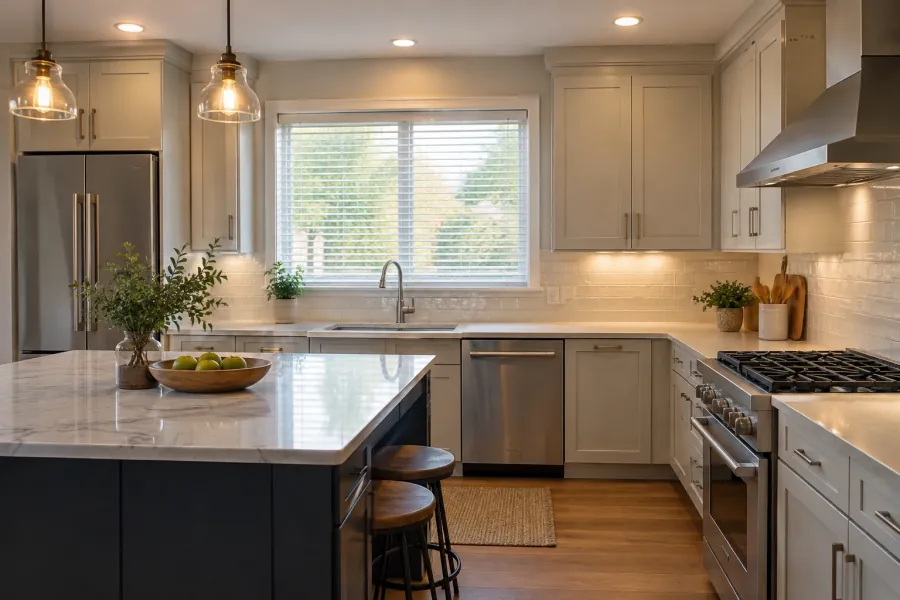
Switch on the lights and open the blinds
Dark corners turn into muddy surfaces in the redesign. Switch on the ceiling and task lights, open the blinds and avoid shooting straight into a bright window. Even light keeps tile, wood and paint colors close to the real materials the client will end up with.
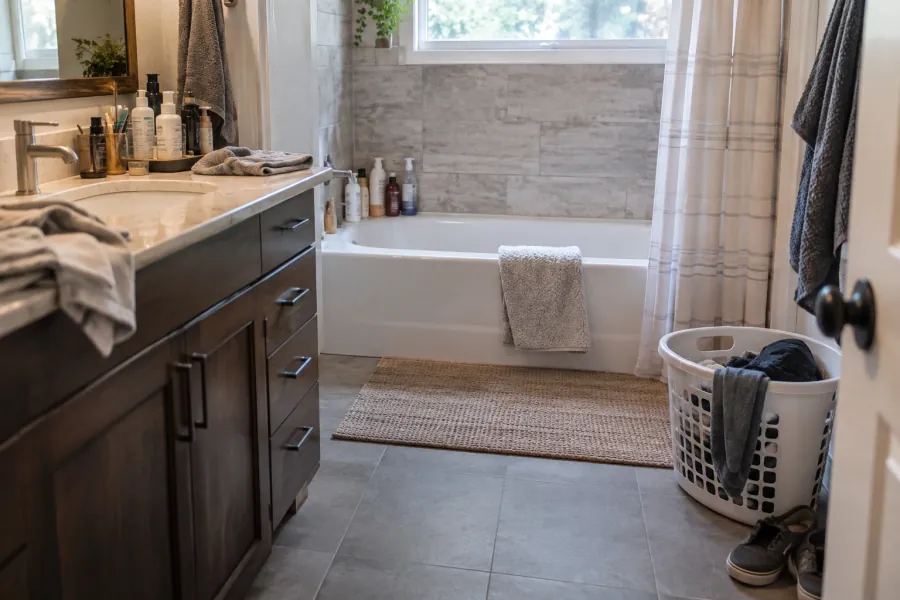
Clear counters, floors and the tub edge
Move toiletries, dish racks, shoes and laundry baskets out of the frame. Clutter hides the surfaces you want to change and can show up again in the result. If a room cannot be cleared, run the empty the room tool first and redesign the emptied photo.
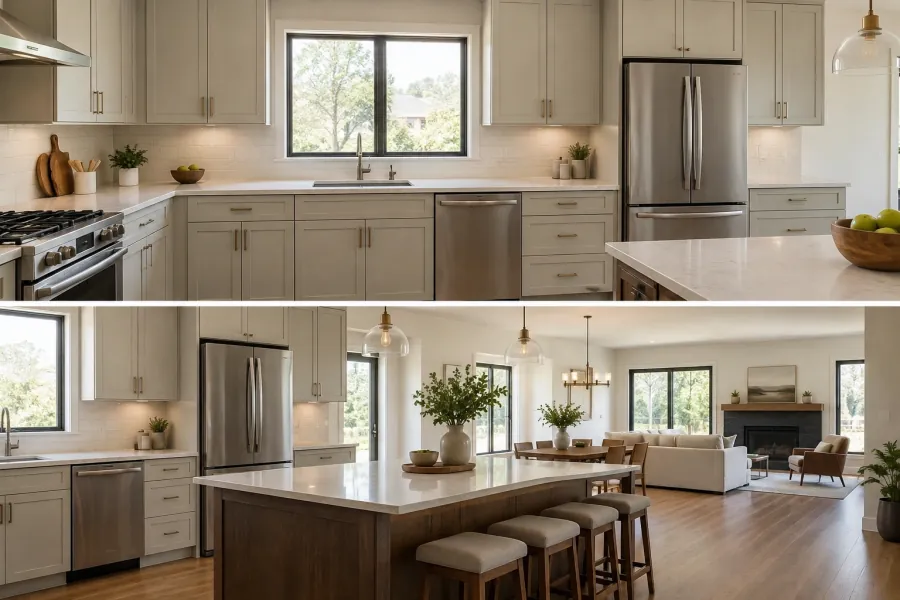
Take one photo per wall in larger rooms
An L-shaped kitchen or a long open-plan room rarely fits in one frame. Photograph each run of cabinets or each wall the job touches, and redesign every photo with the same style and color scheme, so the client sees the whole remodel in matching views.
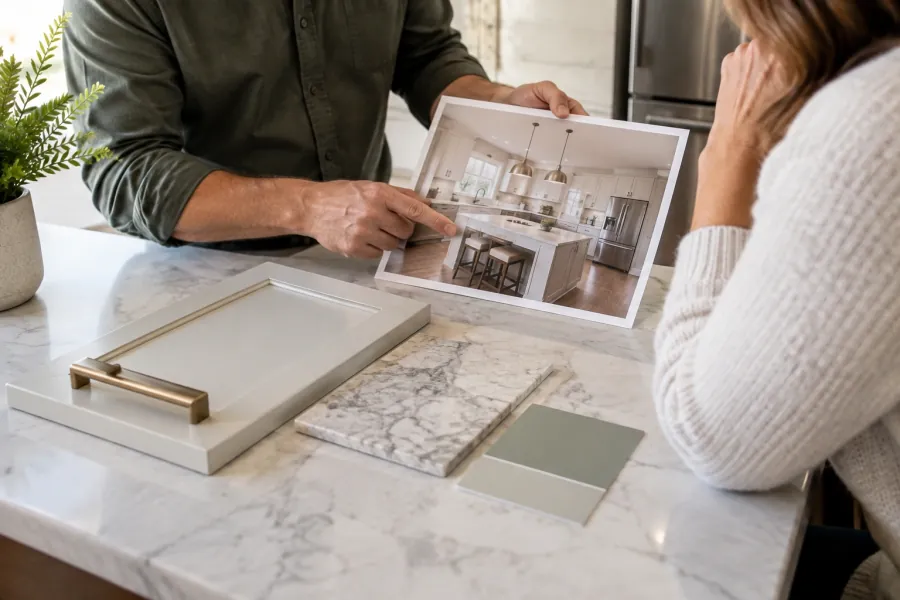
Bring real samples to the comparison
Lay the actual tile, a cabinet door sample and a paint swatch on the counter while the client looks at the redesigned photo. The picture shows the overall effect in their room; the samples show true color, texture and finish. Seeing both together often saves a second appointment.
Shoot facades in soft daylight
For siding, roofing and window jobs, cross the street so the whole front and the roof line fit in the frame. An overcast day avoids hard shadows that hide the cladding. Move trash bins out of the way and keep parked cars out of the shot where you can.
Take the after photo from the same spot
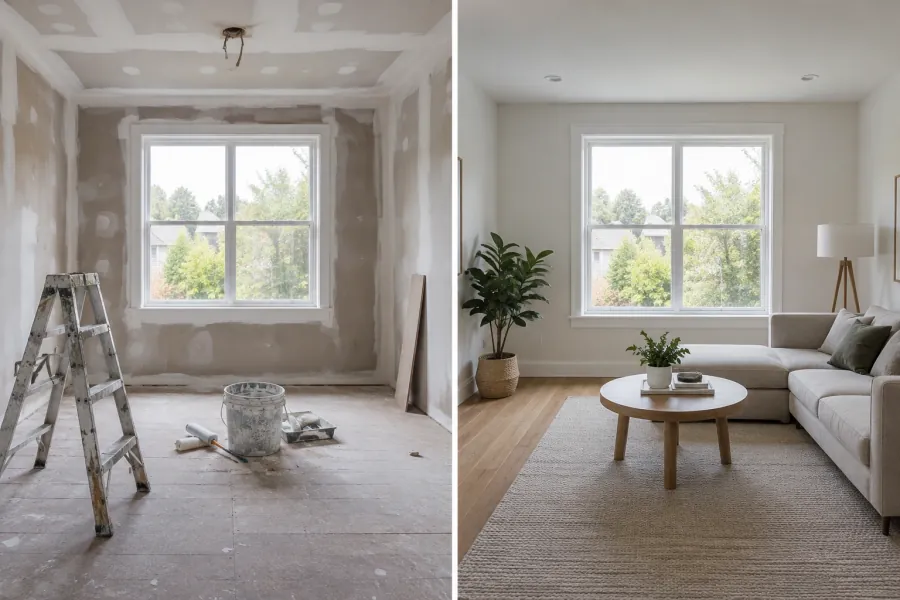
Note where you stood for the first photo, for example on your job sheet. When the work is done, photograph the room again from there. The AI picture, the before and the real result side by side make a strong portfolio entry for future clients.
Who DecorAI is for in the remodeling trades
Try it on a photo from the job you are pricing this week.
General contractors and remodelers
General contractors and design-build remodelers can show the whole job at the first meeting, such as a new kitchen or an opened-up living area. A shared picture lines up the client's expectations with the scope before the contract.
Kitchen and bath fitters
Kitchen and bath fitters can use the app as a kitchen visualizer and bathroom visualizer on the client's own room, comparing cabinet colors, counters, tiles and vanities. It works in a showroom too, with a photo the client brings.
Painters and flooring installers
Painters recolor walls, trim and ceilings, and flooring installers change the floor alone, so the client sees a color or plank pattern in their own room's light. One picture can settle a choice that a paint chip or a loose board cannot.
Exterior and landscaping companies
Siding, roofing, window and landscaping companies can show new cladding, a roof color, a patio or planting on a photo of the house or yard. A familiar angle makes it easier for a client to approve a bold color or material.
Which DecorAI plan fits a contractor?
Start with the free plan to test DecorAI on a real job; it needs no account or card. If you show clients designs every week, Pro fits better: unlimited designs without ads or watermark, plus the design report. Business, at $59 a month, adds three web app logins for one office, project folders and batch uploads.
Free
- 3 AI designs every day
- No account and no payment card
- All tools for rooms, facades and gardens
- A short video ad before each design and a small watermark on saved images
DecorAI Pro
- Unlimited AI designs, no ads and no watermark
- The design report with color palette and cost estimate, as a PDF
- Works on iPhone, Android and the web app with one account
- $9.99 a week, $17.99 a month, $39.99 a year or $219 once
DecorAI Business
- Three logins for one team, in the web app
- Unlimited virtual staging with project folders
- Batch uploads for a whole photo shoot
- $59 a month, billed monthly
Prices are US prices and differ by country and platform; DecorAI shows your price before you pay. Designs may be used commercially on every plan, including the free one.
Questions contractors ask about AI remodeling
What is an AI remodel app for contractors?
DecorAI is an AI remodel app that lets contractors photograph a client's room, facade or garden and show a realistic picture of the finished work within seconds. Walls, windows and the camera angle stay, so clients recognize their own home. It runs on iPhone, iPad, Android and the web.
Is DecorAI free for contractors?
Yes, you can start for free. The free plan gives 3 designs a day without an account or a payment card, with a short ad before each design and a small watermark. Pro removes both, allows unlimited designs and adds the design report with a cost estimate.
Can I use DecorAI pictures commercially, in proposals and ads?
Yes, on every plan, the free one included. Designs made with DecorAI may be used commercially, so contractors can put them in proposals, on their website and on social media. Label them as AI visualizations, so clients know they show a planned look and not finished work.
Is there a kitchen visualizer that works with a photo I upload?
Yes, DecorAI works as a kitchen visualizer on your own photo: choose kitchen as the room type and a style, and see new cabinets, counters, backsplash and lighting on the same layout. To change only the cabinets, brush over them and describe the new door style.
Can bath fitters use DecorAI as a bathroom visualizer?
They can. Photograph the bathroom from the door, choose bathroom as the room type and pick a style. DecorAI shows new tiles, a walk-in shower, a vanity and fixtures in the same room, so you and the client can agree on a direction before anything is ordered.
Does DecorAI give a cost estimate for a remodel?
Yes, a rough cost estimate for the first budget talk. The Pro design report includes it next to the color palette, priorities and action plan. It helps a client judge early whether a design is roughly within budget, so the next meeting starts from realistic numbers.
Can I match a kitchen or bathroom the client saw online?
Yes. Upload the client's picture as a reference image, and DecorAI applies its colors, materials and mood to the photo of their own room. The client then sees that saved look on their own walls and floor. To fine-tune a detail, such as the vanity or the cabinet fronts, brush over it and describe the change.
Can I show a homeowner new siding or a new roof on their own house?
Yes, from one photo taken at the curb. Choose the exterior redesign and a style, or brush over the siding and describe the new cladding. DecorAI keeps the shape of the house and the camera angle, so it works as an exterior home remodel visualizer for the client's own property.
How accurate is an AI home renovation picture?
An AI home renovation picture shows a realistic look of the finished space in the client's own room. Walls, windows and the camera angle stay as they are, and colors follow the light in the photo, so a bright daytime shot gives the truest result. Confirm materials with samples and sizes with a tape measure before ordering.
Which devices does the DecorAI remodel app run on?
DecorAI runs on iPhone and iPad with iOS 16 or later, on Android and in the web app. One account works on all of them, so you can use the phone on site and the web app at the office. The Business plan is sold in the web app only.
Show clients the finished job before work starts
Take one photo on your next site visit, pick a style the client likes and show them their new kitchen, bathroom, facade or yard in seconds. The first 3 designs each day are free.
Start your first AI remodel