AI Home Office Design: Plan Your Workspace from a Photo
DecorAI is an AI interior design app for home office design: you upload one photo of your spare room, desk corner or living room nook and get a redesign of that same space in seconds.
- Turn a makeshift spare room or desk corner into a finished home office from one photo
- Try mid-century, dark academia, minimalist and dozens more styles on your own room
- Free to try: 3 AI designs a day, no account needed
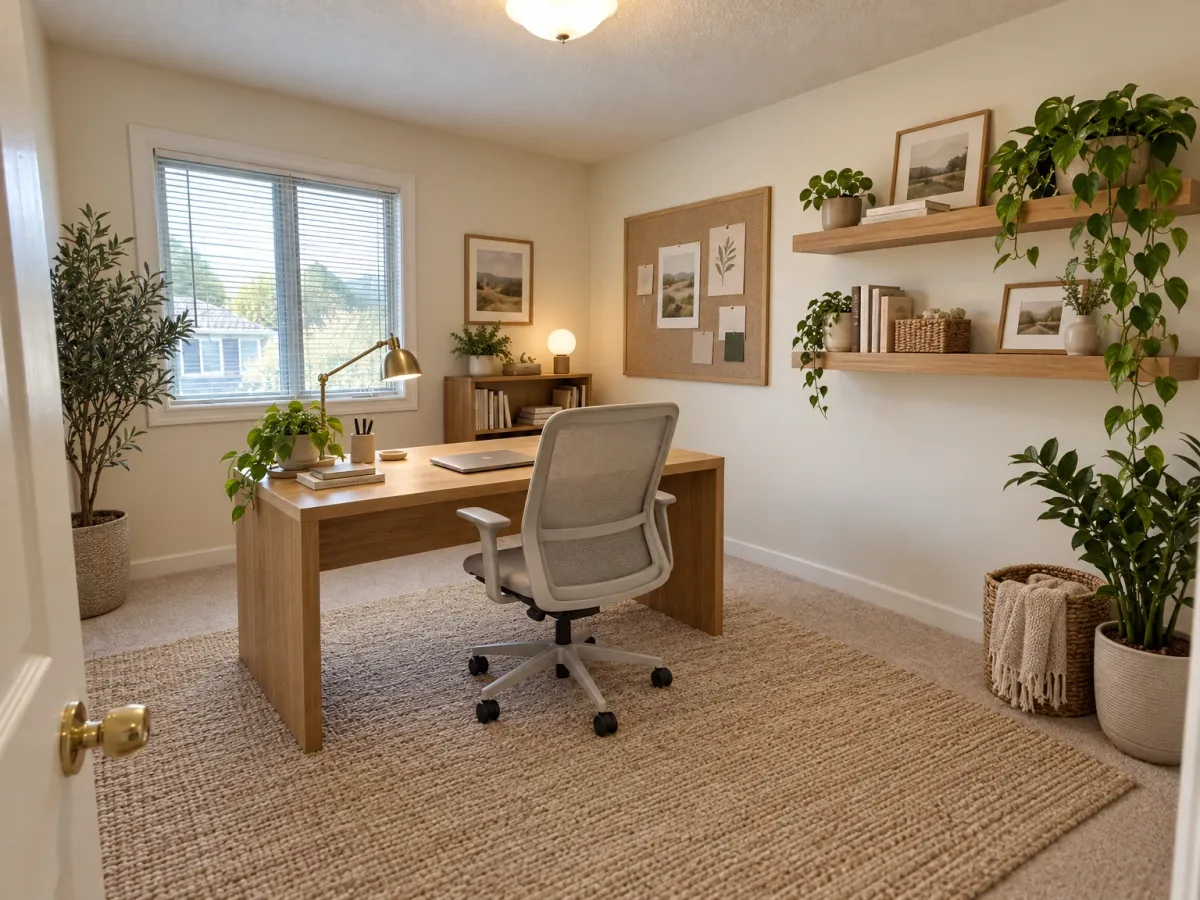
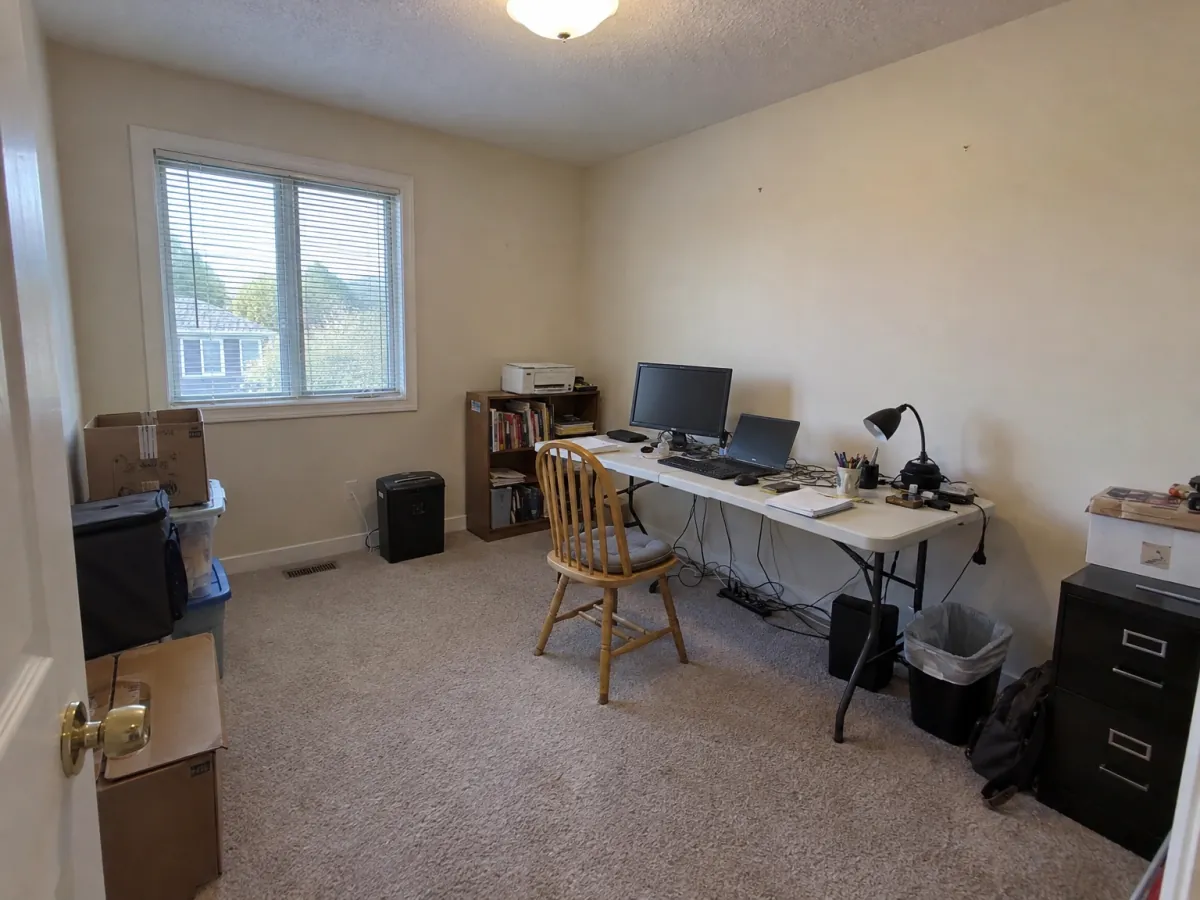
Illustrative AI example. Results vary.



DecorAI for home offices at a glance
A home office has to do several jobs at once: hold a desk and a monitor at the right height, look tidy on video calls, keep cables and paperwork out of sight and still feel like part of your home. DecorAI shows how your actual room could look as a finished workspace, from a full spare-room office to a small corner of a bedroom, so you can settle on furniture, color and lighting before you buy or remodel anything.
| What you upload | One photo of the room or corner where you work, taken from the doorway so the window and the desk wall show |
|---|---|
| What you get | A photorealistic version of the same space with a new desk setup, chair, storage, wall color, rug and lighting |
| Workspaces it handles | Spare-room offices, bedroom desk corners, living room work nooks, library offices and offices for two |
| Useful extra tools | Turn an empty corner into a small office, edit only the desk area, or ask Milo about desk sizes and spacing |
| Time per design | Usually under 10 seconds |
| Free plan | 3 AI designs a day, no account and no payment card needed |
| DecorAI Pro | Unlimited designs, no ads, no watermark: $9.99 a week, $17.99 a month, $39.99 a year or $219 once (US prices) |
| Platforms | iPhone and iPad (iOS 16 or later), Android and the web app |
| Use of designs | Personal and commercial use allowed on every plan |
How does AI home office design work in DecorAI?
Three steps take you from a photo of a cluttered workspace to a finished redesign, and each result usually takes less than 10 seconds.
Photograph where you work
Clear the desk surface if you can, open the blinds and take the photo from the doorway or a corner so the window, the desk wall and some floor are visible. The window position matters most, because it decides which way the desk should face.
Choose the home office type and a style
Select the home office room type and a style, then add a color scheme or a budget level if you want. The budget level steers the result from simple furniture and paint toward built-ins and new floors, which is useful if you are weighing a home office remodel.
Refine the details and decide
Generate again for a different desk position, brush over just the wall behind your chair to test a video-call backdrop, and save the versions you like. Share them with your partner, landlord or contractor before you order anything.
Photograph your workspace and see the redesign in seconds.
What stays the same in a home office redesign, and what changes?
DecorAI changes what you would furnish or paint and leaves the building alone, so the redesign shows a workspace that fits your real room.
What DecorAI keeps
- Walls, windows and doors in their current places
- Ceiling height, beams and any sloped ceiling
- Radiators and other built-in features
- The angle of your photo
What DecorAI can change
- Desk, office chair, shelving and filing storage
- Wall color, wallpaper, wall panels and flooring
- Desk lamps, pendants and the overall lighting mood
- Rugs, curtains, plants, art and pinboards
- Clutter, loose cables and boxes, which the redesign clears away
Home office design ideas for every kind of space
Few people have a dedicated study. These five AI-generated examples cover the workspaces most homes actually have, from a whole spare room to a desk in the corner of a bedroom.
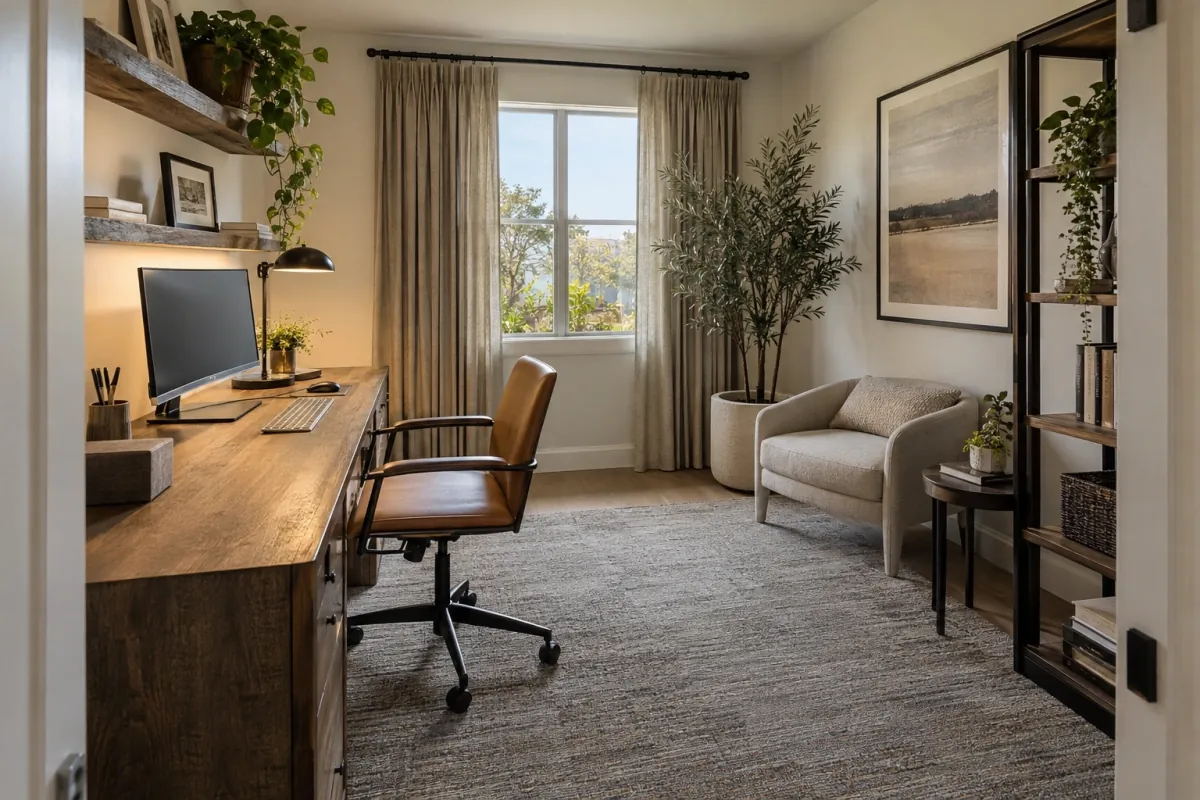
Spare-room office
A spare bedroom used fully as an office has room for a full-size desk, a reading chair and closed storage for paperwork. Placing the desk side-on to the window gives daylight on the work surface without glare on the screen.
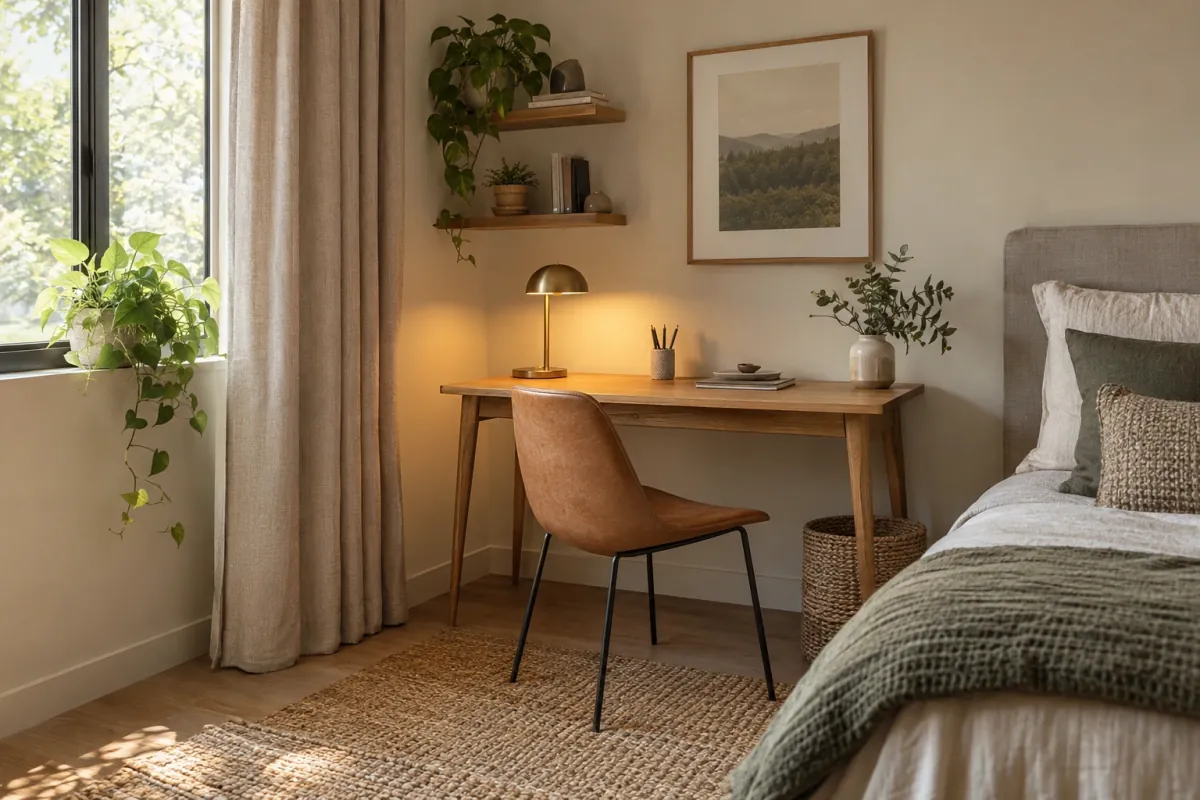
Bedroom desk corner
A small desk in a bedroom corner works best when it is visually quiet: a slim desk, a wall shelf instead of a bookcase and a lamp you can switch off so work is out of view at night.
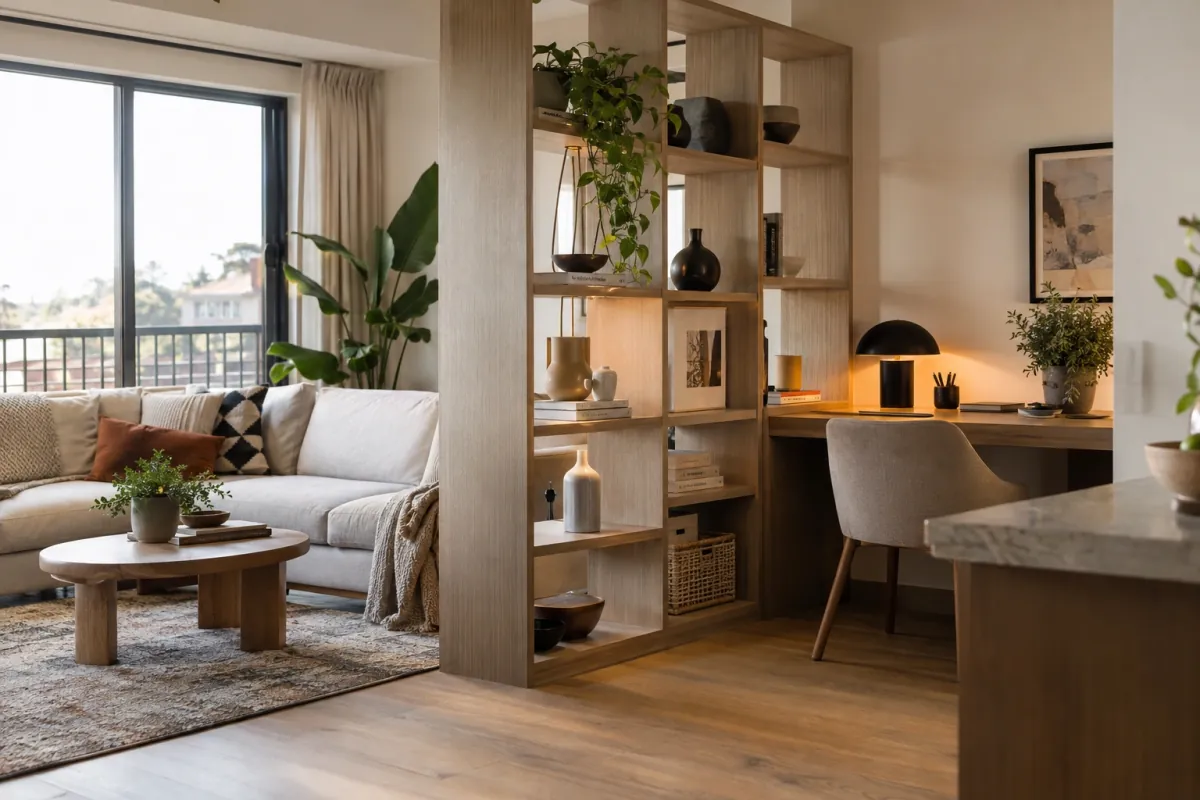
Living room work nook
An open shelf unit can separate a work nook from the sofa without blocking light. Books and plants on the living room side make the partition read as furniture rather than an office wall.
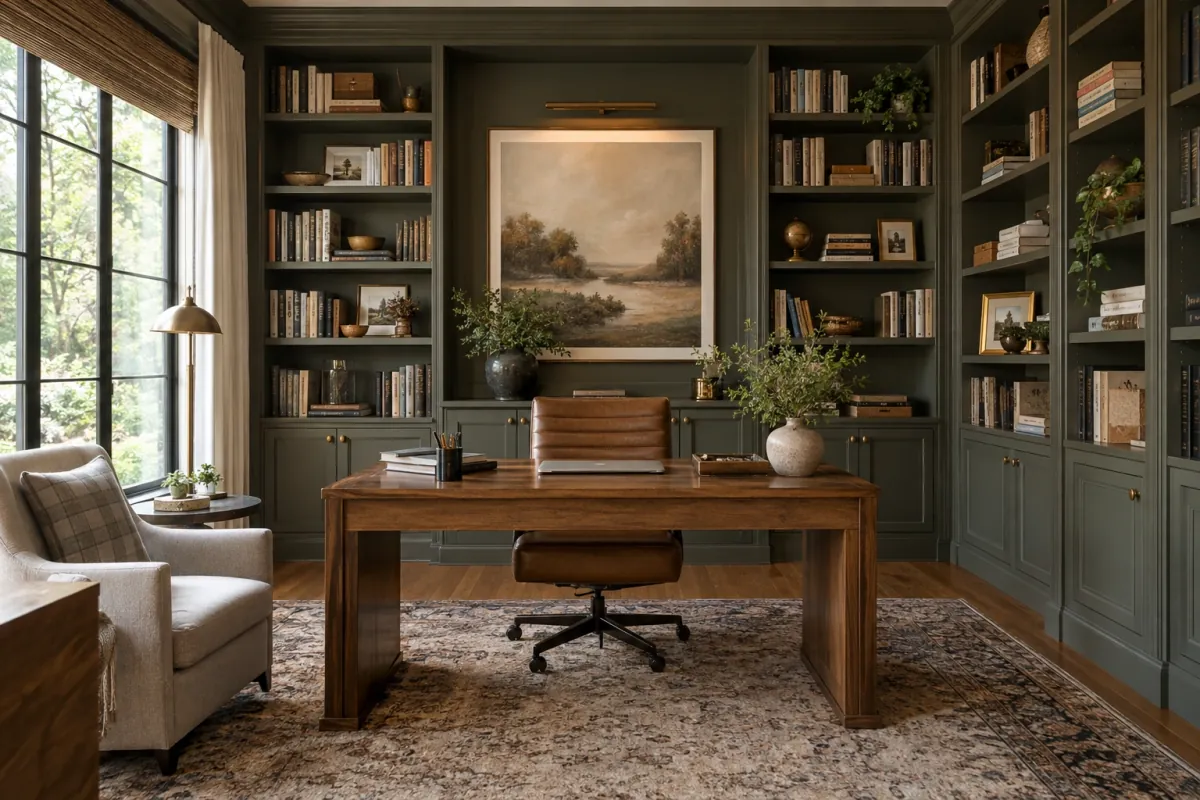
Library office
Floor-to-ceiling bookshelves turn a home office into a small library and make a strong video-call background. Plan shelves about 30 cm (12 in) deep and a rolling ladder or step stool for the top rows.
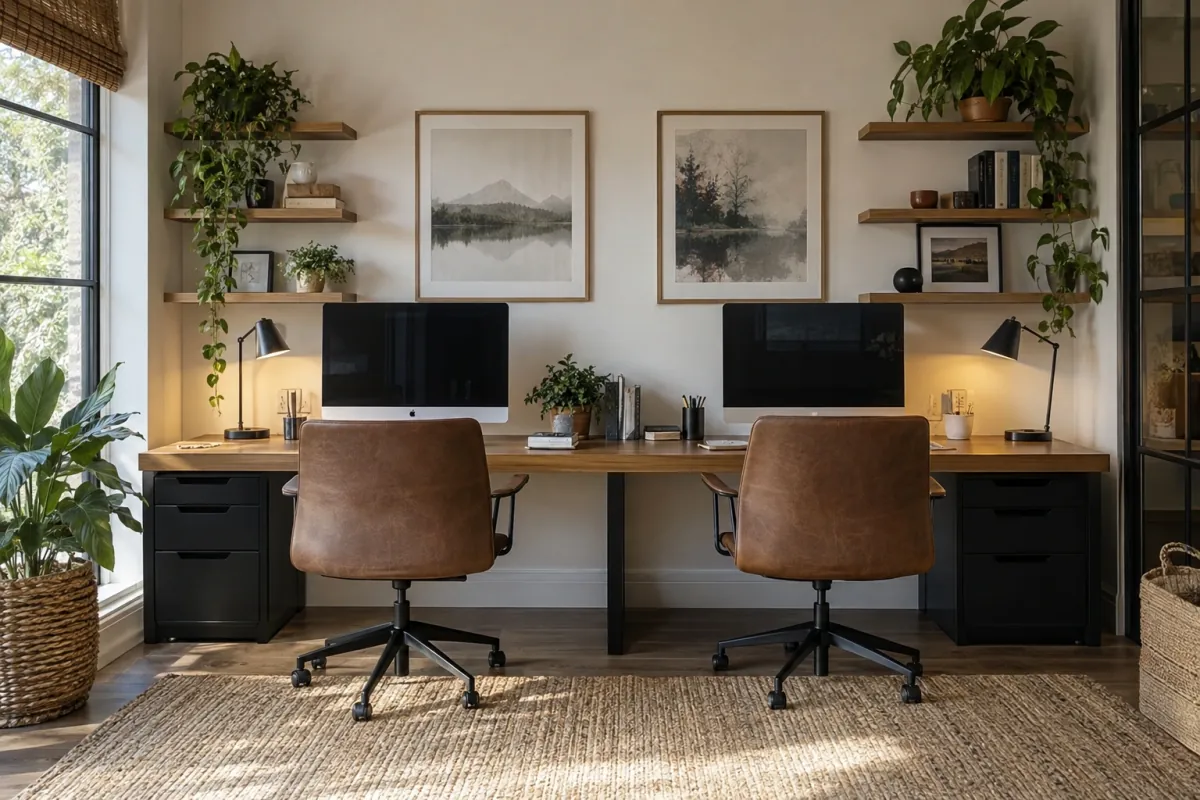
Office for two
Two desks side by side share one window and one set of storage. Allow at least about 120 cm (48 in) of desk width per person, and consider a small divider or headphones if both of you take calls.
Which style suits a home office: mid-century, dark academia or minimalist?
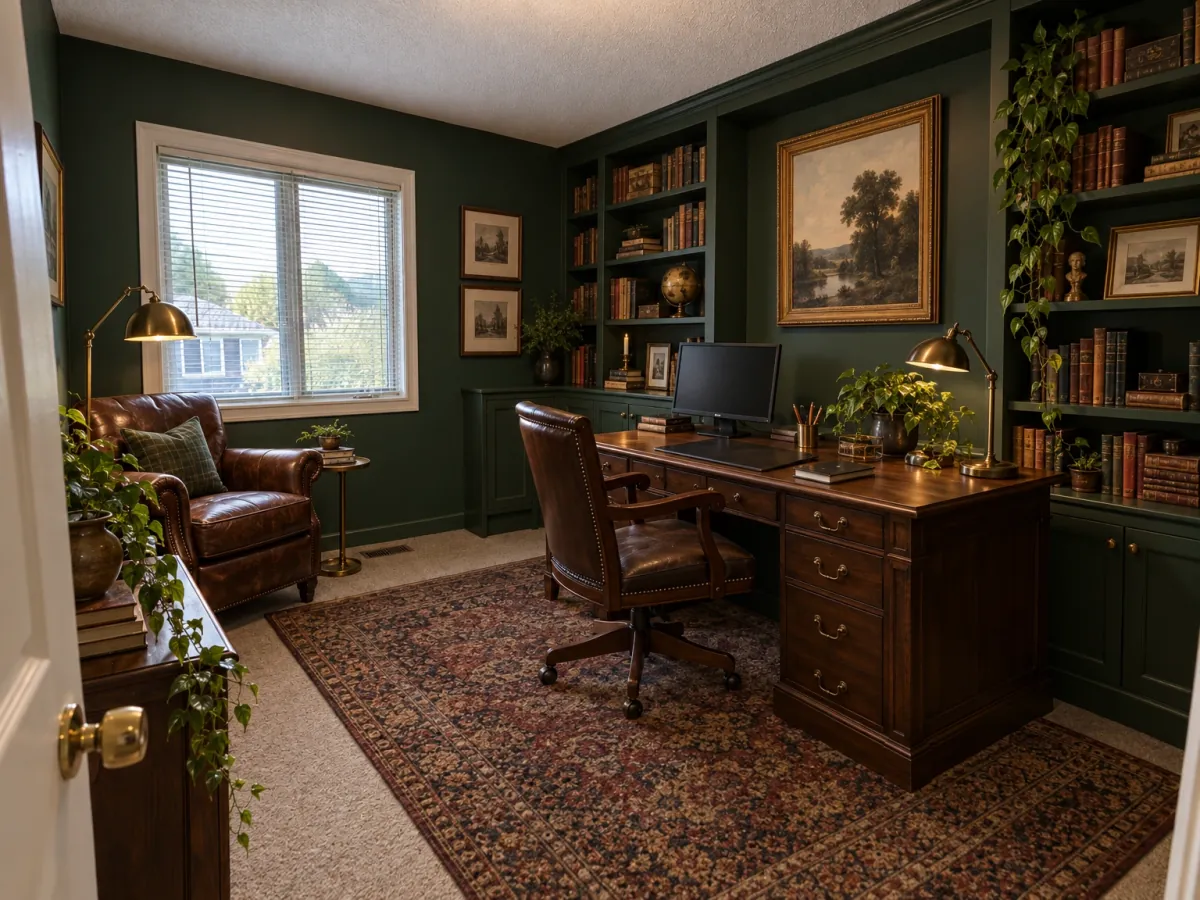
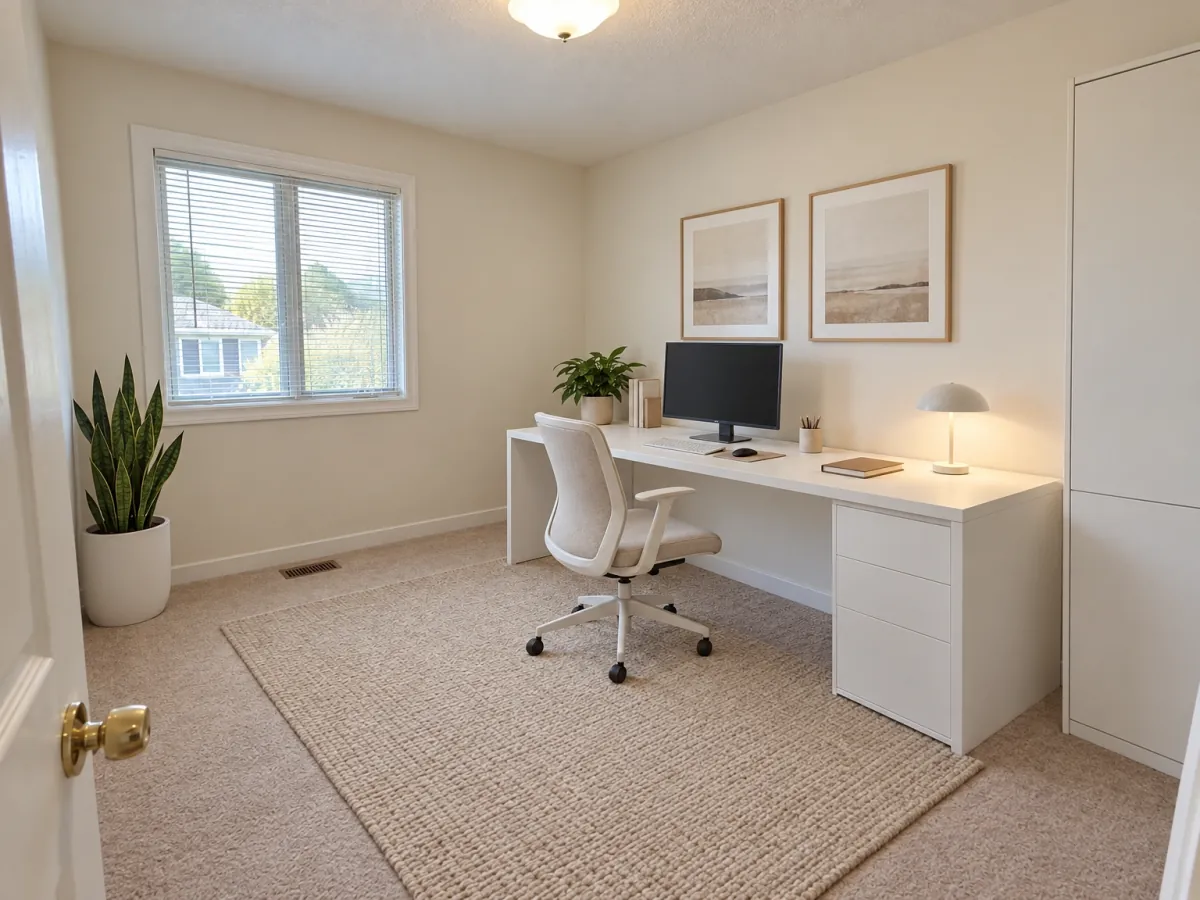
All three images start from the makeshift spare-room office shown in the slider above, redesigned in a different style each time. Compare them to see how much the mood of a workday depends on color and material.
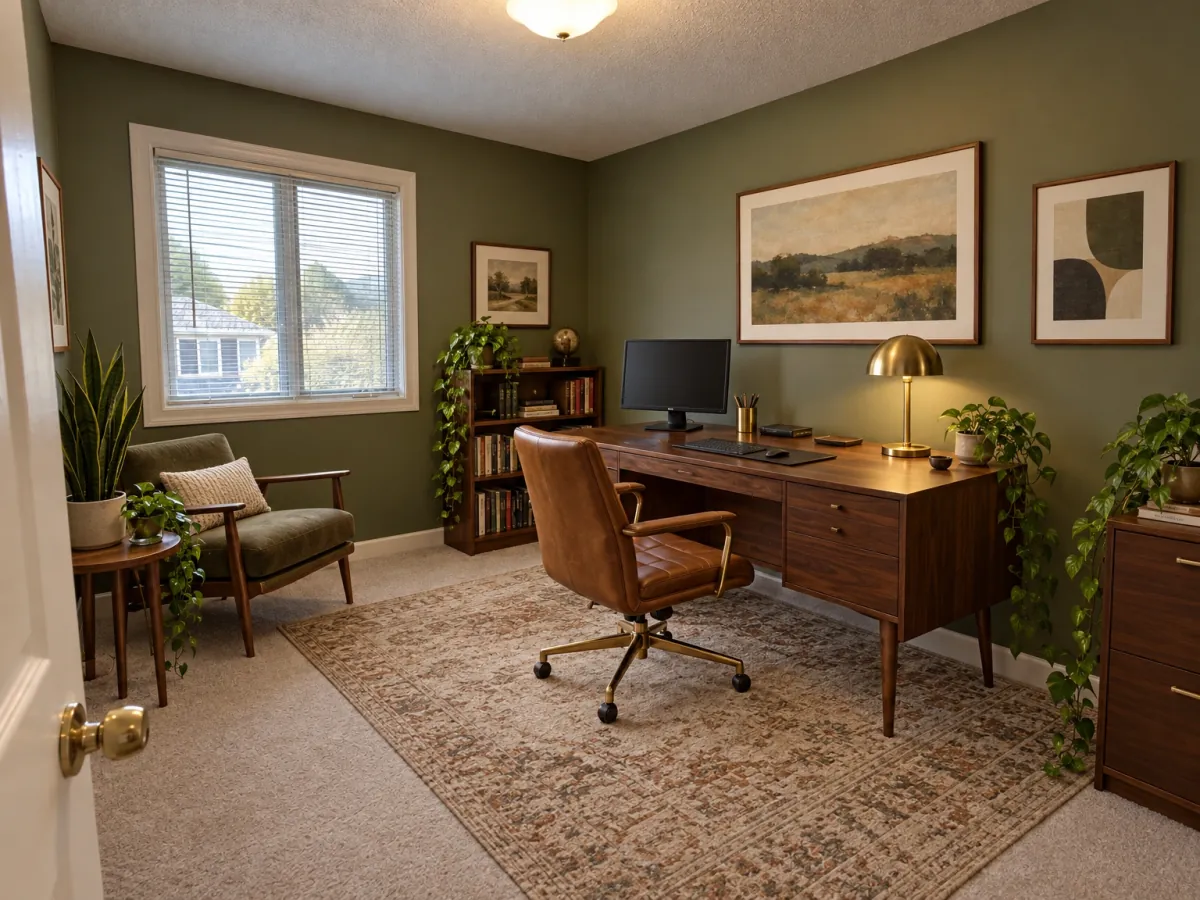
Mid-century
A walnut desk with tapered legs, a leather chair, a brass lamp and an olive green wall give a warm, focused office. Mid-century desks are usually compact, which suits smaller rooms.
Dark academia
Dark green walls, built-in bookshelves, a leather armchair and a brass lamp create a study made for reading and writing. Dark walls need good task lighting and a lighter desk surface so documents stay easy to read.
Minimalist
A white desk, hidden storage and a single plant keep the office calm and make it easier to switch off at the end of the day. Closed cabinets are essential, because minimalism only works when paperwork has a home.
Home office decor ideas that also help you work
Start with the desk position, because it decides everything else. A desk facing the window gives a view, but strong daylight can make the screen hard to read; a desk at a right angle to the window usually gives the best balance. Avoid sitting with a bright window directly behind you if you take video calls, since the camera will turn you into a silhouette. Generate the same home office design with the desk on two or three different walls and compare how each would work at 9 a.m. and at 4 p.m.
Comfort comes from a few measurable things. A typical desk is 71 to 76 cm (28 to 30 in) high and should be at least 60 cm (24 in) deep, so the monitor can sit about an arm's length away with the top of the screen at or slightly below eye level. Leave about 90 cm (36 in) behind the desk so the chair can roll back. An adjustable chair, a footrest if your feet do not reach the floor and a monitor arm usually do more for comfort than any decor.
Decor does the rest. A rug, curtains and full bookshelves soften the echo on calls; a pinboard or a wall rail keeps notes off the desk; one large plant has more presence than many small ones. Hide cables in a tray under the desk and give the printer and paper a closed cabinet. Layer the light: a ceiling fixture for the room, a desk lamp for paperwork and a warm lamp for evenings.
How to design a home office: six tips that matter
These points come up in almost every home office makeover. Use them to check a DecorAI design before you buy furniture or call a contractor.
Count your outlets first
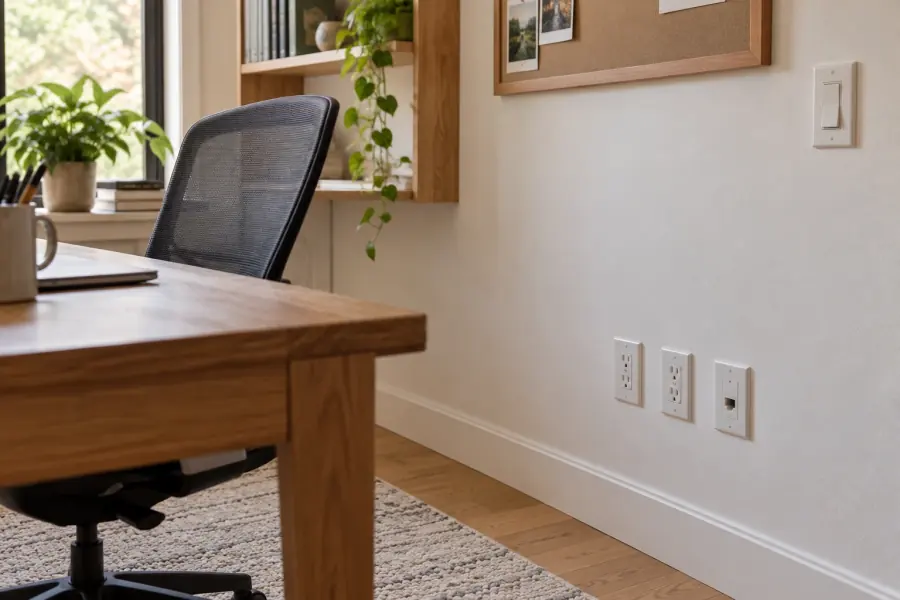
Note where the sockets, network port and light switches are before you choose a desk wall. Adding outlets or a dedicated circuit is a job for a licensed electrician, and an AI image does not show wiring.
Light your face, not your back
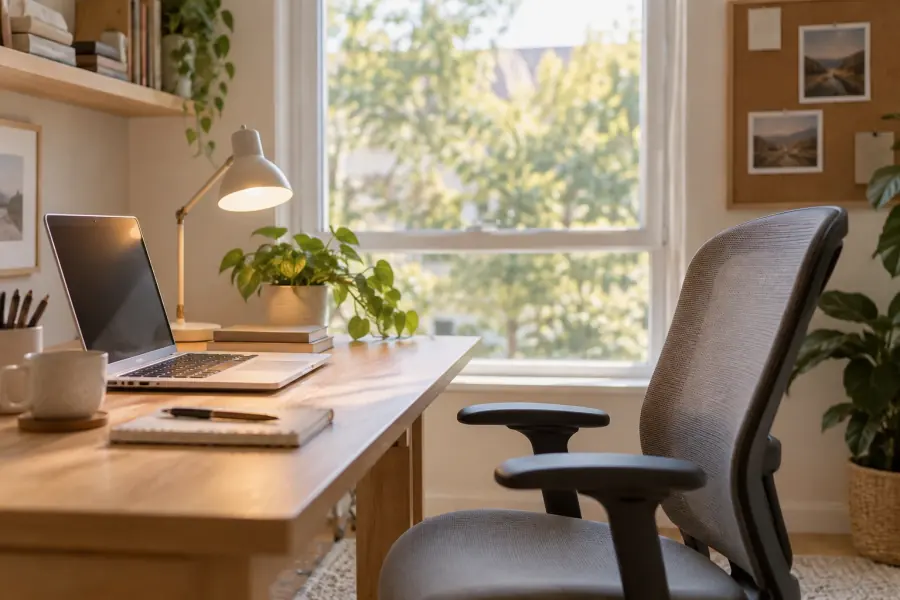
For video calls, sit facing the window or put a soft lamp behind the camera. A window behind you or a single overhead light creates dark faces and harsh shadows.
Plan storage for paper and gear
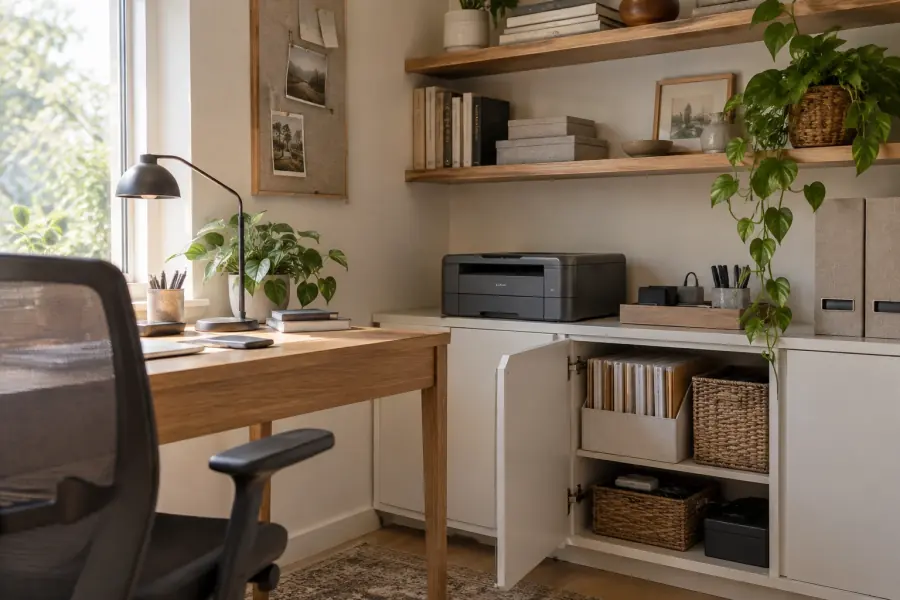
Decide what needs closed storage, such as files, the printer and chargers, and what can stay on display. Wall shelves above the desk keep the work surface clear without taking floor space.
Choose your backdrop on purpose
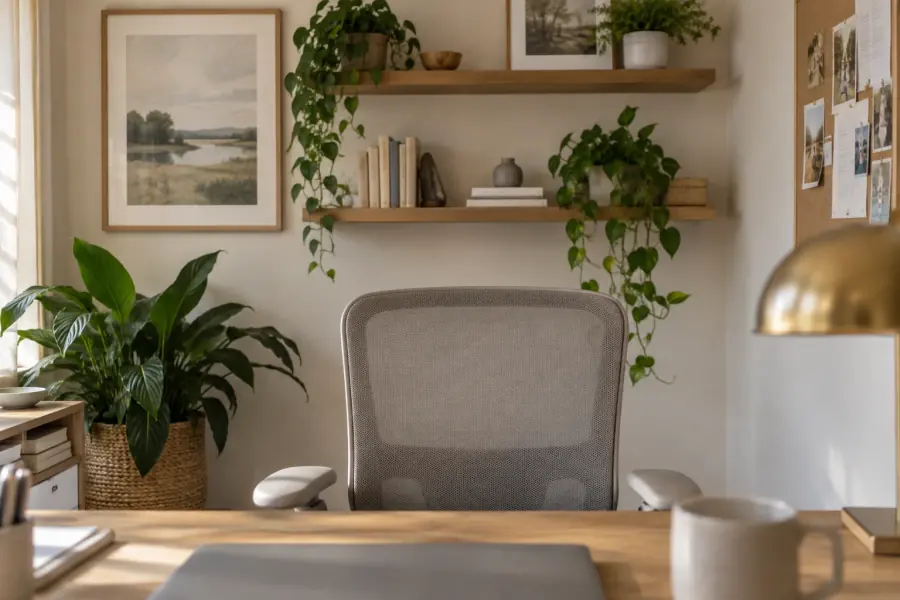
Look at the wall behind your chair the way a colleague sees it on screen. A bookshelf, a plant and one piece of art read well; an unmade bed or a laundry pile does not. Use the DecorAI brush to test just that wall.
Separate work from home
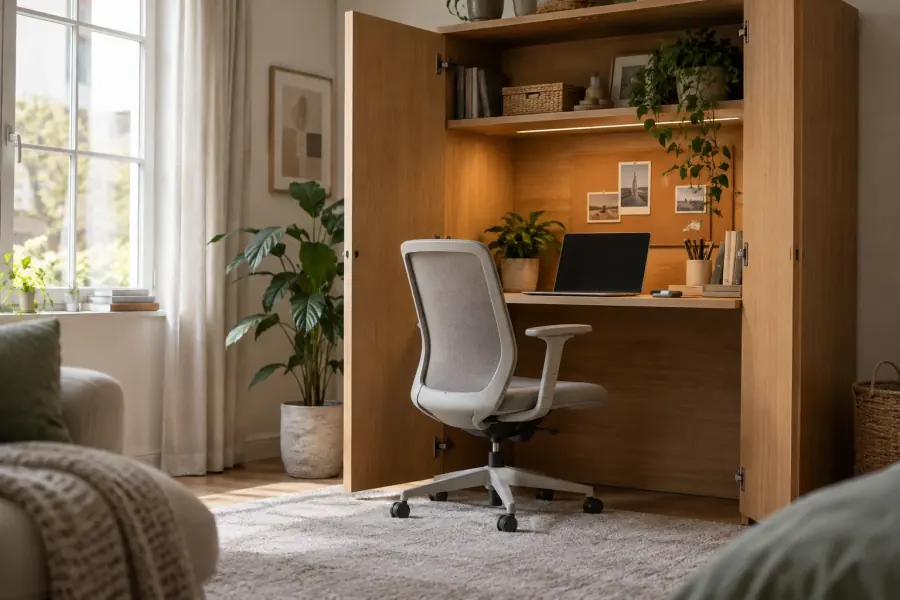
In a bedroom or living room, use a cabinet desk that closes, a curtain or a shelf partition so work disappears in the evening. A different rug or wall color can also mark the office zone.
Know what a remodel involves
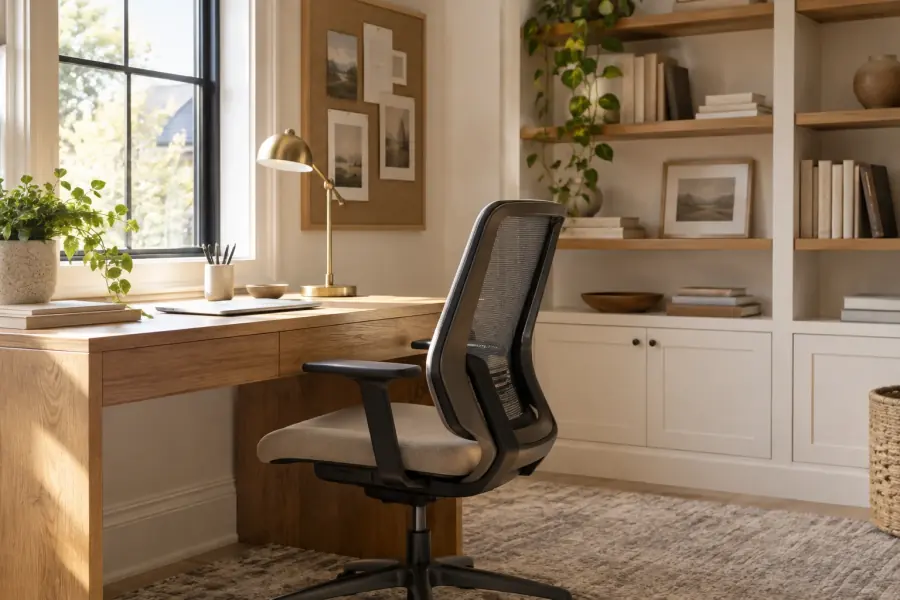
Paint, a new rug and new furniture are simple changes. Built-in shelving, new flooring, soundproofing or a new window turn the project into a home office remodel that needs a carpenter or contractor; DecorAI shows the finished look, and a professional plans and builds it.
Who uses DecorAI for home office design?
See your desk corner or spare room as a finished office. Download DecorAI free.
Remote and hybrid workers
Turn a temporary setup into a workspace you are happy to sit in every day and to show on camera.
Freelancers and small business owners
Plan an office that also works for client calls, product photos or storing stock, and test the idea before investing in it.
Students and parents
Fit a homework or study desk into a bedroom or the living room without making the whole room feel like an office.
Agents and landlords
Show buyers or tenants that a spare room or an awkward corner can work as a home office, using virtual staging on empty rooms.
Is DecorAI free, and what does Pro add?
DecorAI is free to download and free to use every day. The optional Pro plan removes the daily limit, the ads and the watermark.
Free
- 3 AI designs every day
- No account and no payment card
- All room types and design styles
- A short video ad before each design and a small watermark on saved images
DecorAI Pro
- Unlimited AI designs
- No ads and no watermark
- The design report with color palette and cost estimate, as a PDF
- $9.99 a week, $17.99 a month, $39.99 a year or $219 once
Prices are US prices. Prices differ by country and platform, and DecorAI shows your price before you pay. Pro has no free trial; the free daily designs stay available.
Where can I use DecorAI?
DecorAI runs on iPhone and iPad with iOS 16 or later, on Android phones and tablets, and in any web browser. Take the photo with your phone, or upload one from your computer in the web app. A Pro purchase works on all three when you sign in with the same account.
Home office design FAQ
Is there an AI that can design my home office?
Yes. DecorAI is an AI interior design app that redesigns your home office from one photo. You choose the home office room type and a style, and you get a photorealistic version of the same room with a new desk setup, storage, colors and lighting, usually in under 10 seconds. DecorAI works on iPhone, iPad, Android and the web.
How do I design a home office in a small space?
Start with a compact desk about 100 to 120 cm (40 to 48 in) wide, wall shelves instead of a bookcase and a chair that tucks under the desk. Light colors and a wall-mounted lamp keep a small room open. In DecorAI, use the tool that turns an empty corner into a small office and compare several layouts on your own photo before buying.
How do I remodel a home office?
Decide on the look first, then the work. Use DecorAI to compare styles and layouts on a photo of the room, then list what the chosen design needs: paint, flooring, built-ins, extra outlets or better lighting. Get quotes for the parts that need a professional, such as electrical work or carpentry, and do the simple changes yourself. DecorAI shows the result but does not produce construction plans.
Can I try home office design ideas for free?
Yes. DecorAI's free plan gives you 3 AI designs every day with no account and no payment card. Before each free home office design, a short video ad plays, and saved home office images carry a small watermark. Pro adds unlimited designs without ads or watermarks for people who want to test many layouts.
Can DecorAI design a home office inside a bedroom or living room?
Yes. Photograph the corner or wall where the desk should go and pick a style, or use the corner tool, which turns an empty corner into a small office while the rest of the room stays as it is. The result shows how a desk, chair and shelves would sit next to your bed or sofa.
Does DecorAI help with desk sizes and layout?
Partly. DecorAI shows the visual layout but does not measure your room or draw a floor plan. For sizes, you can chat with Milo, the planner in the app, about desk dimensions and spacing, and with the specialist AI designers about style. Always measure the wall, the window and the door before ordering a desk.
What makes a good video-call background?
A calm, tidy wall about 1 to 2 m (3 to 6 ft) behind you, lit from the front, makes the best background. Bookshelves, a plant, a piece of art or a painted accent wall work well. In DecorAI you can brush over only that wall and try several backdrops while the rest of your home office stays the same.
Can I use my own desk or chair in the design?
Yes. Photograph a desk or chair you already own, or one you are thinking of buying, and place it into the room photo; DecorAI then builds the redesign around it. You can also copy the colors and mood of a reference picture, such as an office you saved on Pinterest, onto your own room.
Start your home office design with a single photo
A good home office comes from a few decisions made in the right order: where the desk faces, how the light falls, where things are stored and what shows on camera. DecorAI lets you make those decisions on a picture of your own room in seconds and try again as often as you need. Take the photo, compare a few styles and then build the version that works for you.
Download DecorAI and redesign your home office.