How to choose flooring by seeing it in your room first
The easiest way to choose flooring is to see the options in your own room before you order samples. Photograph the room, open DecorAI's floor tool, pick a floor type, material and pattern, and compare two or three results of the same photo. Then order samples of the winner and check them in real light.
- Time: about 20 minutes for the photo, three flooring options and a shortlist.
- You need: one photo of the room with plenty of floor visible, and DecorAI.
- Result: the same room with each new floor, furniture and walls unchanged.
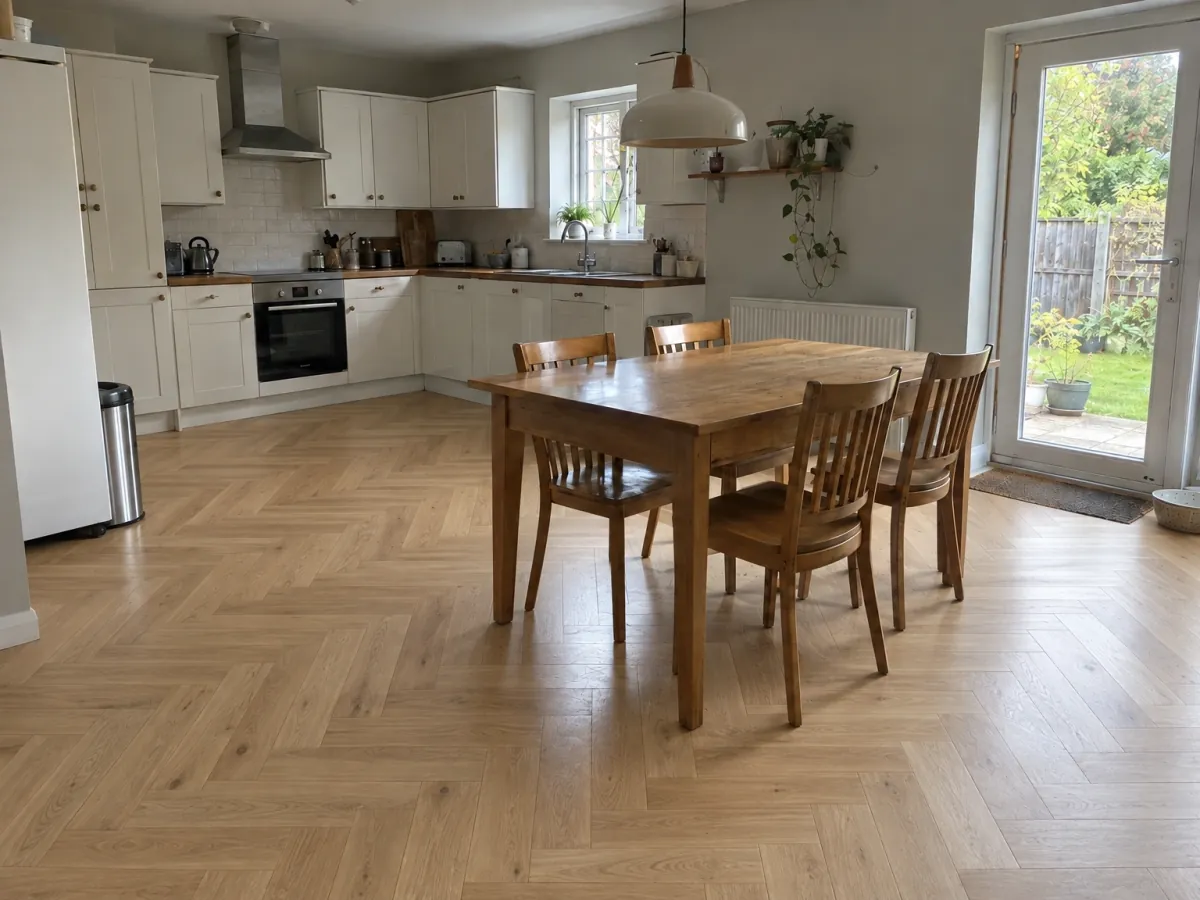
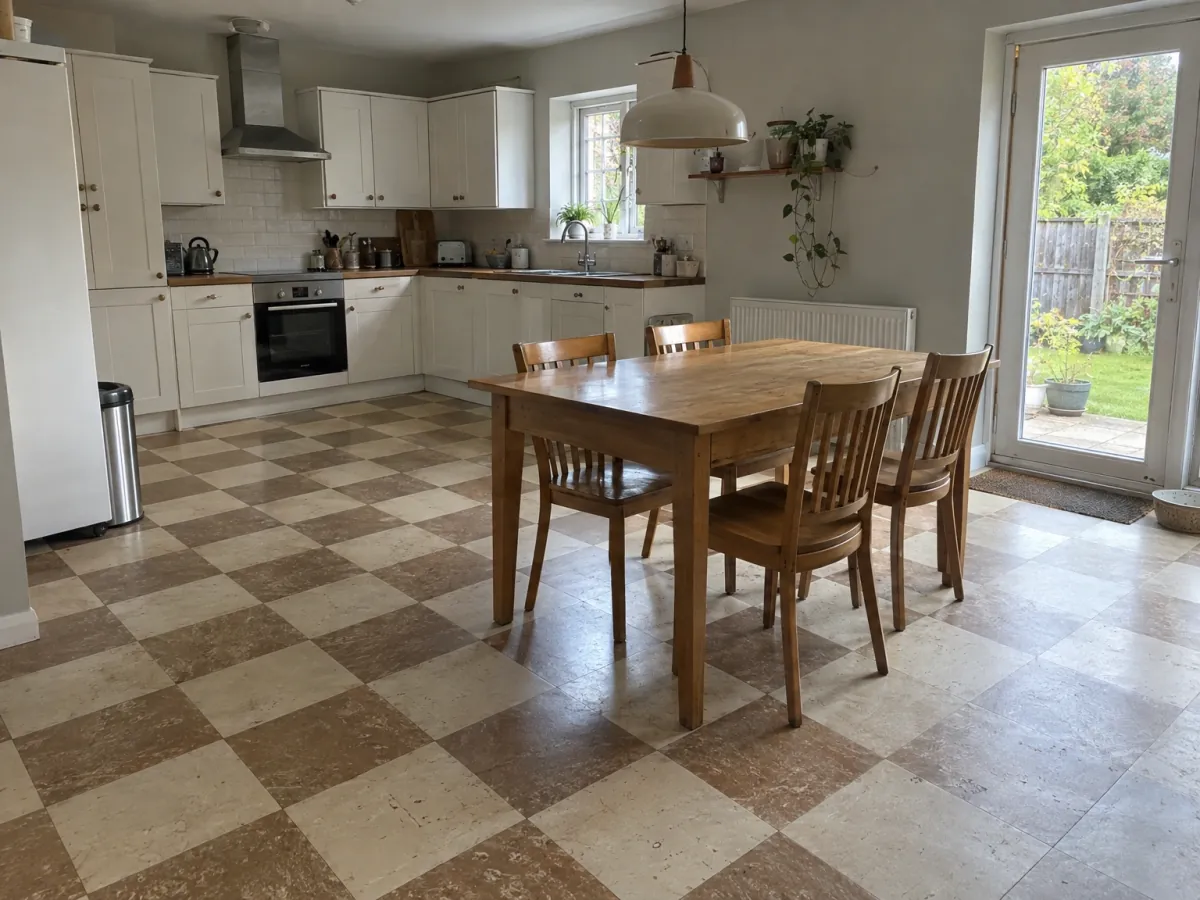
Illustrative AI example. Results vary.



What you need
- A phone or computer with the DecorAI app or the web app.
- A photo of the room in which the floor fills at least the lower third of the picture.
- A shortlist of the floor types you are considering, even a rough one.
- The room's measurements, for the moment you order material.
How to choose flooring with DecorAI, step by step
Step 1: Photograph as much floor as you can
Stand in the doorway or a corner and point the phone slightly down, so the floor fills the lower part of the picture. Roll up small rugs and move bags and baskets out of the way. Shoot in daylight with the lights on, because the floor color in the photo guides how the new material looks.
Step 2: Open the floor tool and upload the photo
In DecorAI, choose the floor tool from the home screen or the web app's dashboard. Take the photo directly or pick it from your gallery. The floor tool changes only the flooring, so the comparison stays fair: the cabinets, the furniture and the walls you see are the ones you already own.
Step 3: Pick a floor type, material and pattern
Choose the floor type first: hardwood, tile, carpet, laminate, vinyl, concrete, stone or bamboo. Then narrow it down with a material such as oak, walnut, marble or porcelain, and a pattern such as straight plank, herringbone, chevron or large format. Generate the first result and look at it at full size.
Step 4: Compare two or three options on the same photo
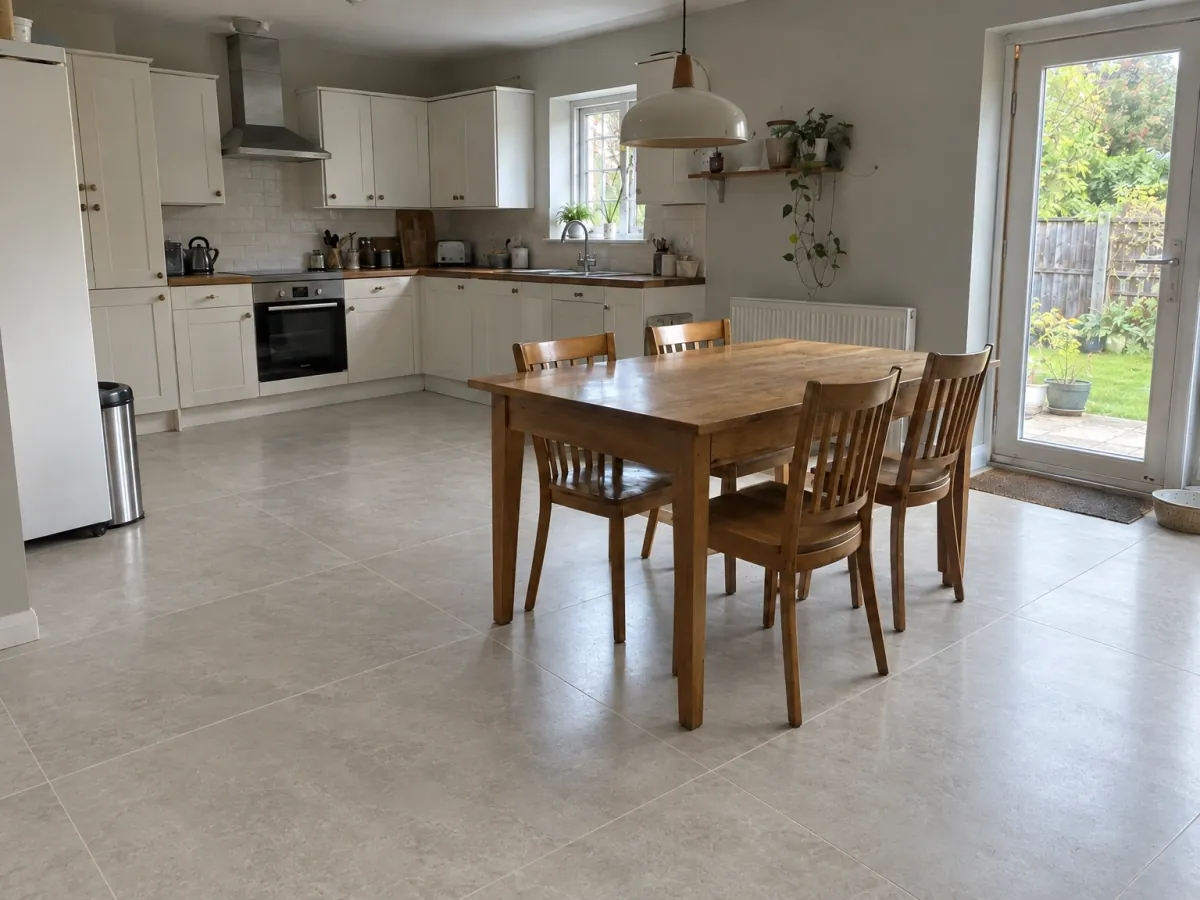
Go back with the same photo and generate a second floor type, for example large stone-look tiles after the oak herringbone. Keep the photo identical for every option, so the light, the furniture and the angle stay equal and only the floor differs. Three options are usually enough to see a clear favorite.
Step 5: Check the transitions
Look at the edges of each result: where the new floor meets the cabinets, the door threshold and the next room. A busy pattern like herringbone draws the eye to these lines, while plain planks or large tiles make them calmer. If the floor runs into a hallway, repeat the test on a hallway photo.
Step 6: Save the favorites and order samples
Save the best two results and share them with the people you live with. Order physical samples of those two materials, lay them on the real floor next to a cabinet or a sofa leg, and look at them in the morning and in the evening before you decide.
Tips for choosing flooring with a picture
Match the floor to the room's use
Kitchens, bathrooms and entries need a floor that copes with water and grit, such as tile or vinyl. Bedrooms and living rooms leave more room for wood and carpet.
Use contrast on purpose
A floor close in tone to the cabinets makes a room feel calm and larger. A clear contrast, like dark wood under white cabinets, gives the room more definition.
Think about plank direction
Planks that run toward the main window or along the longest wall make a room look longer. Look at the result and ask your installer which direction suits the subfloor.
Keep one floor through open spaces
In an open kitchen, dining and living area, one continuous floor reads as one generous room. Test the same material on a photo of each zone to see the effect.
Habits that make the choice easier
Decide on samples, not on screens
Screens show color differently from the product in your hand. Use the pictures to narrow the choice to two, then let real samples in your real light decide.
Measure before you order
Measure the room and add the waste allowance your installer recommends. The picture shows how a floor looks; the order quantity comes from the tape measure.
Test the floor with your furniture
A floor that looks perfect in a showroom can clash with your sofa or your cabinets. Testing it on a photo of your own room shows those combinations first.
The DecorAI tool for this guide
DecorAI's AI floor visualizer page explains every floor type the tool covers, which rooms it suits and how flooring installers use it with customers.
Questions about choosing flooring
How do I choose the right flooring for my room?
Start with how the room is used: water and grit call for tile or vinyl, comfort for wood or carpet. Then see the shortlisted floors in a photo of the room with DecorAI's floor tool, compare them side by side, and order samples of the one or two that look best.
Can I see new flooring in a photo of my room?
Yes. DecorAI's floor tool replaces only the floor in a photo of your room and keeps the furniture, walls and windows. You choose the floor type, material and pattern, and the app returns the same room with the new floor, usually in less than a minute.
Which flooring types can I compare in DecorAI?
DecorAI compares hardwood, tile, carpet, laminate, vinyl, concrete, stone and bamboo floors. Within those types you can pick materials such as oak, maple, walnut, marble, granite, porcelain and travertine, and patterns such as straight plank, herringbone, chevron, diagonal, mosaic and large-format tiles.
Does a light or dark floor make a room look bigger?
A light floor that is close in tone to the walls usually makes a room feel larger, because the eye sees fewer edges. Dark floors add warmth and drama but show dust sooner. Testing both on a photo of your room in DecorAI shows the effect in your own light.
Is the floor tool free to use?
The floor tool is part of DecorAI's free plan, so you can compare floors on your own photos without paying. DecorAI Pro adds unlimited designs for bigger projects at $9.99 a week, $17.99 a month, $39.99 a year or $219 once, in US prices.
See your new floor before you choose it
Take one photo of the room, try three floor types on it and shortlist the two you like best. DecorAI works on iPhone, Android and in the web app.
Compare floors in your room: