AI Floor Visualizer: See New Flooring in Your Own Room
DecorAI's AI floor visualizer replaces only the flooring in a photo of your room, so you can compare materials such as hardwood, tile, carpet and vinyl while the furniture and walls stay the same.
- Upload one photo of your room, pick a flooring material and compare the results.
- Choose from hardwood, tile, carpet, laminate, vinyl, concrete, stone and bamboo.
- Your furniture, walls and windows stay exactly where they are in the picture.
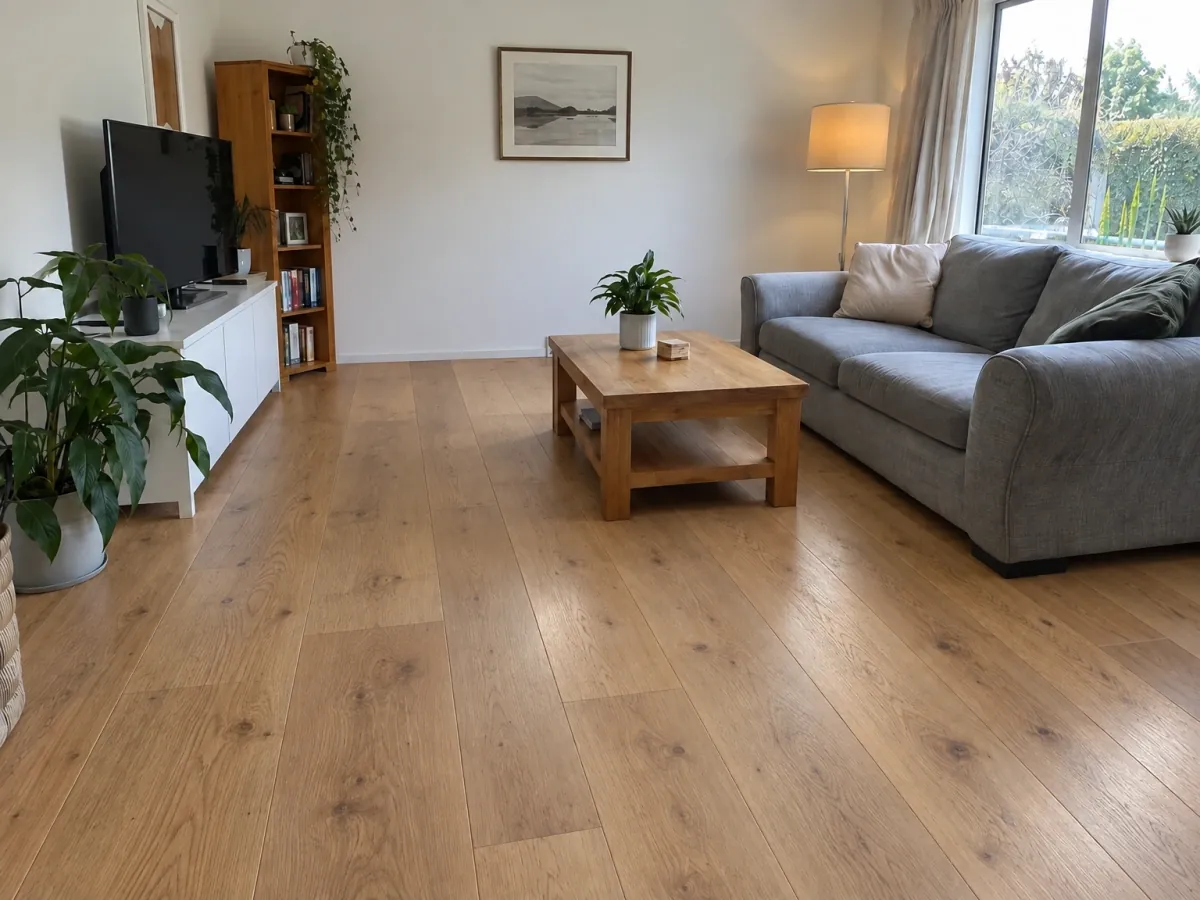
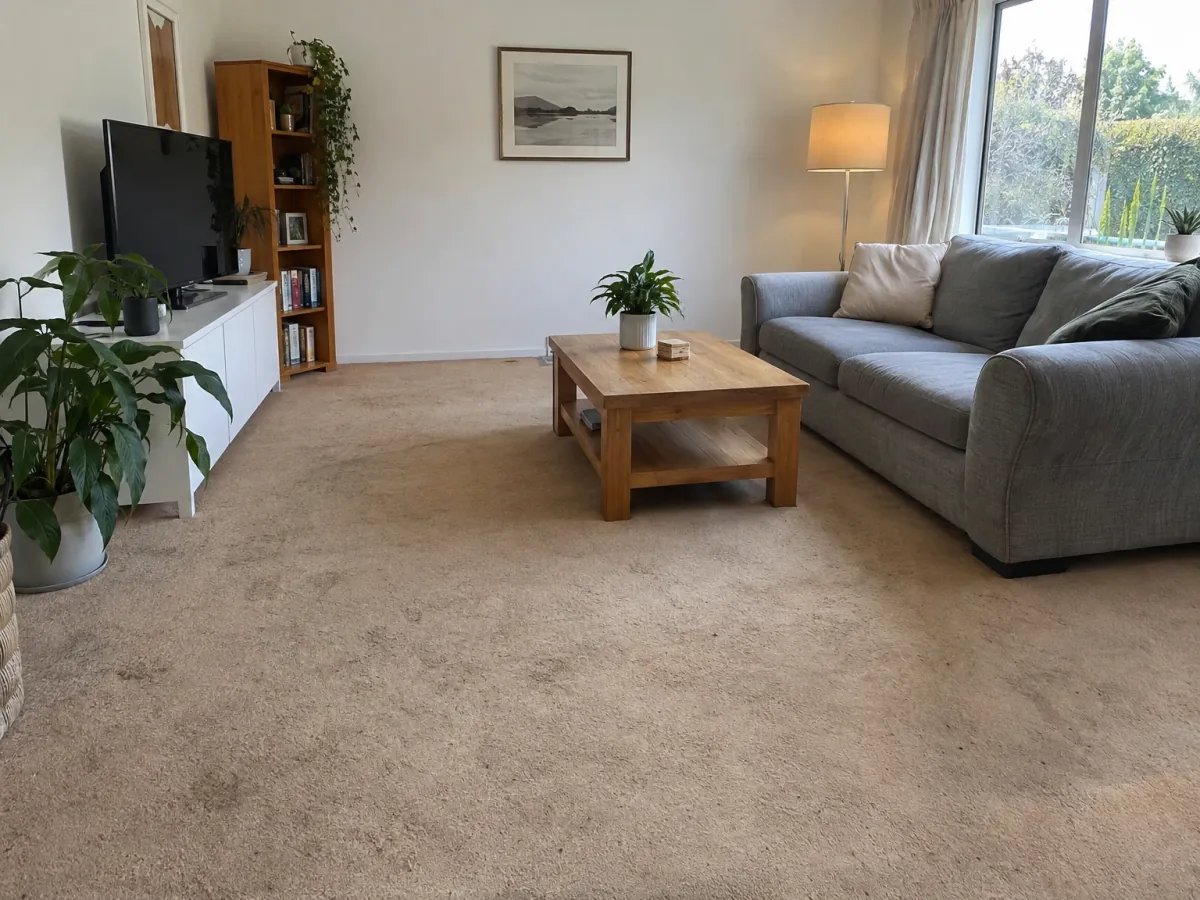
Illustrative AI example. Results vary.



DecorAI's flooring visualizer at a glance
| What it does | Replaces the floor in a room photo with a new material and keeps furniture, walls and windows |
|---|---|
| What you provide | One photo of a room in which a good part of the floor is visible |
| What you get | A photorealistic picture of the same room with the new flooring |
| Time | Usually under 10 seconds for each flooring option |
| Platforms | iOS 16 or later on iPhone and iPad, Android, any web browser |
| Plan | Included in the free plan (3 designs a day) and in DecorAI Pro |
How to see new flooring in your room
Photograph the room
Stand in a corner or the doorway and take a photo that shows as much of the floor as possible. Daylight and a level phone give the most realistic result. Upload the photo in DecorAI's floor tool.
Choose a flooring material
Pick hardwood, tile, carpet, laminate, vinyl, concrete, stone or bamboo. DecorAI lays the new material across the visible floor and follows the perspective of the room, including the areas between and under the furniture.
Compare and save
Run the same photo again with a second and a third material. Save each result and view them next to each other, or share them with your partner, your landlord or your flooring installer.
Which floors can you try with the floor visualizer?
The tool covers the flooring materials most homes choose between. Each example below shows a typical question that the floor visualizer answers with one photo.

Hardwood in the living room
Hardwood is a frequent replacement for old carpet. Use the tool as a hardwood floor visualizer: see whether warm planks suit your sofa, your wall color and the light in the room before you ask for samples. A low camera angle shows the surface of the wood especially well.
Tile in the kitchen
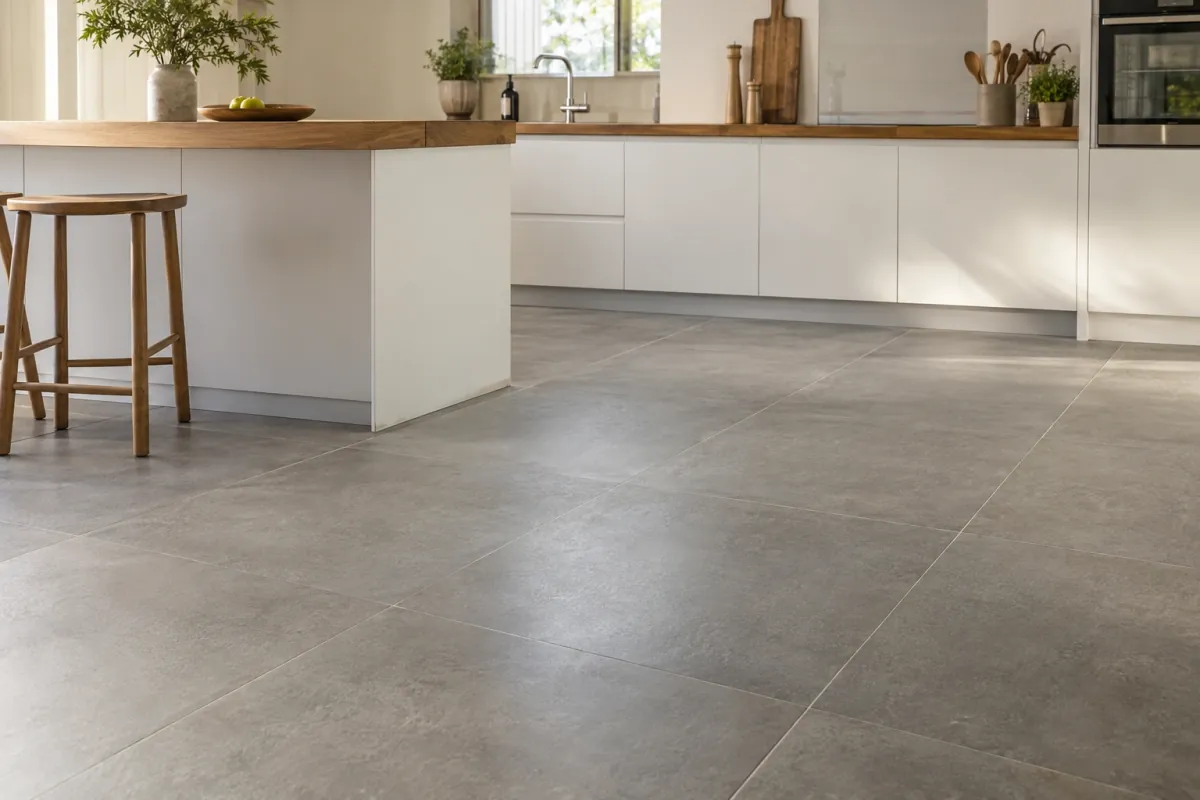
Kitchens and bathrooms often move from sheet vinyl to tile. Swap the floor for large gray tiles or a stone look and check how the new surface meets your cabinets and counters. The cabinets stay as photographed, so the comparison is about the floor alone.

Carpet in the bedroom
Some rooms feel better with a soft floor. Replace laminate or old boards with wall-to-wall carpet to judge the calmer, warmer look in a bedroom or a nursery. Seeing the bed and the nightstands on the new carpet makes the decision more concrete than a sample square in a store.
Vinyl or laminate in the hallway
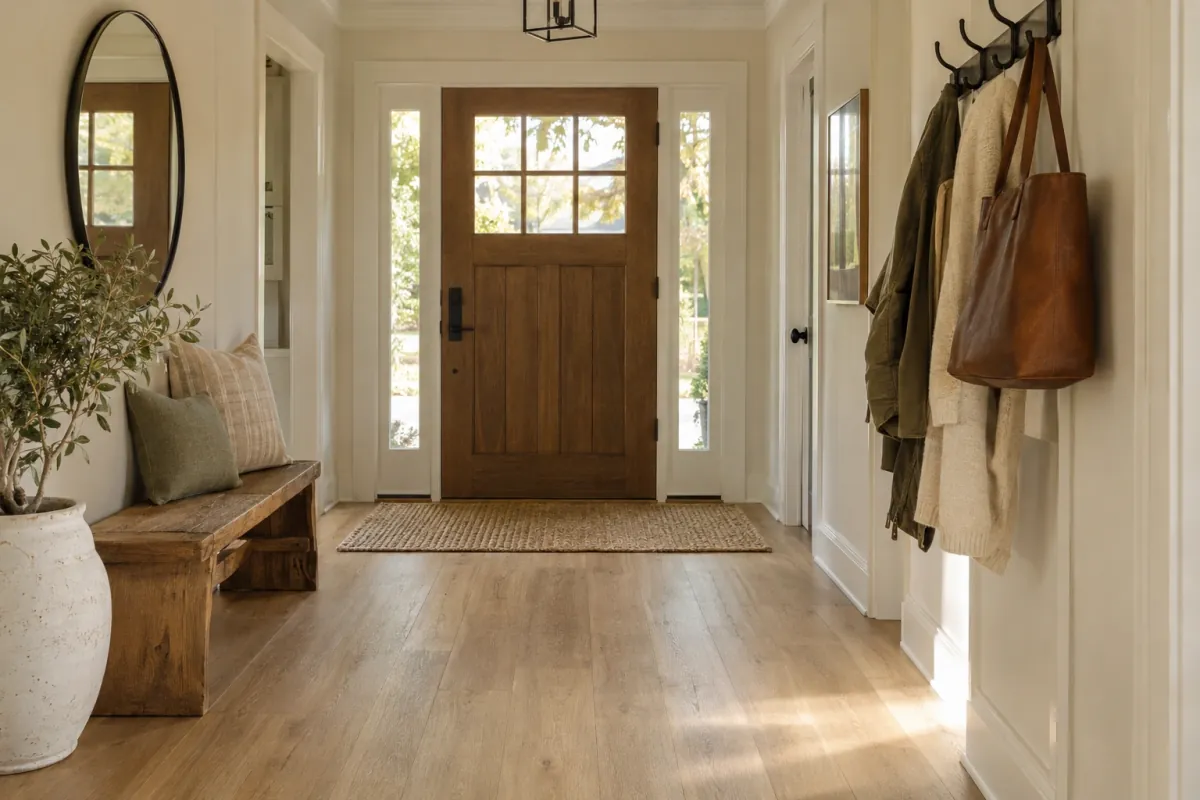
Hallways and entries need a hard-wearing floor. Try an oak-look vinyl plank or laminate on a photo of your entry and see how the planks run toward the front door. To preview one flooring through the hallway and the next room, repeat the swap on a second photo.
Tips for a realistic flooring preview
Show plenty of floor
The more floor the photo shows, the easier the new material is to judge. Roll up small rugs, move a laundry basket out of the frame and step back into the doorway so the floor fills the lower half of the picture.
Compare in the same light
Use one photo for every material you test. Daylight changes the color of wood and tile through the day, so a morning photo and an evening photo of the same room make an unfair comparison.
Order real samples of your favorites
Treat the picture as a shortlist. Once two materials stand out, order samples and lay them on the real floor next to the furniture. Screen colors differ from the product in your hand, and texture is best judged by touch.
Measure before you order
Measure the room before ordering any material and add the waste allowance your installer or the manufacturer recommends. The preview shows how a floor looks in your room; the quantities come from your tape measure.
Is the floor visualizer free?
The floor visualizer belongs to DecorAI's free plan: 3 designs every day, with a short ad before each and a small watermark, and without an account. For a whole flooring decision with many variants, DecorAI Pro lifts the daily limit and removes ads and watermark. Pro costs $9.99 a week, $17.99 a month, $39.99 a year or $219 once in the US.
Questions about the AI floor visualizer
What is an AI floor visualizer?
An AI floor visualizer shows a new floor in a picture of your own home. DecorAI's AI floor visualizer replaces only the flooring in a photo of your room, so you can compare materials such as hardwood, tile, carpet and vinyl while the furniture and walls stay the same. Each result usually takes under 10 seconds.
How can I see flooring in my room before I buy?
Take a photo of the room, upload it to DecorAI and choose a flooring material. The app returns your room with the new floor in place. Repeat the step with other materials, save the pictures and compare them. Then order physical samples of the one or two floors you like most.
Which flooring materials can I try?
DecorAI offers hardwood, tile, carpet, laminate, vinyl, concrete, stone and bamboo as flooring materials. You can try any of them on the same photo. This makes the tool useful for living rooms and bedrooms as well as kitchens, bathrooms, hallways and basements, where the practical choice of material differs.
What happens to my furniture in the photo?
The floor tool changes the floor and keeps the rest of the photo: sofa, table, shelves, walls and windows. To change the furniture as well, use DecorAI's interior redesign, and to change one single object, use inpainting. All three tools start from the same kind of photo.
Is there a free flooring visualizer app?
Yes. DecorAI is free to download for iPhone, iPad and Android and also runs in the browser. The free plan includes the floor visualizer with 3 designs a day, and you can start without creating an account. Results on the free plan carry a small watermark.
Can flooring installers use it with customers?
Yes. Flooring firms and contractors photograph the customer's room and show two or three materials on the spot, which shortens the choice between samples. Commercial use of the images is allowed on every DecorAI plan. The contractor's own measurements and quote stay the basis for the order.
See your next floor before you buy it
One photo of your room is enough to compare hardwood, tile, carpet and vinyl. Download DecorAI for iPhone or Android, or open the web app, and try three flooring options free today.
Try a new floor now: