AI Style Transfer: Give Your Room the Look of Any Image
DecorAI's AI style transfer applies the colors, materials and mood of a reference image to a photo of your own room and shows the result as a photorealistic redesign.
- Upload a photo of your room and one picture whose look you love.
- The reference sets colors, materials and mood; your room keeps its walls and windows.
- Works with hotel rooms, magazine photos, a friend's home or your own inspiration.
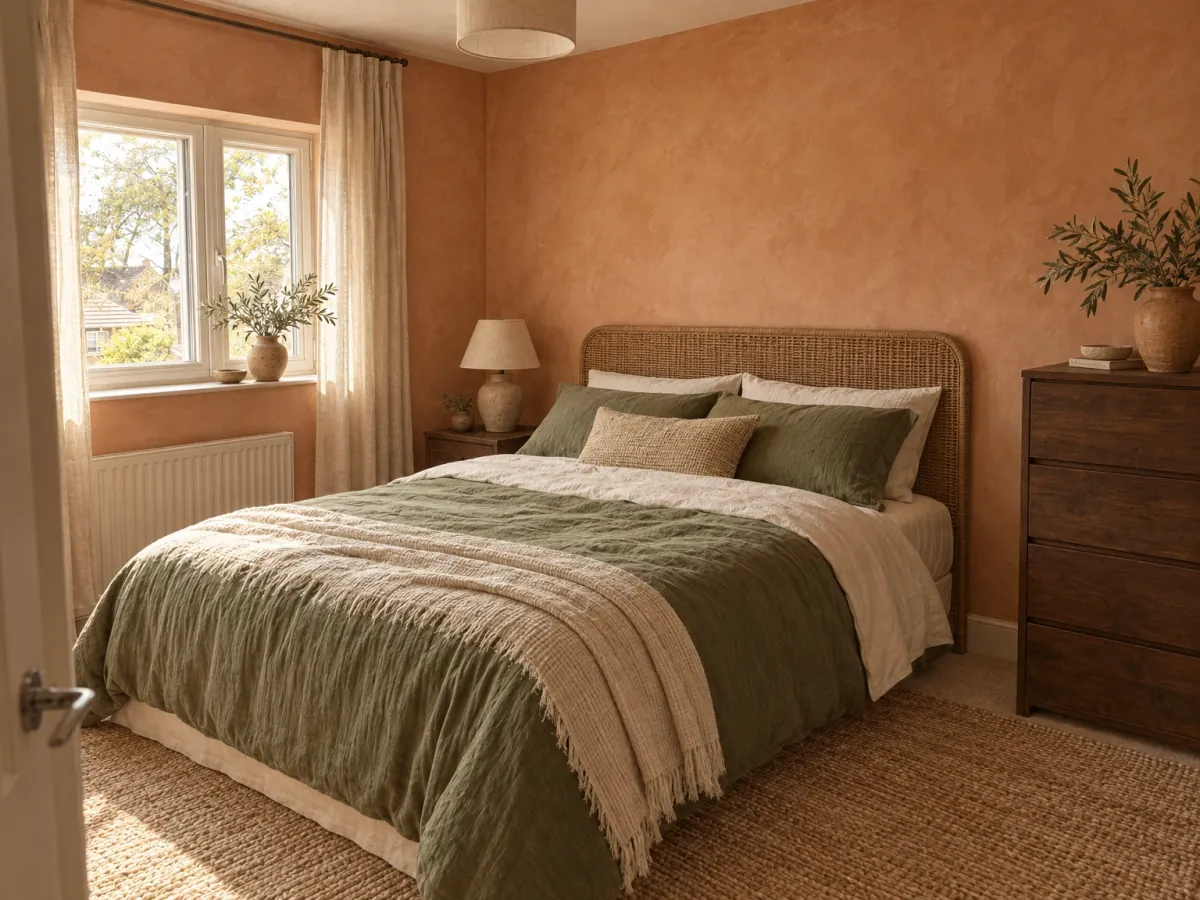
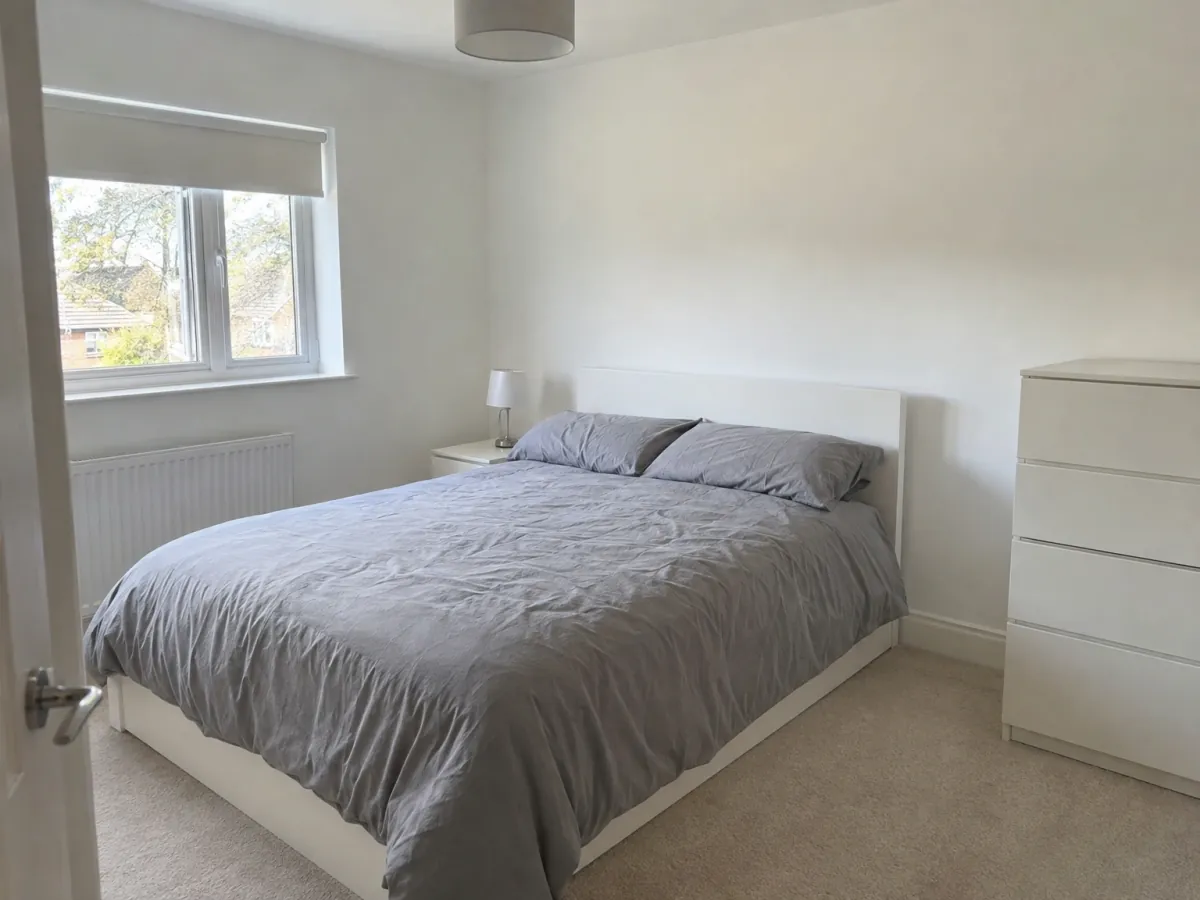
Illustrative AI example. Results vary.



Interior design style transfer at a glance
| What it does | Applies the colors, materials and mood of a reference image to a photo of your room |
|---|---|
| What you provide | Two pictures: a photo of your room and a reference image |
| What you get | A photorealistic redesign of your room in the look of the reference |
| Time | Usually under 10 seconds for a style transfer |
| Platforms | iPhone, iPad, Android and the DecorAI web app |
| Plan | Free plan on iPhone and Android (3 designs a day); DecorAI Pro in the web app |
How AI style transfer works in DecorAI
Add a photo of your room
Take a picture of the room you want to change or choose one from your library. Show the room from a corner so that two walls and the main furniture are visible.
Add a reference image
Pick the image whose look you want: a photo you took in a hotel, a saved picture from a magazine or a room from your inspiration folder. One clear image with a consistent palette works best.
Get your room in that look
DecorAI takes the colors, the materials and the mood of the reference and redesigns your room with them. Walls, windows and the camera angle of your photo stay, so the result is your room, in the style you chose.
What can you use a reference image for?
Style transfer answers a common request: “I want my room to feel like this picture.” The four cases below show where a reference image says more than a style name.
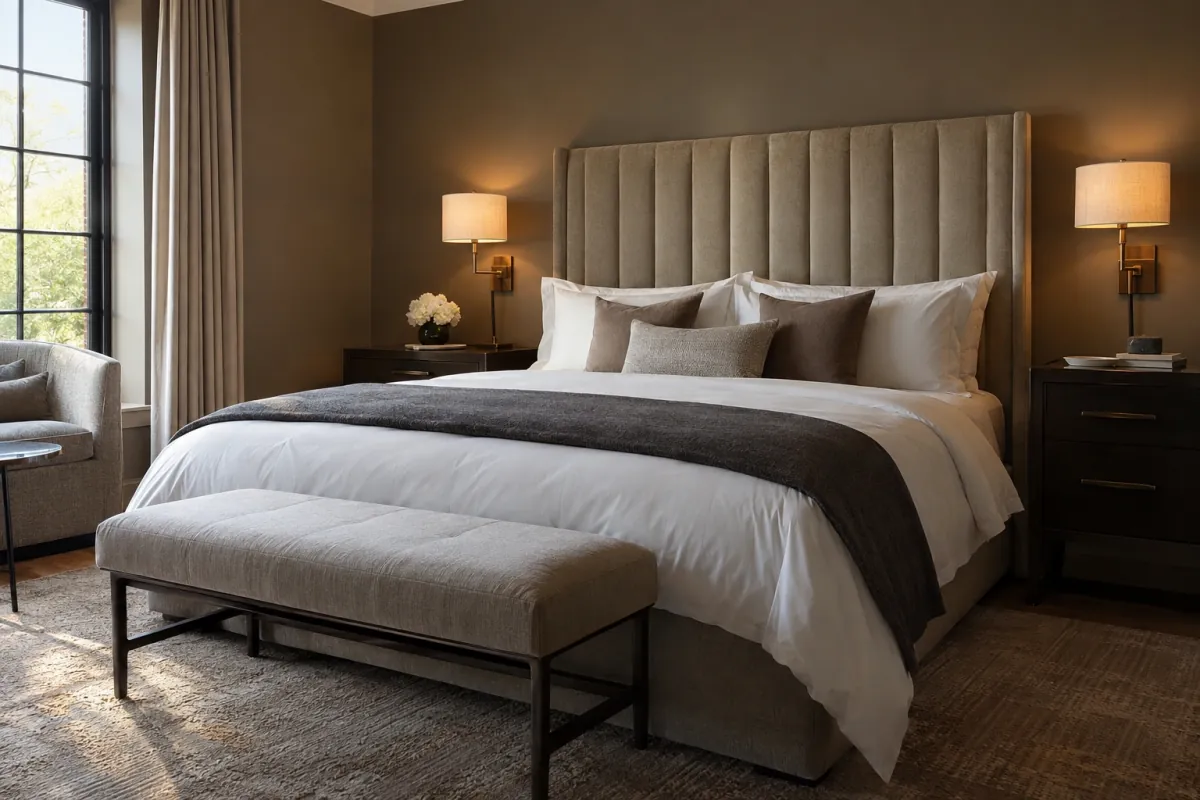
The hotel room you loved
A hotel bedroom often stays in mind for its calm palette, layered bedding and warm lamps. Photograph it during your stay and use the picture as a reference at home. DecorAI carries the tones and textures into your own bedroom, in your room's own size and with your own window.

A vacation look at home
Vacation homes by the sea share a look: sand tones, pale blue, bleached wood and woven textures. Use a photo of a rental you stayed in as the reference, and DecorAI brings that light, relaxed palette into your living room at home.
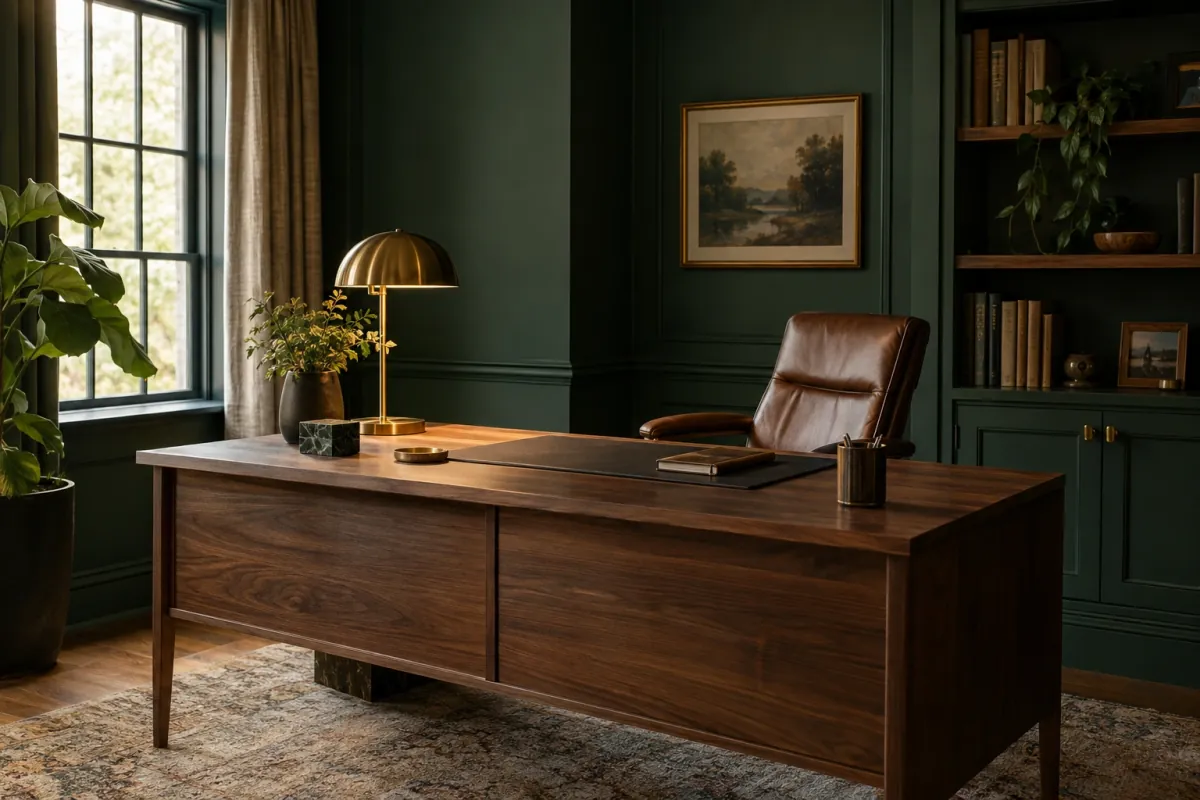
A dark, moody office
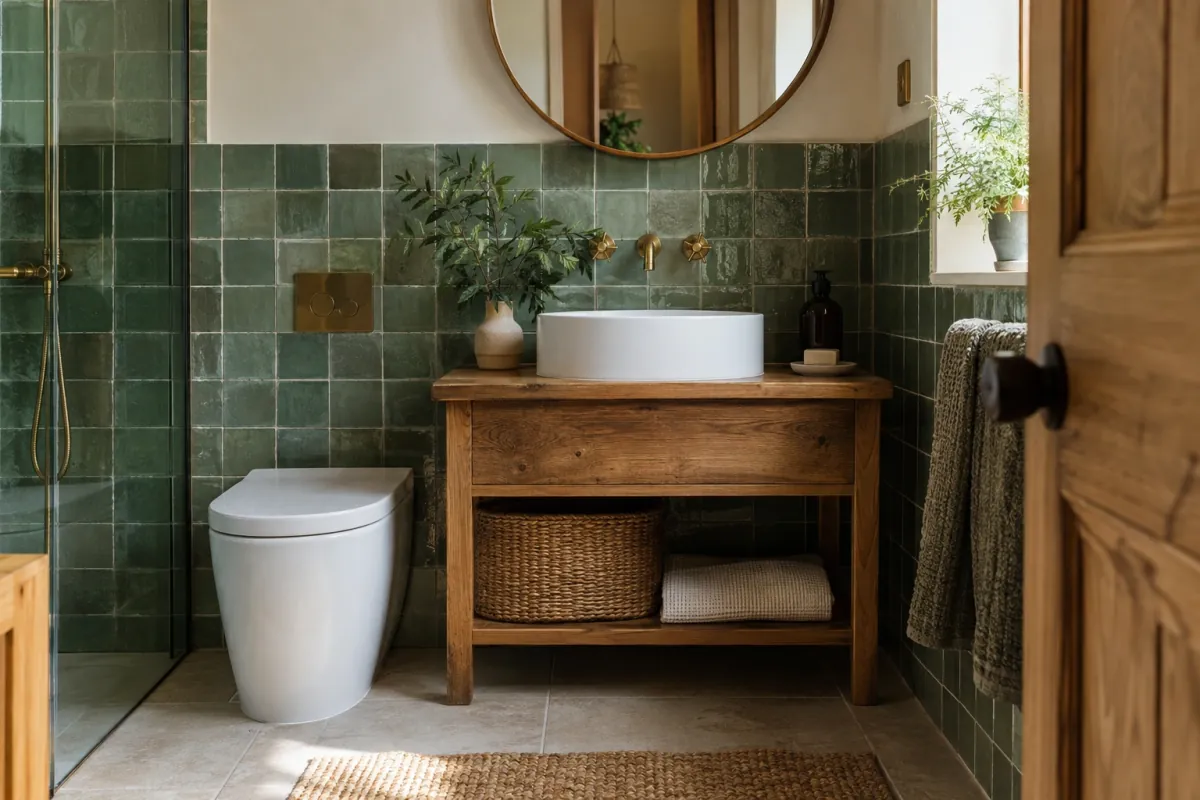
Dark schemes are hard to imagine in a white room. Take a reference with deep green walls, walnut and brass, and apply it to a photo of your home office. Seeing your own desk and window in the darker palette shows whether the mood suits the daylight you have.
Matching a room to the rest of the home
When one room is finished and the next should match, use a photo of the finished room as the reference. The tiles, wood tone and metal finish of a renovated bathroom, for example, can guide a second bathroom, so both rooms read as one home.
Tips for choosing a reference image
Pick a reference with a clear palette
Images with three or four dominant colors and visible materials transfer well. A picture that mixes many colors and patterns gives a less focused result. If you are unsure, crop the reference to the part you like most.
Match the room type when you can
A bedroom reference for a bedroom brings furniture and textiles that fit the room's use. A reference from a different room type still carries color and mood, and the furniture then follows your own room.
Compare two references
Run the same room photo with two different reference images and place the results next to each other. The comparison shows which palette suits your light and your floor, and often settles a discussion at home quickly.
Note what made the look
Look at the result and write down the three things that carry the style: perhaps a wall color, a wood tone and a textile. This short list is a practical shopping guide and keeps later purchases consistent.
Is AI style transfer free to use?
On iPhone and Android, style transfer comes with DecorAI's free plan, so you can test a reference image today: 3 designs a day, a short ad before each result and a small watermark, with no account. In the web app, style transfer is part of DecorAI Pro. Interior designers and anyone comparing many references use DecorAI Pro for unlimited designs and clean images, priced at $9.99 a week, $17.99 a month, $39.99 a year or $219 for lifetime access in the US.
Questions about AI style transfer
What is AI style transfer in interior design?
Style transfer means taking the look of one image and applying it to another. DecorAI's AI style transfer applies the colors, materials and mood of a reference image to a photo of your own room and shows the result as a photorealistic redesign. Your room's walls, windows and camera angle stay the same.
Can I redesign my room based on a picture I like?
Yes. Upload a photo of your room and the picture you like as a reference in DecorAI. The app redesigns your room with the palette, the materials and the atmosphere of that picture. This works well when you have an example in mind and no name for the style.
How is style transfer different from choosing a style?
DecorAI offers more than 60 named styles that you select from a list. Style transfer uses your own reference image in place of a named style. Choose a named style to explore, and a reference image when you already know the exact look you want.
What kind of reference image works best?
A sharp, well-lit interior photo with a consistent palette works best. Hotel rooms, show homes, magazine pictures and photos of friends' homes are typical references. Use images you have the right to use, and treat the result as a guide to colors and materials for your own project.
Is the AI style transfer tool free?
Yes, on iPhone and Android: the tool is included in DecorAI's free plan with 3 designs a day, and you can start without an account. In the web app, style transfer is a DecorAI Pro tool. DecorAI Pro removes the daily limit, the ads and the watermark, and one Pro account works on iPhone, iPad, Android and the web.
Can interior designers use style transfer with clients?
Yes. Designers use a client's inspiration picture as the reference and the client's room as the photo, and show the direction in the first meeting. Commercial use of the images is allowed on every plan. Material selection, sourcing and the final specification remain the designer's professional work.
Give your room the look you saved
Choose a photo of your room and one reference image, and DecorAI shows your room in that look. Try it free on iPhone and Android with 3 designs every day, or with DecorAI Pro in the web app.
Try style transfer free: