AI Exterior Design: Redesign Your House from a Photo
DecorAI's AI exterior design tool redesigns the outside of a house from one photo, with new siding, roofing, windows, doors, exterior lighting and landscaping on the same building.
- Photograph your house from the street and choose a style for the facade.
- Siding, roof, windows, front door, lights and planting change; the building keeps its shape.
- Useful before painting, re-siding, a new roof or a front yard project.
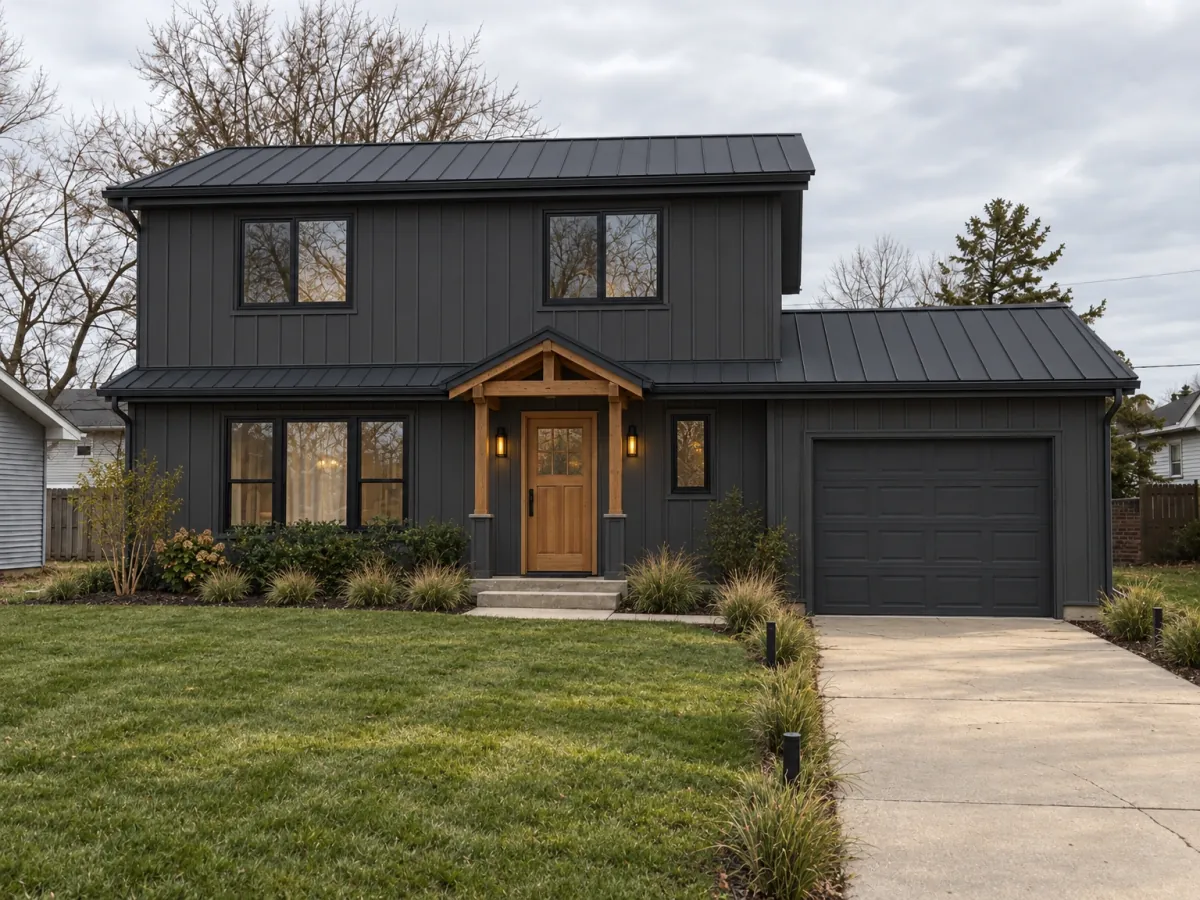
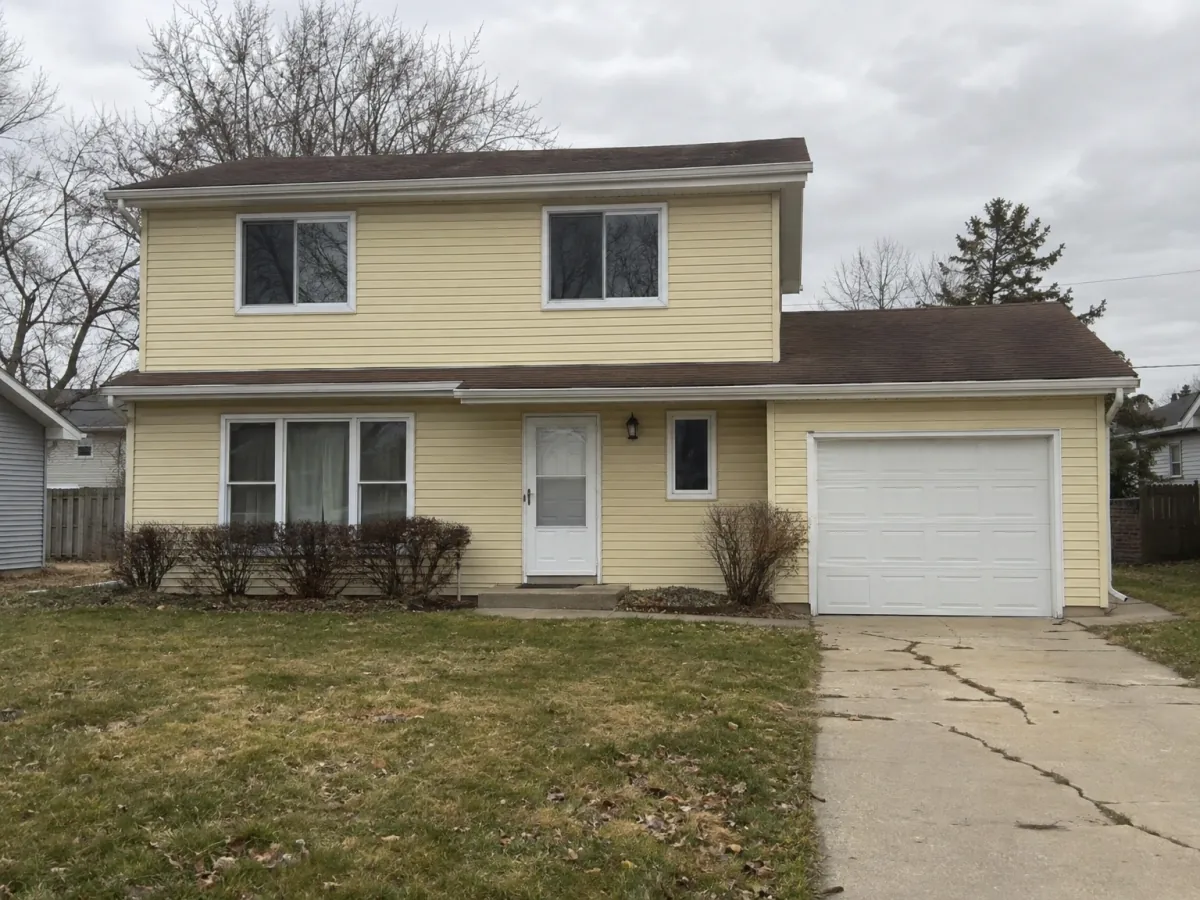
Illustrative AI example. Results vary.



AI exterior home design in DecorAI at a glance
| What it does | Redesigns the facade of a house in a photo: siding, roofing, windows, doors, lighting and landscaping |
|---|---|
| What you provide | One photo of the house front, taken from the street or the yard |
| What you get | A photorealistic picture of the same house with a new exterior |
| Time | Usually under 10 seconds per exterior design |
| Platforms | iPhone, iPad, Android phones and tablets, and the web app |
| Plan | Free plan: 3 designs a day. DecorAI Pro: unlimited designs |
How to redesign a house exterior with AI
Take a photo of the house
Stand across the street or at the edge of the yard so the whole front fits in the frame, from the ground to the roof ridge. An overcast day gives even light without hard shadows on the facade.
Choose the exterior tool and a style
Upload the photo in DecorAI, select the exterior tool and pick one of the design styles. You can also set a budget level of low, mid or high for the redesign.
Review the new facade
DecorAI returns the same house with new siding, roof, windows, door, lighting and planting. Generate further versions in other styles, save the ones you like and show them to your family, your painter or your contractor.
What can AI exterior design show you?
Exterior projects are expensive and slow to reverse, so a picture of the result helps before the first order is placed. These are four common reasons people redesign a house front in DecorAI.
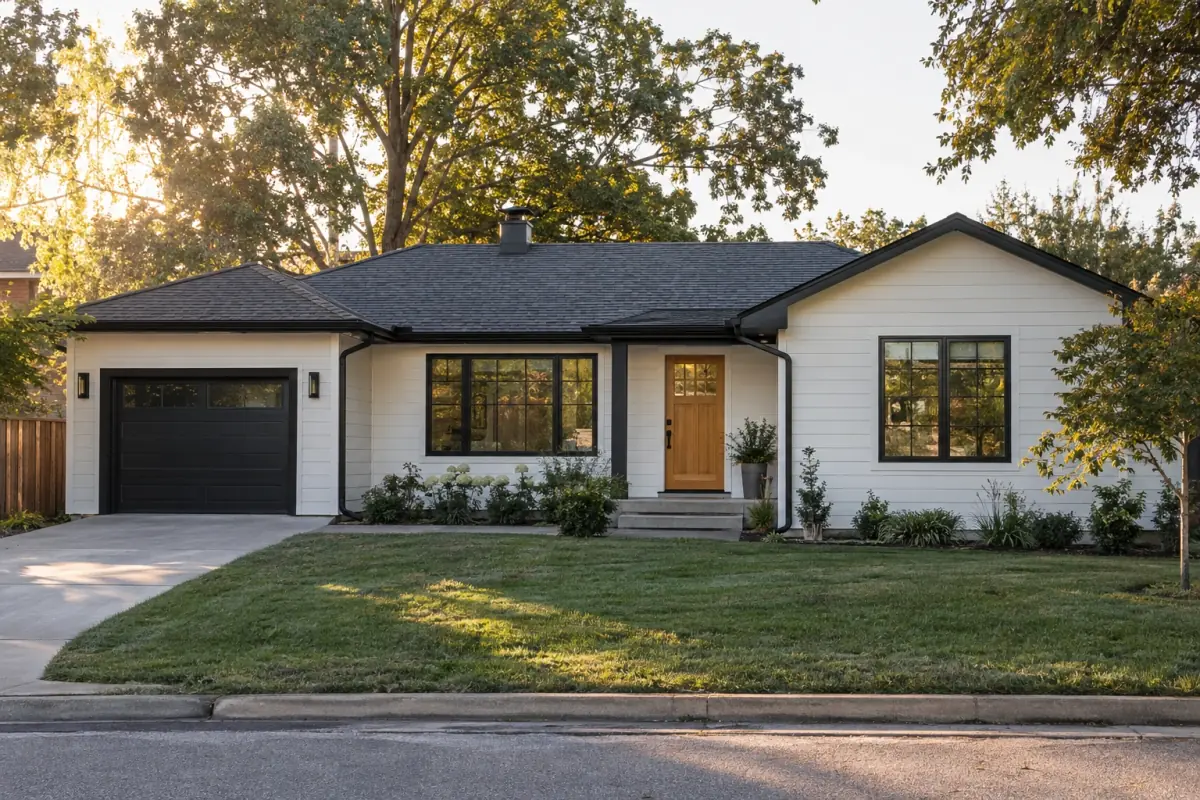
New siding and paint colors
See your house in white, charcoal, sage or a natural wood tone before you commit to siding or paint. The tool works as a siding visualizer on your own facade: trim, door and roof appear together with the new color, which a small color chip in a store leaves to the imagination.
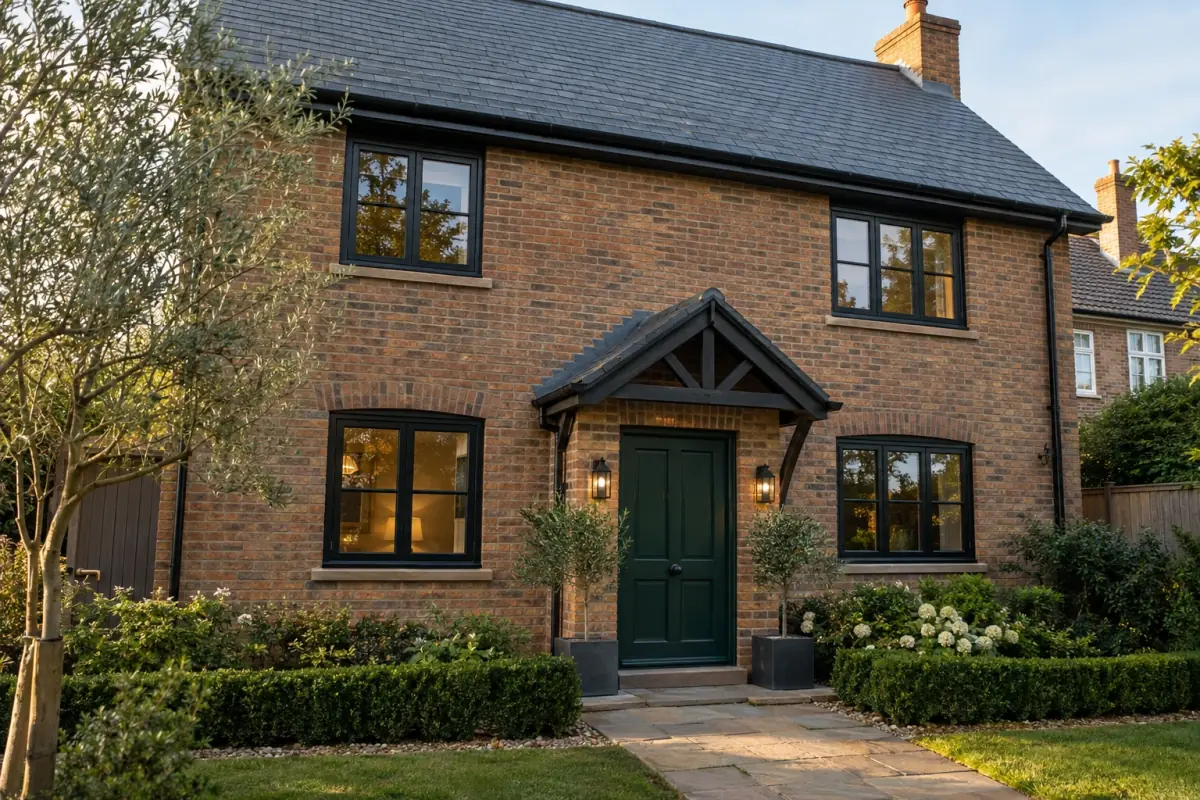
Roof, windows and front door
A new roof color or darker window frames change the character of a house. Preview a dark roof on brick, black frames in place of white ones or a front door in a strong color, and check how the three elements work together from the street.
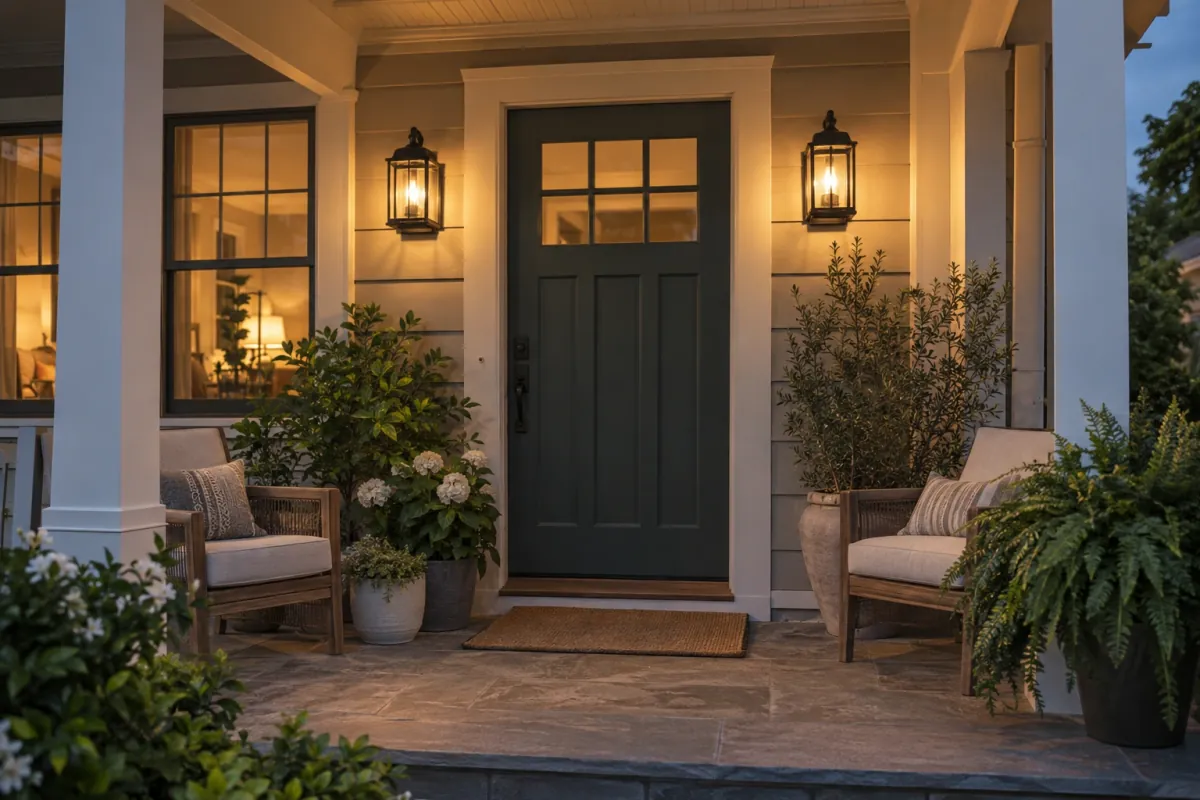
Porch and exterior lighting
Lighting shapes how a house looks after sunset. A redesign can show wall lanterns beside the door, lights along the path and a warmer porch. Use the picture to decide where fixtures should go before the electrician arrives.
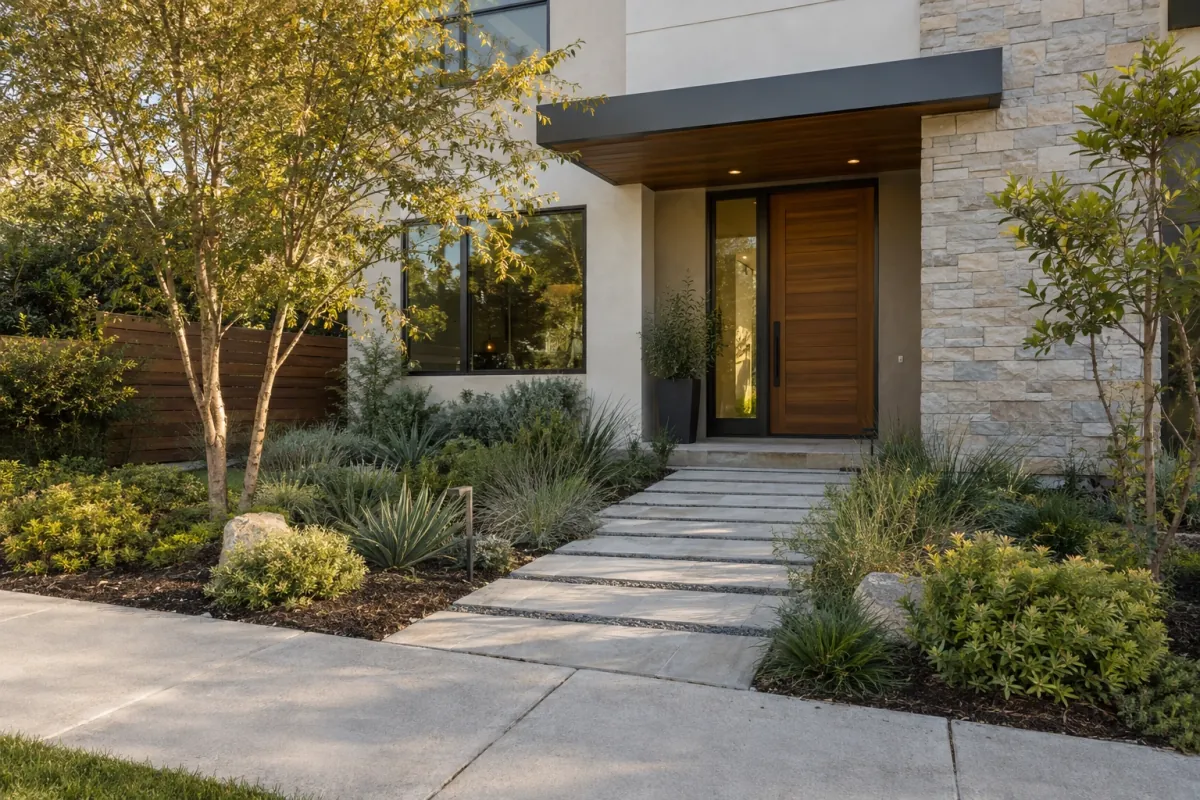
Front yard and curb appeal
Paths, planting beds and a small tree frame the facade. See the front of your house with a new walkway and low planting to judge curb appeal before a sale or after a renovation. For the backyard, patio or balcony, DecorAI has a separate garden redesign tool.
Tips for a good exterior photo and result
Shoot straight on
Stand centered in front of the house and hold the phone level. A straight view keeps the walls vertical and shows the windows, the door and the roof line clearly, which helps the redesign stay true to your building.
Keep cars and bins out of the frame
Move the car off the driveway and roll the trash bins aside before you take the picture. A clear view of the facade and the front yard gives the redesign more of the house to work with.
Try several styles on one photo
Generate three or four versions from the same picture and compare them. Looking at a light, a dark and a natural wood option side by side shows quickly which direction suits the street and the neighboring houses.
Check local rules before you build
Some neighborhoods, historic districts and homeowner associations set rules for exterior colors and materials. Take your favorite picture to the contractor and confirm permits, materials and exact colors with real samples before work begins.
Is AI exterior design free in DecorAI?
Exterior redesign is one of the tools in the free plan of DecorAI. You get 3 designs each day at no cost and can start without an account; a short ad runs before each design and saved images carry a small watermark. DecorAI Pro gives unlimited exterior designs without ads or watermark: $9.99 weekly, $17.99 monthly, $39.99 yearly or $219 as a one-time purchase, in US prices.
Questions about AI exterior design
What is AI exterior design?
AI exterior design uses a photo of a building to show a new look for it. DecorAI's AI exterior design tool redesigns the outside of a house from one photo, with new siding, roofing, windows, doors, exterior lighting and landscaping on the same building. A design usually takes under 10 seconds.
Can AI redesign the exterior of my house from a photo?
Yes. Take a photo of your house from the street, upload it to DecorAI and choose the exterior tool. The app keeps the shape of the building and the position of windows and doors and shows new finishes, colors, lighting and planting on it.
Is there a free AI exterior home design app?
Yes. DecorAI is free to download on iPhone, iPad and Android and free to open in a web browser. The free plan includes exterior design with 3 designs a day and requires no sign-up. DecorAI Pro is optional and removes the daily limit, the ads and the watermark.
Can I use it as a siding or house color visualizer?
Yes. Redesign the facade and compare versions with different siding colors and materials on your own house. Because the roof, trim and door appear in the same picture, you see the whole color scheme at once. Confirm the final shade with a physical sample on the wall in daylight.
Does DecorAI also redesign gardens and backyards?
Yes. DecorAI includes a garden redesign tool for backyards, patios, balconies and rooftops, with new plants, paths, seating and lighting. The exterior tool covers the house itself and the front yard in the same photo. Both start from a single picture taken with your phone.
Can contractors and painters use the exterior designs?
Yes. Commercial use is allowed on every plan. Painters, roofers and siding contractors show a homeowner two or three options on a photo of the actual house, which makes the choice of color and material faster. Site measurements, product choices and the written estimate remain the contractor's work.
See your house in a new look today
A single photo from the street shows how new siding, a new roof or a new front door would look on your home. DecorAI runs on iPhone, Android and the web and includes 3 free designs a day.
Redesign your exterior free: