How to plan a backyard makeover with AI
To plan a backyard makeover, photograph the yard from the back door, decide what it has to do for you, and try designs on the photo with DecorAI's garden designer: choose Backyard, a garden style and features such as seating areas, pathways or outdoor lighting. DecorAI redesigns the same yard within its real boundaries. Then split the favorite design into phases you can build one season at a time.
- Time: about 30 minutes for the photo, a wish list and three designs.
- You need: a daylight photo of the yard and the DecorAI app or web app.
- Result: your own backyard redesigned, plus a phased plan to build it.
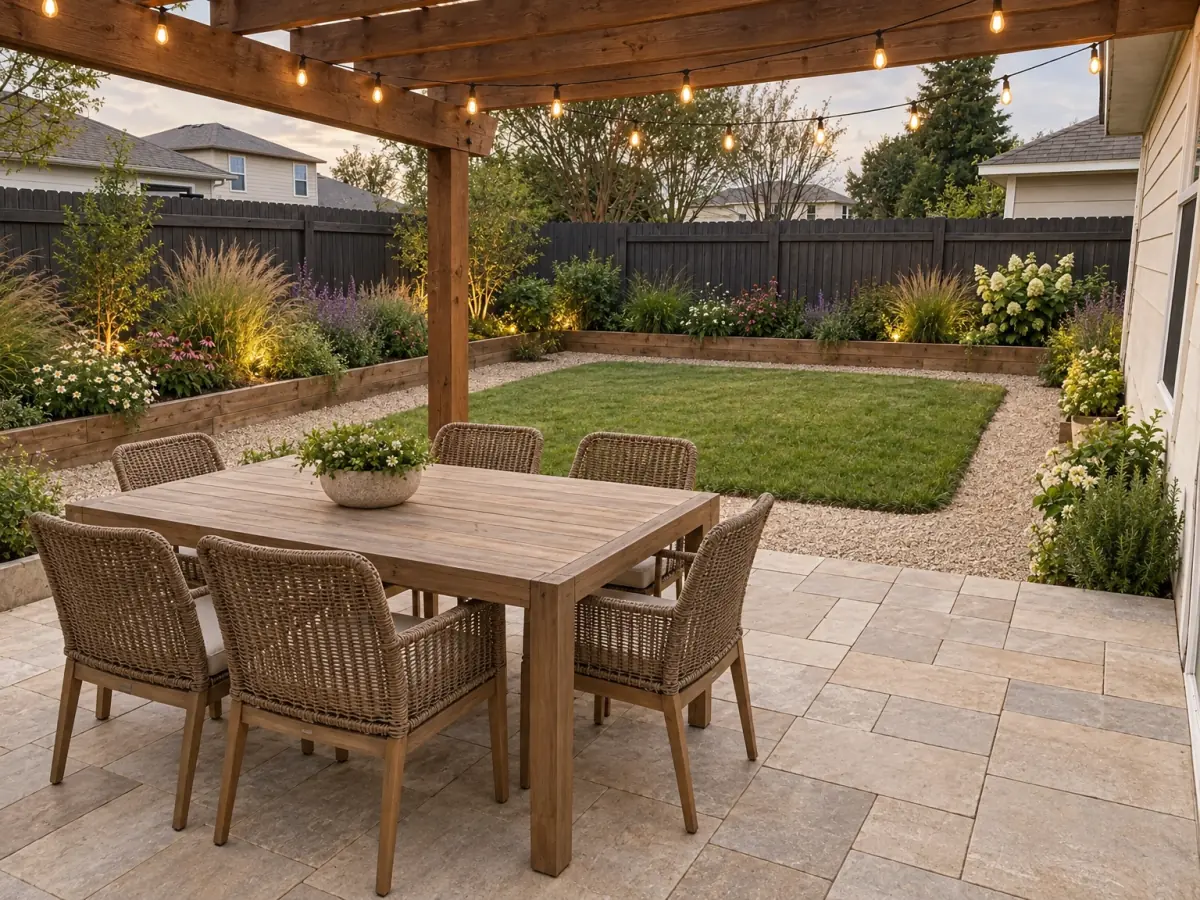
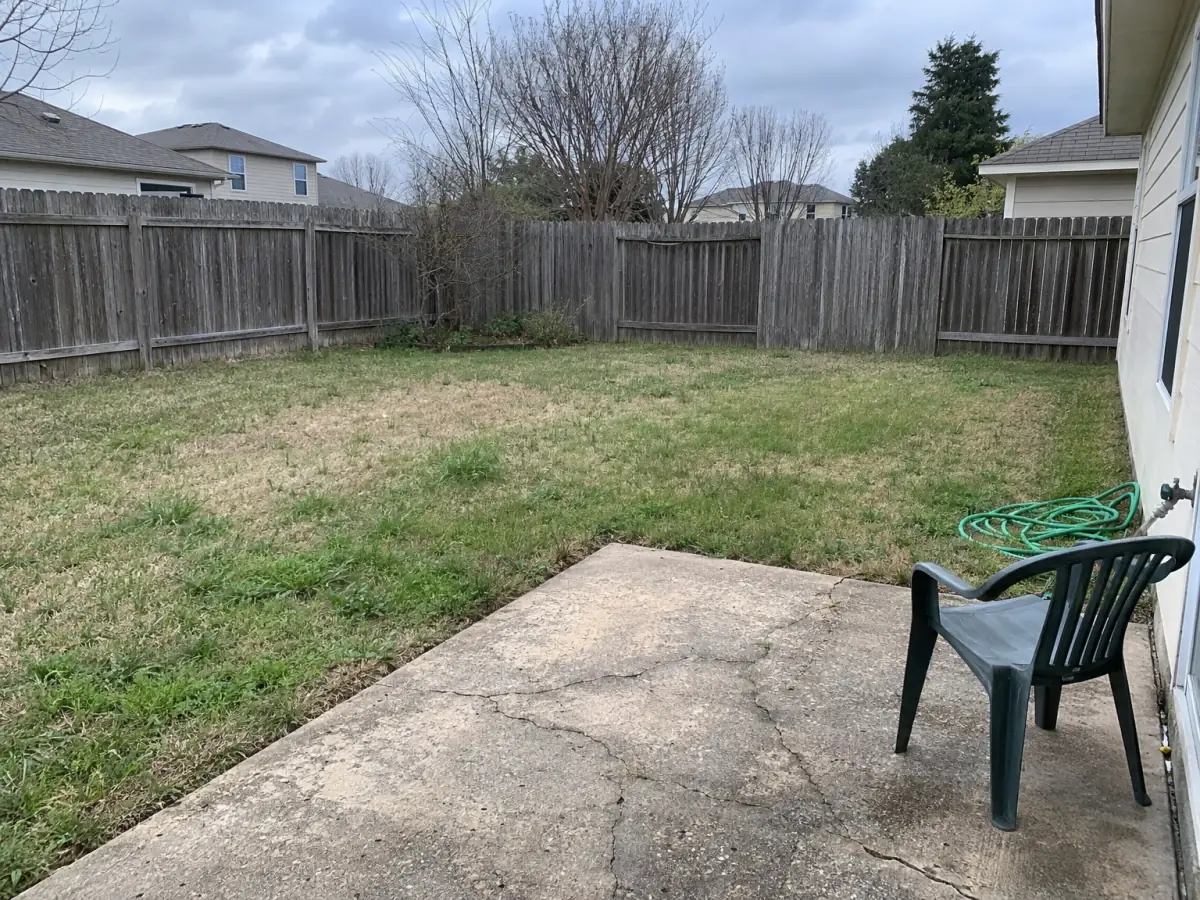
Illustrative AI example. Results vary.



What you need
- A photo of the yard in daylight, taken from the back door or a raised spot.
- The DecorAI app on iPhone, iPad or Android, or the web app.
- A short list of what the yard should offer: dining, play, growing food or quiet.
- A rough budget, so you can decide what to build first.
How to plan your backyard makeover, step by step
Step 1: Photograph the yard from the house
Stand at the back door, or upstairs at a window, and photograph the yard so the fence line, the patio and the lawn are all in view. Shoot in daylight, with the hose, toys and bins moved aside. This is the view you see most, so it is the one worth designing.
Step 2: Write down what the yard must do
Before you open the app, list the three things the yard should offer, such as dinner outside for six, a play lawn and a vegetable bed. Note what already works and must stay, like a mature tree. The list keeps the design practical when the pictures start to look tempting.
Step 3: Open the garden designer and choose Backyard
In DecorAI, choose the garden designer and upload your photo. Select Backyard as the garden type, then a garden style such as Modern, Cottage, Mediterranean, Japanese Zen or Minimalist. The style sets the planting, the materials and the mood, while the yard keeps its shape and fences.
Step 4: Add the features from your list
Pick the garden features that match your list: Seating Areas, Pergola/Gazebo, Outdoor Lighting, Pathways, Add Plants, Fire Pit, Water Features or Outdoor Kitchen. Use the custom instructions for specifics, such as a dining table for six near the house. Generate, then try a second style with the same features.
Step 5: Picture a first phase
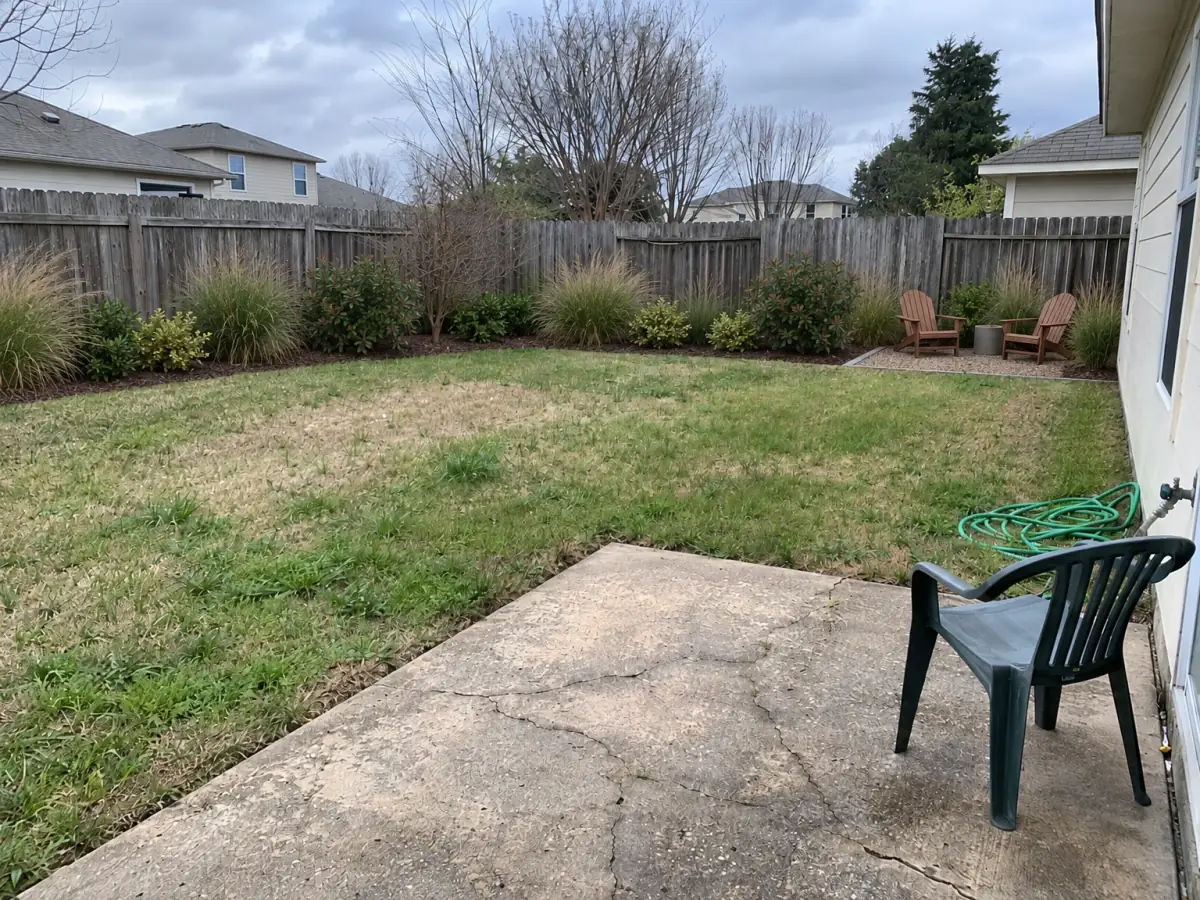
Most backyard makeovers are built over more than one season. Generate a modest version too: only new planting beds along the fence and a small gravel seating corner, for example. Seeing the first phase on its own shows whether it already improves the yard while the patio waits.
Step 6: Turn the favorite into a plan
Save the full design and the first phase, then list every element they contain: paving, planting, pergola, lighting, furniture. Group them into phases by cost and by order of work, since paving and cables go in before planting. Share the pictures and the list with a landscaper for a quote.
Step 7: Check the yard on site
Watch where the sun falls in the morning and the afternoon, where water collects after rain and where the ground slopes. These facts decide where the patio and the beds belong. Measure the areas before you buy materials, and ask about permits for larger structures such as a pergola.
Tips for a backyard makeover plan
Put the patio where the sun is
Place the main seating area where you get evening sun or shade at lunchtime, depending on how you use it. Then ask DecorAI for the patio in that spot.
Plan the lighting with the paving
Outdoor lighting needs cables or solar spots placed early. Include Outdoor Lighting in your design so the evening atmosphere is part of the plan from the start.
Use planting to hide the fence
Beds with grasses and shrubs along a tired fence soften the edges of a small yard and make it look larger. Planting is also one of the cheapest first steps.
Try one photo per area
Large yards look better planned in parts. Photograph the patio side and the far end separately and design each one, using the same garden style for both.
Habits that keep a makeover on track
Design for how you live outside
Start from the wish list, not from the prettiest picture. A design that seats your family and suits your weekends gets used every day of summer.
Build in phases
Split the design into steps you can afford and finish. A completed first phase is more enjoyable than a whole yard dug up for months.
Choose plants for your climate
The picture shows a look; local conditions decide what grows. Ask a garden center or landscaper for plants that suit your soil, sun and winter.
The DecorAI page for this guide
The AI landscape design page shows how DecorAI's garden designer redesigns backyards, front yards, patios and balconies from one photo, with examples and the garden styles it offers.
Questions about planning a backyard makeover
Can AI design my backyard from a photo?
Yes. DecorAI's garden designer redesigns a backyard from a single photo. You choose Backyard as the garden type, a style and features such as seating areas or a pergola, and the app returns the same yard with a new layout, planting and lighting, usually in less than a minute.
Where do I start with a backyard makeover?
Start with a list of what the yard must do for you, then photograph it and try two or three designs in DecorAI. Choose the design that fits the list, and split it into phases. Paving, drainage and cables come first, planting and furniture follow.
What can I add to my backyard design in DecorAI?
DecorAI's garden features include seating areas, a pergola or gazebo, outdoor lighting, pathways, new planting, water features, a fountain, a swimming pool, a fire pit and an outdoor kitchen. Custom instructions add specifics such as a vegetable bed or a dining table for six.
How can I make a small backyard look bigger?
Use one paving material throughout, plant along the fence to blur the boundaries, and keep a clear view to the far end. A few large planters work better than many small ones. Trying these ideas on a photo of your yard in DecorAI shows which ones make the biggest difference.
Can I show the AI design to a landscaper?
Yes. Save the designs from DecorAI and share them with your landscaper together with your wish list and measurements. The picture explains the look you want in seconds. The landscaper's site visit then settles levels, drainage, plants and the final quote.
Design your backyard before you dig
Take one photo of your yard, try three designs and pick a first phase you can build this season. DecorAI runs on iPhone, Android and in the web app.
Redesign your backyard: