AI Exterior Design and Garden Design: Redesign Your House From a Photo
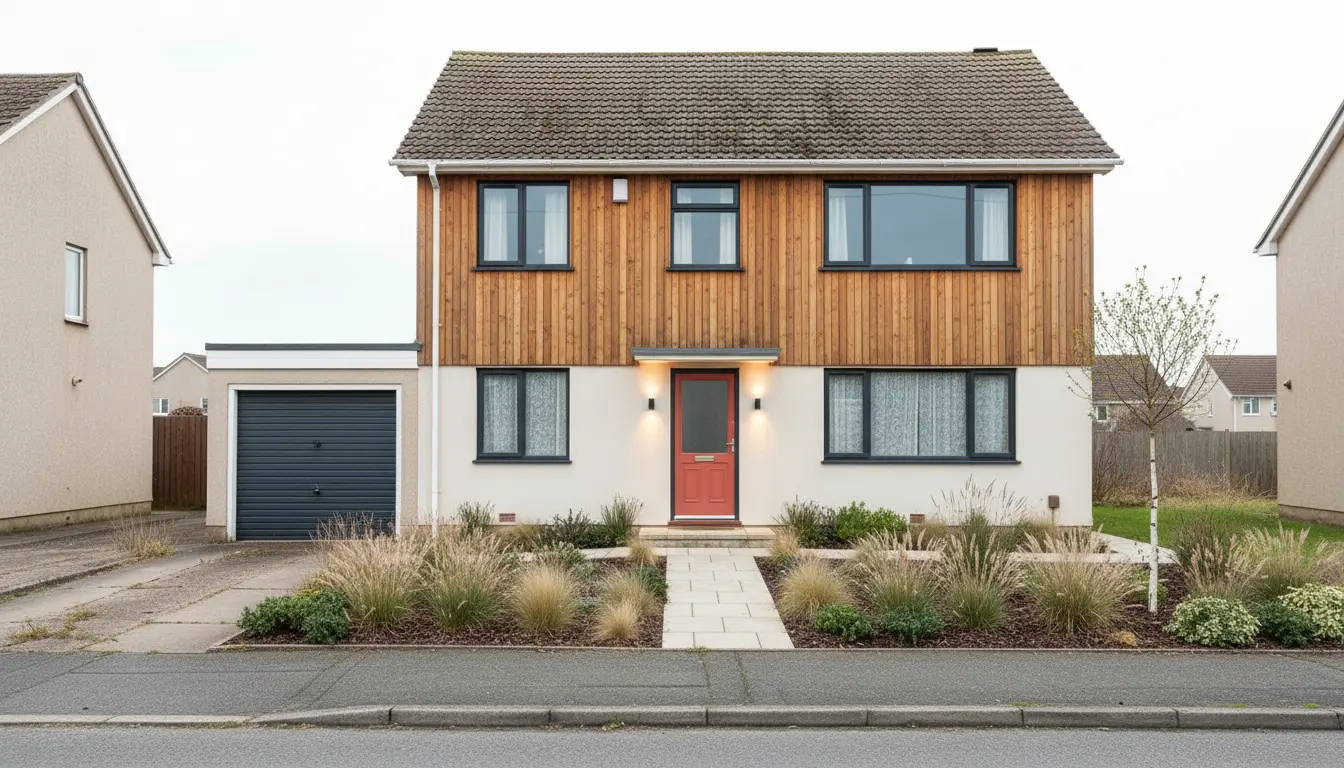



AI exterior design and AI garden design let you upload a photo of your own house or yard and see it redesigned in seconds, with a new facade, different materials, fresh planting or a new patio. In DecorAI you photograph the building or the outdoor space, choose a style and the elements you want to change, and receive a photorealistic picture of the same property with the new look. It is the quickest way to answer the question every homeowner has before an outdoor project: what would that actually look like on my house?
Outdoor projects are expensive to get wrong. Siding, roofing, paving and mature plants cost real money, and once they are in place you live with them for years. This guide shows how to use the Exterior Design and Garden Design tools in DecorAI to compare ideas first: what each tool changes, how to take a usable photo, which decisions to test, and how to move from a picture to a plan that a contractor or garden centre can work with.
What is AI exterior design?
AI exterior design is the use of artificial intelligence to restyle the outside of a building in a photograph. The software recognizes the house in your picture, including its shape, roofline, windows and doors, and generates a new version with the changes you ask for. The building stays the same building. What changes is the surface: cladding, colour, roof material, window frames, front door, lighting and the planting around it.
DecorAI’s Exterior Design tool works with ten building types and ten architectural styles. Within a design you can steer individual elements instead of accepting a complete makeover. The controls cover the parts of a house that most often get replaced:
- Siding and facade: render, timber cladding, brick, stone or a combination.
- Roofing: material and colour of the roof covering.
- Windows and doors: frame colour, style of the front door, garage doors.
- Porch, shutters and trim: the details that give a facade its character.
- Exterior lighting: wall lights, path lights and how the house looks at dusk.
- Landscaping: planting and paths directly around the building.
Because the structure is preserved, the result is useful in a way that a random inspiration picture is not. You are not looking at a beautiful house somewhere else. You are looking at your own house, from your own street, with dark window frames instead of white ones.
What is AI garden design?
AI garden design, often called AI landscape design, does the same for outdoor spaces. You photograph a lawn, a patio or a balcony, and the AI redesigns it with beds, paths, seating areas, planting and lighting while keeping the boundaries of the real plot: the fence, the house wall, the neighbouring trees. The aim is a believable picture of your own space in a different form.
The Garden Design tool in DecorAI is not limited to large gardens. It covers ten kinds of outdoor space, which matters because most people who want ideas do not own a park:
- Backyard and front yard
- Patio and terrace
- Balcony garden and rooftop garden
- Courtyard and side yard
- Vegetable garden and flower garden
A narrow side yard that only holds bins, a paved courtyard with no plants, a balcony with two chairs: these are the spaces where a visual idea helps most, because they are small, awkward and easy to give up on. Seeing three different versions of a four-metre balcony costs you a minute and often changes what you think is possible.
How to redesign your house exterior with DecorAI
The process takes a few minutes and works in the DecorAI app on iPhone, iPad and Android as well as in the web app. You do not need an account to start, and the free plan includes three designs every day.
- 1. Photograph the house. Stand across the street or at the edge of the plot so the whole facade and some of the surroundings fit in the frame.
- 2. Open DecorAI and choose Exterior Design. Upload the photo or take it directly in the app.
- 3. Select the building type and an architectural style. Pick the type that matches your house, then a style such as Modern, Farmhouse or Mediterranean.
- 4. Set the elements you care about. Decide on siding, roofing, windows, doors or lighting, or leave them open and let the AI propose a complete look.
- 5. Generate and compare. The result usually appears in under ten seconds. Use the before and after view to check that the house itself is unchanged.
- 6. Change one thing at a time. Run a second version with a different siding or door colour so you can see exactly what each decision does.
- 7. Save your favourites. Keep the two or three versions worth discussing with your family or a contractor.
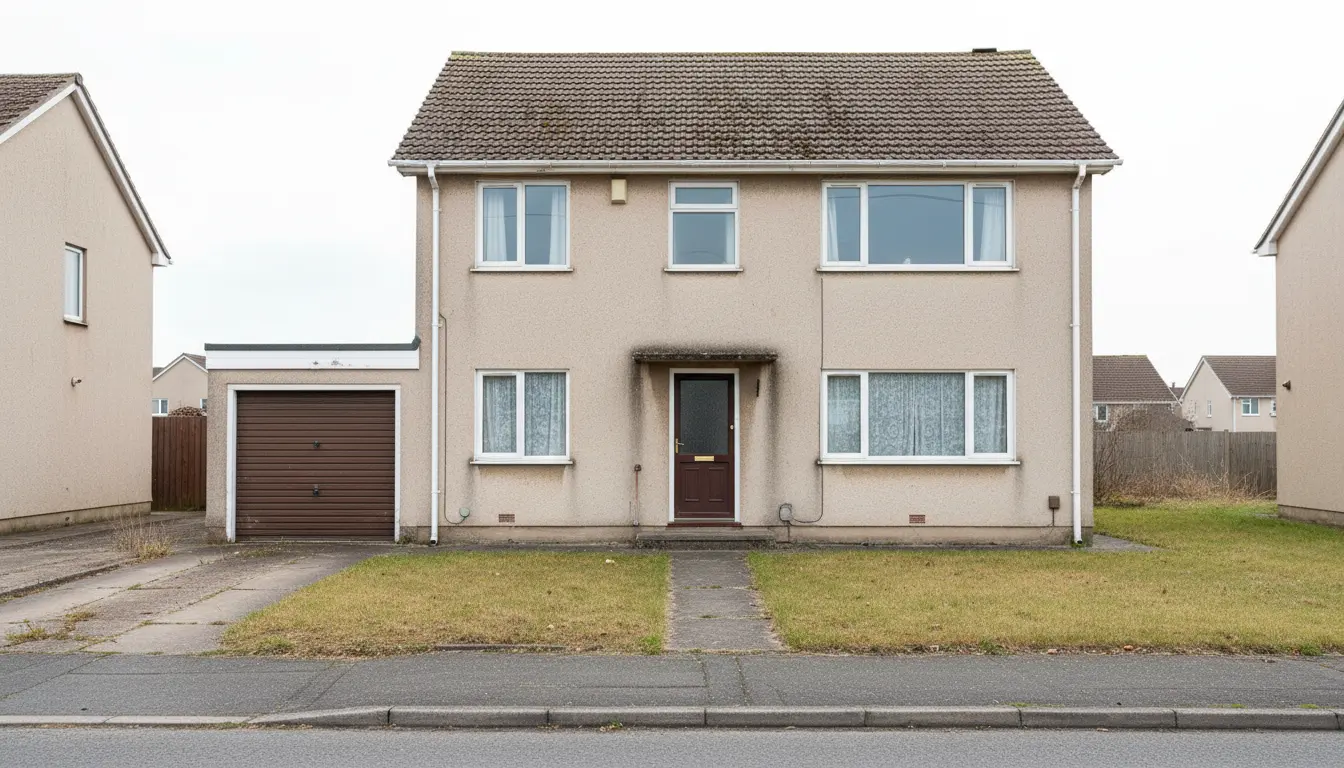
A straightforward front view like the one above is the ideal starting photo. The image at the top of this article shows the kind of result to expect: the same house shape with new cladding, a new front door, exterior lighting and a planted front yard.
How to redesign your garden, patio or balcony
Garden Design follows the same pattern. Photograph the space, choose the type of outdoor area and a style, and generate. For gardens it pays to think about use before looks. Decide what the space is for: eating outside, children playing, growing vegetables, or simply a green view from the kitchen window. Then test designs against that purpose.
A practical sequence is to generate one version that maximizes seating, one that maximizes planting, and one that balances both. Looking at them side by side usually makes the priority obvious within seconds. You can add a written instruction to steer the result, for example a gravel path instead of paving, a raised bed along the fence, or low-maintenance planting. If you have a clear look in mind, the Style Transfer tool can apply the palette and materials of a reference picture to your own yard.
For balconies and roof terraces, shoot from the door looking out, and include the floor and the railing. These spaces are small, so details matter: planters, a folding table, outdoor lighting, a privacy screen. Three free designs are often enough to settle on a direction for a balcony.
How to take the right outdoor photo
Outdoor photos are harder than interior photos because you cannot control the light. A few habits make a clear difference to the result.
- Choose soft light. A bright overcast day or the hour after sunrise gives even light. Harsh midday sun creates deep shadows that hide parts of the facade.
- Get the whole subject in. Include the roofline, both corners of the house and some ground in front. For gardens, include the boundaries.
- Stand straight on or at a slight angle. A view from the street at eye level looks natural and matches how visitors see the house.
- Keep the camera level. Tilting the phone upwards makes walls lean inwards. Step back instead.
- Move what you can. Park the car elsewhere, put the bins out of sight and coil the hose. Temporary clutter confuses the picture.
- Avoid the ultra-wide lens. It bends the building and distorts proportions.
Take the photo you would want a visitor to see. If your phone offers a 1x and a 0.5x lens, use 1x and walk further back. If a tree blocks half the house, try a slightly different position instead of accepting a partial view.
Exterior decisions worth testing before you spend money
The value of a preview is highest where a choice is expensive, permanent and hard to imagine. For a house exterior, these are the decisions people most often regret and can most easily test on a photo.
- Facade colour. A colour chip of a few centimetres says little about a whole wall. Compare a warm white, a soft grey and a darker tone on your actual house.
- Material mix. Render with timber cladding on the upper floor, or brick with a rendered extension, looks very different depending on proportions.
- Window frame colour. Dark frames on a light facade are a strong change. See it before you order.
- Front door. The cheapest high-impact change on most houses. Try three colours in three minutes.
- Roof. When the roof is due anyway, compare a darker and a lighter covering against the facade colour you plan to keep.
- Lighting. A dusk version with wall and path lights shows whether the entrance feels welcoming.
Kerb appeal, the first impression of a house from the street, is mostly the sum of these few decisions. If you are preparing a home for sale, a redesigned exterior image can also help buyers see the potential, as long as it is clearly presented as an idea and not as the current state. Our guide to AI virtual staging for real estate photos explains how to label such images.
Garden and yard ideas to try
Gardens offer more freedom than facades, which makes choosing harder. These are useful experiments to run on a photo of your own outdoor space, each one a single generation.
- Lawn versus planting. Replace half the lawn with mixed beds and see whether the garden feels smaller or richer.
- A defined seating area. Add a patio or deck near the house, then try it at the far end of the garden where the evening sun lands.
- Paths and structure. A curved path, a straight axis or stepping stones each change how large the garden feels.
- Front yard welcome. Swap bare gravel or lawn for layered planting along the path to the door.
- Privacy. Test a hedge, a pergola or tall grasses along the boundary you want to screen.
- Low-maintenance version. Ask for gravel, ground cover and shrubs if you want a garden that needs little work.
- Kitchen garden. Add raised beds in the sunniest corner and see how they sit with the rest of the yard.
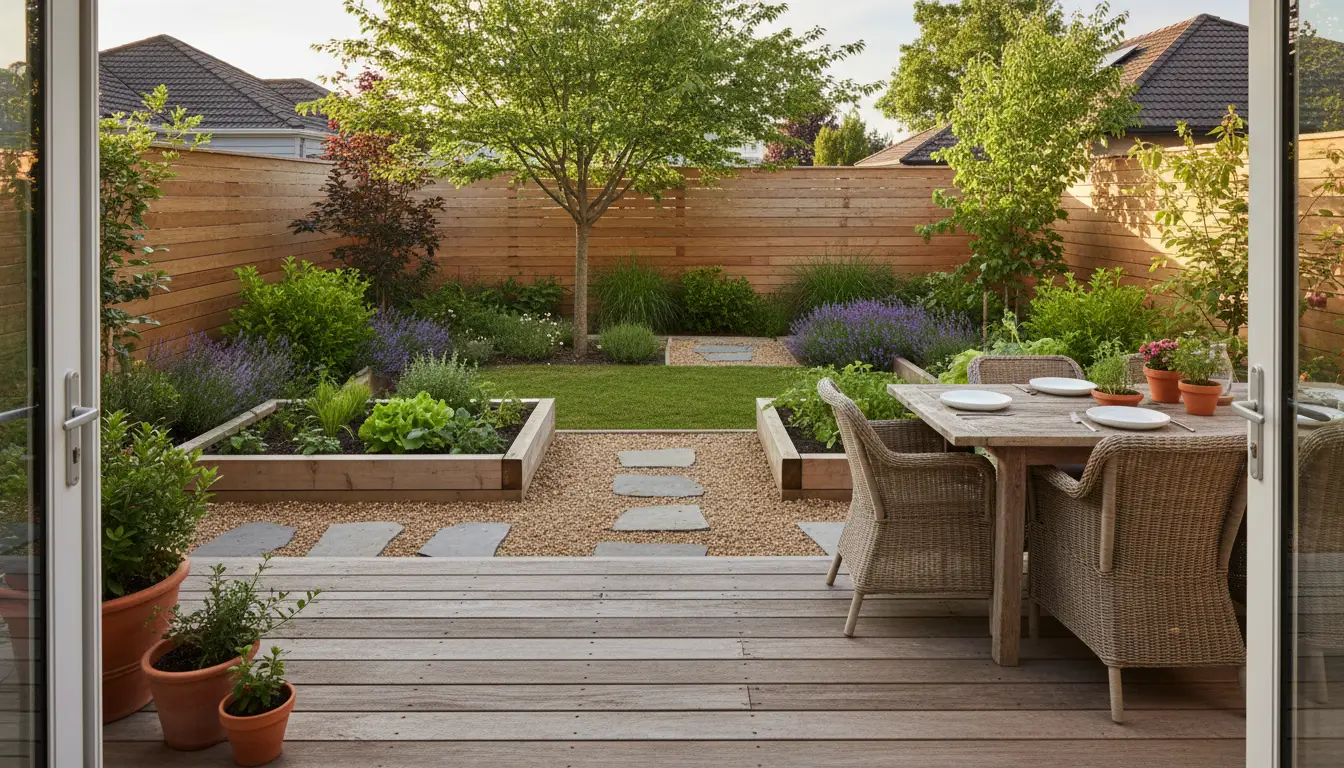
Use the budget setting in DecorAI if you want the design to match what you plan to spend. A low budget keeps the changes basic, a mid budget stays realistic, and a high budget produces a full makeover. This keeps the ideas close to something you can build.
From AI image to real project
A generated image is a starting point for a conversation, not a specification. Treat it as the answer to the question what you want, and then work out the how with the right information and the right people.
Start with the plants. An AI picture shows shapes, heights and colours, not botanical names, and it does not know your soil or climate. Take the image to a local nursery and ask which plants give that effect where you live. In the United States, the USDA Plant Hardiness Zone Map tells you which perennial plants are likely to survive winter at your location. For structure, proportion and planting principles, the garden design advice from the Royal Horticultural Society is a reliable free resource.
Then check the rules. Changes to a facade, a roof, a front boundary or a driveway can require permission, and conservation areas, homeowners’ associations and local building codes may restrict colours and materials. Clarify this with your local authority before you order anything. For structural work, drainage, retaining walls and electrical installations such as outdoor lighting, use qualified local professionals.
Finally, get quotes with the picture in hand. Contractors and landscapers price more accurately when they can see the intended result, and you can compare offers for the same design instead of three different interpretations of a verbal description.
What AI outdoor design cannot do
Honesty about limits makes the tool more useful. DecorAI creates visual concepts. The images are not measured drawings, planting plans, structural calculations or building approvals. Proportions are estimated from a single photo, so dimensions must be measured on site before anything is ordered.
The AI also cannot see what is under the ground or behind the wall. It does not know where pipes run, how water drains from your plot, how much sun a bed receives in March, or whether a wall can carry a new cladding. And a generated material is an impression, not a product: a real brick, render or paving stone will differ slightly in colour and texture, so always look at physical samples in daylight on your own property.
Within those limits, the benefit is real. You make the big visual decisions early, on a screen, when changing your mind is free.
What AI exterior and garden design costs
Trying it costs nothing. DecorAI gives you three free designs every day, and the allowance resets daily. Each free design is unlocked by watching a short video ad, images saved on the free plan carry a small watermark, and you need neither an account nor a credit card. Exterior Design and Garden Design are both included in the free plan.
If you are planning a larger project and want to compare many versions, DecorAI Pro offers unlimited designs with no ads, no watermark and priority generation speed. Pro is available as a subscription or as a one-time lifetime purchase, and prices vary by platform and country, so check the current offer in the app. The free plan remains available either way. More about how the app works is on the DecorAI homepage.
Who AI exterior and garden design is for
Homeowners planning a renovation are the largest group: people about to repaint, re-clad, re-roof or landscape who want to see options before committing. Buyers of older houses use it to judge what a tired facade could become. Renters with a balcony or patio use it to plan changes that are fully reversible, such as planters, furniture and lighting.
Professionals use it as a sketching tool. Landscapers, painters and builders show clients two or three directions on a photo of their own property at the first meeting. Estate agents show the potential of a neglected garden. In each case the picture does not replace the expert. It gives both sides something concrete to point at.
Start with one photo of your house
Go outside, take one level photo of your house or garden in soft light, and open DecorAI on your phone or in the browser. Generate a first version in a style you like, then change one element and compare. In a few minutes you will know more about your preferences than after an evening of browsing other people’s houses.
DecorAI is available as an iOS app, an Android app and a web app. Your three free designs are waiting, they reset tomorrow, and the same app will redesign your living room when the outside is done.
Working on the inside too? Learn how to write AI interior design prompts that produce the room you have in mind.
Frequently Asked Questions About AI Exterior and Garden Design
Is there an AI that can redesign my house exterior from a photo?
Yes. DecorAI’s Exterior Design tool redesigns a building facade from a photo. It supports ten building types and ten architectural styles, with controls for siding, roofing, windows, doors, lighting and landscaping, and it keeps the shape of your real house.
Can AI design my garden or backyard?
Yes. DecorAI’s Garden Design tool redesigns backyards, front yards, patios, terraces, balconies, rooftop gardens, courtyards, side yards, vegetable gardens and flower gardens from a photo. The result is a visual concept that you then adapt to your climate, soil and budget.
Is AI exterior and landscape design free?
DecorAI is free to try. You get three free designs per day without registration or a credit card. Each free design is unlocked by a short video ad and saved images carry a small watermark. Pro adds unlimited designs without ads or watermark.
How accurate is an AI exterior design?
It is accurate as a visual impression of your own house in a new look, because the structure in the photo is preserved. It is not a measured drawing. Check dimensions on site, look at real material samples and consult professionals for structural, electrical and planning questions.
Can I try different siding or front door colours on a photo of my house?
Yes. Generate one version, then change a single element such as siding, window frames or the front door and generate again. Comparing versions that differ in one detail shows clearly what each choice does to the facade.
Does the AI tell me which plants to buy?
No. The image shows shapes, heights and colours, not specific plant varieties suited to your location. Take the picture to a local nursery or use regional resources such as a plant hardiness zone map to choose plants that will grow where you live.
Redesign your house and garden with DecorAI
Upload one photo of your facade, yard or balcony and compare new looks in seconds. Three free designs every day, no account and no credit card required.
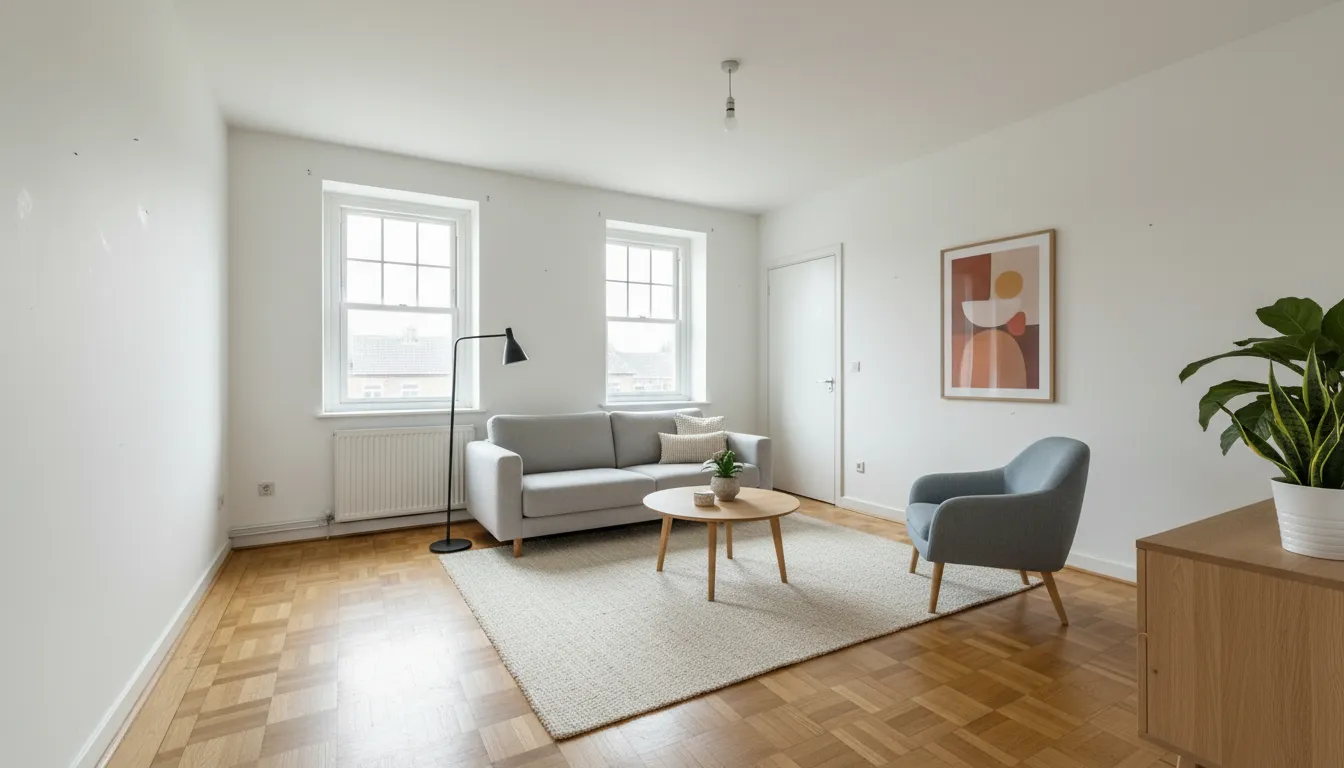
AI Virtual Staging: How to Stage Real Estate Photos From Your Phone