How to make an interior design mood board
To make an interior design mood board, collect pictures of rooms you love, edit them down to the ones that agree with each other, and add a few real material samples. In DecorAI, gather the images on a moodboard, importing pins where you saved them, and apply the board's look to a photo of your own room. The board then works as a filter for every paint, fabric and furniture choice.
- Time: about 30 minutes for collecting, editing and a first room design.
- You need: saved inspiration images, a photo of your room and DecorAI.
- Result: one clear board and your room redesigned in its look.
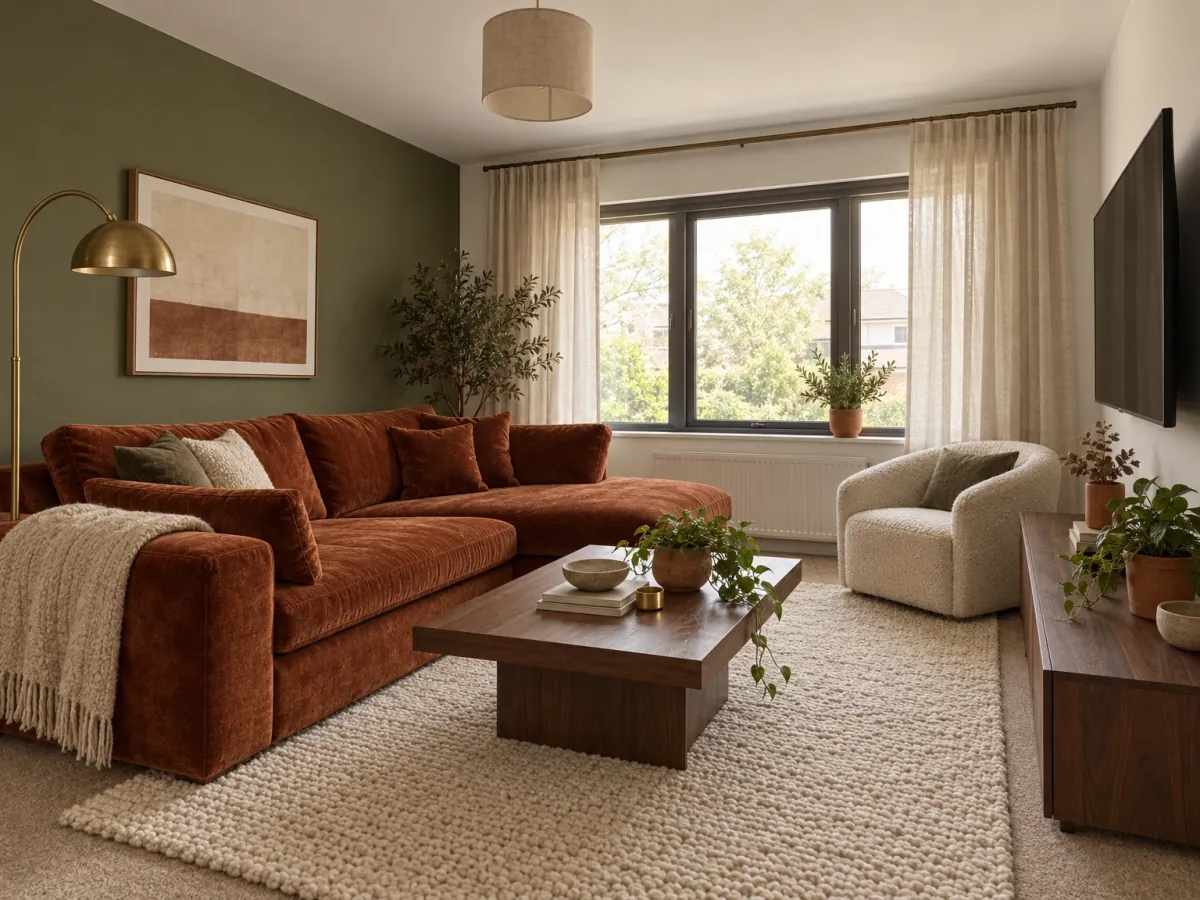
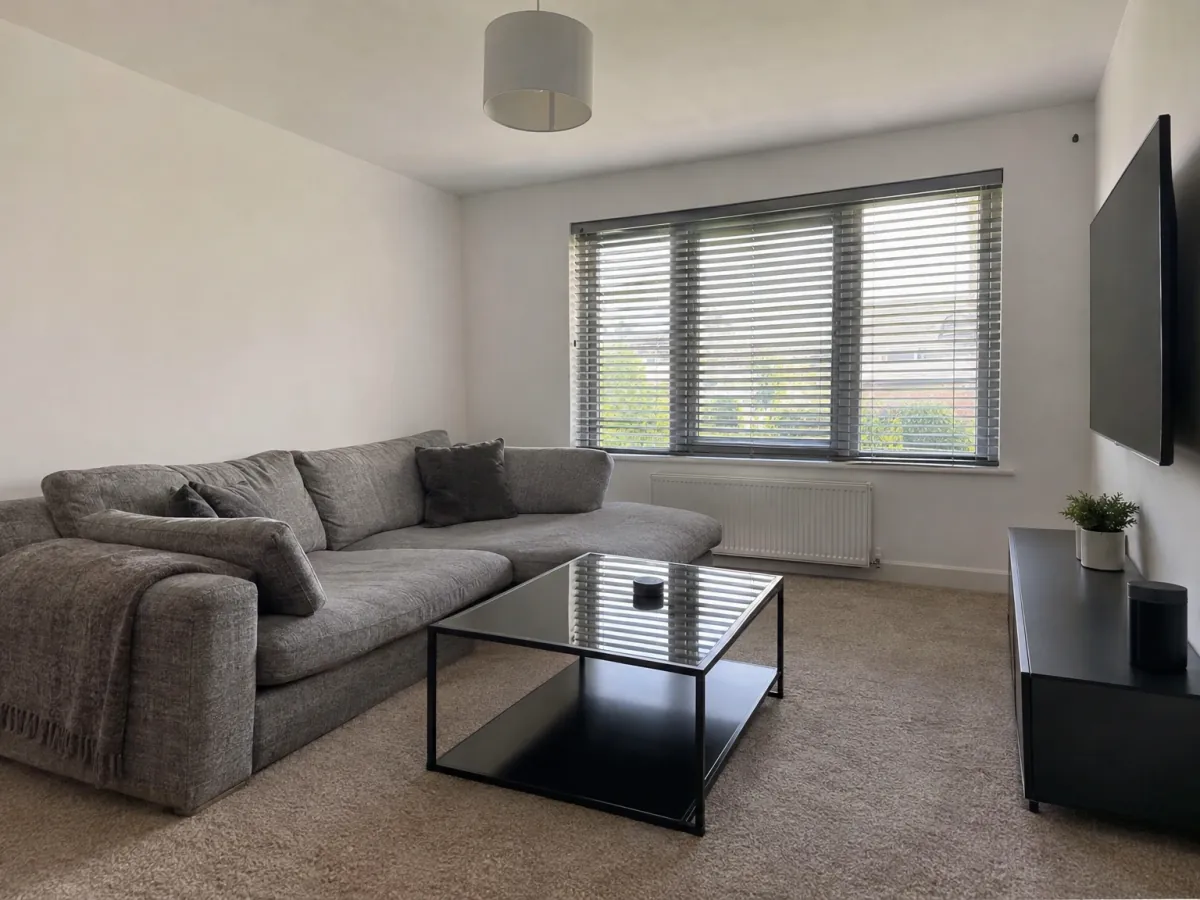
Illustrative AI example. Results vary.



What you need
- Fifteen to twenty saved images of rooms, colors and materials you like.
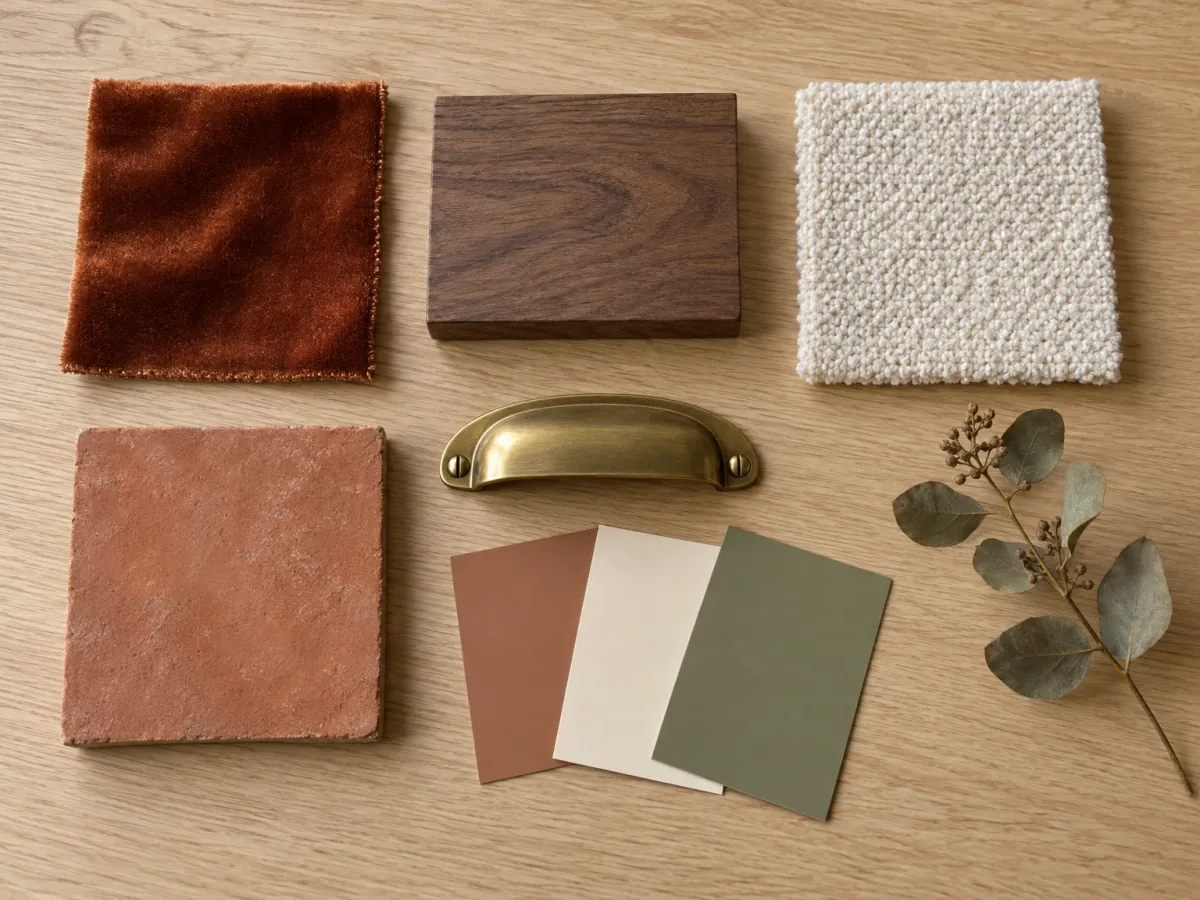
- A few physical samples if you have them: fabric, wood, tile or paint cards.
- A daylight photo of the room the board is for.
- The DecorAI app on iPhone, iPad or Android, or the web app.
How to make a mood board, step by step
Step 1: Set the room and the goal
Give the board one room and one sentence of purpose, such as living room, warm and calm for long evenings. A clear goal makes the later choices easier, because every image has to support it. One board per room keeps the ideas from blending into a vague mix.
Step 2: Collect widely for a few days
Save every picture that catches your eye: rooms, furniture, fabrics, a color in a painting, even a landscape. Use pins you saved, magazine pages and photos you took yourself. Collect around fifteen to twenty images without judging them yet; the editing comes next.
Step 3: Edit down and add real samples
Lay the images side by side and remove the ones that pull in a different direction, until eight to ten remain that clearly belong together. Add real samples where you can: a fabric swatch, a piece of wood, a tile and paint cards. Texture and color in the hand anchor the board.
Step 4: Build the board in DecorAI
Open the moodboards in DecorAI and create a board with a clear name, such as living room, warm and calm. Add your edited images and photos of your samples, and import the pins you saved. Boards are private, so they are a safe place to collect before you decide.
Step 5: Read the palette
Look at the board as a whole and name its colors: one main color for walls and large pieces, a second for upholstery and curtains, and one accent. A common guide is about sixty, thirty and ten percent of the room. Write the three colors down next to the board.
Step 6: Apply the board to your room
Add a daylight photo of your room and choose the board as the look to use. DecorAI turns the room into the board's palette, materials and mood while your walls, windows and camera angle stay. Compare the result with your photo and, if a detail feels off, refine the board and run it again.
Step 7: Use the board as a filter
Keep the board and the redesigned room at hand when you shop. Before buying a cushion, a lamp or a sofa, hold it against the board: if it fits the palette and the materials, it belongs; if it pulls elsewhere, leave it in the store.
Tips for a mood board that works
Include texture, not only color
A board of flat colors tells you little about how a room feels. Add images of velvet, boucle, raw wood, stone or linen to define the character.
Add one image of light
Pick at least one picture that shows the light you want, such as low evening lamps or bright morning sun. Lighting sets the mood as much as paint.
Keep a few existing pieces in view
Photograph the furniture you will keep and add it to the board. A board that includes your real sofa or table leads to a plan you can carry out.
Revisit the board after a week
First impressions change. Look again after a few days and remove what no longer excites you; the images that survive are the core of your style.
Habits that make a mood board useful
Edit hard
A board with forty images shows everything and decides nothing. Ten images that agree are worth more than many that compete.
Make one board per room
Rooms connect, but each has its own use and light. Separate boards keep each room clear, while a shared accent color links them through the home.
Test the board on your real room
A board can look great on its own and feel wrong in your space. Applying it to a photo of your room shows how the look meets your walls, floor and light.
The DecorAI tool for this guide
The AI moodboard page describes how DecorAI's moodboards collect inspiration in private boards, import pins and posts, and apply the look of a board to a photo of your room.
Questions about interior design mood boards
What is an interior design mood board?
An interior design mood board is a collection of images, colors and material samples that defines the look of a room before you buy anything. In DecorAI, a moodboard also redesigns a photo of your room in the board's look, so you see the collected style applied to your own space.
How many images should a mood board have?
Eight to ten images is a good size for a finished board. Collect more at first, around fifteen to twenty, then remove the ones that disagree with the rest. A small, consistent board gives DecorAI and you a clearer direction than a large mixed one.
Should I make a digital or a physical mood board?
Both have a place. A digital board in DecorAI is easy to fill with saved pins and photos and can be applied to your room. Physical samples show real texture and color. Photograph your samples and add them to the digital board to combine the two.
Can I turn a mood board into a room design?
Yes. Build the board in DecorAI, add a photo of your room and apply the board. DecorAI redesigns the room with the board's colors, materials and mood, keeping your walls, windows and camera angle, so the board becomes a picture of your own finished room.
Are DecorAI moodboards free?
Yes. Moodboards come with DecorAI's free plan, so you can build boards and apply them to your room without paying. To redesign many rooms from your boards, DecorAI Pro offers unlimited designs, at $9.99 per week, $17.99 per month, $39.99 per year or $219 for lifetime access in the US.
Turn your saved ideas into a room
Collect your favorite images, edit them into one board and apply it to a photo of your room with DecorAI on iPhone, Android or the web.
Build your first mood board: