AI Corner Design: Ideas for Every Empty Corner
DecorAI's AI corner design turns one empty, awkward or unused corner in a photo of your room into a reading nook, a small home office, a coffee bar, storage or another idea you pick, while the rest of the room stays as it is.
- Photograph one corner and choose what it should become.
- Pick from ten ideas, from a reading nook to display shelves.
- The walls, window and floor of your photo stay where they are.
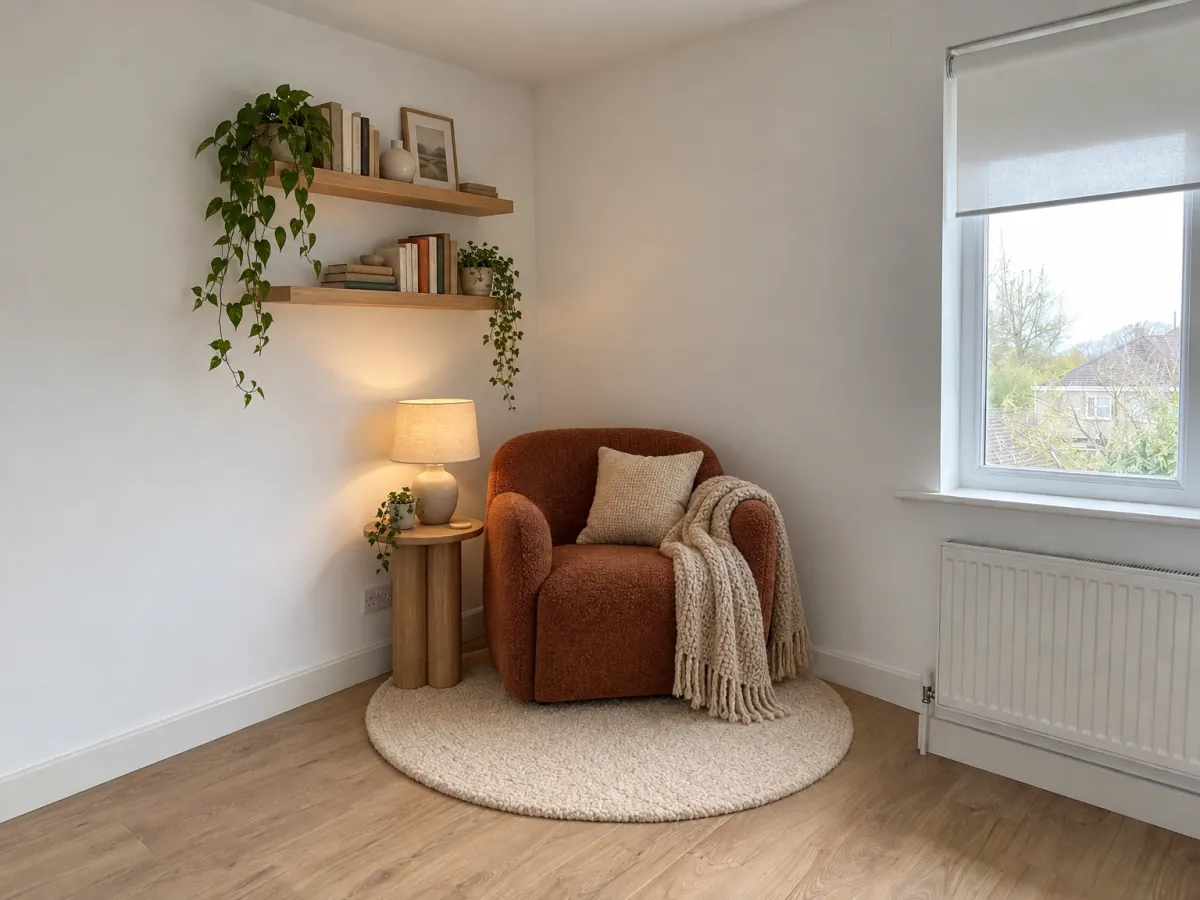
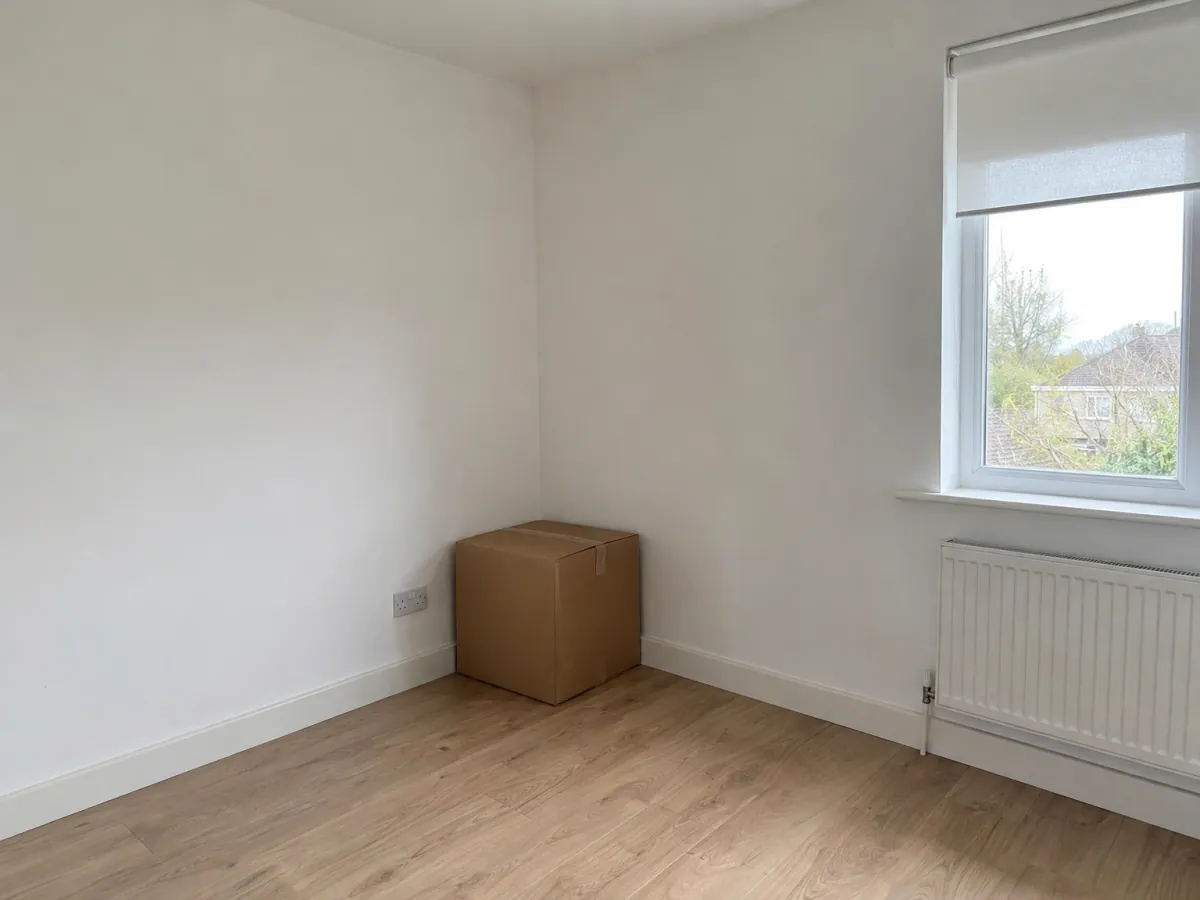
Illustrative AI example. Results vary.



Corner design in DecorAI at a glance
| What it does | Redesigns one corner of a room photo for a purpose you choose and keeps the rest of the room |
|---|---|
| What you provide | One photo in which the corner fills most of the frame, and the idea you want |
| What you get | A photorealistic image of the same corner with new furniture, shelves and decor |
| Time | A corner design is usually ready in under 10 seconds |
| Platforms | iPhone, iPad, Android and the web app, all with one account |
| Plan | Free plan with 3 designs a day; DecorAI Pro for unlimited designs |
How to design a corner with AI
Photograph the corner
Stand a few steps back so the corner fills most of the picture, and keep a strip of floor and ceiling in view. DecorAI uses those edges to judge the height of the space and the scale of new furniture.
Choose an idea
Pick what the corner should become: a reading nook, a compact home office, built-in storage, a pet area, a coffee bar, a plant corner, an entryway bench, a kids play corner, a home mini bar or display shelves.
Compare the results
DecorAI shows the corner with its new purpose in seconds. Run two or three ideas on the same photo, save the ones you like and look at them side by side before you decide.
Corner decor ideas you can try on your own photo
Most homes have a corner that collects boxes or stays bare. Here are four common ways to give one a purpose; the photos show the kind of result corner design produces.
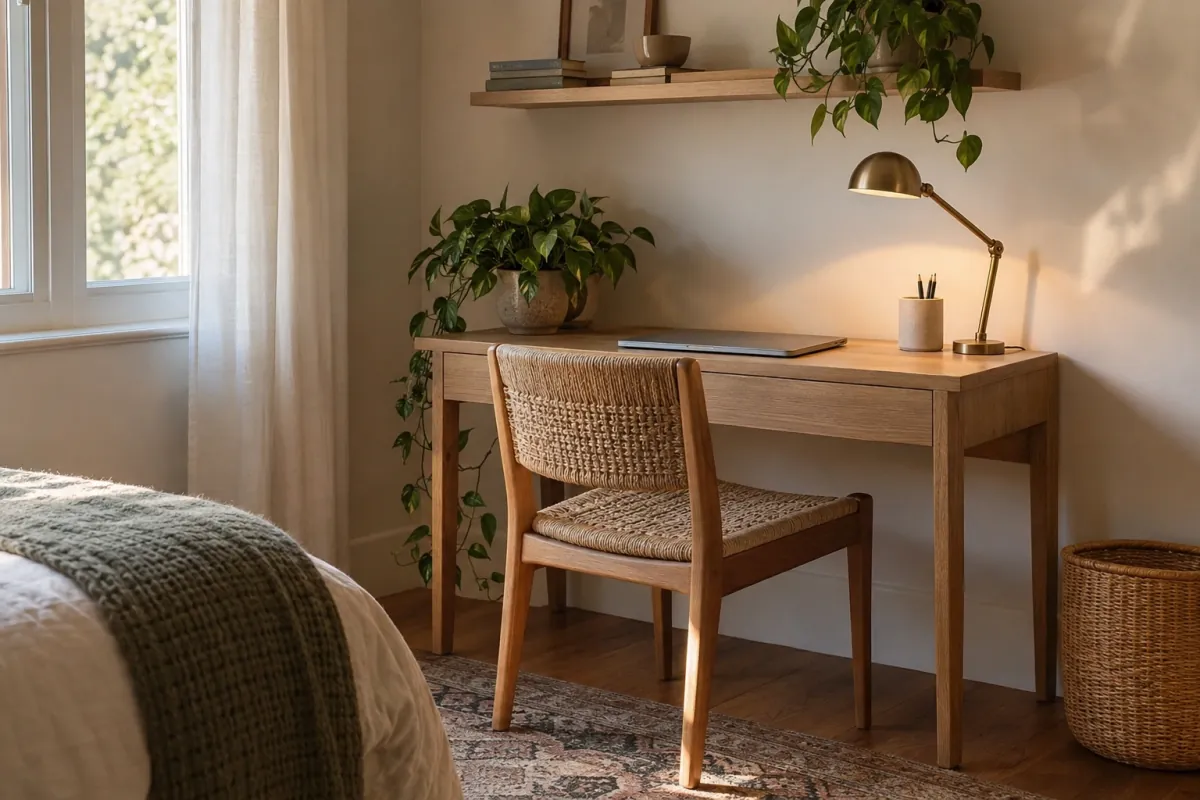
A home office in a bedroom corner
Many people work from a corner of the bedroom or the living room. Choose the compact home office idea, and DecorAI places a small desk, a chair, a shelf and a lamp in the corner you photographed. You see whether a work spot fits before you buy a desk or move the bed.
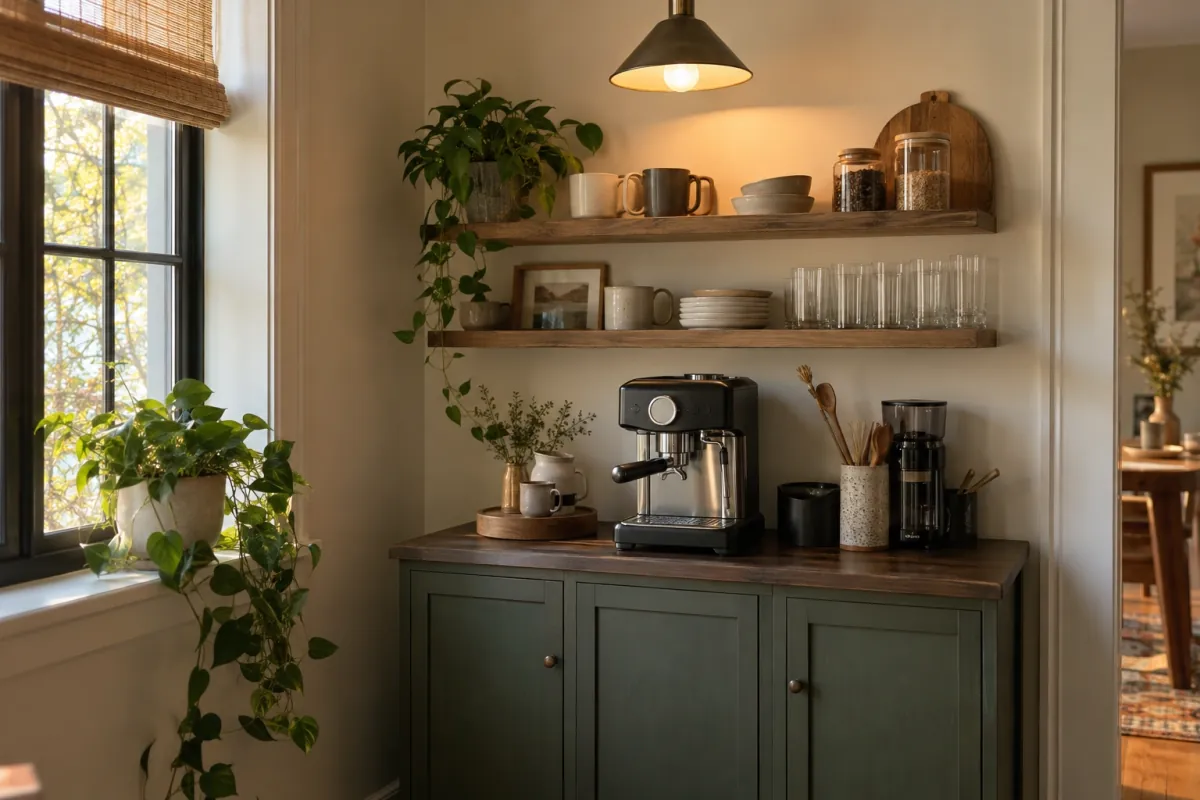
A coffee bar in the kitchen
A kitchen corner or the end of a counter run can hold a small coffee station. The coffee bar idea adds a narrow cabinet, open shelves for cups and jars, and a light above them. An unused stretch of wall becomes a spot you use every morning.
A plant corner by the window
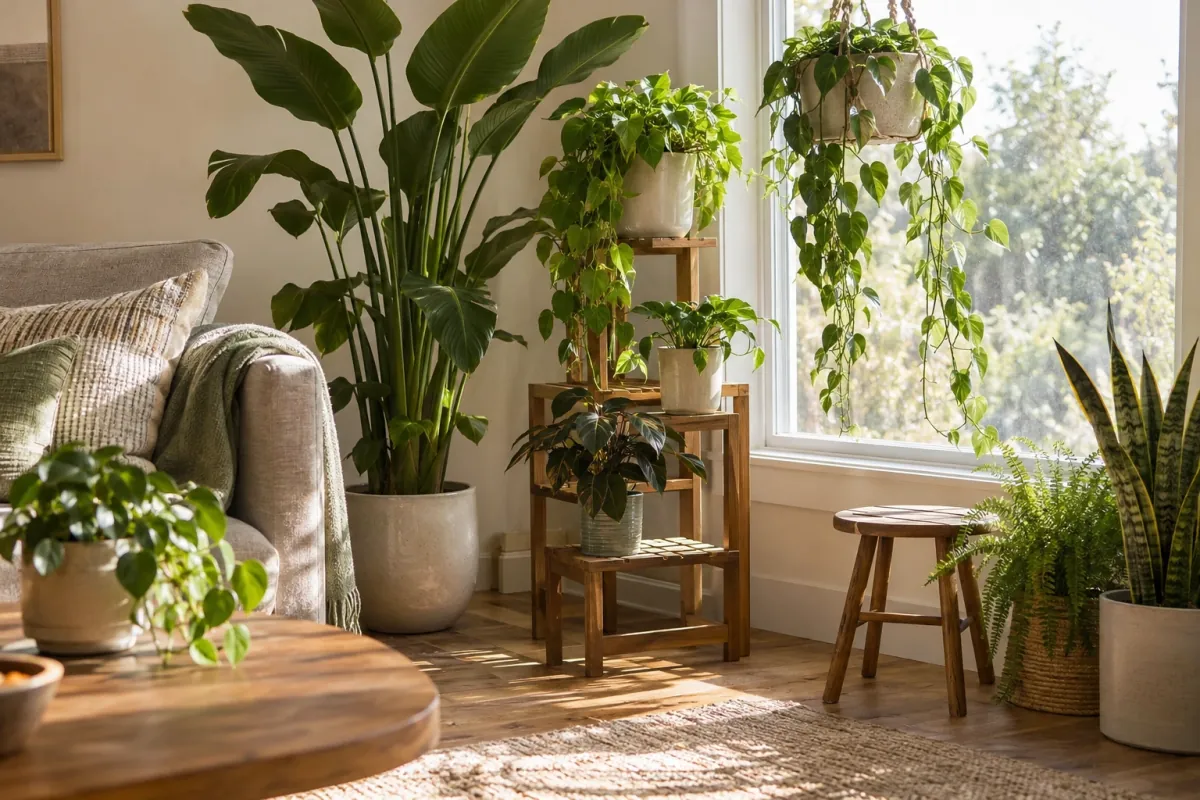
In many rooms the corner next to a window gets the best light. The plant corner idea groups tall and small plants on stands and shelves, which softens hard edges and fills the height of the room. Try how much greenery the space can hold before you visit the garden center.
An entryway bench by the door
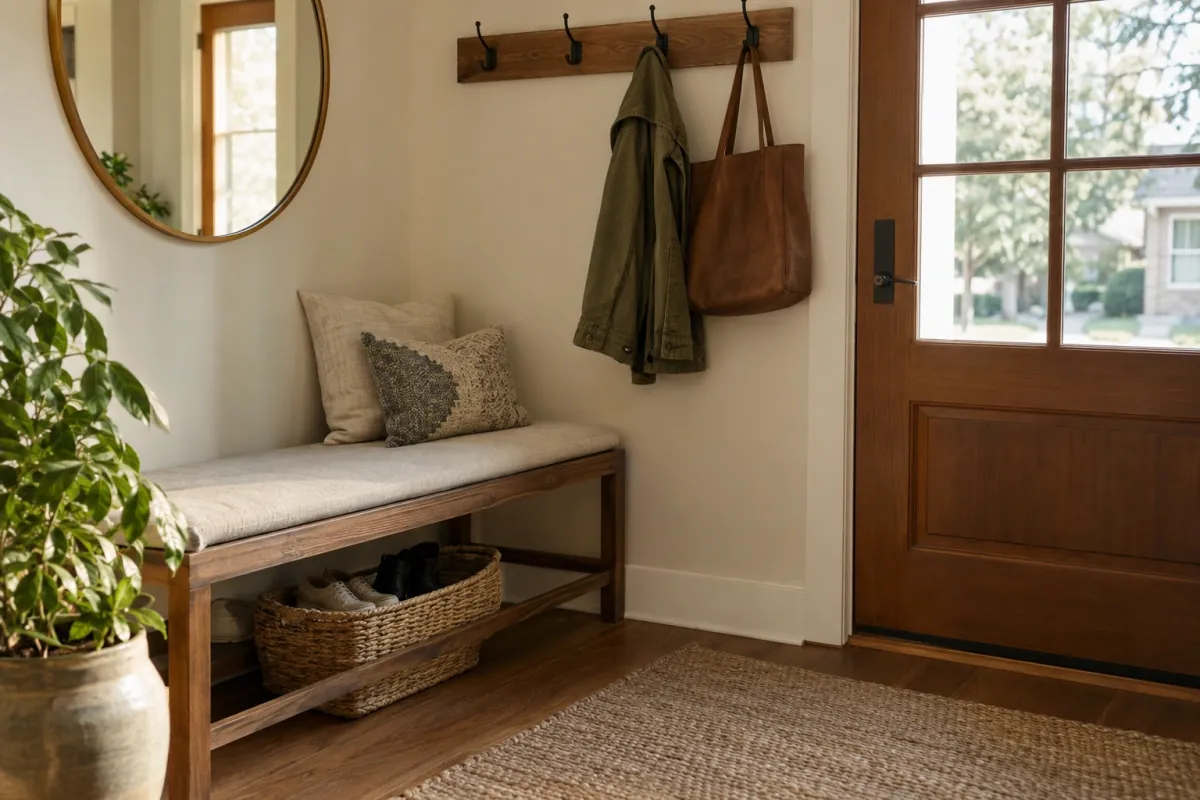
The corner beside the front door is where coats, bags and shoes pile up. The entryway bench idea adds a seat, wall hooks and a place for shoes, so the first corner you see when you come home is in order. It suits apartments that open straight into the living room.
Tips for better corner design results
Clear the corner first
Move boxes, cables and loose items out of the corner before you take the photo. The AI then reads the true shape of the walls and the floor, and the new idea fills the space instead of working around clutter.
Keep the lights on
Photograph the corner in daylight or with the room lights switched on. Shadows hide the skirting boards, the sockets and the window edge, and those details help the design line up with your real walls.
Measure before you buy
A redesign shows proportions, while your corner has exact dimensions. Measure the width of both walls, the height below the window and the distance to the door, and compare them with the furniture you plan to order.
Decide on the use, then the style
Think about what you will do in the corner every day, such as reading, working or storing shoes. Pick the idea that serves that use first, then refine colors and materials with a full room redesign or the brush tool.
Is AI corner design free?
Corner design is part of the DecorAI free plan, which gives you 3 designs a day; free designs start with a short ad and carry a small watermark. DecorAI Pro makes designs unlimited and removes the ads and the watermark, for $9.99 a week, $17.99 a month, $39.99 a year or $219 once. These are US prices, and each store shows the price for your country.
Related DecorAI tools and pages
Questions about AI corner design
What is AI corner design?
AI corner design is a way to plan a single corner instead of a whole room. DecorAI's AI corner design turns one empty, awkward or unused corner in a photo of your room into a reading nook, a small home office, a coffee bar, storage or another idea you pick.
What can I do with an empty corner?
Popular choices are a reading nook, a compact home office, a coffee bar, a plant corner, display shelves or built-in storage. In a family home a kids play corner or a pet area works well, and beside the front door an entryway bench. DecorAI shows each of these ideas in your own corner.
What are good living room corner ideas?
In a living room, a reading nook with an armchair and a lamp, a plant corner by the window, display shelves or a home mini bar are the usual picks. Photograph the corner, try two or three of these ideas in DecorAI, and keep the one that matches how you use the room.
Will the rest of my room stay the same?
Yes. Corner design works on the corner you photographed and keeps the walls, the window, the floor and the camera angle of your photo. When you want a new look for the whole room as well, use the DecorAI interior redesign with one of more than 60 styles.
Can I use corner design for bedroom corner ideas?
Yes. A bedroom corner can become a small desk, a reading chair, a dressing area with shelves or extra storage. Photograph the corner from the foot of the bed or from the doorway, choose an idea, and compare the results before you move any furniture.
Which devices does corner design run on?
Corner design is available in DecorAI on iPhone and iPad with iOS 16 or later, on Android phones and tablets, and in the web app in your browser. It works the same way everywhere, and one account keeps your saved corner designs together on all devices.
Give your empty corner a purpose
Photograph the corner, choose an idea and see it in your own room within seconds. DecorAI is free to start on iPhone, Android and the web, with 3 designs a day.
Design your corner free: