DecorAI vs Remodel AI
DecorAI is an AI interior design app that redesigns photos of rooms, house exteriors and gardens, with three free designs every day and no sign-up. Remodel AI by ReImage AI is a mobile and web app that remodels a photo of a home's interior or exterior with AI.
DecorAI is an AI home design app that works from a single photo of a room, a house front or a garden.
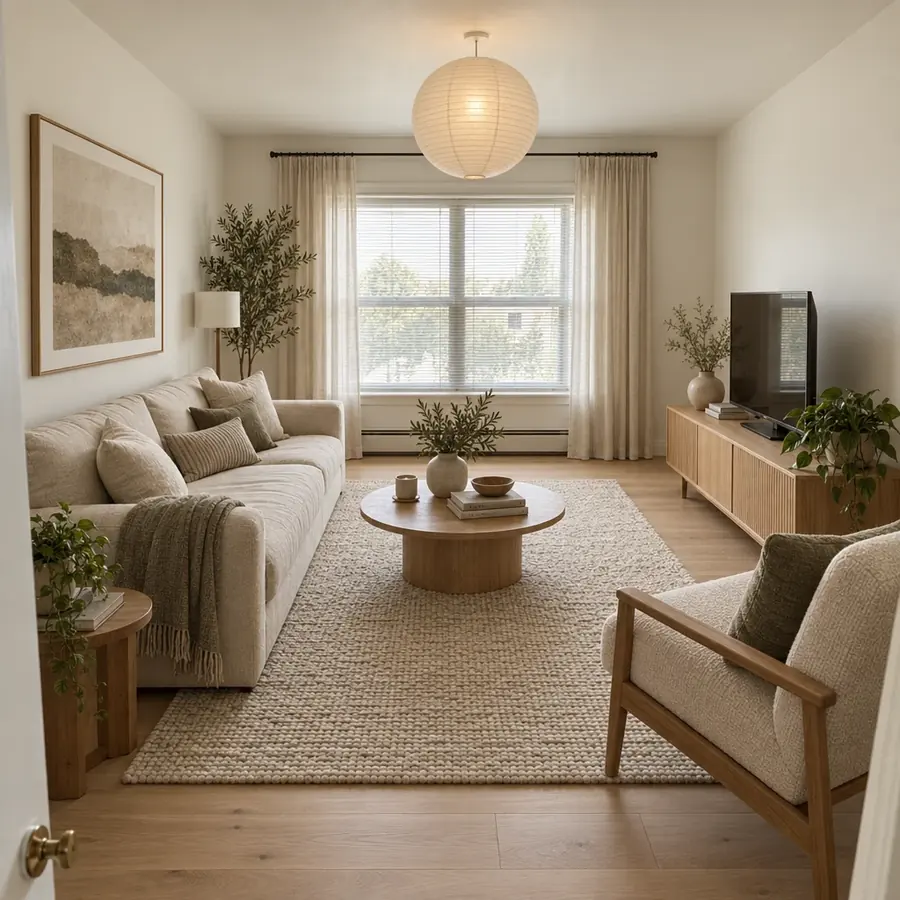
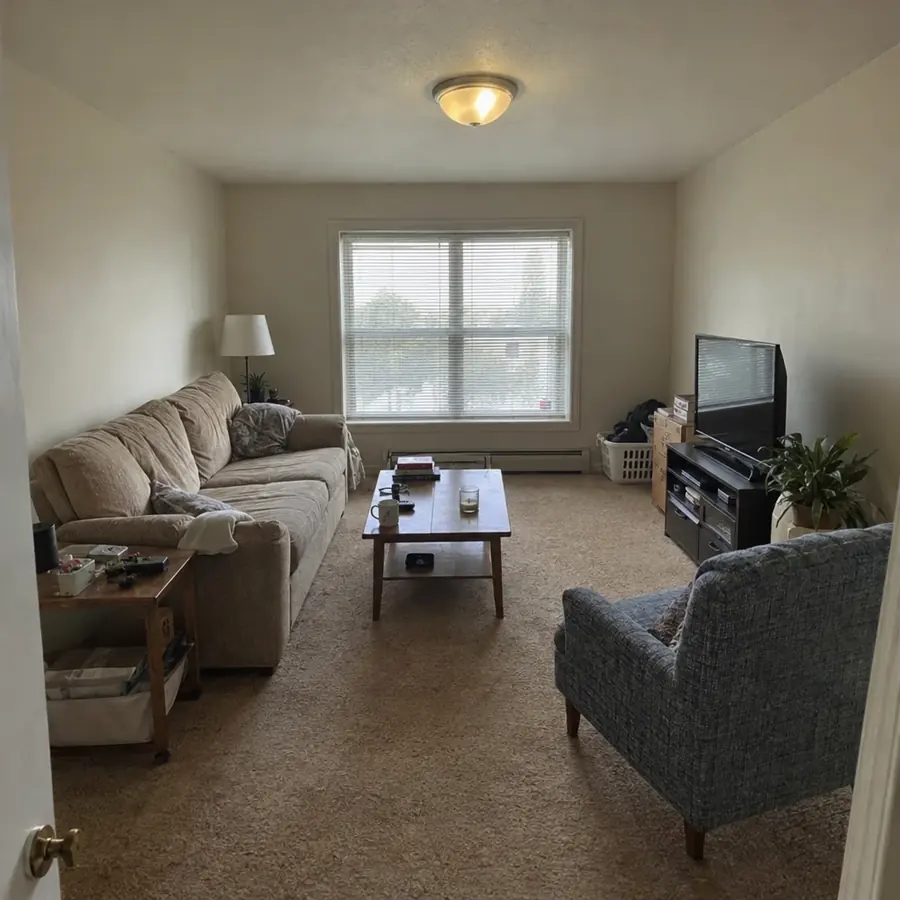
Illustrative AI example. Results vary.
Redesign a room for free today: use DecorAI in your browser, or download it for iPhone or Android.



Facts about Remodel AI checked on November 25, 2026 against its own website and store listings.
At a glance
| At a glance |  | Remodel AI |
|---|---|---|
| What it is | AI interior design app that redesigns a photo of your room | Mobile and web app that remodels a photo of a home's interior or exterior with AI |
| How you start | Upload a photo of your room | Take or upload a photo of the interior or exterior |
| Platforms | iOS, Android and Web | iOS, Android and Web |
| Sign-up before the first result | No | Web editor: yes, with Google or Apple sign-in; apps: not stated |
| Free use | 3 free AI designs per day | Free trial with a set limit of renders; the number is not stated |
| How you pay | Free to start; optional Pro subscription | Paid subscription after the free trial |
How the two differ
What it is
DecorAI is an AI interior design app that redesigns rooms, house exteriors and gardens from one photo, and it was first released in November 2023. DecorAI's exterior designer offers ten building types and ten architectural styles. Remodel AI is a mobile and web app that remodels a photo of a home's interior or exterior with AI.
How you start
In DecorAI you upload or take a photo, choose the room type and one of more than 60 styles, and can add a color scheme or a written note. The AI keeps the structure and perspective of the room and changes what you asked for. Remodel AI also starts when you take or upload a photo of the interior or exterior.
Platforms
DecorAI has an app for iPhone and iPad, an app for Android and a web app in the browser. Signing in to DecorAI with one account keeps saved designs and moodboards in sync between the web and mobile, and a Pro purchase can be restored across devices and platforms. Remodel AI is also available on iOS, Android and the web.
Sign-up before the first result
DecorAI produces your first redesign with no account, in the phone apps and in the browser. Remodel AI's web editor asks for Google or Apple sign-in first, and its pages do not say whether the apps do.
Free use
DecorAI states its free allowance as a number: three AI designs per day, renewed daily, each after a short video ad. Free users can open nearly every tool; only AI Room Analysis and the Design Report are kept for Pro. Remodel AI offers a free trial with a set limit of renders, and the number is not stated.
How you pay
DecorAI's Pro plan is optional and can be bought as a subscription or as a lifetime purchase, both on mobile and on the web. The lifetime purchase is paid once and includes future Pro updates at no extra cost. Remodel AI requires a paid subscription after the free trial.
Why choose DecorAI
Photograph a kitchen, a facade or a backyard and redesign it in DecorAI on iOS, on Android or on the web.
A free allowance with a number on it
You know in advance what the free plan gives: three AI designs today and three more tomorrow. The free plan is a daily allowance, not a trial period.
Start on the web without signing in
In the DecorAI web app you drop in a photo and get a redesign without a Google, Apple or any other login.
Inside and outside the house
One app covers the living room, the house front and the garden. Exterior Design has controls for siding, roofing, windows, doors and lighting, and Garden Design handles yards, patios and balconies.
Furniture you photographed yourself
Furniture Import takes a photo of a sofa, chair or lamp and places that item into your room with matching scale and lighting.
A budget the AI follows
Set a low, mid or high budget. A low budget keeps the changes basic with affordable furniture, and a high budget turns the room into a full luxury makeover.
What you can do with DecorAI
- Preview a kitchen or bathroom renovation before you commit money or labor.
- Give a house front new siding, a different roof, new windows or a new garage door.
- Plan a balcony, terrace, courtyard or vegetable garden from a photo of the space.
- Turn an empty or awkward corner into a reading nook, a coffee bar or a plant corner.
- Remove the furniture from a photo to see the bare room, then stage it again in a new style.
 AI redesign
 Before
Illustrative AI example. Results vary.
Try DecorAI in three steps
Upload a photo
Take a photo of your room or pick one from your gallery.
Choose a style
Select one of 60+ design styles, such as Japandi, Scandinavian, Modern or Boho.
See your redesign
The AI redesigns your photo, usually in under 10 seconds, and you compare it with the original.
Open DecorAI in your browser or on your phone and upload your first photo now.
Questions about DecorAI and Remodel AI
Which Remodel AI does this page compare with DecorAI?
This page covers Remodel AI by ReImage AI, a mobile and web app that remodels a photo of a home's interior or exterior, not other apps with similar names. DecorAI is made by Rocket Digital Limited and runs on iPhone, iPad, Android and the web.
Does Remodel AI state how many free renders you get, as DecorAI does?
DecorAI offers three free AI designs per day, with no account. Remodel AI's FAQ mentions a free trial with a set limit of renders but does not state how many.
Do I have to sign in to use DecorAI or Remodel AI on the web?
DecorAI's web app gives you free designs without signing in. Remodel AI's web editor shows a sign-in screen with Google or Apple before you can design.
Are DecorAI and Remodel AI both on iPhone and Android?
Yes, both run on iOS, Android and the web. DecorAI keeps saved designs in sync across these when you use one account.
Does DecorAI work on house exteriors, as Remodel AI does?
Yes, DecorAI's Exterior Design redesigns a building facade from a photo and offers ten building types and ten architectural styles. Remodel AI also works from a photo of a home's exterior.
Is Remodel AI a subscription, and how does DecorAI's Pro plan work?
DecorAI is free to start, and Pro is optional: a weekly plan on mobile, a monthly or yearly plan, or a one-time lifetime purchase. Remodel AI requires a paid subscription after its free trial.
Try DecorAI now
Take one photo of the space you want to change, inside or outside. DecorAI returns the redesign in seconds, and three designs a day stay free without an account.
Install DecorAI on iPhone or Android, or open the web version, and use your free designs for today.
More comparisons
- DecorAI vs Reimagine Home
- DecorAI vs RoomGPT
- AI Exterior Design and Garden Design: Redesign Your House From a Photo
- Compare DecorAI with other apps
Remodel AI is a trademark of its owner. DecorAI is not affiliated with Remodel AI.