DecorAI vs Interior AI
DecorAI is an AI interior design app that redesigns a photo of your room and lets you try three designs a day for free, on iOS, Android and the web. Interior AI is a paid web app that redesigns, furnishes or restyles a photo of an interior.
DecorAI brings AI interior design to a photo of your own room, with free designs every day.
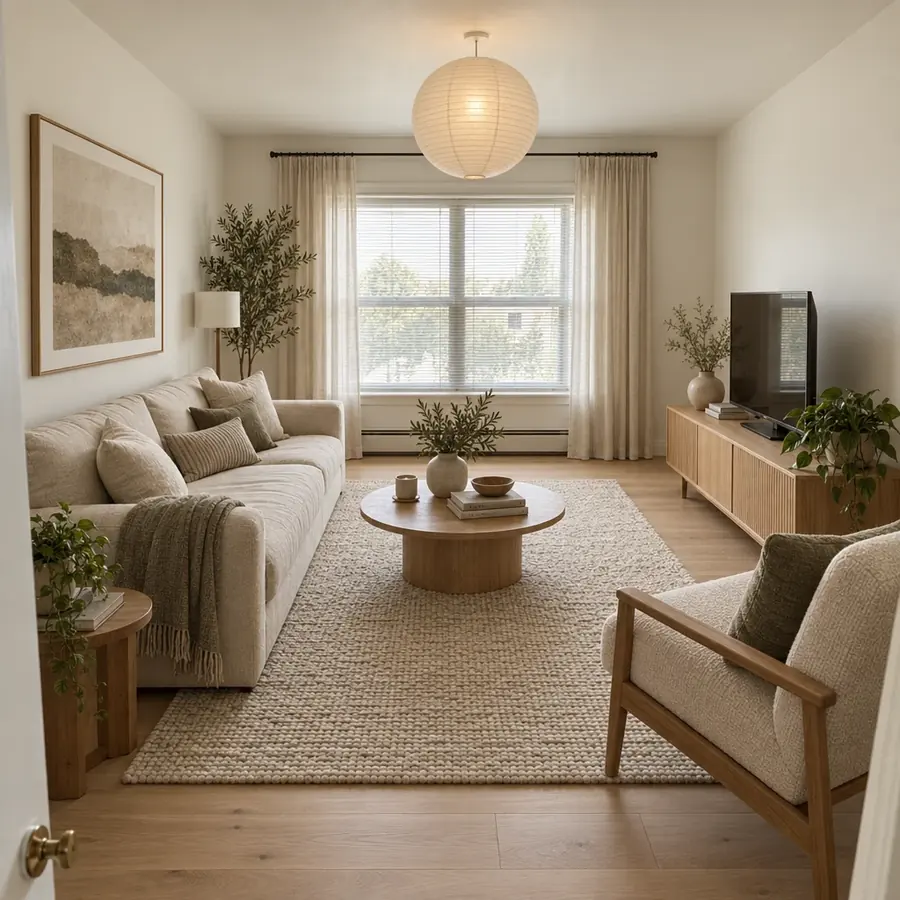
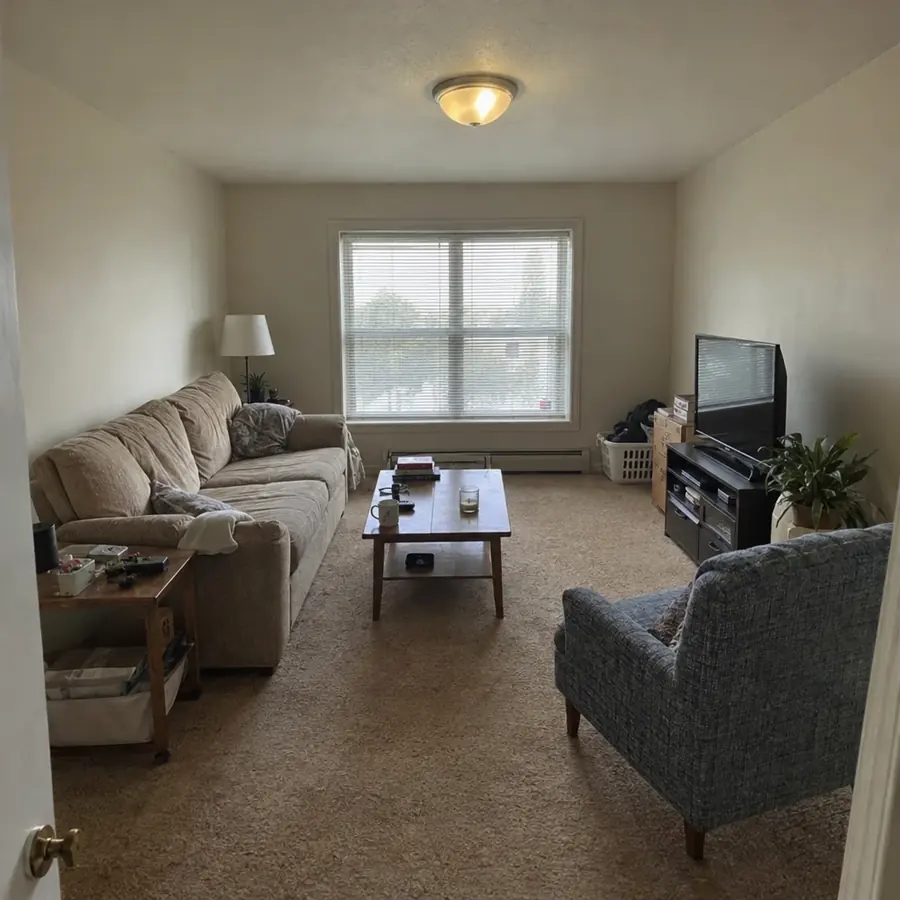
Illustrative AI example. Results vary.
See a redesign before paying anything: try DecorAI in your browser, or install it on iPhone or Android.



Facts about Interior AI checked on November 25, 2026 against its own website and store listings.
At a glance
| At a glance |  | Interior AI |
|---|---|---|
| What it is | AI interior design app that redesigns a photo of your room | Paid web app that redesigns, furnishes or restyles a photo of an interior with AI |
| How you start | Upload a photo of your room | Upload a photo or a sketch; one mode needs no photo |
| Platforms | iOS, Android and Web | Web, used from a laptop or a phone |
| Sign-up before the first result | No | Yes: access after payment, through an emailed login link |
| Free use | 3 free AI designs per day | Not stated |
| How you pay | Free to start; optional Pro subscription | Monthly or yearly subscription |
How the two differ
What it is
DecorAI is an AI interior design app built around a photo of your own room, house exterior or garden. It returns a photorealistic redesign of the same space, and you compare it with the original before you save or share it. Interior AI is a paid web app that redesigns, furnishes or restyles a photo of an interior with AI.
How you start
With DecorAI you begin with a photo, choose a room type and a style, and can add a budget level or a written instruction. You can also point the AI at a saved moodboard so it copies that board's look and exact colors. If you have no photo yet, Design Concepts creates a space from a text description instead. Interior AI starts from an uploaded photo or a sketch, and one of its modes needs no photo.
Platforms
DecorAI runs as a native app on iPhone, iPad and Android and as a web app, so you can take the photo and redesign it on the same phone. DecorAI is available in 33 languages on all three platforms. Interior AI is a web app that is used from a laptop or a phone.
Sign-up before the first result
DecorAI asks for no account, no email address and no card before the first design. You open it, add a photo and see the result. Registration only matters when you want designs synced between your phone and the web. Interior AI gives access after payment, through a login link sent by email.
Free use
DecorAI's free plan includes three AI designs a day; each one is unlocked by a short video ad, and the allowance renews daily. Images saved on the free plan carry a small DecorAI watermark, which Pro removes. A free plan for Interior AI is not stated on its pages.
How you pay
DecorAI is free to start, and the optional Pro upgrade can be a subscription or a single lifetime payment. On the web, Pro is offered monthly, yearly or as that lifetime purchase, and a paid plan starts right after purchase. Interior AI is sold as a monthly or yearly subscription.
Why choose DecorAI
Put a room photo into DecorAI on the web, on iOS or on Android and judge the result for free.
Try it before you pay
You see what DecorAI does with your own room before you spend anything. If a style does not suit the room, try another one at no cost.
Free designs that come back daily
Three AI designs are free every day, and the count starts again the next day. You never type in a card number to get them.
In the app stores and in the browser
DecorAI has an iPhone and iPad app in the App Store and an Android app on Google Play, next to the web app. Photograph the room and redesign it without leaving your phone.
Your photo, your room
The AI keeps the walls, windows, ceiling height and camera angle of your picture. The redesign shows your room in a new style, not a different room.
The other tools are open on the free plan
Free DecorAI users can also use Exterior Design, Garden Design, Empty the Room, Virtual Staging, Furniture Import, Style Transfer and the inpainting editor.
What you can do with DecorAI
- Redesign a bedroom, dining room or home office in any of more than 60 styles.
- Describe a change in your own words, or mask one area with the inpainting brush and change only that part.
- Furnish an empty room for a property listing or to plan a move.
- Create a design concept from a written description when you do not have a photo yet.
- Chat with one of six specialized AI design assistants about your room.
 AI redesign
 Before
Illustrative AI example. Results vary.
Try DecorAI in three steps
Upload a photo
Take a photo of your room or pick one from your gallery.
Choose a style
Select one of 60+ design styles, such as Japandi, Scandinavian, Modern or Boho.
See your redesign
The AI redesigns your photo, usually in under 10 seconds, and you compare it with the original.
Open DecorAI in your browser or on your phone and upload your first photo now.
Questions about DecorAI and Interior AI
Can I try DecorAI for free instead of Interior AI?
Yes: DecorAI gives three free AI designs per day without an account or a payment. Interior AI's pages do not state a free plan or a free trial.
Do I need to pay before using Interior AI or DecorAI?
Interior AI's FAQ says access is given after payment, through a login link sent by email. DecorAI shows your first redesign with no payment and no sign-up, and Pro stays optional.
Can I use Interior AI on my phone, as I can with DecorAI?
Interior AI is a web app that can be used from a laptop or a phone. DecorAI is available in the App Store, on Google Play and as a web app.
Do DecorAI and Interior AI both redesign a photo?
Interior AI is a paid web app that redesigns, furnishes or restyles a photo of an interior. DecorAI also works from a photo, and besides rooms it redesigns house exteriors, with controls for siding, roofing, windows, doors and lighting, as well as gardens, patios and balconies.
What can I upload to start a design in Interior AI and in DecorAI?
DecorAI starts from a photo of your room, or from a written description in Design Concepts. Interior AI starts from a photo or a sketch, and one of its modes needs no photo.
How is paying for DecorAI different from Interior AI?
Starting with DecorAI costs nothing. DecorAI's Pro plan can be a subscription or a one-time lifetime purchase, and it adds unlimited designs without ads or a watermark. Interior AI is sold as subscriptions with monthly or yearly billing.
Try DecorAI now
Upload a photo of the room and see your first free redesign today. No card, no account and no subscription are needed to begin.
Get the DecorAI app for iPhone or Android, or start in the web app without entering any payment details.
More comparisons
- DecorAI vs RoomGPT
- DecorAI vs Remodel AI
- ChatGPT Interior Design Prompts: 40 Examples That Get the Room You Want
- Compare DecorAI with other apps
Interior AI is a trademark of its owner. DecorAI is not affiliated with Interior AI.