AI Virtual Staging: How to Stage Real Estate Photos From Your Phone
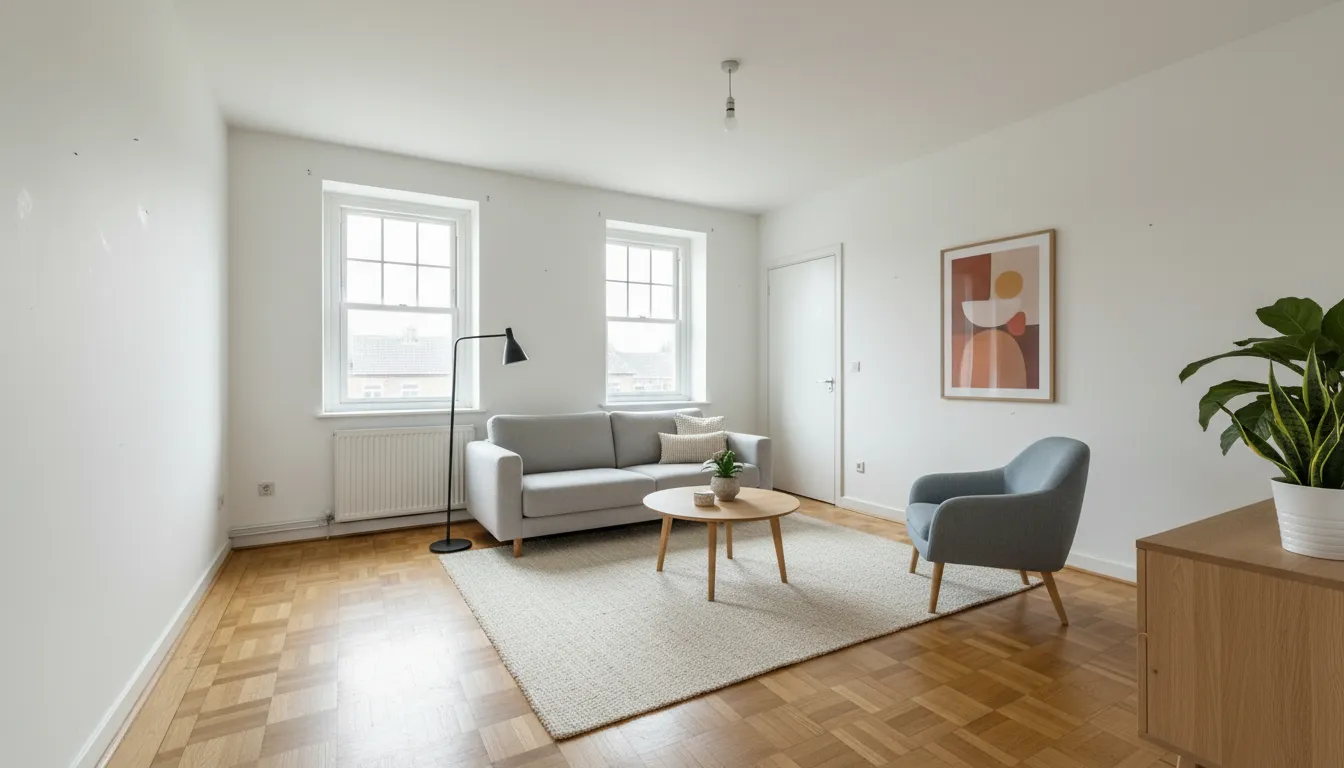



AI virtual staging means adding furniture and decor to a photo of an empty or half-empty room with artificial intelligence, so buyers and renters can see how the space could be lived in. With DecorAI you take a photo of the room on your phone, choose Virtual Staging and a furniture style, and get a furnished, photorealistic version of the same room, usually in under ten seconds. Nothing is delivered, nothing is carried up the stairs, and the room itself stays exactly as it is.
This guide is written for estate agents, home sellers, landlords and short-term rental hosts who want better listing photos without renting furniture. It covers what virtual staging actually changes, which rooms to stage first, how to take a photo the AI can work with, how to label staged pictures honestly, and when the DecorAI Business plan for teams is worth it. You can follow every step with the three free designs DecorAI gives you each day.
What is AI virtual staging?
Traditional home staging means furnishing a property for sale with real, usually rented, furniture. Virtual staging does the same job inside the photograph. The first generation of virtual staging was manual: a designer placed 3D furniture into each picture by hand and sent the result back a day or two later. AI virtual staging removes that wait. The software reads the room in your photo, works out where the floor, walls and windows are, and furnishes it in the style you pick.
The important point is what stays the same. A good AI staging tool keeps the architecture of the real room: the walls, the windows, the ceiling height, the flooring and the camera angle. DecorAI is built around that rule. It places furniture, rugs, lamps, plants and art into your photo, and leaves the room itself recognizable. A buyer who visits after seeing the listing should walk into the room they saw online, only without the sofa.
That is also the difference between staging and redesigning. A redesign may repaint walls, swap the floor and change the lighting to show what a renovation could look like. Staging only shows how the existing room can be used. Both are possible in DecorAI, but for a property listing, staging is the honest choice, because it shows the property that is actually for sale.
Why staged listing photos work
Empty rooms are hard to read. Without a bed or a table for scale, most people cannot tell whether a room is three metres wide or four, where a sofa would go, or whether a dining table fits next to the kitchen. An empty room also photographs flat and cold, so the listing gets scrolled past. Furniture answers those questions before the viewer has to ask them.
The numbers back this up. In the Profile of Home Staging published by the National Association of Realtors, 83% of buyers’ agents said staging a home made it easier for a buyer to visualize the property as a future home. The same report lists the rooms that are staged most often: the living room (91%), the primary bedroom (83%) and the dining room (69%).
Those figures describe staging in general, not AI staging in particular, and no photo can promise a faster sale or a higher price. What virtual staging can do is put that visualizing effect within reach of listings where physical staging would never be booked: a small rental flat, an inherited house that is already cleared, a new-build unit that is not finished yet. The cost drops from a furniture rental contract to a few minutes of your time.
How to stage a room with DecorAI, step by step
You do not need design training or a desktop computer. The whole process runs in the DecorAI app on iPhone, iPad and Android, and in the DecorAI web app in any browser. Here is the workflow from empty room to finished listing photo.
- 1. Open DecorAI and choose Virtual Staging. No account, sign-in or credit card is needed to start.
- 2. Take or upload the room photo. Use a picture of the empty or under-furnished room, shot level from a corner or doorway.
- 3. Pick the room type and a furniture style. Tell the app whether it is a living room, bedroom, dining room or home office, then choose a look such as Scandinavian, Modern or Japandi.
- 4. Generate. The staged photo is usually ready in under ten seconds. At very busy times it can take 20 to 60 seconds.
- 5. Compare before and after. Check that walls, windows and floor are unchanged and that the furniture sits naturally in the space.
- 6. Try a second style. A family home and a city studio attract different buyers. Compare two looks and keep the one that fits the likely audience.
- 7. Save and export. Download the staged image, keep the original next to it, and add both to your listing workflow.
On the free plan you get three designs every day, each unlocked by a short video ad, and saved images carry a small DecorAI watermark. That is enough to test the tool on a real listing before you decide anything. DecorAI Pro removes the ads and the watermark and makes generations unlimited, which is what most people want once the photos are going on a property portal.
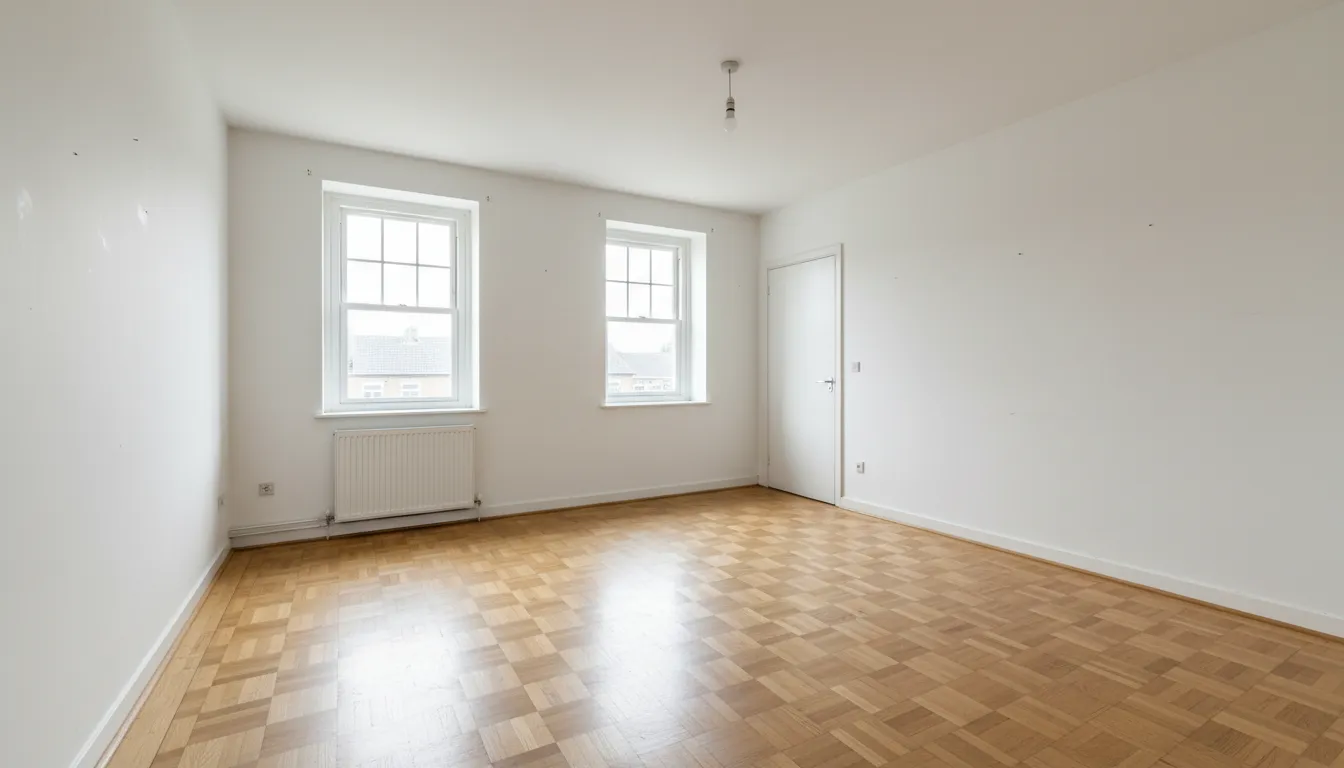
The photo above is the kind of starting point that works well: daylight, a level camera, two walls and a good piece of floor in view. The furnished version at the top of this article shows what a staged result of a room like this looks like once sofa, rug, lamps and plants are placed.
Which rooms to stage first
You rarely need to stage every photo in a listing. Start with the rooms that carry the decision. Following the order agents report in the NAR survey, that is the living room first, then the main bedroom, then the dining area. These are the rooms where buyers picture their daily life, and they are also the rooms that look most lost when empty.
- Living room: show a clear seating group and leave the walking routes open. If the room has a fireplace or a large window, arrange the seating around it.
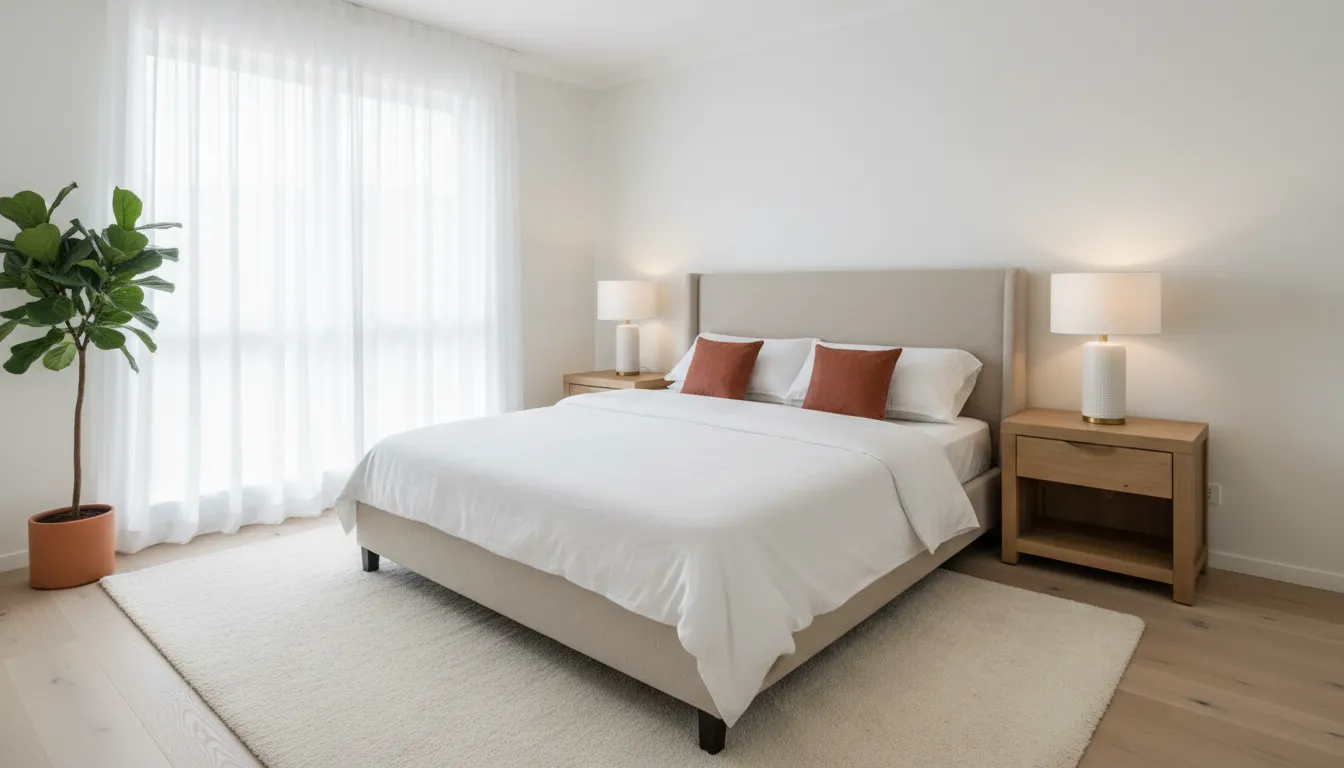
- Main bedroom: a bed, two bedside tables and a rug are enough. The aim is to prove that a double bed fits with space to walk around it.
- Dining area: a table with four or six chairs settles the question of whether the space is a real dining room or just a passage.
- Home office or spare room: a desk and a shelf turn a small, undefined room into a selling point.
- Awkward spaces: a room under a sloped ceiling or a long narrow room benefits most, because buyers struggle to imagine these on their own.
Kitchens and bathrooms are already defined by their fittings, so they usually need no furniture. If a kitchen or bathroom looks dated, that is a renovation question, not a staging one. You can still show a possible future look with the interior redesign tools, but present it separately and label it clearly as a renovation idea.
How to take photos that stage well
The quality of the staged image depends heavily on the photo you start with. The AI can only furnish the space it can see, and it follows the light and perspective of the original. Ten minutes of care during the shoot saves a lot of retries later.
- Shoot in daylight. Open blinds and curtains, switch on the room lights if the corners are dark, and avoid direct sun stripes on the floor.
- Hold the camera level. Keep the phone at about chest height with vertical lines straight. Tilted walls make furniture look as if it is sliding.
- Stand in a corner or doorway. You want two walls and as much floor as possible in the frame.
- Skip the extreme wide angle. An ultra-wide lens stretches the room and makes any furniture look oddly small.
- Clear the floor. Remove boxes, cables and cleaning gear before you shoot. The cleaner the floor, the more natural the result.
- Take one photo per viewpoint. If a room has two good angles, stage each one separately in the same style.
A phone camera is entirely sufficient. If you work with a professional property photographer, ask for the unfurnished originals as well as the edited set, because you will want to keep those originals on file next to the staged versions.
Occupied homes: empty the room first, then stage it
Not every listing is vacant. Often the seller still lives there, the tenant’s furniture is tired, or the room is full of moving boxes. For these cases DecorAI includes a second tool called Empty the Room. It removes furniture and clutter from a photo while keeping the floor, walls and windows, so you get a clean, empty version of the room.
From there the workflow is the same as for a vacant property. Empty the photo, then run Virtual Staging on the result and choose a neutral style. This two-step approach is useful for rentals between tenants, for probate sales, and for homes where the owner’s taste is very personal. Both tools are part of the free plan, so you can try the full sequence without paying.
One caution: removing furniture from a photo must not remove the truth. If a wall is damaged behind a wardrobe, or the floor is worn under a rug, the buyer needs to see the real condition at the viewing and ideally in the original photos. Use Empty the Room to show space, not to hide defects.
Choosing a furniture style that fits the buyer
Staging is not decorating for yourself. The goal is a look that the largest number of likely buyers can accept, which usually means light, calm and uncluttered. In practice three or four styles cover most listings: Scandinavian for bright family homes and flats, Modern for new builds and city apartments, Japandi for calm, natural interiors, and Mid-Century Modern or Industrial where the building itself has that character, such as a loft with exposed brick.
Match the furniture to the price point as well. A starter flat staged with obviously expensive designer pieces feels wrong, and so does a premium property staged like student housing. Think about who will realistically move in: a couple, a family with children, a single professional who works from home. A desk in the spare room speaks to the last group, and a second bedroom staged with a single bed speaks to the family.
Finally, keep one style across the whole listing. A Scandinavian living room next to a glamorous bedroom and a rustic dining room looks like three different homes. Consistency is one of the small signals that make a set of photos feel professional. DecorAI Business applies one of eight furniture styles to a whole folder of photos for exactly this reason.
Label staged photos honestly
Virtual staging is a marketing tool, and like all property marketing it must not mislead. The idea of presenting a home at its best is old and accepted; home staging has been part of property sales for decades. What is new is that the furniture no longer exists, so the viewer needs to be told.
- Mark every staged photo. Add a short notice such as “Virtually staged” to the image or the caption.
- Keep the unfurnished originals. Many agents show the original directly after the staged version, so buyers see both.
- Change furniture only. Do not alter walls, windows, views, room sizes or fixed fittings in a listing photo.
- Do not hide wear and tear. Cracks, stains and damaged floors should look the way they really look.
- Check local rules. Property portals, professional bodies and national advertising laws differ. Confirm what your portal and country require before you publish.
Handled this way, staging builds trust instead of risking it. Buyers get a helpful picture of the potential and an honest picture of the present. The worst outcome in property marketing is a disappointed viewing, and clear labels are the simplest protection against it.
For agencies: staging whole listings with DecorAI Business
Staging one photo at a time works for a private seller. An agency that lists several properties a month needs a faster routine, and that is what the DecorAI Business plan is for. It is available in the DecorAI web app only, not in the phone apps, and it is built around whole listings instead of single pictures.
- One price for the company: $59 a month in USD, billed monthly, with company invoices. Local currency and tax are shown at checkout.
- Three logins: one owner and up to two colleagues, each with the Pro tools in the web app.
- No fee per photo: staging is unlimited, with 10 GB of storage for originals and staged images.
- Bulk staging: upload up to 100 photos at a time into a folder for the property and stage them together in one of eight furniture styles.
- Labeled exports: download the finished set as one ZIP file, optionally stamped with your own virtual staging notice and your agency logo, together with the unfurnished originals.
A single agent does not need Business to work commercially. Images created with DecorAI may be used for personal and commercial purposes on every plan, including the free one. Business is about the shared team workflow: property folders, bulk processing and consistent labeling. The details are on our page about DecorAI for real estate.
What AI virtual staging cannot do
It helps to be clear about the limits. A staged image is a visual concept, not a measured plan. The AI estimates the room from one photograph, so furniture proportions are plausible but not guaranteed to the centimetre. If a buyer asks whether a specific three-seater sofa fits, the answer comes from a tape measure, not from the staged photo.
The furniture in the image is also not a shopping list. Pieces are generated to suit the style and may not exist as real products. And every generated image deserves a human look before it is published: check that no window has changed, that door openings are free, and that nothing unrealistic has slipped in. Reviewing a photo takes seconds and is part of doing the job properly.
Finally, staging does not replace the basics. A clean property, good daylight, a tidy garden and an accurate description still matter more than any furniture, real or virtual. Staging works best as the last step on top of a listing that is already honest and well photographed.
Who AI virtual staging is for
Estate agents are the obvious users, but they are not the only ones. Private sellers use staging to make a cleared family home feel welcoming again. Landlords and property managers stage flats between tenants so the advert can go live before the next furniture arrives. Short-term rental hosts test a new look before they buy anything. Developers show furnished versions of units that are still bare plaster.
There is also a use that has nothing to do with selling. If you are about to move into an empty home, staging your own rooms is a quick way to plan. Photograph the empty living room, try two or three styles, and you have a direction for the furniture you actually need to buy. Many people start with DecorAI this way and then go on to redesign other rooms with the AI interior design tools on our homepage.
Start staging your first listing photo
The fastest way to judge AI virtual staging is to try it on a room you know. Take one photo of an empty room today, open DecorAI on your phone or in the browser, and stage it in two different styles. It costs nothing, needs no registration, and takes less time than writing the listing description.
If the result helps, stage the living room, main bedroom and dining area of your next listing, label the images, and keep the originals. If you run an agency, look at the Business plan once the routine is proven. DecorAI is available as an iOS app, an Android app and a web app, and your three free designs reset every day.
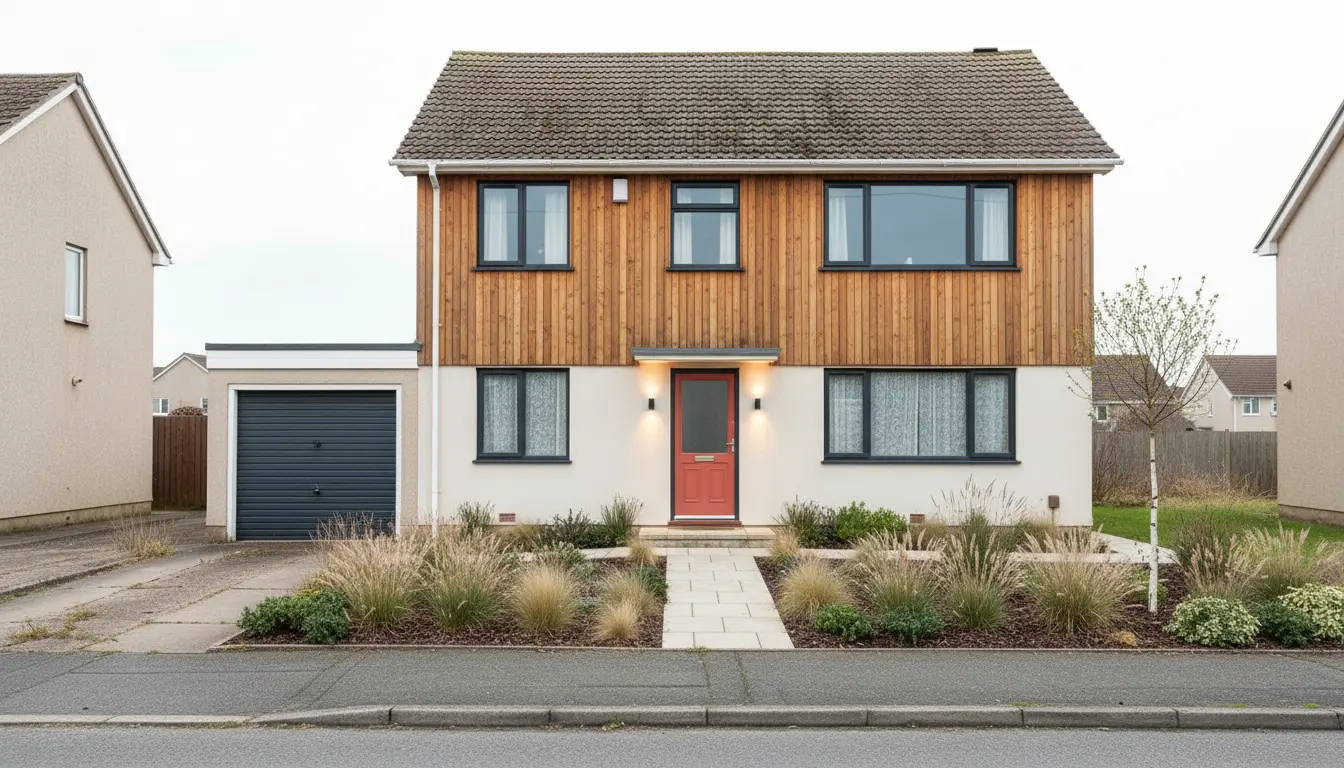
Selling a house with a garden? See how to redesign a house exterior and garden with AI.
Frequently Asked Questions About AI Virtual Staging
What is AI virtual staging?
AI virtual staging is the use of artificial intelligence to add furniture and decor to a photo of an empty or under-furnished room. DecorAI keeps the real walls, windows, floor and camera angle and places furniture in the style you choose, usually in under ten seconds.
Is there a free AI virtual staging app?
Yes. DecorAI includes Virtual Staging and Empty the Room on its free plan. You get three free designs per day without registration or a credit card. Each free design is unlocked by a short video ad, and saved images carry a small watermark that Pro removes.
Can I use AI-staged photos in a real estate listing?
Yes. Images generated with DecorAI may be used commercially on every plan. Label staged photos clearly, keep the unfurnished originals, change furniture only, and check the rules of your property portal and country before publishing.
Can AI remove furniture from a room photo?
Yes. The Empty the Room tool in DecorAI removes furniture and clutter while preserving the floor, walls and windows. You can then run Virtual Staging on the empty version to show the room in a neutral style.
How much does virtual staging cost with DecorAI?
Trying it is free with three designs per day. DecorAI Pro adds unlimited designs without ads or watermark. Agencies can use DecorAI Business in the web app: $59 a month for three logins with unlimited staging and no fee per photo. Prices can vary by country and platform.
Does virtual staging help sell a home?
Staging helps buyers picture the space. In the National Association of Realtors’ Profile of Home Staging, 83% of buyers’ agents said staging made it easier for buyers to visualize a property as a future home. No staging method can guarantee a sale price or a sale date.
Stage your first room with DecorAI
Upload a photo of an empty room and see it furnished in seconds. Three free designs every day, no account and no credit card required.
AI Exterior Design and Garden Design: Redesign Your House From a Photo