ChatGPT Interior Design Prompts: 40 Examples That Get the Room You Want
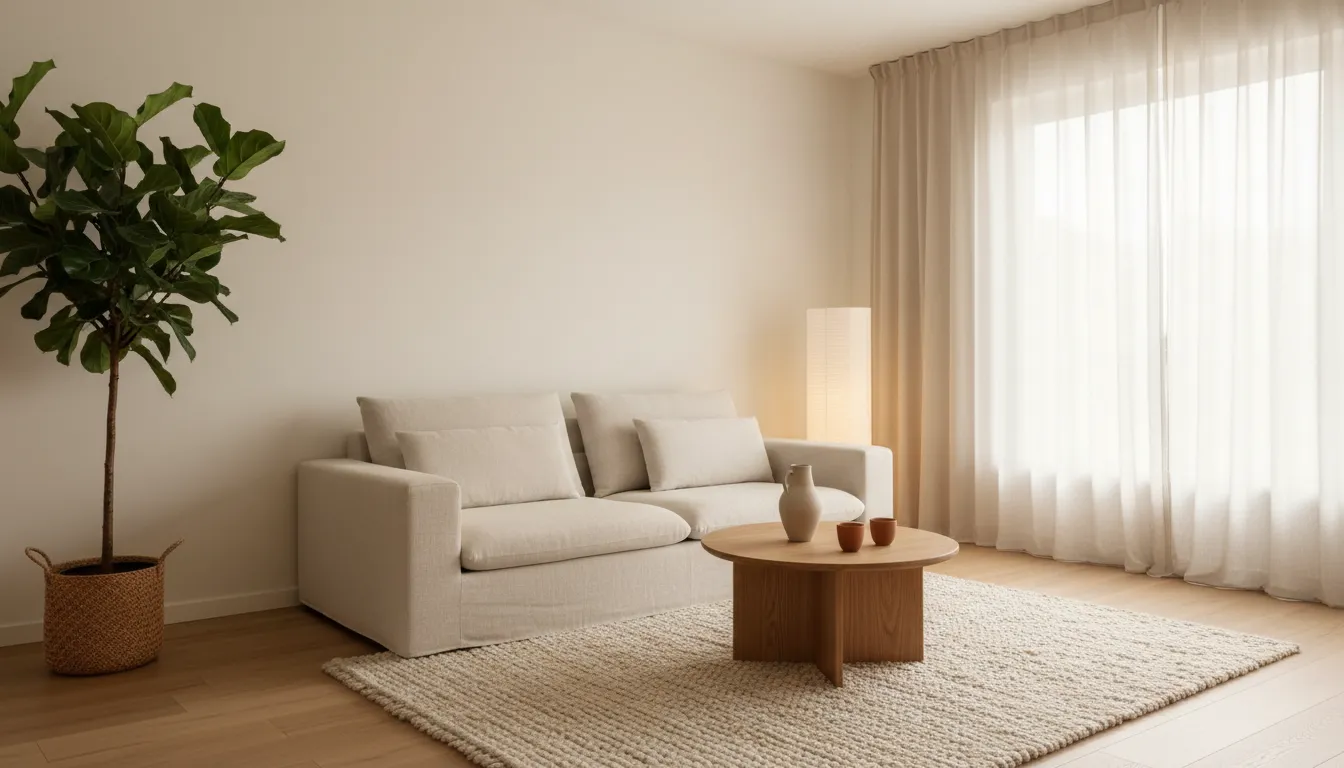



An AI interior design prompt is a short written instruction that tells an AI what a room should look like: the style, the colours, the materials, the mood and the things that must not change. In DecorAI you do not have to write one at all, because you can pick a style and a colour scheme with a tap. But a single clear sentence added to your room photo is often what turns a nice result into the exact room you had in mind.
This guide gives you a formula that works for any room, 40 example prompts you can copy and adjust, and the common mistakes that produce confusing results. Every example is written for a photo of your own room, because a redesign of the space you actually live in is far more useful than a picture of an imaginary one. You can test them with the three free designs DecorAI gives you each day. The prompts work in ChatGPT as well as in DecorAI, and this guide shows how to use them in both.
What is an AI interior design prompt?
A prompt is the text you give an AI to describe the result you want. For interior design, that text describes a room. It can be as short as “warm Scandinavian living room with a light oak floor” or as specific as a paragraph that names the sofa fabric and the colour of the curtains. The AI combines your words with what it sees in the photo and generates a new version of the room.
There are two very different ways to use such a prompt. The first is text only: you describe a room and receive an invented picture. That is fine for inspiration, but the result has nothing to do with your home. The second is photo plus text: you upload a picture of your own room and the prompt describes how to change it. DecorAI is built for the second way. It keeps the walls, windows, ceiling height and camera angle of your photo and applies your instruction to that real space.
This difference changes how you should write. With a photo, you do not need to describe the room’s shape, the position of the window or the view. The AI can see all of that. Your words are free to concentrate on what should be different.
The simple formula for a good room design prompt
Good prompts are not long. They are complete. A reliable prompt answers six questions in one or two sentences, in roughly this order.
- Room and purpose: what the room is and how it is used. “Small living room for a family of four.”
- Style: one clear style, or two that fit together. “Japandi” or “modern farmhouse.”
- Colours: a main colour, a secondary colour and one accent. “Warm white walls, sand tones, one terracotta accent.”
- Materials: the surfaces you want to see. “Light oak, linen, wool, matt black metal.”
- Light and mood: how the room should feel. “Soft warm evening light, calm and uncluttered.”
- Keep and avoid: what must stay and what you do not want. “Keep the existing floor. No television wall.”
Put together, a complete prompt reads like this: “Small living room for a family of four in Japandi style, warm white walls with sand tones and one terracotta accent, light oak and linen, soft warm light, keep the existing floor, no clutter.” That is one sentence, and it leaves the AI very little room to misunderstand you.
You do not need all six parts every time. If you choose the style and the colour scheme from the lists in DecorAI, your written text only has to add what the menus cannot express: the purpose, a material, or the one thing that has to stay.
How to use prompts in DecorAI
DecorAI offers several places where your own words steer the result. Knowing which one to use saves generations.
- AI Interior Designer: upload a room photo, choose from more than 60 styles and 40 colour schemes, and add a free-text instruction. This is where most of the prompts in this guide belong.
- Inpainting: paint over one area of the photo with a brush and describe only what should change there. Everything outside the marked area stays untouched.
- Design Concepts: describe a space in words when you have no photo, for example for a room that is not built yet.
- Design assistants: chat with an AI assistant about furniture sizes, walking routes and layout before you generate anything.
The workflow is simple. Open DecorAI on iPhone, Android or in the web app, take or upload a photo of the room, select the room type, pick a style, type your instruction and generate. The result usually arrives in under ten seconds. Compare it with the original, change one part of the prompt, and generate again. No account is required to begin, and you can read more about the app on the DecorAI homepage.
How to use these interior design prompts in ChatGPT
ChatGPT can generate images, so every prompt in this guide also works there. Upload a photo of your room, paste a prompt and ask for a redesigned version of that photo. Add one sentence telling it to keep the walls, windows, doors and camera angle exactly as they are, because a general-purpose assistant may otherwise change them.
- Good for ideas and wording. ChatGPT is a useful partner for thinking out loud. Ask which styles suit a dark, north-facing room, or let it turn your loose notes into one clear prompt using the formula above.
- Check the room in the result. A generated image can move a window, change the proportions of the room or invent a door. Compare it with your photo before you rely on it.
- Expect a conversation. Every change is a new message and a new image, so comparing five styles takes some time.
DecorAI is built for the step after the idea. It redesigns the photo of your real room, keeps its structure, lets you choose from more than 60 styles with a tap and usually returns the result in under ten seconds. A practical routine combines both: let ChatGPT help you write the prompt, then paste it into DecorAI together with your room photo.
Living room prompts
The living room has the most functions, so say which one matters: conversation, television, reading or play. Copy a prompt and replace the details with your own.
- “Japandi living room, low oak furniture, linen sofa in off-white, paper floor lamp, one large plant, calm and uncluttered, keep the existing floor.”
- “Cosy Scandinavian living room for a family, light grey sofa, wool rug, light wood coffee table, warm white walls, soft evening light.”
- “Modern living room with a dark green accent wall, cognac leather armchair, black metal shelving, warm lighting, no television wall.”
- “Small living room that feels larger: light colours, slim furniture on legs, large mirror, sheer curtains, minimal decor.”
- “Mid-century modern living room, walnut sideboard, mustard yellow armchair, patterned rug, brass floor lamp, keep the windows as they are.”
- “Bright coastal living room, white and sand tones, light blue accents, rattan chair, striped cushions, natural daylight.”
- “Reading corner by the window with a comfortable armchair, floor lamp, small side table and a low bookshelf, warm and quiet mood.”
Bedroom prompts
Bedrooms respond well to prompts about mood and textiles. Name the bedding, the curtain and the light, and keep the colour range narrow.
- “Calm bedroom in warm minimal style, upholstered bed in beige, linen bedding, wooden bedside tables, soft indirect light, no bright colours.”
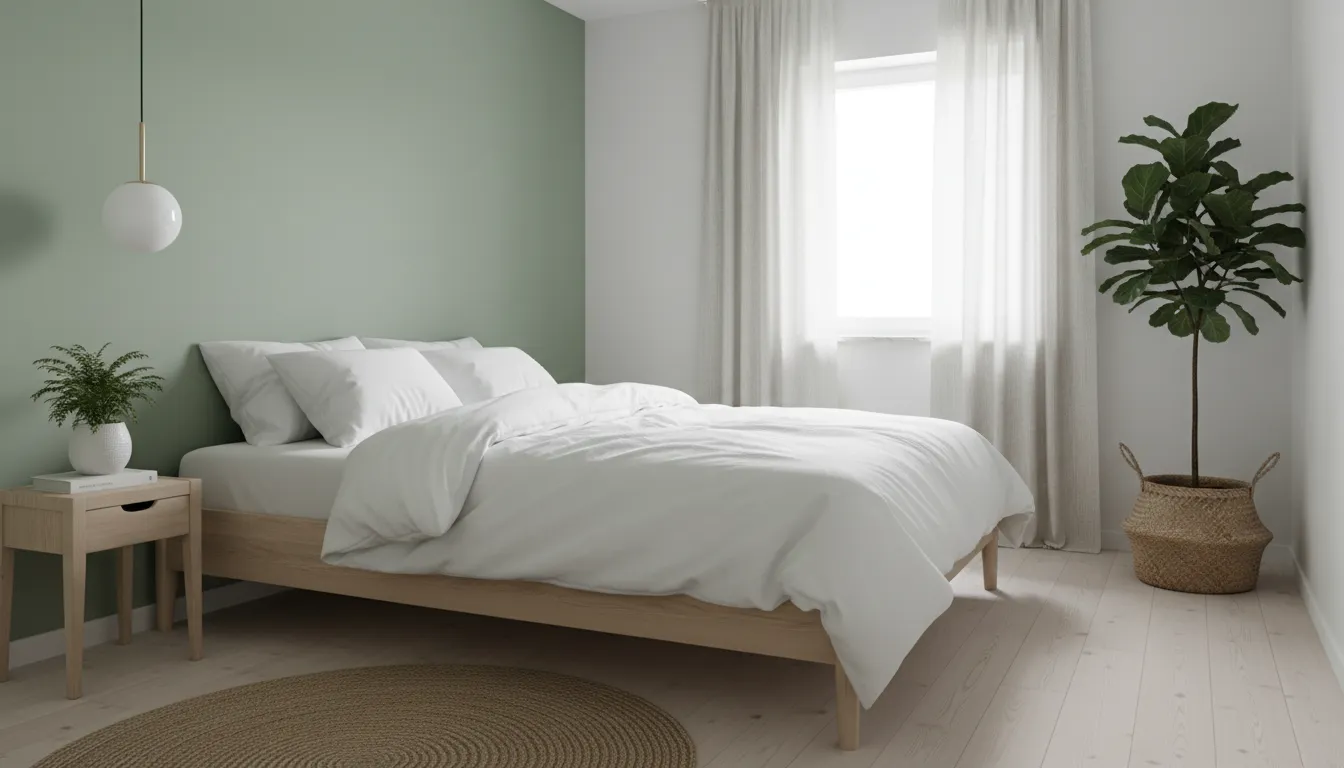
- “Small bedroom in Scandinavian style, white bedding, light wood, one sage green wall behind the bed, simple pendant lamp.”
- “Hotel-style bedroom, dark wood headboard, crisp white bedding, two matching bedside lamps, heavy curtains, warm evening light.”
- “Bohemian bedroom, rattan headboard, layered textiles in rust and cream, many plants, woven wall hanging, relaxed mood.”
- “Bedroom with a small desk by the window, built-in wardrobe in the same colour as the wall, tidy and bright.”
- “Guest room that also works as a home office, sofa bed, slim desk, closed storage, neutral colours.”
Kitchen and dining room prompts
In kitchens, materials do the work. Name the cabinet fronts, the worktop and the splashback. If you only plan a cosmetic update, say that the layout must stay.
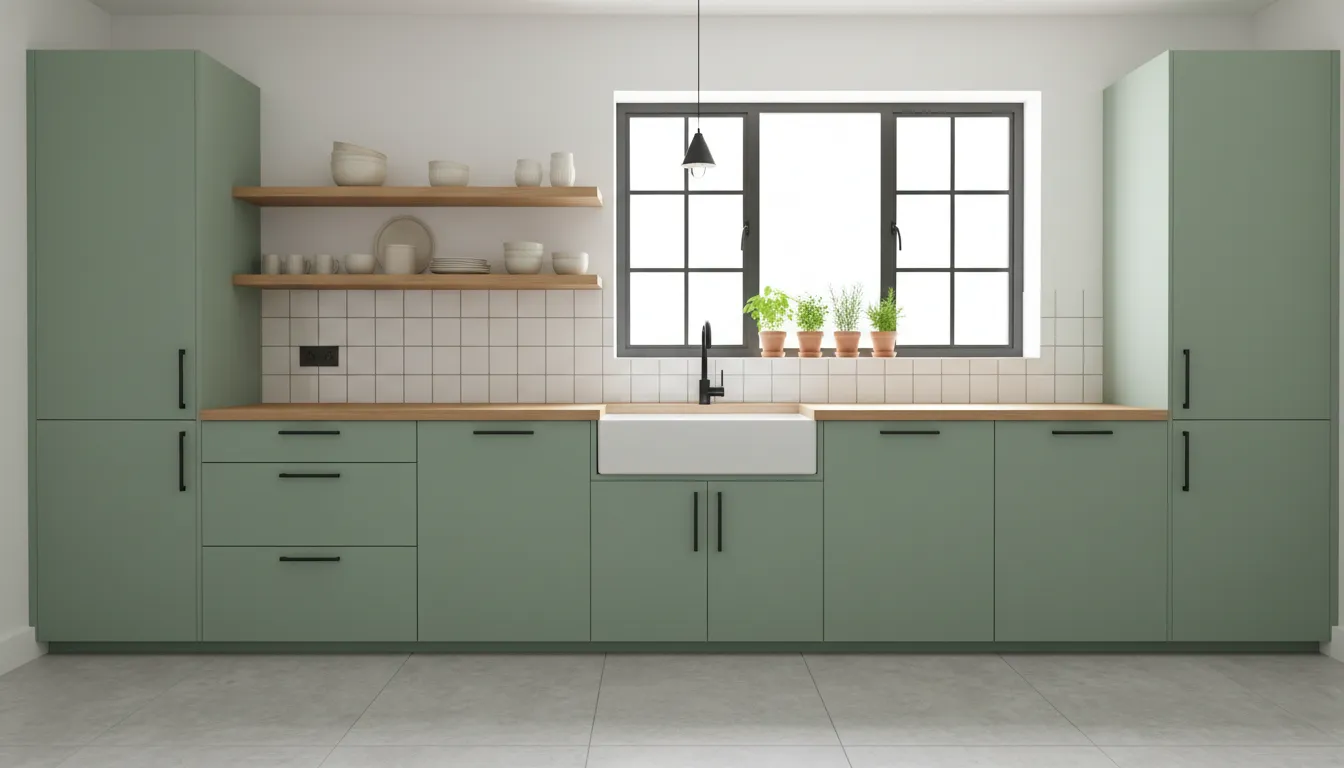
- “Modern kitchen, matt sage green cabinet fronts, light oak worktop, white tile splashback, black handles, keep the kitchen layout and the window.”
- “Bright Scandinavian kitchen, white handleless cabinets, wooden worktop, open shelf with ceramics, pendant lights over the counter.”
- “Kitchen update on a small budget: keep the cabinets, new fronts in warm white, new handles, new lighting, plants on the windowsill.”
- “Industrial kitchen, dark cabinets, concrete-look worktop, open metal shelving, exposed bulbs, brick wall.”
- “Modern farmhouse kitchen, shaker cabinets in cream, butcher block worktop, apron sink, black fixtures.”
- “Dining area for six, solid oak table, mixed chairs, large pendant lamp centred over the table, linen curtains.”
- “Small dining corner with a bench along the wall, round table, two chairs, wall lamp, warm colours.”
Bathroom prompts
Bathrooms are defined by tiles and fittings. State the tile colour and size, the vanity and the fixtures, and say whether the position of bath, shower and toilet should stay.
- “Spa-like bathroom, large beige stone-look tiles, floating oak vanity, round mirror with backlight, brushed brass fixtures, keep the position of all fittings.”
- “Small bathroom that feels bigger, light large-format tiles, walk-in shower with glass screen, wall-mounted vanity, bright even light.”
- “Modern black and white bathroom, white wall tiles, black fixtures, terrazzo floor, simple round mirror.”
- “Mediterranean bathroom, terracotta floor tiles, white plaster walls, wooden shelf, green plants, warm light.”
- “Guest toilet with dark green walls, small stone basin, brass tap, statement wall lamp.”
Home office, hallway and kids’ room prompts
Smaller rooms benefit from prompts that name the function first. Storage, light and one clear colour idea are usually enough.
- “Home office for video calls, desk facing the window, tidy shelf wall behind the chair, warm neutral colours, good lighting, plants.”
- “Compact home office in a corner of the bedroom, slim desk, wall shelf, task lamp, colours that match the existing room.”
- “Creative studio, large white worktable, moodboard wall, open shelving with labelled boxes, bright daylight.”
- “Hallway with built-in bench and coat hooks, shoe storage below, large mirror, light colours, good ceiling lighting.”
- “Kids’ room for two children, bunk bed, play rug, low open storage, soft colours, space to play in the middle.”
- “Teenager’s room, daybed with cushions, desk with shelf, one dark blue wall, LED strip behind the desk.”
- “Nursery in soft neutral tones, wooden cot, comfortable armchair, dimmable lamp, closed storage.”
Prompts for a specific goal
Sometimes the goal is not a style but a problem to solve. Describe the problem directly. These prompts work in almost any room.
- Make a small room feel larger: “Light colours, fewer and slimmer pieces of furniture, furniture on legs, one large mirror, curtains from ceiling to floor.”
- Make a room feel warmer: “Warm white walls, wood tones, wool and linen textiles, several small lamps instead of one ceiling light.”
- Renter-friendly update: “Keep walls, floor and built-in furniture exactly as they are. Change only furniture, rugs, curtains, lamps and decor.”
- Keep your furniture: “Keep the existing sofa and dining table. Change wall colour, rug, curtains and lighting to match them.”
- Design to a budget: “Affordable furniture and simple changes only.” In DecorAI you can also set a low, mid or high budget level instead of writing it.
- More storage: “Add closed storage along one wall in the same colour as the wall, keep the floor area free.”
- Family-proof: “Robust, washable materials, rounded edges, closed storage for toys, no glass tables.”
- Work-from-home corner: “Add a small desk and a task lamp in the corner by the window without changing the rest of the room.”
Words that improve a prompt: style, material and light
The more precisely you name things, the less the AI has to guess. Three groups of words carry most of the weight.
Style words set the overall direction. Use established names, because they describe a whole set of shapes and colours at once: Scandinavian, Japandi, Modern, Minimalist, Mid-Century Modern, Industrial, Bohemian, Coastal, Farmhouse, Art Deco. If you are unsure what a style involves, the overview of interior design and its history is a good place to look up terms. One style per prompt is best. Two can work if they are related. Three usually cancel each other out.
Material words make a design look real. Compare “wooden table” with “solid oak table with a matt finish.” Useful materials to name are oak, walnut, linen, wool, bouclé, rattan, marble, terrazzo, concrete, brushed brass and matt black metal. Mention two or three, not ten.
Light words decide the mood. “Bright daylight” gives a fresh, open room, while “warm evening light” makes the same furniture feel intimate. If you want to be exact, lighting is described by colour temperature, measured in kelvin: lower values look warm and yellowish, higher values look cool and bluish. In a prompt, “warm white light” or “soft indirect lighting” is usually enough.
Seven common prompt mistakes
- Too vague. “Make it nice” or “modern and cosy” gives the AI nothing to hold on to. Name a style, a colour and a material.
- Too many styles. “Industrial boho Scandinavian glam” produces a compromise that looks like none of them.
- Contradictions. “Minimalist with lots of decoration” cannot be satisfied. Decide which matters more.
- Describing the room instead of the change. With a photo, the AI already sees the window and the door. Spend your words on what should be different.
- No mention of what must stay. If the floor, the kitchen layout or your sofa has to remain, say so in the prompt.
- Changing everything at once. If you change style, colours and furniture in one step, you cannot tell which change you liked. Adjust one element per generation.
- A poor photo. A dark, tilted or ultra-wide picture limits every result, however good the prompt is. Shoot in daylight with the camera level.
When you do not need a prompt at all
Writing is optional. Many people get the result they want in DecorAI without typing a word. You select the room type, tap one of more than 60 styles, choose one of more than 40 colour schemes, and generate. More than 30 additional design controls let you fine-tune the result with taps instead of text.
There are also ways to show the AI what you want instead of telling it. With Style Transfer you upload a reference picture, such as a fabric, a painting or a room you like, and its colours and materials are applied to your own room. With Moodboards you collect several inspiration images and the AI redesigns your room in that look, using the board’s exact colours. With Furniture Import you upload a photo of a specific piece of furniture and see it placed in your room.
A sensible routine is to start with a style from the menu, look at the result, and only then add a sentence to correct what is missing. If you are new to the app, our guide to the best free AI interior design app explains how to get the most from the three free designs per day.
How to refine a result step by step
The first result is a draft. Refining it follows a short loop that works the same way in every room.
- 1. Generate a base version with a style and, if needed, a one-sentence prompt.
- 2. Name what is wrong in concrete terms: too dark, too much furniture, wrong sofa colour.
- 3. Change one part of the prompt and generate again. Keep the photo and everything else the same.
- 4. Fix details with Inpainting. If only the rug or one wall is wrong, mark that area and describe the replacement instead of regenerating the whole room.
- 5. Save and compare. Put the best two versions side by side and decide in daylight, not late at night.
Keep a note of the prompts that worked. A sentence that produced a good living room will often produce a good bedroom with two words changed, and after a few rooms you will have a personal style description that you can reuse for the whole home.
What a prompt cannot do
Even a perfect prompt produces a picture, not a plan. The image shows a believable version of your room, but it is not measured. Furniture in the picture may not exist as a product, and sizes are estimates. Before you buy a sofa or order a kitchen, measure the room, check door widths and walking routes, and compare real samples of paint, fabric and flooring in your own light.
Anything structural, electrical or related to plumbing belongs with qualified professionals. Use the generated image to show them what you want. That is where AI room design is strongest: it turns a vague wish into a picture that other people can understand in a second.
Try your first prompt on your own room
Pick one room, take a level photo in daylight and choose one prompt from this guide. Replace the colours and materials with your own preferences, generate, and adjust one detail at a time. Three free designs a day are enough to find a direction for a room in a single evening.
DecorAI is available as an iOS app, an Android app and a web app. You can start without an account or a credit card, and the same prompts work on all three.
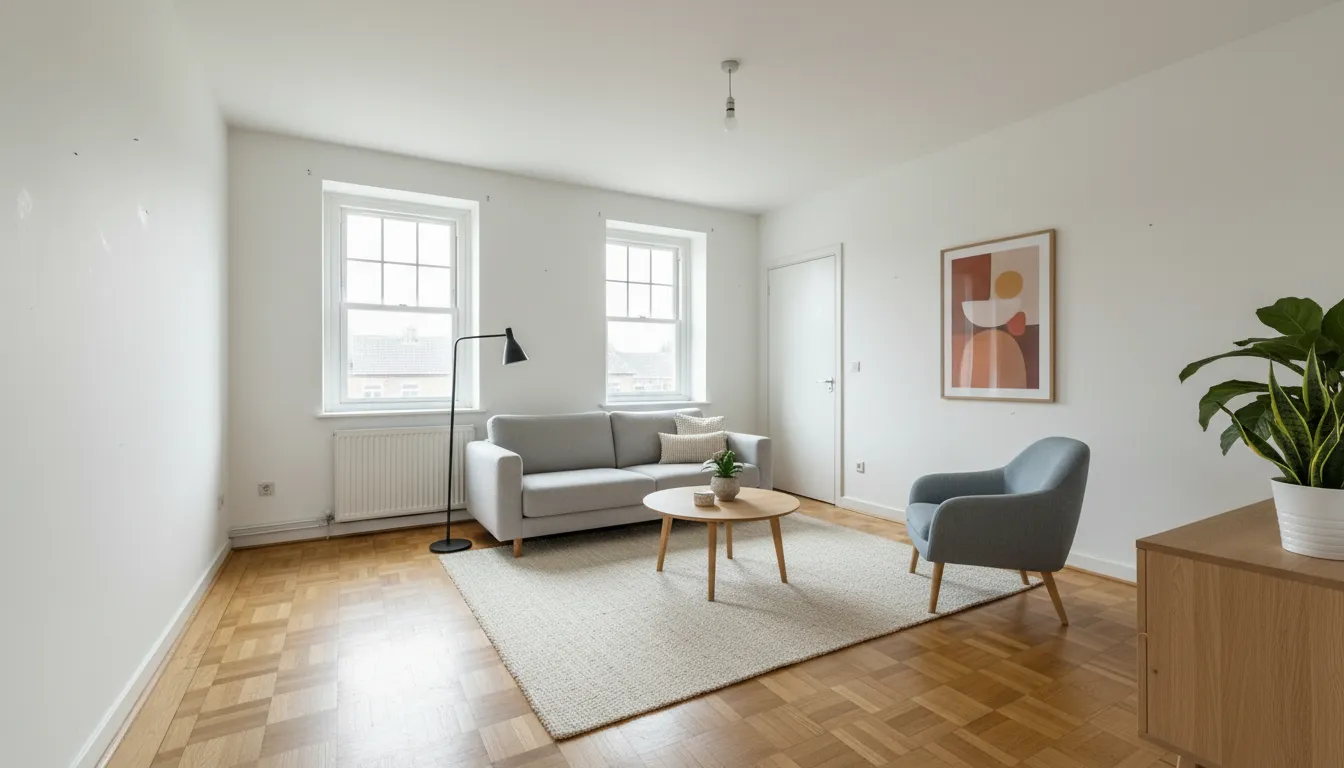
Furnishing an empty room for a sale or a move? Read our guide to AI virtual staging for real estate photos.
Frequently Asked Questions About AI Interior Design Prompts
What is a good ChatGPT prompt for interior design?
A good prompt names the room and its purpose, one style, two or three colours, a few materials, the light or mood, and what must stay. Example: “Japandi living room, warm white and sand tones, light oak and linen, soft warm light, keep the existing floor.” The same prompt works in ChatGPT and in DecorAI.
Can I use a prompt with a photo of my own room?
Yes. In DecorAI you upload a photo of your room, choose a style and add a free-text instruction. The app keeps the walls, windows and camera angle of your photo and applies your prompt to that real space, usually in under ten seconds.
Do I need to write prompts to use DecorAI?
No. You can choose from more than 60 styles, more than 40 colour schemes and more than 30 design controls by tapping. A written prompt is optional and is most useful for details the menus do not cover, such as keeping a specific piece of furniture.
Can ChatGPT redesign my room from a photo?
ChatGPT can create a redesigned image from an uploaded room photo and a prompt, but it may change windows, doors or proportions along the way. DecorAI is built for this task: it keeps the structure of your real room and applies the style or prompt you choose, usually in under ten seconds.
How do I change only one part of a room with AI?
Use Inpainting in DecorAI. Mark the area you want to change with the brush, such as a wall, a rug or a sofa, and describe the replacement. Everything outside the marked area stays exactly as it is in your photo.
Are AI interior design prompts free to try?
Yes. DecorAI gives you three free designs every day without registration or a credit card. Each free design is unlocked by a short video ad. Pro adds unlimited designs without ads or watermark.
Try these prompts on your own room
Upload a room photo, pick a style, add one sentence and see the result in seconds. Three free designs every day, no account and no credit card required.
AI Virtual Staging: How to Stage Real Estate Photos From Your Phone